
Introduction
The Lunix LX3 Hand Massager is designed to provide an intense and adjustable massage experience. It features 6 levels of massage and intensity, heat (providing a gentle warmth around 104°F), vibration, and pressure point compression therapy. This device is intended to relieve muscle pain, arthritis, carpal tunnel, and finger numbness, while improving blood circulation for overall hand wellness.
Safety Information
Important Safety Precautions:
- Fully charge the hand massager before first use.
- Use the included USB cable and a 5V/1A plug for charging. The device also supports up to a 5V/2A plug for faster charging.
- You may connect it to any USB-compatible power source (e.g., laptop, wall outlet) that meets the required specifications.
- The battery indicator will blink green while charging and display four solid green lights when fully charged.
- For safety reasons, the hand massager cannot be used while charging.
What's in the Box?

The Lunix LX3 Hand Massager unit and its retail packaging.

The box contains the Hand Massager, USB Charging Cable, Travel Bag, User Manual, and a Finger Massager.
Setup and Charging
Before using your Lunix LX3 Hand Massager, ensure it is fully charged.
Charging Instructions:
- Connect the provided USB charging cable to the massager's charging port.
- Plug the other end of the USB cable into a compatible power source. A 5V/1A plug is recommended, but it supports up to 5V/2A for faster charging.
- The battery indicator lights will blink green during charging and become solid green when fully charged.
- The device cannot be operated while charging.

The massager can be charged using various USB power sources, including laptops, wall plugs, or power banks.
Operating Instructions
The Lunix LX3 Hand Massager features an intuitive display for easy operation.
Basic Operation:
- Power On/Off: Press the power button to turn the device on or off.
- Select Program: Choose from 4 available program modes to suit your massage needs.
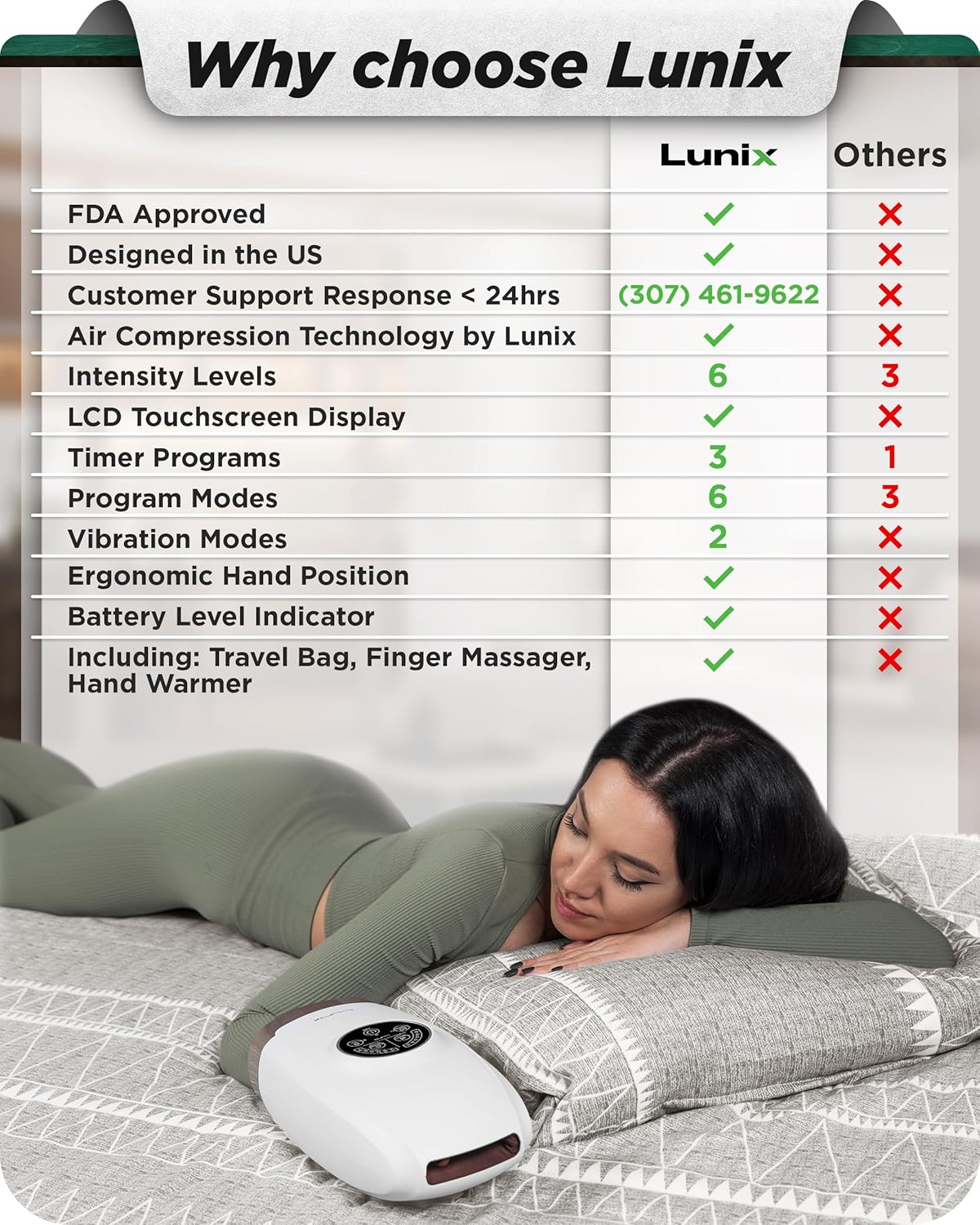
- Adjust Intensity: Select from 6 intensity levels to control the pressure of the massage.
- Heat Function: Activate the heat option for a gentle warmth (around 104°F) to enhance relaxation and massage benefits.
- Vibration Function: Choose from 2 vibration modes for added relief.
- Timer Settings: The device includes 3 timer settings and an auto-shutoff feature for convenience.
The smart and intuitive display allows for easy selection of massage settings.
Acupressure Technology
The Lunix LX3 Hand Massager utilizes acupressure therapy by compressing the hand, stimulating acupuncture points, and improving blood circulation. This technology provides a feeling similar to a real hand massage, without a rolling function.
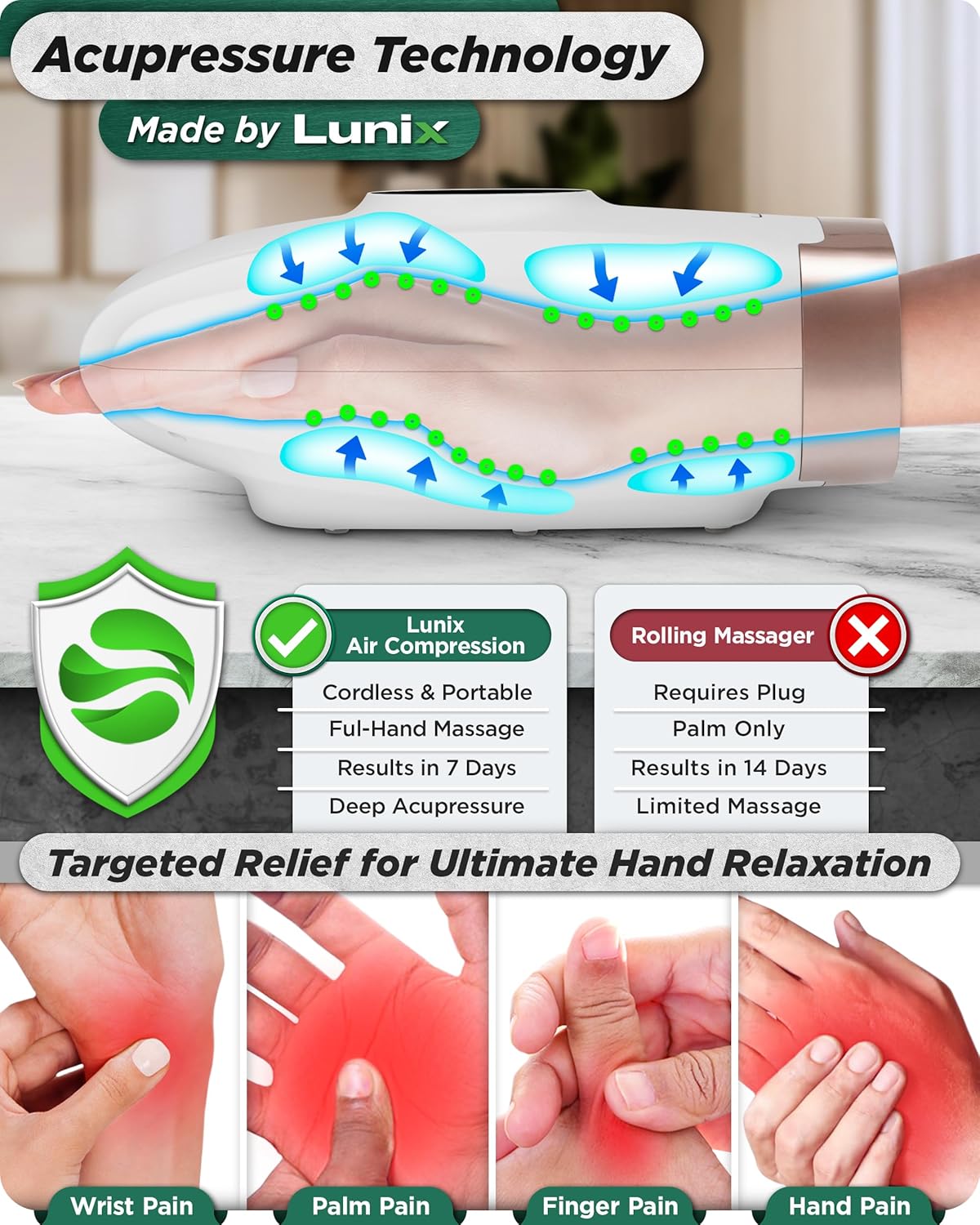
Illustration of the acupressure technology, highlighting how air compression targets pressure points for effective relief.
Benefits and Indications
The Lunix LX3 Hand Massager is designed to provide relief for various hand conditions and promote overall wellness.
Indications for Use:
- Sore Fingers
- Arthritis
- Finger Numbness
- Joint Soreness
- Carpal Tunnel
- General Hand Relaxation
- Cold Hands (with heat function)

The massager is designed to improve health by addressing common hand ailments.
Finger Massager
A complementary finger massager is included to provide targeted relief for individual fingers.

The included finger massager can be used for additional targeted relief.
Maintenance
To ensure the longevity and optimal performance of your Lunix LX3 Hand Massager, follow these general maintenance guidelines:
- Keep the device clean by wiping it with a soft, dry cloth.
- Avoid using abrasive cleaners or solvents.
- Store the massager in its travel bag in a cool, dry place when not in use.
- Protect the device from extreme temperatures and direct sunlight.
Troubleshooting
If you encounter any issues with your Lunix LX3 Hand Massager, please refer to the following common troubleshooting tips:
- Device not turning on or charging:
- Check the connection between the USB port and the USB charging cable.
- Ensure the charging plug meets the specified voltage (5V/1A or 5V/2A). Try using a different charging plug or USB port.
- The device cannot be used while charging.
- Massage intensity feels too strong or too weak:
- Adjust the intensity level using the control panel. The device offers 6 levels of pressure.
- Ensure your hand is properly positioned within the massager.
- Heat function not noticeable:
- The heat provides a gentle warmth around 104°F. It may take a few minutes to reach optimal temperature.
- Wearing thin cotton gloves or using a hand warmer can enhance the sensation of heat.
For more detailed troubleshooting, please refer to the official Troubleshooting Guide (PDF) or the comprehensive Online User Manual.
Specifications
| Feature | Detail |
|---|---|
| Product Dimensions | 11.81 x 3.94 x 2.68 inches |
| Item Weight | 2.2 Pounds (1000 Grams) |
| Model Number | LX3-WHITE |
| Power Source | USB Rechargeable |
| Battery | 1 Lithium Ion battery (included) |
| Material | ABS Plastic |
| Massage Levels | 6 Intensity Levels |
| Program Modes | 4 Program Modes |
| Vibration Modes | 2 Vibration Modes |
| Heat Function | Yes (approx. 104°F) |
Warranty and Support
Lunix is a family-owned and operated company committed to providing top-quality products and excellent customer service.
- All Lunix products are tested by therapist experts.
- For any questions or support regarding your Lunix products, please contact our U.S. based customer support.

Lunix offers U.S. based customer support for all product inquiries.
Legal Disclaimer
"Lunix is an American family-owned business and all our products are tested by therapist experts. Instead of using the traditional rolling technique, the LX3 air compression massager applies pressure to the hand and wrist to help it relax and sooth the tense muscle."