
1. Introduction
This manual provides detailed instructions for the installation, operation, and maintenance of the ALARM CONTROLS TS-12 Vandal Resistant Push to Exit Button. The TS-12 is designed to provide a reliable means of egress for controlled access systems, ensuring safety and security in various commercial and industrial environments.
2. Safety Information
- Read all instructions carefully before installation and operation.
- Installation should only be performed by qualified personnel in accordance with all local and national electrical codes.
- Disconnect power to the access control system before performing any wiring or maintenance.
- Ensure all connections are secure to prevent electrical hazards and ensure proper operation.
- This device is intended for use in security and access control applications. Misuse may result in security breaches or injury.
3. Product Overview
The ALARM CONTROLS TS-12 is a vandal-resistant push-to-exit button designed for robust performance. It features a durable 3/4" push button mounted on a single-gang wall plate made of 430 stainless steel. The plate is clearly screened with "PUSH TO EXIT" for intuitive use. This momentary action switch is suitable for indoor, outdoor, commercial, and industrial applications.
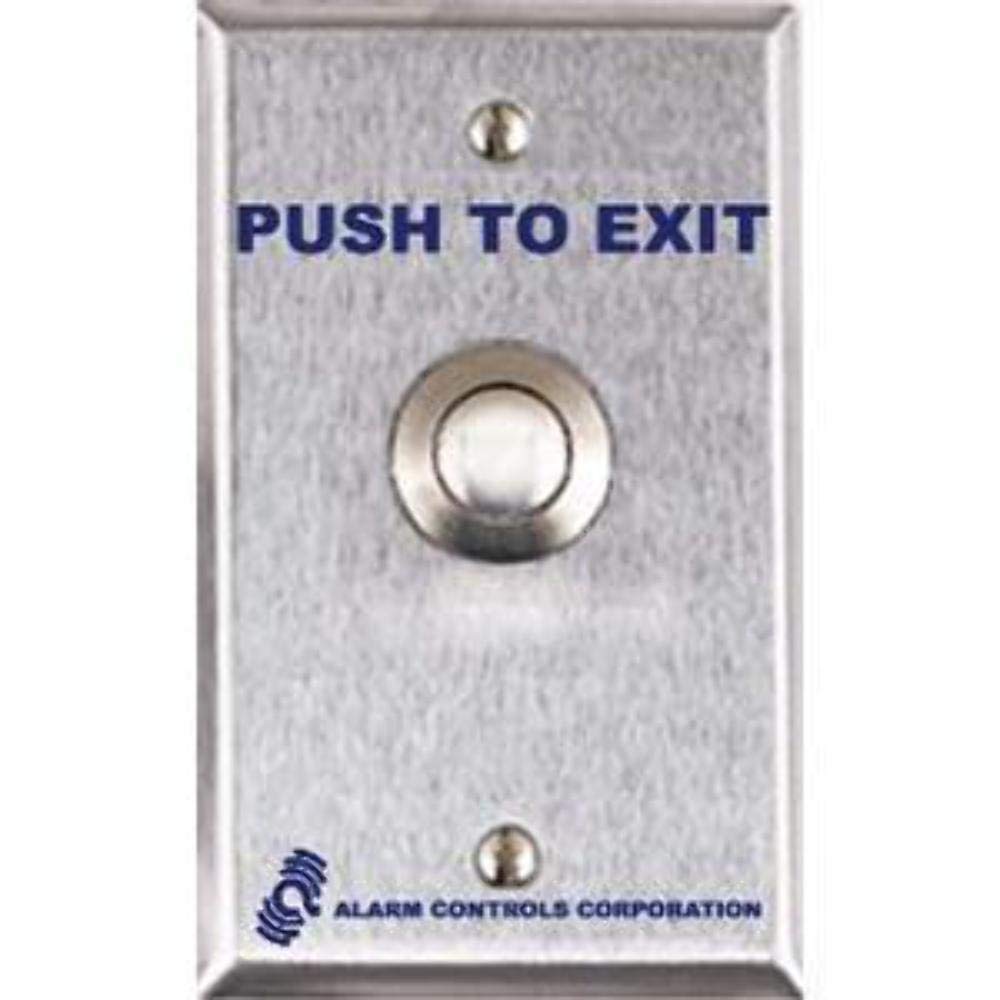
Figure 1: ALARM CONTROLS TS-12 Vandal Resistant Push to Exit Button. This image shows the stainless steel single-gang wall plate with the prominent "PUSH TO EXIT" text and the robust 3/4-inch push button.
Key Features:
- Single gang wall plate with 430 stainless steel finish.
- Vandal resistant 3/4" push button.
- Plate screened with "PUSH TO EXIT".
- Momentary action switch.
- DPDT contacts rated 10A at 35 VDC.
- Switch terminated with 10" leads.
4. Installation and Setup
Follow these steps for proper installation of the TS-12 push to exit button:
- Prepare the Mounting Location: Choose a standard single-gang electrical box or surface mount box at the desired exit location. Ensure there is sufficient depth (1-1/2" behind the plate) for the switch mechanism.
- Disconnect Power: Before making any electrical connections, ensure that power to the access control system and associated locking device is completely disconnected.
- Wire the Switch: The TS-12 switch is equipped with 10" leads. Connect these leads to your access control panel or locking device according to the system's wiring diagram. The DPDT contacts allow for flexible wiring configurations (Normally Open or Normally Closed) depending on your application's requirements.
- Common (C)
- Normally Open (NO)
- Normally Closed (NC)
- Mount the Plate: Carefully position the stainless steel wall plate over the electrical box, ensuring the wires are not pinched. Secure the plate using the provided mounting screws.
- Test the System: Once the plate is securely mounted and all wiring is complete, restore power to the access control system. Test the functionality of the TS-12 button to ensure it correctly triggers the locking device to unlock for egress.
5. Operation
The ALARM CONTROLS TS-12 is a simple momentary action push button. To operate:
- When egress is required, firmly press the 3/4" button labeled "PUSH TO EXIT".
- The button will momentarily activate the connected locking device, allowing the door to unlock and open.
- Upon releasing the button, the switch returns to its original state, and the locking device will re-engage (unless a timer relay is used, which would keep the door unlocked for a specified duration).
6. Maintenance
The TS-12 push to exit button is designed for durability and requires minimal maintenance. Regular inspection and cleaning will ensure continued reliable operation.
- Cleaning: Periodically wipe the stainless steel plate and button with a soft, damp cloth. Avoid abrasive cleaners or solvents that could damage the finish or screening.
- Inspection: Annually inspect the button for any signs of wear or damage. Check that the button depresses smoothly and returns to its original position without sticking. Verify that the mounting screws are tight.
- Wiring: If any issues arise, ensure all wiring connections are secure and free from corrosion. Disconnect power before inspecting wiring.
7. Troubleshooting
If the TS-12 push to exit button is not functioning as expected, consider the following:
| Problem | Possible Cause | Solution |
|---|---|---|
| Button does not activate lock. |
|
|
| Button is stuck or difficult to press. |
|
|
| Door remains unlocked after button release. |
|
|
If troubleshooting steps do not resolve the issue, contact qualified technical support.
8. Specifications
| Feature | Detail |
|---|---|
| Model | TS-12 |
| Switch Type | Momentary Action, DPDT |
| Contact Rating | 10A at 35 VDC |
| Plate Material | 430 Stainless Steel |
| Button Size | 3/4 inch |
| Switch Depth Behind Plate | 1-1/2 inches |
| Leads | 10 inches |
| Certifications | UL 294 listed, CSA certified components |
| Item Weight | 1 Pound |
| First Available | March 31, 2021 |
9. Warranty and Support
ALARM CONTROLS products are manufactured to high standards and are backed by a manufacturer's warranty. For specific warranty terms and conditions, please refer to the official ALARM CONTROLS website or contact their customer support.
For technical assistance, troubleshooting beyond this manual, or to inquire about replacement parts, please contact ALARM CONTROLS customer support directly. Have your product model number (TS-12) and purchase information ready when contacting support.


