
1. Introduction
This manual provides detailed instructions for the setup, operation, and maintenance of your Beetel F2N Fixed Wireless Phone. Please read this manual thoroughly before using the device to ensure proper functionality and longevity.

Image: The Beetel F2N Fixed Wireless Phone, showing the handset, base unit with keypad, display, and antenna.
2. What's in the Box
Upon unboxing, verify that all components are present:
- Beetel F2N Device
- Power Adaptor
- USB Cable
- Plastic Basket Assembly
- User Manual (this document)
3. Setup and Installation
3.1. SIM Card Insertion
The Beetel F2N supports Dual SIM (GSM) operations. Ensure the device is powered off before inserting or removing SIM cards.
- Locate the SIM card slot(s) on the device.
- Carefully insert the GSM SIM card(s) into the designated slot(s) until it clicks into place.
- Ensure the SIM card is correctly oriented as indicated by the diagram near the slot.

Image: Illustration showing the Beetel F2N phone supporting dual GSM SIM card operation.
3.2. Antenna Installation
The device comes with a high-performance detachable TNC antenna for optimal signal reception.
- Locate the antenna port on the back or side of the device.
- Screw the TNC antenna clockwise into the port until it is securely fastened.
- Adjust the antenna for best signal reception.

Image: Close-up of the Beetel F2N phone highlighting the high-performance detachable TNC antenna.
3.3. Power Connection
Connect the power adaptor to the device and then to a power outlet. The device is designed to operate continuously when connected to power.
The phone includes 3 AAA batteries. These batteries provide backup power and allow for limited portability. For optimal performance, keep the device connected to the power adaptor.

Image: Graphic illustrating the 1000 mAh rechargeable battery, indicating 50 hours standby time and 3 hours talk time.
4. Operating Instructions
4.1. Basic Call Functions
- Making a Call: Dial the number using the keypad and press the SEND button.
- Receiving a Call: Lift the handset or press the SEND button to answer an incoming call.
- Ending a Call: Place the handset back on the cradle or press the END button.
- Redial: Press the REDIAL button to call the last dialed number.
4.2. Speakerphone Function
The Beetel F2N features a 2-way digital speakerphone with adjustable receive volume.
- During a call, press the Speaker button to activate the speakerphone.
- Adjust the volume using the volume control buttons (usually up/down arrows on the keypad).
- Press the Speaker button again to switch back to the handset.
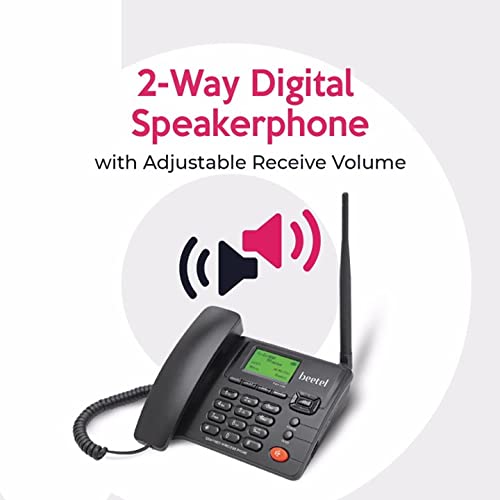
Image: Graphic illustrating the 2-way digital speakerphone feature with adjustable receive volume.
4.3. SMS Messaging
The device supports sending and receiving SMS messages, with a capacity to store up to 400 SMS messages.
- Navigate to the "Messages" menu using the navigation keys.
- Select "Write Message" to compose a new SMS.
- Enter the recipient's number and your message.
- Select "Send" to transmit the message.
4.4. Phonebook Management
The phonebook can store up to 1000 numbers.
- Access the "Phonebook" menu.
- Add New Contact: Select "Add New" and enter the name and number.
- Search Contact: Use the search function to find existing contacts.
- Speed Dial: Assign frequently called numbers to speed dial keys for quick access.
4.5. FM Radio
The Beetel F2N includes an FM radio feature.
- Navigate to the "FM Radio" application from the main menu.
- Use the navigation keys to scan for stations or tune to a specific frequency.
- Adjust the volume as needed.
4.6. Conference Call
The device allows for 3-party conversations between two external parties and the F2N phone user.
- Initiate a call with the first party.
- While on the call, use the menu options to "Add Call" or "Conference".
- Dial the second party's number.
- Once the second party answers, select the "Conference" option to merge the calls.

Image: Graphic illustrating the ability to conduct 3-party conversations with the Beetel F2N phone.
5. Additional Features
- LED Display with Backlight: The display shows calling party number/name, battery capacity, signal strength, date, and time.

Image: Banner showing the LCD display with backlight, indicating displayed information.
- Alarm: Set alarms for reminders.
- Basic Calculator: Perform simple arithmetic calculations.
- Quad Band GSM (2G Network) Support: Ensures wide network compatibility.

Image: Graphic indicating support for Quad Band GSM (2G Network).

Image: Visual representation of additional features including Alarm, Basic Calculator, Speed Dial Support, and FM Radio.
6. Maintenance and Care
- Keep the device clean by wiping it with a soft, dry cloth. Avoid using liquid cleaners or aerosols.
- Do not expose the device to extreme temperatures, direct sunlight, or high humidity.
- Avoid dropping the device or subjecting it to strong impacts.
- Ensure the power adaptor and cables are not damaged.
- If the device will not be used for an extended period, disconnect it from power and store it in a cool, dry place.
7. Troubleshooting
| Problem | Possible Cause | Solution |
|---|---|---|
| No Power | Power adaptor not connected; Power outlet issue; Battery drained. | Check power connections; Try a different outlet; Ensure batteries are charged or replace if necessary. |
| No Signal | SIM card not inserted correctly; Poor network coverage; Antenna not connected. | Reinsert SIM card; Move to an area with better network coverage; Ensure antenna is securely attached. |
| Cannot Make/Receive Calls | No network signal; SIM card inactive; Incorrect number dialed. | Check signal strength; Verify SIM card activation with your service provider; Redial the number carefully. |
| Poor Audio Quality | Weak signal; Speakerphone volume too low/high; Interference. | Improve signal reception; Adjust speakerphone volume; Move away from other electronic devices. |
| SMS Not Sending/Receiving | SMS center number not configured; Insufficient balance/plan; Network issue. | Check SMS settings; Contact your service provider; Verify network status. |
8. Specifications
| Feature | Detail |
|---|---|
| Model Number | F2N |
| Product Dimensions | 14 x 19.5 x 7.5 cm |
| Item Weight | 530 g |
| Colour | Black |
| Material | Plastic |
| Telephone Type | Cordless (Fixed Wireless Phone) |
| Connectivity Technologies | GSM (Supports Dual SIM) |
| Phonebook Memory | 1000 Numbers |
| SMS Storage | Max 400 SMS |
| Display | LED Display with Backlight |
| Speakerphone | 2-Way Digital Speakerphone |
| FM Radio | Yes |
| Conference Call | 3-Party Conversation |
| Battery Type | 3 AAA batteries (included) |
| Phone Talk Time | 3 Hours |
| Phone Standby Time | 50 Hours |
| Manufacturer | Beetel Teletech Limited |
| Country of Origin | China |
9. Warranty and Support
For warranty information and technical support, please refer to the warranty card included with your product or visit the official Beetel website. Keep your purchase receipt as proof of purchase for warranty claims.
Manufacturer: Beetel Teletech Limited
For further assistance, you may contact Beetel customer service through their official channels.