
Exerpeutic 2000XL
Exerpeutic 2000XL Heavy Duty Magnetic Elliptical with Bluetooth App Tracking User Manual
Model: 2000XL | Brand: Exerpeutic
1. Safety Information
WARNING: This product can expose you to chemicals including Lead, which is known to the State of California to cause cancer and birth defects or other reproductive harm. For more information go to www.P65Warnings.ca.gov.
Before beginning any exercise program, consult with your physician. It is important to ensure your physical condition is suitable for exercise. Always follow the instructions in this manual for safe operation.
- Keep children and pets away from the equipment.
- Place the elliptical on a flat, stable surface.
- Wear appropriate exercise attire and footwear.
- Inspect the equipment before each use for loose parts or signs of wear.
- Do not exceed the maximum user weight capacity of 300 lbs.
2. Product Overview
The Exerpeutic 2000XL Bluetooth Smart Cloud Fitness High Capacity Elliptical Trainer is designed for convenient home workouts. It offers a low-impact exercise experience with advanced tracking capabilities.
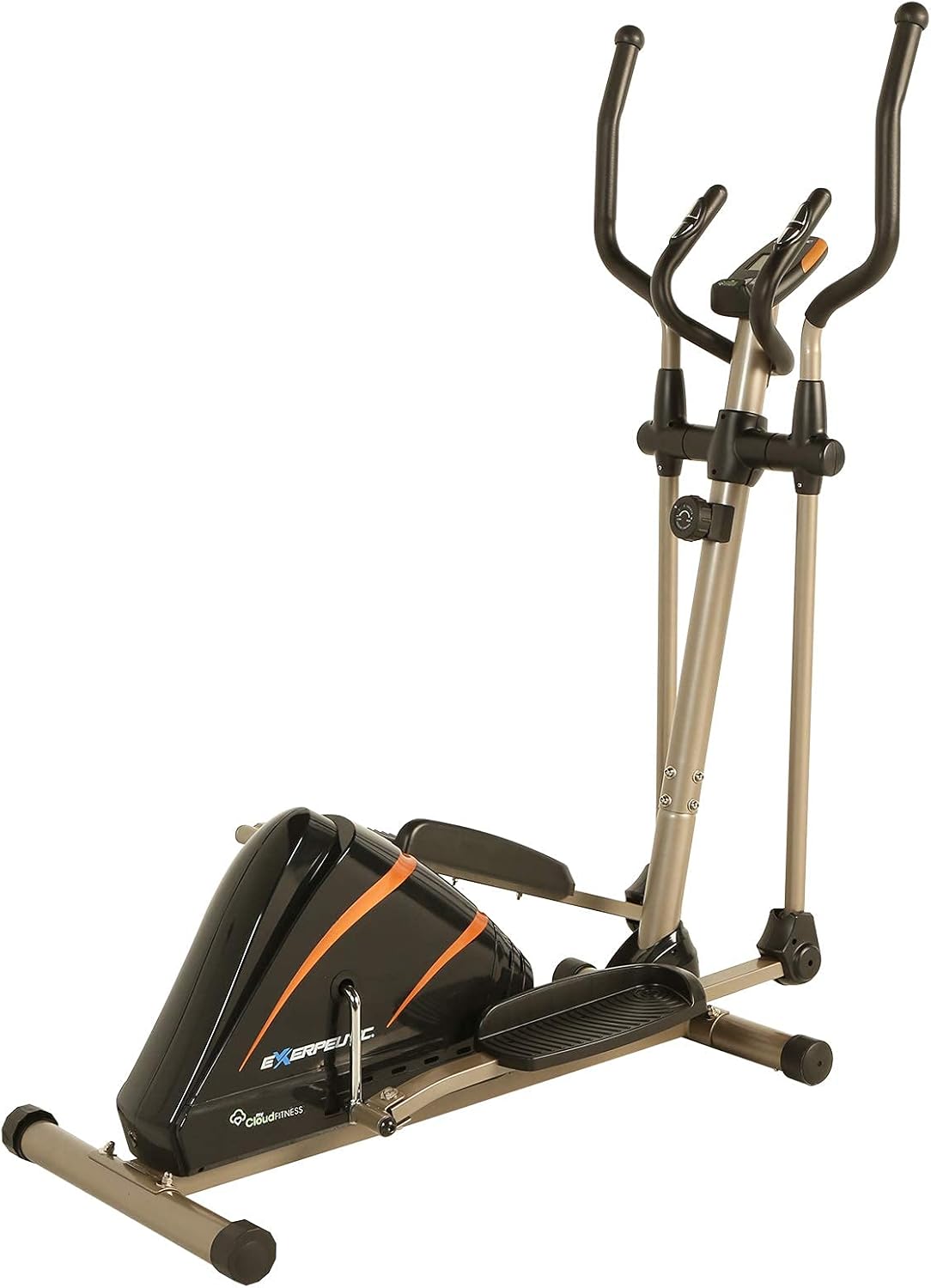
Image: The Exerpeutic 2000XL Elliptical Trainer, featuring a black and orange design with a sturdy grey frame.
Key Features:
- Bluetooth Smart Cloud Fitness: Connects to the free MyCloudFitness app (Android and iOS) for workout tracking.
- Goal Settings: Set workout goals for time, distance, and calories burned via the MyCloudFitness App.
- Magnetic Tension Resistance: Features 8 levels of magnetic tension for varied workout intensity.
- LCD Display: An easy-to-read 3.4-inch large window LCD display shows distance, calories burned, time, speed, and pulse.
- Dual Action Workout Arms: Provides an upper body workout to tone the entire physique.
- Hand Pulse Sensors: Integrated into stationary arms to monitor heart rate.
- High Capacity: Supports users up to 300 lbs.
3. Setup and Assembly
Follow these steps to assemble your Exerpeutic 2000XL Elliptical Trainer. It is recommended to have two people for assembly.
Assembly Video:
Video: A detailed guide on how to install the elliptical trainer, demonstrating each step of the assembly process.
General Assembly Steps:
- Unpack Components: Carefully remove all parts from the packaging and lay them out. Verify all parts are present against the parts list in your manual.
- Attach Stabilizer Bars: Secure the front and rear stabilizer bars to the main frame using the provided bolts and tools.
- Install Pedal Arms: Connect the pedal arms to the main unit, ensuring proper alignment and secure fastening.
- Attach Pedals: Mount the foot pedals to the pedal arms, ensuring they are firmly attached.
- Assemble Handlebars: Attach the dual-action handlebars to the main frame.
- Connect Console Wires: Carefully connect the sensor wires from the main frame to the console.
- Install Console: Secure the console to the handlebar post.
- Final Checks: Ensure all bolts are tightened and the elliptical is stable before first use.
4. Operating Instructions
Console Operation:
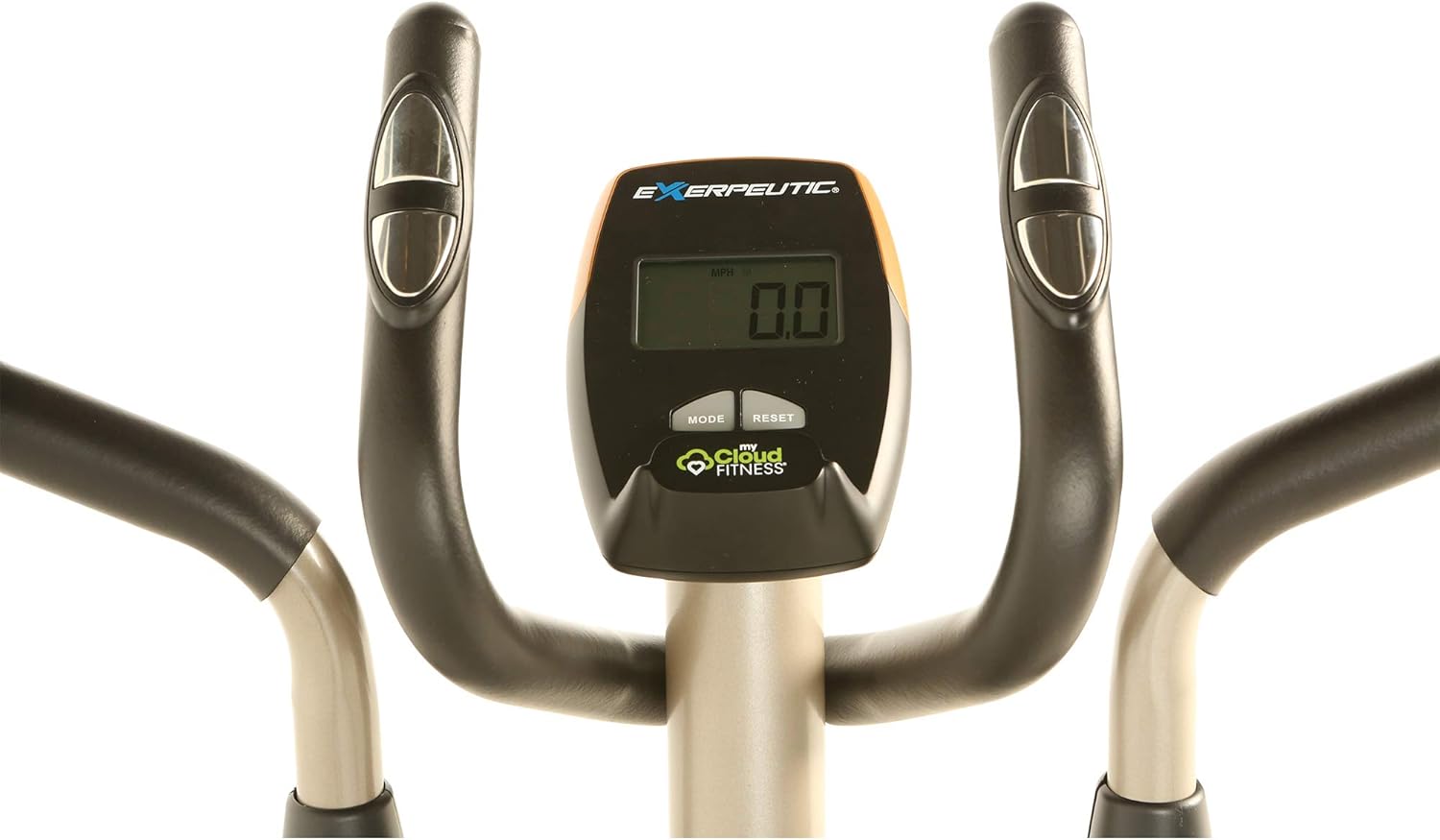
Image: Close-up of the elliptical's 3.4-inch LCD display, showing workout metrics and control buttons.
The 3.4-inch LCD display provides real-time feedback on your workout. Use the 'MODE' button to cycle through different metrics and 'RESET' to clear values.
- Distance: Total distance covered during your workout.
- Calories Burned: Estimated calories consumed.
- Time: Duration of your current workout.
- Speed: Current speed in miles per hour (MPH).
- Pulse: Your heart rate, measured by hand pulse sensors on the stationary handlebars.
- Scan: Automatically cycles through all metrics.
Adjusting Resistance:
The elliptical features 8 levels of magnetic tension resistance. To adjust the resistance, locate the tension control knob on the main frame and turn it clockwise to increase resistance or counter-clockwise to decrease it.
MyCloudFitness App Integration:

Image: A tablet and smartphone displaying the MyCloudFitness app interface, showing workout tracking and goal settings.
The MyCloudFitness app, available for Android and iOS, allows you to track your workout results and set goals. Download the app from your device's app store and connect it to your elliptical via Bluetooth.
- Workout Tracking: Monitor your progress in real-time, including distance, calories burned, time, and speed.
- Goal Setting: Set specific goals for your workouts (e.g., target distance, calorie burn, or workout duration).
- Data History: Review past workout data to track long-term progress.
5. Maintenance
Regular maintenance ensures the longevity and safe operation of your elliptical trainer.
- Cleaning: Wipe down the equipment with a damp cloth after each use to remove sweat and dust. Avoid abrasive cleaners.
- Lubrication: Periodically check moving parts and apply a silicone-based lubricant if necessary to ensure smooth operation.
- Bolt Tightness: Regularly inspect all bolts and nuts to ensure they are securely tightened. Loose connections can affect performance and safety.
- Pedal Inspection: Check pedals for any signs of wear or damage. Replace if necessary.
6. Troubleshooting
If you encounter issues with your elliptical, refer to the following common solutions:
- Squeaking or Noise: Check all bolts and nuts for tightness. Lubricate moving joints if needed. Ensure the elliptical is on a level surface.
- Resistance Not Changing: Verify the tension control cable is properly connected and not kinked. Ensure the resistance knob is functioning correctly.
- Console Not Displaying: Check if batteries are correctly installed and have sufficient charge. Ensure all console wires are securely connected.
- App Connectivity Issues: Ensure Bluetooth is enabled on your mobile device and the elliptical is powered on. Restart both the app and your device if connection fails.
- Unstable Movement: Confirm the elliptical is placed on a flat surface. Adjust the leveling caps on the stabilizer bars if the unit wobbles.
7. Specifications
| Feature | Detail |
|---|---|
| Model Name | 2000XL |
| Brand | Exerpeutic |
| Product Dimensions (LxWxH) | 54"D x 23"W x 63"H |
| Material | Alloy Steel |
| Resistance Mechanism | Magnetic |
| Maximum Weight Recommendation | 300 Pounds |
| Number of Resistance Levels | 8 |
| Screen Size | 3.4 Inches |
| Item Weight (Approx.) | 87.5 Pounds (Package Weight) |
| UPC | 888115043187 |
| Part Number | 4318 |
8. Warranty and Support
Warranty Information:
The Exerpeutic 2000XL Elliptical Trainer comes with a 1 Year limited warranty. Please refer to your product registration card or contact customer support for full warranty details and terms.
Customer Support:
For any questions, technical assistance, or warranty claims, please contact Exerpeutic customer support. Contact information can typically be found on the manufacturer's website or in the product packaging.
You may also visit the Exerpeutic Store on Amazon for additional product information and support resources.
Related documents2000XL

Ask a question about this manual
Ask about setup, troubleshooting, compatibility, parts, safety, or missing instructions. Manuals+ will review the question and use this page’s manual context to help answer it.