
1. Introduction
The Dragonhawk Mast Tour Rotary Tattoo Pen Machine (Model WQ366XL) is a compact and versatile tool designed for precise line work, shading, and color packing. Its lightweight construction and custom coreless motor ensure efficient and smooth ink transfer, suitable for various tattooing styles.
Key Features:
- Compact design with a 25mm grip for easy handling and portability.
- Optimized for precise line work, black and grey shading, and solid color packing.
- Lightweight at approximately 82g, featuring a durable polymer materials RCA jack.
- Compatible with all standard tattoo power supplies.
- Machine frame crafted from high-grade aluminum, polished, anodized, and laser engraved.
- Innovative special mechanism provides a direct hit with sufficient softness.
- Includes one Mast Tour rotary tattoo machine and a Dragonhawk RCA cord.
2. Safety Information
Important: This device is intended for professional use by trained individuals. Improper use can lead to injury or infection. Always adhere to the following safety guidelines:
- Always ensure proper sterilization of all equipment and work surfaces before use.
- Use only new, sterile needles and cartridges for each client.
- Wear appropriate personal protective equipment (PPE), including sterile gloves, during operation.
- Follow all local health and safety regulations and guidelines for tattooing.
- Disconnect the machine from the power supply before cleaning, maintenance, or changing components.
- Keep the machine and all accessories out of reach of children and untrained individuals.
- Avoid dropping the machine or subjecting it to strong impacts.
3. Product Overview
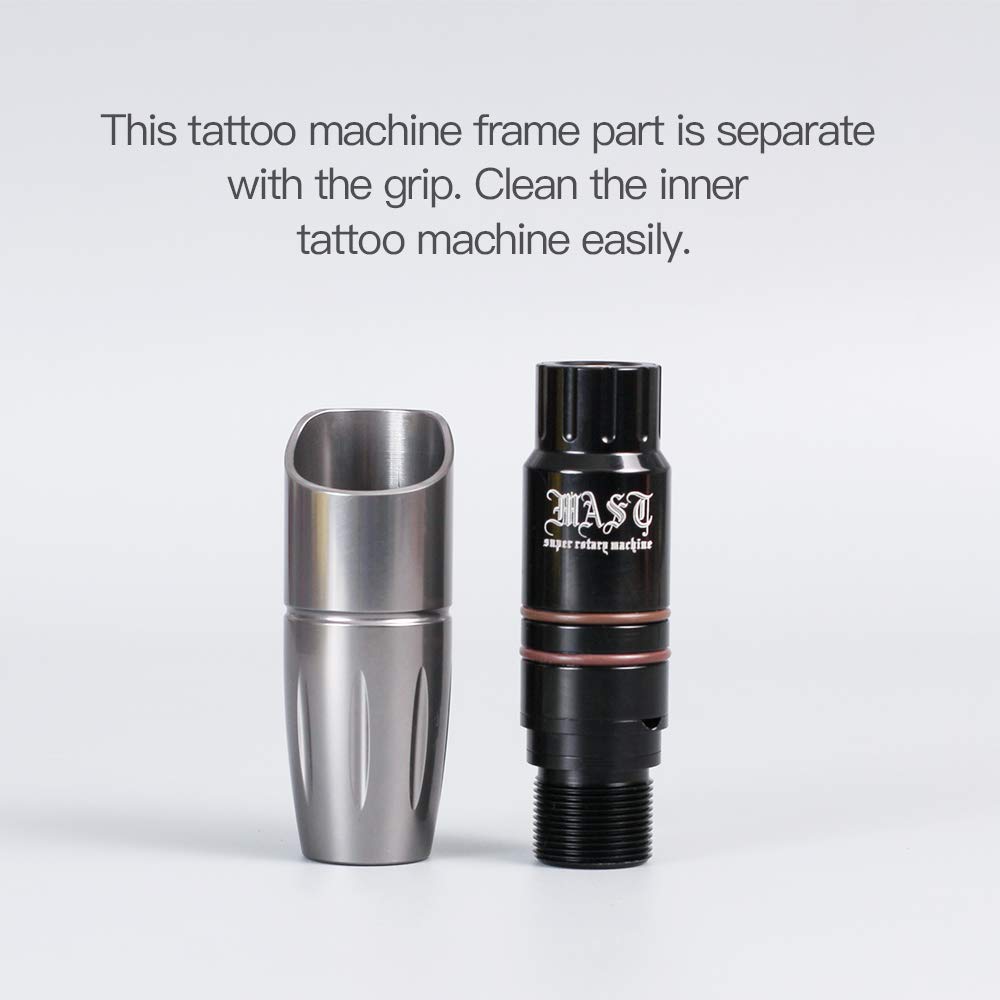
The Mast Tour Rotary Tattoo Pen Machine features a streamlined design for comfortable handling and efficient performance. Key components include the machine body, the adjustable grip, the internal coreless motor, and the RCA connection port.





4. Setup Instructions
Follow these steps to prepare your Mast Tour Rotary Tattoo Pen Machine for use:
- Unpack: Carefully remove the tattoo machine and the included RCA cord from their packaging.
- Attach Cartridge: Securely attach a compatible, sterile tattoo cartridge needle (not included) to the machine's tip. Ensure it clicks into place.
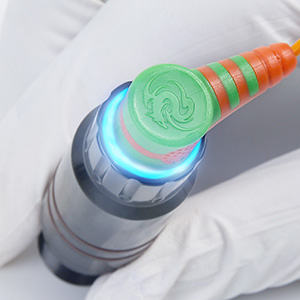
- Connect RCA Cord: Insert one end of the Dragonhawk RCA cord into the machine's RCA jack.
- Connect to Power Supply: Connect the other end of the RCA cord to a compatible tattoo power supply (not included).
- Adjust Needle Depth: Rotate the machine's grip to adjust the needle depth to your desired setting.
- Verify Connections: Double-check that all connections are secure before proceeding to operation.
5. Operating Instructions
Once the machine is set up, follow these steps for operation:
- Power On: With the machine properly set up and connected, turn on your tattoo power supply.
- Adjust Voltage: Adjust the voltage on your power supply according to the specific tattoo technique, needle type, and client's skin. Start with a lower voltage and gradually increase as needed.
- Begin Tattooing: The machine is now ready for use. It is designed to provide smooth and consistent needle movement for various tattooing applications, including lining, shading, and color packing.
- Monitor Performance: Pay attention to the machine's sound and feel during operation. Any unusual noise or vibration may indicate an issue.
- Clean During Use: During extended sessions, periodically wipe the machine and grip with a sterile wipe to prevent ink buildup and maintain hygiene.
Demonstration Video:
Video 5.1: Official product video demonstrating the features and use of the Dragonhawk Mast Tour Rotary Tattoo Pen Machine.
6. Maintenance
Proper maintenance ensures the longevity and hygienic operation of your tattoo machine.
- Grip Sterilization: The machine's grip is autoclavable. Separate the grip from the machine body and sterilize it using an autoclave according to standard procedures.
- Machine Body Cleaning: The machine frame is designed to be seamless, protecting internal components. Clean the exterior surfaces of the machine body with appropriate disinfectant wipes or sprays. Do not submerge the motor part in liquids.
- Motor Care: The custom coreless motor is built for durability. Avoid exposing it to excessive moisture, extreme temperatures, or strong impacts. No user-serviceable parts inside the motor housing.
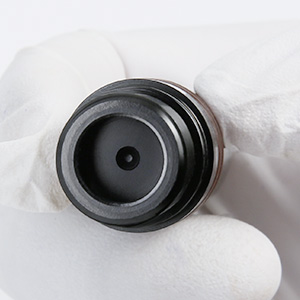
- RCA Connection: Keep the RCA jack clean and dry to ensure optimal electrical conductivity and prevent corrosion.
- Storage: Store the machine in a clean, dry, and safe place when not in use.
7. Troubleshooting
If you encounter issues with your Mast Tour Rotary Tattoo Pen Machine, refer to the following common problems and solutions:
| Problem | Possible Cause | Solution |
|---|---|---|
| Machine not turning on | Loose power connection; faulty power supply/RCA cord | Check power supply connection; verify RCA cord is securely connected to both machine and power supply; ensure power supply is switched on and functioning. |
| Inconsistent needle movement | Improperly seated cartridge; incorrect voltage; damaged RCA cord | Check if the cartridge needle is properly seated; verify voltage settings on the power supply; inspect the RCA cord for damage. |
| Excessive vibration or noise | Loose components; foreign object; motor issue | Ensure all parts are securely assembled; check for any foreign objects obstructing the needle bar; if persistent, contact customer support. |
| Ink leakage | Incorrectly installed or damaged cartridge; loose grip | Ensure cartridge needle is correctly installed and not damaged; verify the grip is tightened properly. |
If the problem persists after attempting these solutions, please contact Dragonhawk customer support.
8. Specifications
| Feature | Detail |
|---|---|
| Model Number | WQ366XL |
| Brand Name | Dragonhawk |
| Item Weight | 0.18 Pounds (approx. 82g) |
| Package Dimensions | 5.39 x 3.46 x 1.65 inches |
| Color (as listed) | Pink |
| Product Style | Custom |
| Unit Count | 1.00 Count |
| Number of Pieces | 1 |
| Water Resistance Level | Water Resistant |
9. Warranty and Support
Dragonhawk is committed to providing high-quality tattoo supplies and equipment. For any inquiries or support needs, please refer to the following:
- Order Issues: For any issues related to your order or the product, please reach out through Amazon's messaging system. Dragonhawk's coverage is included for peace of mind.
- Guidance and Tutorials: For video tutorials, setup guides, and professional tips, visit Youtube.com/@Dragonhawkofficial. This resource covers machine maintenance, technique breakdowns, and more.


