
1. Introduction
Welcome to the user manual for your UBON BT-201 Bluetooth Speaker. This guide provides essential information for setting up, operating, and maintaining your device. Please read these instructions carefully before using the product to ensure optimal performance and safety.
2. Safety Information
- Do not expose the speaker to extreme temperatures, direct sunlight, or high humidity.
- Avoid dropping or subjecting the speaker to strong impacts.
- Do not disassemble, repair, or modify the device yourself. Contact authorized service personnel for any repairs.
- Keep the speaker away from water and other liquids. Although listed as waterproof, prolonged submersion or exposure to strong jets of water should be avoided.
- Use only the provided or certified charging cables.
- Keep out of reach of children.
3. Package Contents
Please check the package for the following items:
- UBON BT-201 Bluetooth Speaker
- USB Charging Cable
- User Manual
4. Product Overview
Familiarize yourself with the components and controls of your UBON BT-201 speaker.

Image: Diagram showing the various ports and control buttons on the UBON BT-201 speaker, including Mode, Previous Song/Volume Down, Play/Pause/Call Answer, Next Song/Volume Up, AUX port, Charging Port, USB port, TF Card slot, ON/OFF switch, and Microphone.
Control Buttons and Ports:
- MODE Button: Switches between Bluetooth, FM Radio, TF Card, and USB modes.
- PREVIOUS SONG / VOLUME DOWN (-): Short press for previous track, long press to decrease volume.
- PLAY / PAUSE / CALL ANSWER: Short press to play/pause music, short press to answer/end calls.
- NEXT SONG / VOLUME UP (+): Short press for next track, long press to increase volume.
- AUX Port: For connecting external audio devices via a 3.5mm audio cable (not included).
- CHARGING PORT: Micro USB port for charging the speaker.
- USB Port: For playing music from a USB flash drive.
- TF CARD Slot: For playing music from a MicroSD/TF card.
- ON/OFF Switch: Powers the speaker on or off.
- MIC: Built-in microphone for hands-free calling.
5. Setup
5.1. Charging the Speaker
- Connect the small end of the USB charging cable to the CHARGING PORT on the speaker.
- Connect the larger end of the USB cable to a USB power adapter (e.g., phone charger, computer USB port).
- The LED indicator will illuminate to show charging status. Once fully charged, the indicator may change color or turn off.
- A full charge typically provides approximately 4 hours of playback time.
5.2. Powering On/Off
- To power on, slide the ON/OFF Switch to the 'ON' position. You will hear an audible prompt.
- To power off, slide the ON/OFF Switch to the 'OFF' position.
5.3. Bluetooth Pairing
Connect your speaker wirelessly to a Bluetooth-enabled device.
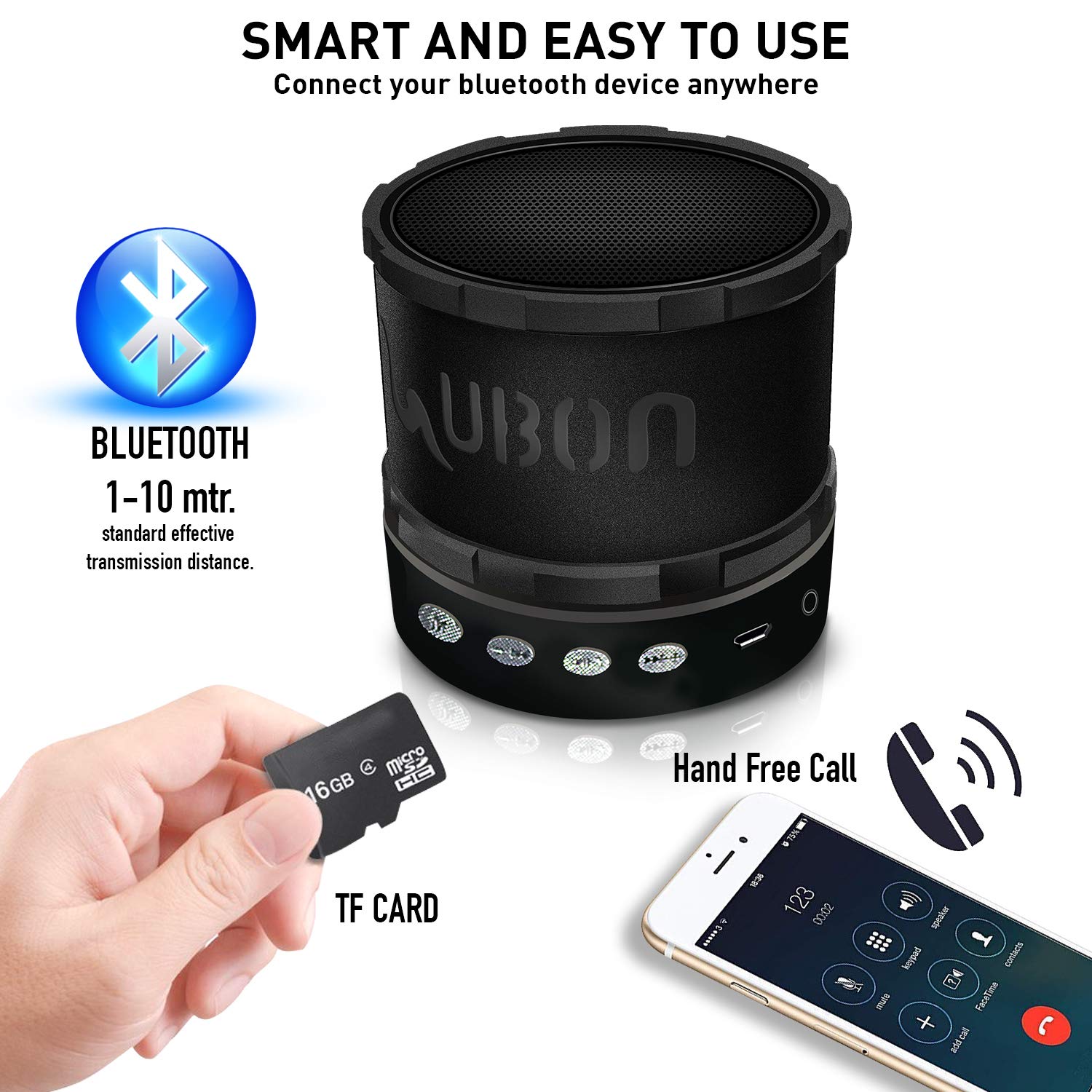
Image: Illustrates Bluetooth connectivity range (1-10 meters), TF card insertion, and hands-free call functionality.
- Ensure the speaker is powered on and in Bluetooth mode (it usually defaults to Bluetooth mode or you can press the MODE Button). The LED indicator will flash, indicating it's ready for pairing.
- On your smartphone, tablet, or other Bluetooth device, enable Bluetooth and search for available devices.
- Select 'UBON BT-201' from the list of devices.
- Once paired, the speaker will emit an audible confirmation, and the LED indicator will stop flashing.
- The effective transmission distance for Bluetooth is typically 1-10 meters.
5.4. TF Card / USB Playback
- Insert a TF (MicroSD) card or USB flash drive containing MP3 audio files into the respective slot.
- The speaker will automatically detect the storage device and switch to TF Card or USB mode, beginning playback.
- If it does not switch automatically, press the MODE Button to cycle through modes until TF Card or USB mode is selected.
5.5. FM Radio
- Power on the speaker.
- Press the MODE Button repeatedly until you enter FM Radio mode.
- To automatically scan and save available FM stations, press and hold the PLAY / PAUSE Button. The speaker will scan and store stations.
- Use the PREVIOUS SONG (-) and NEXT SONG (+) buttons to navigate between saved stations.
6. Operating Instructions
6.1. Basic Music Controls
- Play/Pause: Short press the PLAY / PAUSE Button to play or pause music.
- Volume Up: Long press the NEXT SONG (+) Button to increase the volume.
- Volume Down: Long press the PREVIOUS SONG (-) Button to decrease the volume.
- Next Track: Short press the NEXT SONG (+) Button to skip to the next track.
- Previous Track: Short press the PREVIOUS SONG (-) Button to go to the previous track.
6.2. Answering Calls (Hands-Free)
The UBON BT-201 speaker features a built-in microphone for hands-free calling when connected via Bluetooth.
- Answer Call: When a call comes in, short press the PLAY / PAUSE / CALL ANSWER Button to answer.
- End Call: During a call, short press the PLAY / PAUSE / CALL ANSWER Button to end the call.
- Reject Call: To reject an incoming call, press and hold the PLAY / PAUSE / CALL ANSWER Button.
6.3. Mode Switching
Press the MODE Button to cycle through the available playback modes: Bluetooth, FM Radio, TF Card, and USB.
6.4. LED Lighting
The speaker features built-in multi-LED lighting. The lighting effects are typically automatic and cycle through various colors and patterns, enhancing the listening experience.
7. Maintenance
- Cleaning: Use a soft, dry cloth to clean the speaker. Do not use abrasive cleaners or solvents.
- Storage: Store the speaker in a cool, dry place when not in use for extended periods.
- Battery Care: To prolong battery life, charge the speaker regularly, even if not used frequently. Avoid fully discharging the battery for long periods.
8. Troubleshooting
| Problem | Possible Cause | Solution |
|---|---|---|
| Speaker does not power on. | Battery is low or depleted. | Charge the speaker fully. |
| No sound. | Volume is too low; device not connected; incorrect mode. | Increase volume on speaker and connected device. Ensure Bluetooth is paired or correct mode (TF/USB/FM) is selected. |
| Cannot pair via Bluetooth. | Speaker not in pairing mode; device Bluetooth off; too far apart. | Ensure speaker is in Bluetooth pairing mode (flashing LED). Turn Bluetooth on/off on your device. Move speaker closer to the device (within 10m). |
| TF Card/USB not playing. | Incorrect file format; card/drive not inserted correctly; incorrect mode. | Ensure files are MP3 format. Reinsert TF card/USB drive. Press MODE button to select TF Card/USB mode. |
| Poor FM reception. | Weak signal; environmental interference. | Move the speaker to a different location. Re-scan for stations. |
9. Specifications
| Feature | Detail |
|---|---|
| Model Name | BT-201 |
| Brand | UBON |
| Connectivity Technology | Bluetooth |
| Special Feature | Built-in Microphone, Multi LED Lighting |
| Recommended Uses | For Smartphones or Tablets |
| Compatible Devices | Smartphone, Tablet, Laptop, Desktop Computer, MP3/MP4 Players, PSP |
| Power Source | Battery Powered |
| Control Method | Touch (Button Controls) |
| Speaker Type | Outdoor |
| Subwoofer Diameter | 5 Inches |
| Surround Sound Channel Configuration | 2.1 |
| Item Weight | 400 g |
| Package Dimensions | 18.5 x 11 x 9.5 cm |
| Waterproof | Yes (TRUE) |

Image: Illustrates the wide compatibility of the UBON BT-201 speaker with devices such as Tablet PCs, Laptops, Mobile Phones, MP3/MP4 Players, Desktop Computers, and PSPs via Bluetooth.
10. Warranty and Support
UBON products are designed for reliability and performance. For information regarding warranty terms, technical support, or service inquiries, please refer to the warranty card included with your product or visit the official UBON website. Please retain your purchase receipt for warranty claims.
