
Introduction
Thank you for choosing the Luceco LILT15T65-01 Rechargeable Mini Tilt Torch. This compact and versatile LED torch is designed for various applications, from professional use by tradespeople and contractors to everyday tasks and outdoor activities like camping. Featuring an integrated USB charger, two working light modes, a 180° tilting magnetic base, and robust construction, this torch provides reliable and efficient illumination.
Please read this manual carefully before using the product to ensure safe and optimal operation.
Product Features
- Integrated USB Charger: Conveniently recharge the torch using the included USB cable.
- Two Working Light Modes: Offers versatile lighting options for different tasks.
- 180° Tilting Magnetic Base: Allows for hands-free operation and precise light positioning, even in awkward spaces.
- Compact and Durable Design: Built to withstand demanding environments with an IK04 rating.
- Battery LED Charge Indicator: Provides clear indication of battery status.
- Overcharge Protection: Ensures battery longevity and safety.
Setup
Unpacking
Carefully remove the Luceco Mini Tilt Torch and all accessories from the packaging. Ensure all components listed in the "Included Components" section are present.
Initial Charging
Before first use, fully charge the torch. The device comes with a built-in Lithium Ion battery.
- Locate the USB charging port on the torch.
- Connect the supplied USB charging cable to the torch's port.
- Plug the other end of the USB cable into a compatible USB power source (e.g., computer USB port, USB wall adapter, car charger).
- The battery LED charge indicator will show the charging status. Allow the torch to charge until the indicator shows a full charge.
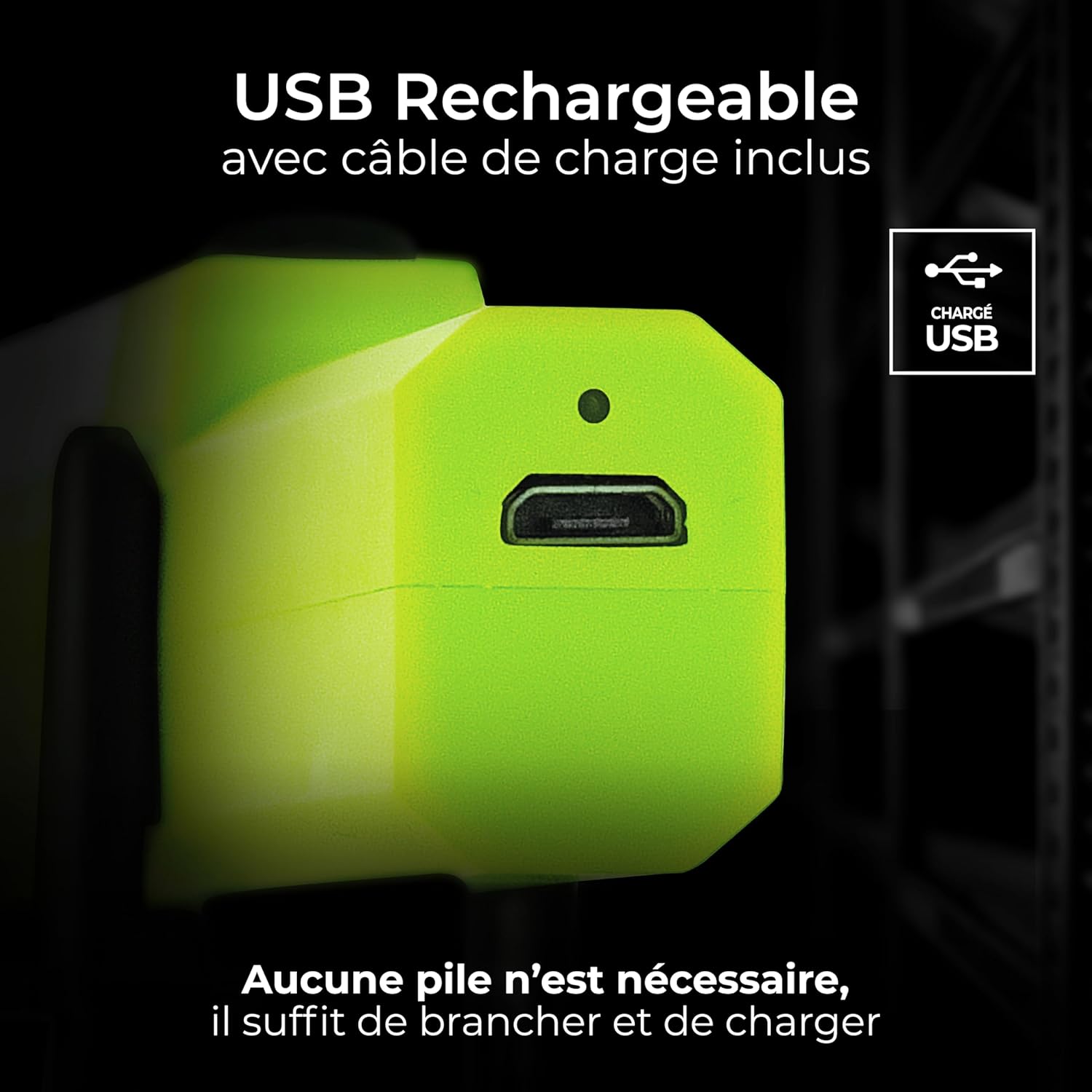
Image: Close-up view of the Luceco Mini Tilt Torch showing the USB charging port and the included USB charging cable. This illustrates how to connect the torch for recharging.
Operating Instructions
Power On/Off and Mode Selection
The torch features a single button for power control and mode switching.
- Press the power button once to turn on the torch in its primary light mode (e.g., main work light).
- Press the power button again to switch to the secondary light mode (e.g., spotlight).
- Press the power button a third time to turn off the torch.

Image: The Luceco Mini Tilt Torch with its main LED light strip illuminated, demonstrating the primary light mode. The power button is visible on the side.
Using the Tilting Magnetic Base
The torch is equipped with a 180° tilting base and a strong magnet for hands-free operation.
- Tilting Function: Adjust the angle of the torch head by gently tilting it up or down to direct the light precisely where needed. The 180° range allows for flexible positioning.
- Magnetic Attachment: The base contains a powerful magnet. Attach the torch to any ferrous metal surface (e.g., car hood, metal workbench, electrical panel) for stable, hands-free illumination.

Image: The Luceco Mini Tilt Torch shown with its base tilted, illustrating the 180-degree adjustable angle feature. This highlights its hands-free capability.

Image: A person using the Luceco Mini Tilt Torch to illuminate an area under a car's hood, demonstrating its practical application in tight spaces.
Maintenance
Cleaning
To maintain the performance and appearance of your torch:
- Wipe the exterior with a soft, damp cloth.
- Do not use abrasive cleaners or solvents, as these may damage the finish.
- Ensure the USB charging port is free of dust and debris.
Battery Care and Charging
The torch is designed with overcharge protection to prolong battery life. For optimal battery health:
- Recharge the torch when the battery indicator shows low power.
- Avoid completely draining the battery before recharging, if possible.
- If storing the torch for an extended period, charge it to approximately 50% every few months to prevent deep discharge.
Storage
Store the torch in a cool, dry place away from direct sunlight and extreme temperatures.
Troubleshooting
| Problem | Possible Cause | Solution |
|---|---|---|
| Torch does not turn on. | Battery is depleted. | Charge the torch using the supplied USB cable. |
| Torch does not charge. | USB cable or power source issue. | Ensure the USB cable is securely connected. Try a different USB cable or power source. |
| Light is dim or flickers. | Low battery. | Recharge the torch. |
| Magnetic base not holding. | Surface is not ferrous metal or is too thin/uneven. | Ensure the surface is a flat, ferrous metal. |
Specifications
| Attribute | Value |
|---|---|
| Brand | Luceco |
| Model Number | LILT15T65-01 |
| Product Dimensions | 2.65 x 2.89 x 17.8 cm |
| Item Weight | 70 g (0.07 Kilograms) |
| Batteries | 1 Lithium Ion battery (included) |
| Area Lighting Classification | IP20 |
| Number of Items | 1 |
| Style | Mini Rechargeable Tilt Torch |
| Colour | Green and Black |
| Number of Lights | 2 |
| Included Components | 1 x USB Rechargeable Mini Tilt Torch |
| Maximum Compatible Wattage | 1.5 Watts |
| Voltage | 5 Volts (DC) |
| Power Source | Battery Powered |
| Switch Installation Type | Magnetic Mount, Plug Mount |
| Type of Bulb | LED |
| Colour Rendering Index (CRI) | 80 |
| Date First Available | 16 June 2023 |
Warranty and Support
Warranty Information
Please note that for international products, manufacturer warranty may not apply or may differ from local products. For specific warranty details, please refer to the documentation provided with your purchase or contact your point of sale.
Customer Support
If you encounter any issues or have questions regarding your Luceco Mini Tilt Torch, please contact the retailer from whom you purchased the product. You may also visit the official Luceco website for further support and product information.
Safety Information
- Do not look directly into the LED light when it is on, as it may cause eye strain or damage.
- Keep out of reach of children.
- Do not disassemble or modify the torch. This may void the warranty and pose a safety risk.
- Do not expose the torch to extreme temperatures, fire, or water (IP20 rating indicates protection against solid objects larger than 12.5mm, no protection against liquids).
- Use only the supplied USB cable or a certified equivalent for charging.