
Introduction
This manual provides instructions for the Naztech NX80 Stereo 3.5mm High Fidelity Sound Earphones. Please read this manual thoroughly before using your earphones to ensure proper operation and care. Keep this manual for future reference.
Product Features
- High-Fidelity Stereo Sound: Equipped with 8mm Neodymium Drivers, these earphones deliver rich audio with powerful bass and clear highs.
- Comfortable, Noise Isolating Fit: Soft, lightweight, and flexible ear gels provide comfort for extended listening and help seal out external noise. Three size options are included for an optimal fit.
- In-Line Microphone & Remote: Allows seamless switching between music playback and phone calls. The built-in noise-isolating microphone enhances call clarity by reducing background sounds.
- Tangle-Free Flat Cable: The durable flat cable design actively resists tangles and is more resistant to fraying, ensuring longevity.
Package Contents
- Naztech NX80 Stereo Earphones
- Ear Gels (Small, Medium, Large)
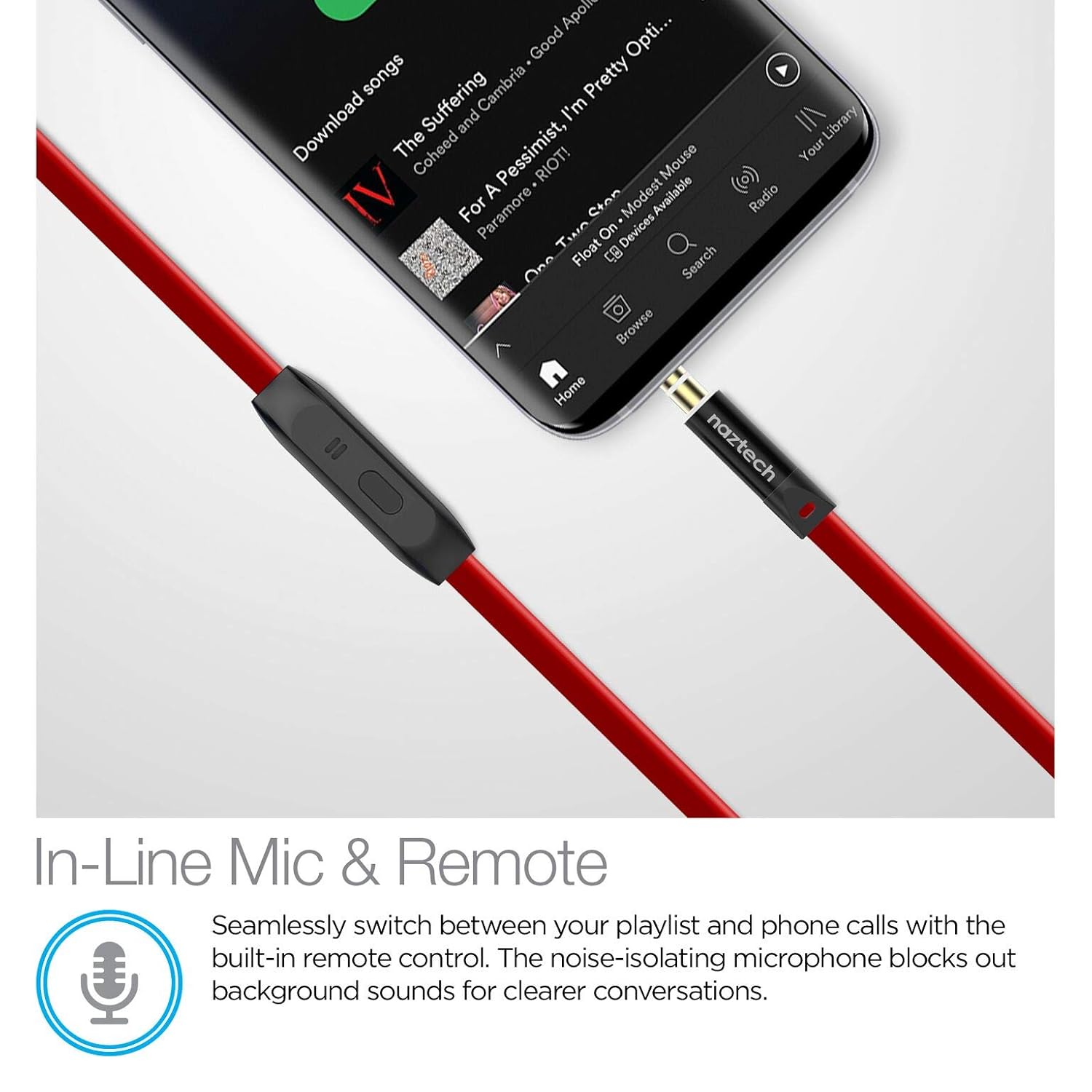
Image: The Naztech NX80 Stereo Earphones shown with their retail packaging and the three sizes of ear gels included.
Setup
- Selecting Ear Gels: Choose the ear gel size (Small, Medium, or Large) that provides the most comfortable and secure fit. A proper fit is crucial for optimal sound quality and noise isolation. Gently attach the selected ear gels to the earphone nozzles.
- Connecting to Device: Insert the 3.5mm audio jack firmly into your audio device's headphone port.

Image: A person wearing the Naztech NX80 earphones during physical activity, demonstrating the secure and comfortable fit provided by the ear gels.
Operating Instructions
Music Playback
- Connect the earphones to your audio device.
- Use your device's controls to play, pause, skip tracks, and adjust volume. The in-line remote button may offer basic play/pause functionality depending on your device.
Phone Calls
- When a call comes in, press the control button on the in-line remote once to answer the call.
- To end a call, press the control button once again.
- The built-in noise-isolating microphone will be active during calls, ensuring clearer conversations.

Image: A detailed view of the in-line microphone and control button on the earphone cable, demonstrating its connection to a smartphone for call and music management.
Maintenance
- Cleaning: Gently wipe the earphones and ear gels with a soft, dry cloth. Do not use harsh chemicals, abrasive cleaners, or immerse the earphones in water.
- Cable Care: The flat cable is designed to resist tangles and fraying. To prolong its lifespan, avoid sharp bends, excessive pulling, or wrapping it too tightly.
- Storage: Store your earphones in a clean, dry place when not in use to protect them from dust and damage.

Image: A visual representation highlighting the durable, flat, and tangle-free design of the earphone cable.
Troubleshooting
- No Sound:
- Ensure the 3.5mm audio jack is fully inserted into your device's headphone port.
- Check your device's volume settings and ensure it is not muted.
- Test the earphones with another audio device to determine if the issue is with the earphones or the original device.
- Poor Sound Quality:
- Ensure the ear gels are properly seated on the earphones and provide a good seal in your ear. Try different sized ear gels for a better fit.
- Check for any debris or obstructions in the earphone speaker mesh.
- Microphone Not Working:
- Verify that the 3.5mm jack is fully inserted into your device.
- Check your device's microphone input settings to ensure the external microphone is selected.
Specifications
| Model Name | NX80 |
| Connectivity Technology | Wired |
| Hardware Interface | 3.5mm Audio Jack |
| Driver Size | 8mm Neodymium |
| Microphone | In-Line, Noise-isolating |
| Cable Type | Tangle-Free Flat Cable |
| Form Factor | In-Ear |
| Material | Plastic |
| Item Weight | 68 g |
| Product Dimensions (LxWxH) | 2.54 x 7.62 x 19.05 cm |
| UPC | 633755143557 |
Warranty Information
Naztech products are designed for quality and reliability. For specific warranty terms and conditions, please refer to the warranty card included with your purchase or visit the official Naztech website for the most current information.
Support
For technical assistance, customer service inquiries, or to provide feedback, please contact Naztech customer support through their official website or the contact information provided with your product. Please have your model number (NX80) and purchase details ready when contacting support.
