
AquaVault AV11-WirelessChargeCard
AquaVault Wireless Slim Powerbank Instruction Manual
Model: AV11-WirelessChargeCard | Brand: AquaVault
1. Introduction and Overview
The AquaVault Wireless Slim Powerbank, also known as the ChargeCard, is an ultra-thin, credit card-sized portable charger designed for convenience and efficiency. With a 5000mAh capacity and 20W fast charging capability, it provides a quick power boost for your devices on the go. Its robust construction, featuring stainless steel treated with wear-resistant matte UV and electroplating, ensures durability. The ChargeCard is TSA compliant, making it an ideal travel companion.
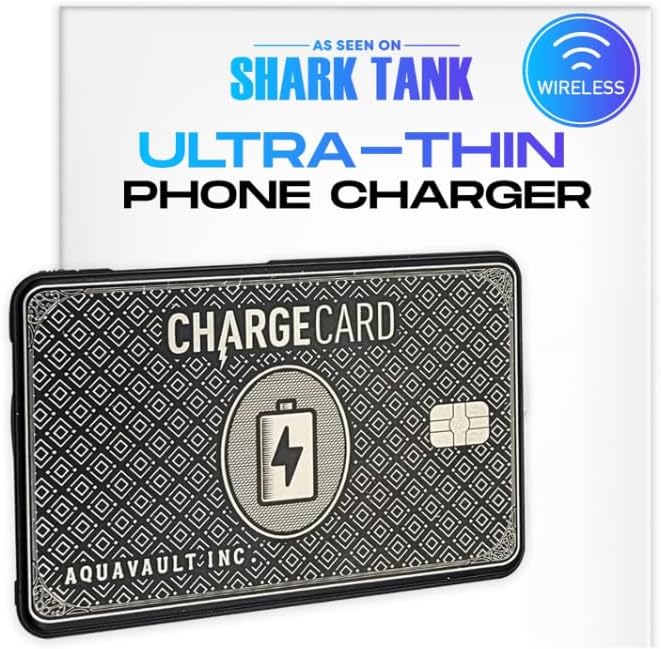
Image 1.1: The AquaVault ChargeCard, highlighting its ultra-thin design and wireless charging capability.
2. Key Features
- Sturdy & Reliable Construction: Made with high-grade materials like stainless steel, treated with wear-resistant matte UV and electroplating for enhanced durability.
- Fast & Wireless Magnetic Charging: Features a 5000mAh/3.85V 20W MAX battery for quick and efficient charging. Conveniently connects magnetically to compatible phones, allowing continued use during charging.
- Ultra-Thin & Portable Design: Credit card-sized, weighing only 3.5oz, with dimensions of 3.75" x 2.5" x 0.33". Easily fits into a wallet or pocket.
- LED Power Indicator Lights: Integrated LED lights clearly display the remaining battery charge, offering both high efficiency and low current modes.
- Broad Compatibility: Supports various devices including iPhone 16/15/14/13/12 and Android phones via wireless or USB Type C connection.
- TSA Compliant: Approved for travel, making it a hassle-free accessory for flights.

Image 2.1: A visual comparison highlighting the compact and efficient design of the ChargeCard against traditional bulky chargers.

Image 2.2: The ChargeCard is designed to be TSA compliant for easy travel.
3. Setup Guide
3.1 Charging the ChargeCard
Before first use, fully charge your AquaVault ChargeCard. Connect the ChargeCard to a power source using a USB Type-C cable. The LED indicator lights will illuminate to show the charging progress. All four lights will be solid when fully charged.
3.2 Initial Device Connection
For wireless magnetic charging, ensure your device is compatible with magnetic charging (e.g., iPhone 12 and newer models). Simply align the ChargeCard with the back of your phone. For wired charging, use the appropriate adapter (Lightning for older iPhones, USB-C for newer iPhones and Android devices) and connect it to your phone's charging port.
4. Operating Instructions
4.1 Wireless Charging
To initiate wireless charging, press the power button on the ChargeCard. Align the ChargeCard magnetically to the back of your compatible smartphone. The LED indicators will show the ChargeCard's remaining power. Your phone's screen will indicate that charging has begun.

Image 4.1: Demonstrating the ultra-thin wireless charging capability of the ChargeCard.
4.2 Wired Charging
For devices not supporting magnetic wireless charging, or for faster charging, use the integrated USB-C cable or the provided adapters (Lightning for Apple devices, USB-C for Android). Connect the appropriate adapter to the ChargeCard's built-in cable, then plug it into your device's charging port. Press the power button on the ChargeCard to begin charging.
4.3 Understanding LED Indicators
- Each LED light represents approximately 25% of the ChargeCard's battery capacity.
- Solid lights indicate remaining charge.
- Flashing lights indicate the ChargeCard is actively charging a device or being recharged itself.

Image 4.2: The ChargeCard offers 20W fast charging and 5000mAh capacity, providing significant power for modern smartphones.
4.4 Official Product Videos
Video 4.1: "ChargeCard - Charge Anywhere, Anytime" - This video demonstrates the versatility and ease of use of the ChargeCard for various devices and situations.
Video 4.2: "Wireless ChargeCard Portable Phone Charger & Power Bank" - A detailed look at the wireless charging capabilities and portability of the ChargeCard.
Video 4.3: "ChargeCard - The Ultimate Emergency Travel Charger" - Showcases the ChargeCard as an essential item for emergency power during travel.
5. Maintenance
- Cleaning: Wipe the ChargeCard with a soft, dry cloth. Avoid using harsh chemicals or abrasive materials.
- Storage: Store the ChargeCard in a cool, dry place away from direct sunlight and extreme temperatures.
- Battery Longevity: To maximize battery life, avoid fully discharging the ChargeCard frequently. Recharge it when the power indicators show low battery.
- Handle with Care: While durable, avoid dropping the device or exposing it to excessive force or moisture.
6. Troubleshooting
6.1 Device Not Charging
- Check Power Button: Ensure the power button on the ChargeCard has been pressed to activate charging.
- Check ChargeCard Battery: Verify that the ChargeCard itself has sufficient charge using the LED indicators. Recharge if necessary.
- Proper Alignment (Wireless): For wireless charging, ensure the ChargeCard is correctly aligned with your phone's charging coil.
- Cable/Adapter Connection (Wired): For wired charging, ensure all cables and adapters are securely connected and undamaged.
- Device Compatibility: Confirm your device supports wireless charging or the specific wired connection type.
6.2 Slow Charging or Overheating
- Environmental Factors: Charging in extremely hot environments can lead to overheating and slower charging. Move to a cooler area.
- Case Interference: Thick phone cases or cases with metal components can interfere with wireless charging efficiency and cause heat buildup. Try removing the case.
- Background Apps: Close unnecessary background applications on your phone during charging to reduce power consumption and heat generation.
- Cable Quality: Ensure you are using the original or a high-quality charging cable and adapter for optimal performance.
7. Specifications
| Specification | Detail |
|---|---|
| Product Dimensions | 2.4 x 3.75 x 0.25 inches |
| Item Weight | 4.1 ounces |
| Item Model Number | AV11-WirelessChargeCard |
| Battery Capacity | 5000 Milliamp Hours |
| Special Features | Lightweight, Slim, Fast Charging, Pocket Size, Wireless Charging |
| Color | Black |
| Manufacturer | AquaVault Inc. |
| Country of Origin | China |
| Date First Available | July 25, 2023 |
| Connector Type | Wireless, USB Type C |
8. Warranty and Support
For warranty information, product support, or to contact AquaVault customer service, please visit the official AquaVault store on Amazon or their official website. Details regarding specific warranty periods and claims procedures can be found there.
You can visit the AquaVault Store on Amazon for more information and support.
Ask a question about this manual
Ask about setup, troubleshooting, compatibility, parts, safety, or missing instructions. Manuals+ will review the question and use this page’s manual context to help answer it.