
Zerone 719527538056
Zerone MP3 WMA Decoder Board Audio Bluetooth 4.2 Module User Manual
Model: 719527538056
Brand: Zerone
1. Introduction
This user manual provides detailed instructions for the operation and maintenance of your Zerone MP3 WMA Decoder Board Audio Bluetooth 4.2 Module. This versatile module supports various audio formats, Bluetooth 4.2 connectivity, USB/SD card playback, and FM radio, making it ideal for integrating into custom audio projects or upgrading existing sound systems.
Please read this manual thoroughly before use to ensure proper installation and optimal performance.
2. Key Features
- Bluetooth 4.2 with Hands-Free Calling: Supports Bluetooth 4.2 for wireless audio streaming and includes hands-free call functionality.
- USB Sound Card Function: Can function as a USB sound card when connected to a computer.
- Multiple Audio Format Support: Decodes MP3, WMA, WAV, lossless APE, and FLAC audio formats.
- USB/SD Card Playback: Supports audio playback directly from USB flash drives and SD memory cards.
- Folder Selection Play: Allows selection and playback of music within specific folders on USB/SD media via remote control or panel buttons.
- FM Radio Function: Integrated FM radio tuner for listening to local broadcasts.
- Input Switching: Seamless switching between USB, SD card, Bluetooth, and FM modes.
- Remote Control: Full-function infrared remote control for convenient operation.
- Micro USB 5V Power Input: Convenient power supply option.
3. Package Contents
Upon opening the package, please verify that all items listed below are present and in good condition:
- 1 x Zerone MP3 WMA Decoder Board
- 1 x Infrared Remote Control
- Connecting Wires (Power, Audio Output)

Image 3.1: Contents of the Zerone MP3 WMA Decoder Board package, showing the main board, remote control, and included wiring harnesses.
4. Setup and Installation
Follow these steps to properly set up your decoder board:
- Power Connection: Connect a 5V DC power supply to the Micro USB port or use the provided power input wires. Ensure correct polarity if using wires (typically red for positive, black for negative).
- Audio Output: Connect the audio output wires from the decoder board to your amplifier or active speakers. The board typically provides stereo audio output.
- FM Antenna (Optional): If you plan to use the FM radio function, connect a suitable FM antenna to the designated antenna port on the board. A simple wire can often suffice as a basic antenna.
- Mounting: The board features mounting holes. Secure it in a suitable enclosure or mounting location using screws to prevent movement and protect components.

Image 4.1: Rear view of the Zerone decoder board, highlighting the various connection points for power, audio output, and USB/SD card slots.
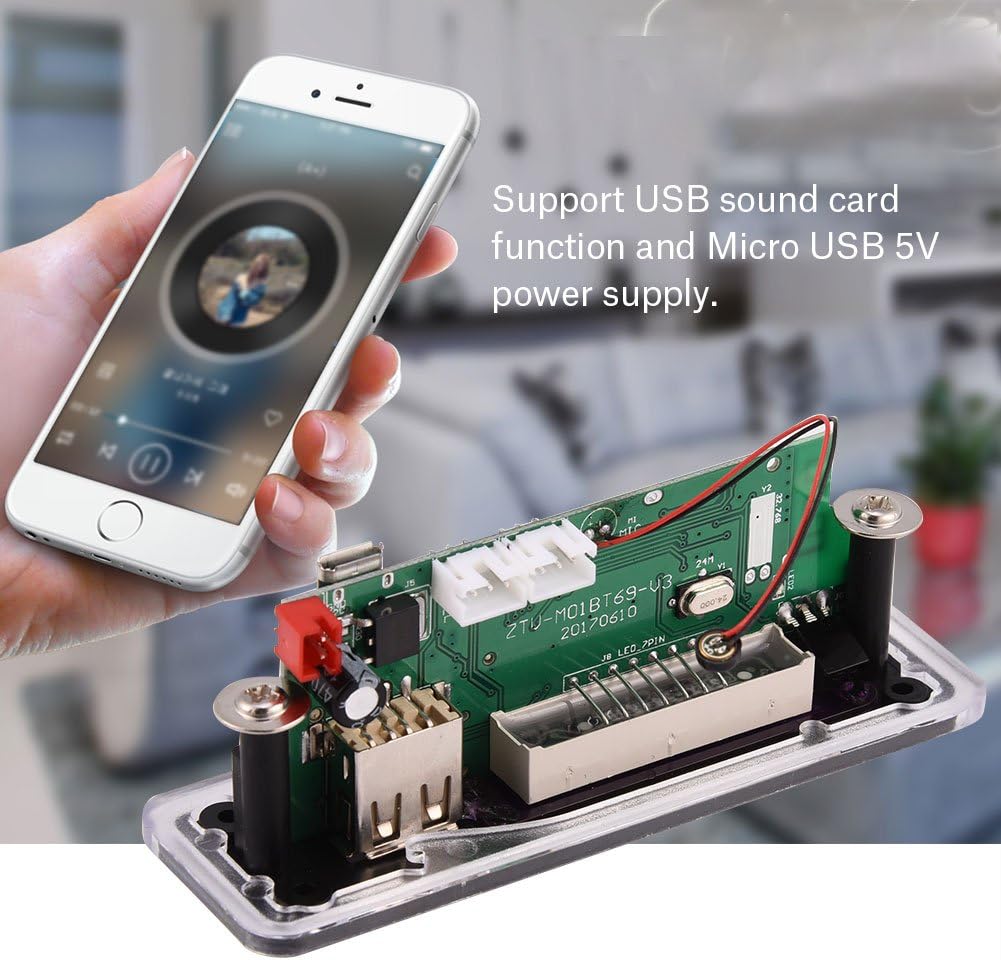
Image 4.2: Side view of the decoder board, illustrating the USB sound card function and Micro USB 5V power input.
5. Operating Instructions
5.1 Power On/Off and Mode Switching
- Power On: Once connected to power, the module will automatically power on.
- Mode Button: Press the "MODE" button on the panel or remote control to cycle through available modes: USB, SD Card, Bluetooth, and FM Radio.
5.2 Bluetooth Operation
- Switch the module to Bluetooth mode. The display will show "BLUE" or a similar indicator.
- On your Bluetooth-enabled device (smartphone, tablet, etc.), search for available Bluetooth devices.
- Select "BT-SPEAKER" or a similar name from the list to pair. A confirmation tone or message may indicate successful pairing.
- Once paired, you can play audio from your device through the decoder board.
- Hands-Free Calling: When a call comes in, press the Play/Pause button on the module or remote to answer. Press again to end the call.
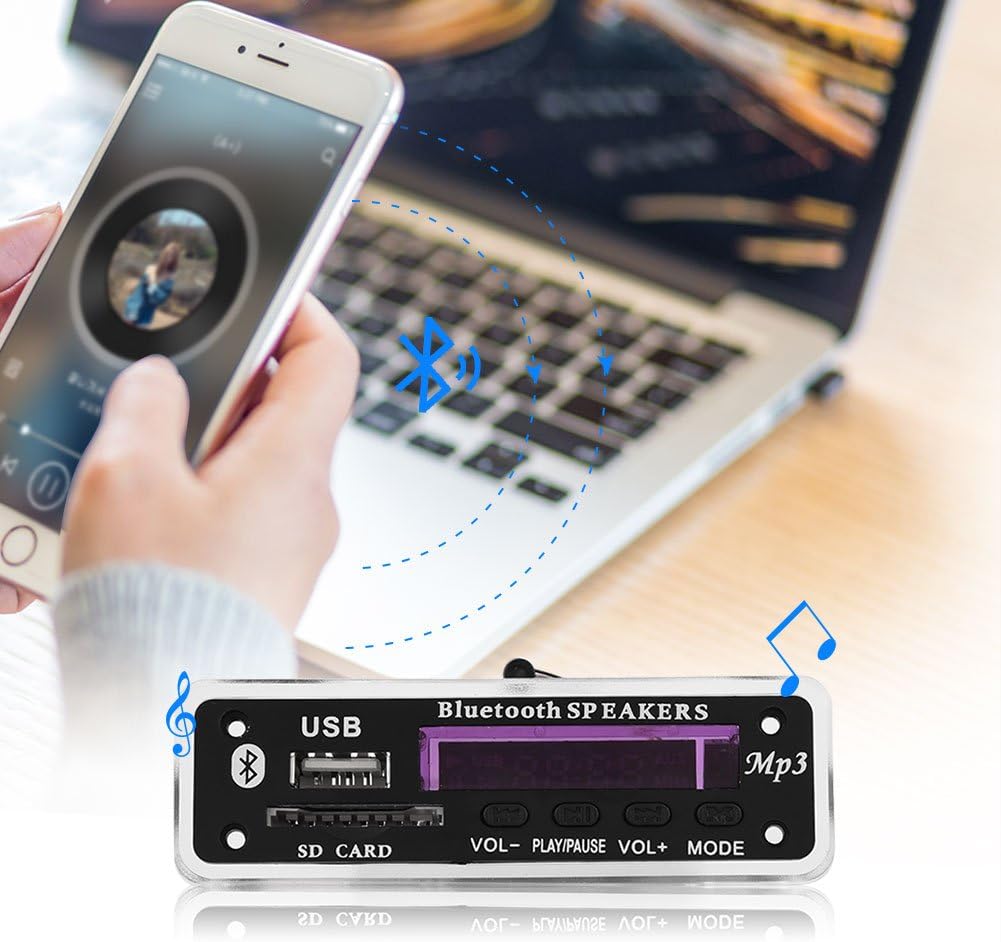
Image 5.1: Illustration of a smartphone wirelessly connected to the decoder board via Bluetooth, demonstrating audio streaming capability.
5.3 USB/SD Card Playback
- Insert a USB flash drive or SD card containing MP3/WMA/WAV/APE/FLAC audio files into the respective slot.
- The module will automatically switch to USB or SD mode and begin playing the first track.
- Use the Previous/Next buttons (|< and >|) on the panel or remote to navigate tracks.
- Press the Play/Pause button to pause or resume playback.
- Folder Selection: Use the remote control's folder navigation buttons (if available) to browse and select specific folders for playback.
5.4 FM Radio Operation
- Switch the module to FM mode.
- Press the Play/Pause button to initiate an automatic station scan. The module will scan and save available FM stations.
- Use the Previous/Next buttons (|< and >|) to switch between saved stations.
5.5 Remote Control Functions
The included remote control provides comprehensive control over the module's functions:
- Power Button: Turns the module on/off.
- MODE: Switches between USB, SD, Bluetooth, and FM modes.
- VOL+/VOL-: Adjusts volume up or down.
- Play/Pause (►▮▮): Play/pause audio, answer/end calls.
- Previous/Next (|< / >|): Skips tracks or changes FM stations.
- EQ: Cycles through equalizer presets.
- STOP: Stops playback.
- MUTE: Mutes/unmutes audio.
- Number Buttons (0-9): Direct selection of tracks (in USB/SD mode) or FM frequencies.

Image 5.2: Detailed view of the infrared remote control, showing all buttons and their respective functions for operating the decoder board.
6. Maintenance
- Cleaning: Use a soft, dry cloth to clean the module. Do not use liquid cleaners or aerosols.
- Environment: Keep the module in a dry environment, away from direct sunlight, high temperatures, and excessive humidity.
- Handling: Handle the circuit board with care to avoid damaging components. Avoid static discharge.
7. Troubleshooting
| Problem | Possible Cause | Solution |
|---|---|---|
| No power/display off | Incorrect power connection; Power supply issue | Check 5V DC power supply and wiring polarity. Ensure power source is active. |
| No sound output | Audio output not connected; Volume too low; Incorrect mode selected | Verify audio output connections to amplifier/speakers. Increase volume. Ensure correct mode (USB/SD/BT/FM) is selected. |
| Bluetooth not connecting | Module not in Bluetooth mode; Device not discoverable; Already paired with another device | Switch module to Bluetooth mode. Ensure your device's Bluetooth is on and discoverable. Disconnect from other Bluetooth devices. |
| USB/SD card not playing | Unsupported file format; Corrupt files; Card/drive not inserted correctly | Ensure files are MP3/WMA/WAV/APE/FLAC. Reinsert USB/SD card. Try a different USB/SD card. |
| Remote control not working | Battery depleted; Obstruction; Remote not pointed at sensor | Replace remote control battery. Ensure no obstructions between remote and module. Point remote directly at the module's IR sensor. |
8. Specifications
| Feature | Detail |
|---|---|
| Model Number | 719527538056 |
| Connectivity Technology | Bluetooth, USB |
| Bluetooth Version | 4.2 |
| Supported Audio Formats | MP3, WMA, WAV, lossless APE, FLAC |
| MP3 Bit Rate | 2-320kbps |
| WAV/WMA Bit Rate | 1411kbps and below |
| Power Input | Micro USB 5V |
| Control Method | Remote, On-board buttons |
| Audio Output Mode | Stereo |
| Item Weight | 2.08 ounces (approx. 59g) |
| Dimensions (Approx.) | 10.7cm x 2.5cm x 3.1cm (4.21in x 0.98in x 1.22in) |

Image 8.1: Diagram showing the approximate dimensions of the Zerone MP3 WMA Decoder Board.
9. Warranty and Support
This product is manufactured by Zerone. For any technical support, warranty claims, or inquiries regarding the product, please contact Zerone customer service through their official channels or the retailer from whom you purchased the product.
Please retain your proof of purchase for warranty purposes.
Ask a question about this manual
Ask about setup, troubleshooting, compatibility, parts, safety, or missing instructions. Manuals+ will review the question and use this page’s manual context to help answer it.