
PRUNUS J-908
PRUNUS J-908 Portable AM/FM Radio User Manual
Model: J-908 | Brand: PRUNUS
Your guide to operating and maintaining your J-908 USB rechargeable AM/Wide FM portable radio with flashlight, AUX, SD, and MP3 functions.
Product Overview
The PRUNUS J-908 is a compact and versatile portable radio designed for ease of use and excellent audio performance. It features AM/FM radio reception, MP3 playback via USB, TF card, or AUX input, and a built-in emergency flashlight. Its lightweight and portable design makes it an ideal companion for both indoor and outdoor activities.

Figure 1: Front view of the PRUNUS J-908 Portable Radio, showcasing its blue casing, digital display, and control buttons.
Key Features:
- AM/FM Radio Tuner
- MP3 Player (USB, TF Card, AUX Input)
- Built-in 3W High-Quality Speaker
- 1200mAh Rechargeable and Replaceable Battery
- Emergency Flashlight
- Compact and Portable Design
- Breakpoint Memory Function
Setup
1. Charging the Battery
The J-908 radio is equipped with a 1200mAh rechargeable and replaceable BL5C battery. Before first use, it is recommended to fully charge the battery.
- Connect the provided USB cable to the radio's charging port.
- Connect the other end of the USB cable to a DC 5V / 500mA-1000mA USB power source (e.g., USB adapter, computer, car USB port, mobile battery).
- The radio will provide charging hints (e.g., an indicator light or display icon) to show the charging status.
- A full charge typically takes 3-5 hours.
- The radio can also operate directly using the USB power cord without the battery installed.

Figure 2: Illustration of the upgraded features, including the enhanced battery and charging indicators, ensuring safe and efficient power management.
2. Battery Installation/Replacement
To install or replace the BL5C battery:
- Ensure the radio is powered off.
- Locate the battery compartment on the back of the radio.
- Open the battery compartment cover.
- Insert the BL5C battery, ensuring the contacts align correctly.
- Close the battery compartment cover securely.
Operating Instructions
1. Power On/Off
To power on the radio, slide the power switch to the 'ON' position. To power off, slide it to 'OFF'.
2. Mode Selection
Press the MODE button to switch between different modes: AM Radio, FM Radio, and MP3 Player (USB/TF/AUX).
3. Radio Operation (AM/FM)
The radio supports AM (522-1710KHz) and FM (70-108MHz) frequency bands.
- Automatic Search and Save: In radio mode, press and hold the Pause/Play button (often labeled with a play/pause icon) for 3 seconds. The radio will automatically search for available stations and save them. Stations are automatically numbered in the order they are found and cannot be reordered.
- Manual Tuning: In radio mode, you can directly enter the frequency using the number keys (0-9). For example, to tune to 89.8 MHz, press 8, then 9, then 8.
- Changing Stations: Use the Previous/Next track buttons (often labeled with arrow icons) to navigate through saved stations.
4. MP3 Player Operation
The J-908 can play MP3 format files from a USB flash drive, TF (Micro SD) card, or via AUX input.

Figure 3: Overview of the radio's universal compatibility, illustrating its ability to play media from Micro SD/TF cards, flash drives, and AUX input from devices like computers or smartphones.
- Inserting Media: Insert a USB flash drive (0-64GB) into the USB port or a TF card (0-64GB) into the TF card slot. The radio will automatically switch to MP3 mode if media is detected.
- Playback Controls:
- Press the Pause/Play button to play or pause music.
- Use the Previous/Next track buttons to skip between songs.
- Folder Switching: The radio supports folder switching. Use the dedicated folder switch button (if available, or a combination of buttons) to navigate between different music folders on your storage device.
- Loop Modes: The radio offers various loop modes: single song loop, folder loop, and all song loop. Consult the on-screen display or specific button for cycling through these modes.
- Breakpoint Memory: The radio remembers the last playback position. If power is cut or the device is removed and re-inserted, playback will resume from where it left off.
- AUX Input: Connect an external audio device (e.g., smartphone, computer) to the radio's AUX input jack using a 3.5mm audio cable. The radio will function as an external speaker for the connected device.

Figure 4: Visual representation of the folder switching function, allowing users to organize and easily navigate through different music genres or albums stored on the device.
5. Volume Control
Adjust the volume using the dedicated volume knob or buttons on the radio. The built-in 3W speaker provides clear and robust sound.

Figure 5: An elderly couple enjoying music from the compact radio, highlighting its clear sound and suitability for various indoor settings.
6. Headphone Use
For private listening, connect 3.5mm headphones (not included) to the headphone jack on the side of the radio. The internal speaker will automatically mute when headphones are connected.
7. Emergency Flashlight
The J-908 features a built-in LED flashlight. Press the LED button to turn the flashlight on or off. This feature is useful for night activities, power outages, or in emergency situations.
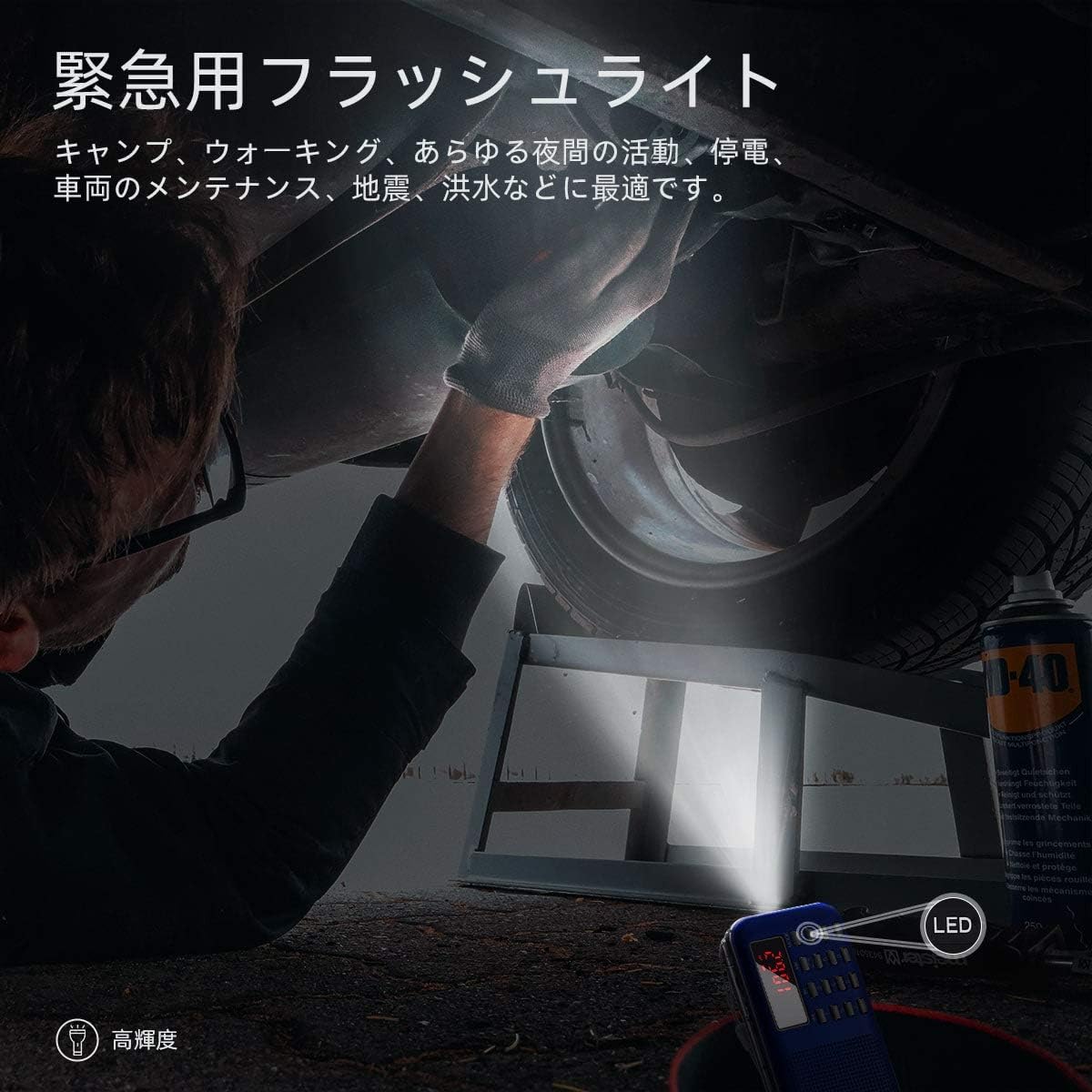
Figure 6: A person utilizing the radio's integrated flashlight to provide illumination while working under a vehicle, demonstrating its utility in low-light conditions.
Maintenance
- Keep the radio dry. Do not expose it to water or moisture.
- Clean the radio with a soft, dry cloth. Do not use harsh chemicals or abrasive cleaners.
- Avoid dropping the radio or subjecting it to strong impacts.
- When not in use for extended periods, store the radio in a cool, dry place and consider removing the battery to prevent leakage.
Troubleshooting
If you encounter issues with your PRUNUS J-908 radio, please refer to the following common problems and solutions:
| Problem | Possible Cause / Solution |
|---|---|
| No power / Radio does not turn on. |
|
| Poor radio reception. |
|
| MP3 playback issues (no sound, not playing). |
|
| Flashlight not working. |
|
If the problem persists after trying these solutions, please contact customer support.
Specifications
| Feature | Detail |
|---|---|
| Model Number | J-908 |
| Brand | PRUNUS |
| Tuner Type | AM, FM |
| Supported Frequencies | AM: 522-1710KHz, FM: 70-108MHz |
| Speaker | 3W Neodymium Speaker |
| Audio Formats | MP3 only |
| Playback Methods | Memory Stick (USB), TF Card, AUX Input |
| Max Storage Capacity | 64GB (for USB/TF) |
| Output | Built-in speaker, 3.5mm Headphone Jack |
| Battery Type | BL5C (Rechargeable and Replaceable) |
| Battery Capacity | 1200mAh |
| Charging Time | 3-5 hours |
| Playback Time | 6-8 hours (at 30% volume) |
| Input Voltage | DC 5V / 500mA-1000mA |
| Dimensions (L x W x H) | 117mm x 64mm x 20mm (4.60 x 2.52 x 0.79 inches) |
| Weight | 110g (0.24 lbs) |
| Included Accessories | User Manual, USB Charging Cable |

Figure 7: Detailed dimensions of the PRUNUS J-908 radio, shown in comparison to an iPhone 7 for scale, highlighting its compact and portable size.
Warranty and Support
For any questions, technical support, or warranty inquiries regarding your PRUNUS J-908 radio, please contact the seller directly through the platform where you purchased the product. The PRUNUS brand is committed to customer satisfaction and will assist you with any issues.
You can visit the official PRUNUS Store for more information and support: PRUNUS Store on Amazon.
Related documentsJ-908


Ask a question about this manual
Ask about setup, troubleshooting, compatibility, parts, safety, or missing instructions. Manuals+ will review the question and use this page’s manual context to help answer it.