
1. Introduction
Thank you for choosing the Baofeng UV-82 Dual PTT Speaker Microphone. This accessory is designed to enhance your communication experience with compatible Baofeng two-way radios, offering convenience and clear audio transmission. This manual provides essential information for proper setup, operation, and maintenance of your speaker microphone.
2. Product Features
- Dual Push-To-Talk (PTT) Buttons: Allows communication on two channels simultaneously, ideal for dual-band radios.
- Clear Voice Transmission: Engineered for high-quality sound, even in noisy environments.
- Durable and Flexible Cable: Features a robust, coiled cable with excellent elasticity, stretching up to 60 inches (approximately 152 cm).
- LED Indicator: Provides visual feedback for operational status.
- 3.5mm Headphone Jack: For connecting an external earpiece for private listening.
- Compact and Sturdy Design: Built for high impact resistance and reliable performance.
- Integrated Clip: A sturdy clip on the back allows attachment to clothing or gear for hands-free operation.

Image: Close-up view of the Baofeng UV-82 Dual PTT Speaker Microphone, highlighting its LED indicator, dual PTT buttons, and 3.5mm headphone jack.
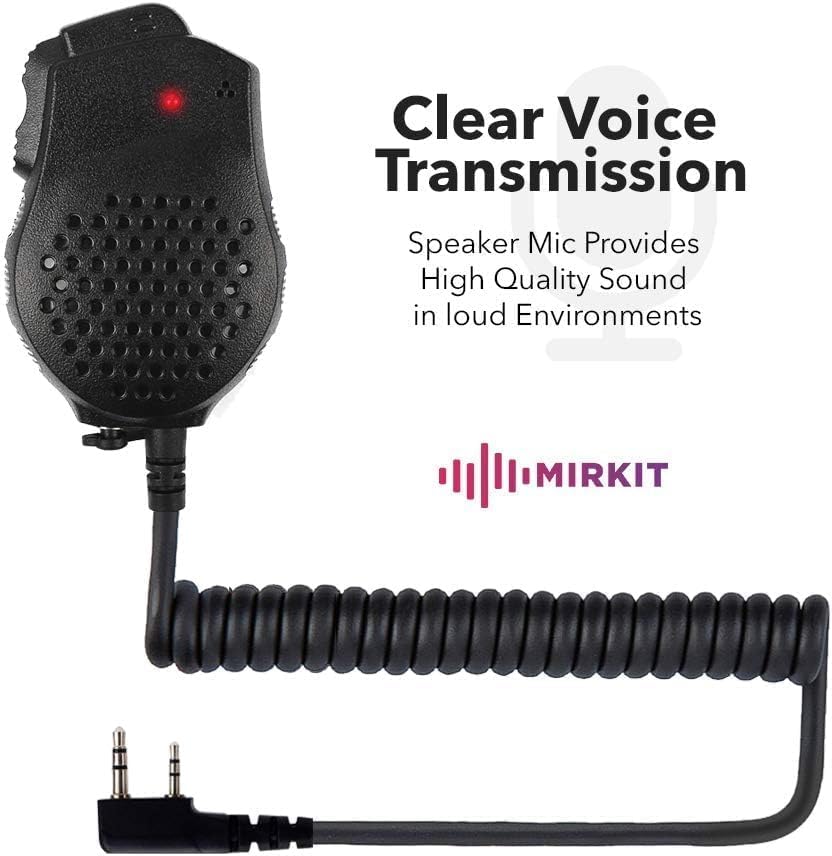
Image: The Baofeng UV-82 Speaker Microphone showing its coiled cable and the 2-pin KPG-22 type connector.
3. Compatibility
The Baofeng UV-82 Dual PTT Speaker Microphone is compatible with a wide range of Baofeng radios and other models featuring a 2-pin KPG-22 type connector. Compatible models include, but are not limited to:
- Baofeng UV-82 Series (UV-82, UV-82L, UV-89, UV-82HP)
- Baofeng GT-5 Series
- Baofeng UV-5R Series (UV-5R, 5RA, 5RA+, 5RB, 5RC, 5RD, 5RE, 5RE Plus)
- Baofeng BF-480, BF-490, BF-530, BF-999, BF-888, BF-777, BF-666S, BF-777S, BF-888S
- Baofeng BF-F8+, GT-3
- Other radios with a 2-pin KPG-22 type connector (e.g., some models from Kenwood, Linton, Puxing, Wouxun).
Note: For Baofeng radio models that do not feature a dual PTT system, the top PTT button on the speaker microphone may not perform any function.
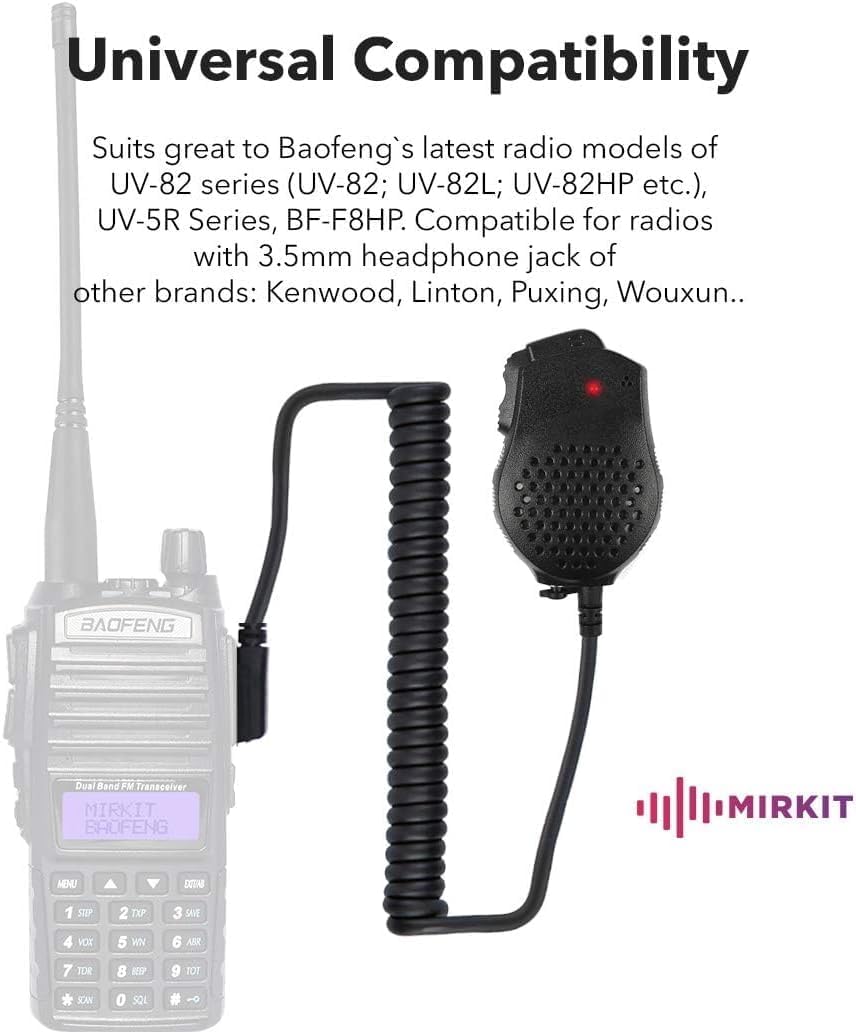
Image: The Baofeng UV-82 Speaker Microphone connected to a Baofeng radio, demonstrating its universal compatibility with various models.
4. Setup
- Connect to Radio: Locate the 2-pin accessory jack on your compatible Baofeng radio. Align the two pins of the speaker microphone connector with the radio's jack.
- Secure Connection: Gently push the connector firmly into the radio's jack until it is fully seated. Ensure a snug fit to prevent intermittent audio or transmission issues.
- Test Functionality: Turn on your radio and perform a brief test transmission to confirm that the speaker microphone is working correctly.
5. Operating Instructions
- Power On Radio: Ensure your Baofeng radio is powered on and set to the desired channel or frequency.
- Using the PTT Buttons:
- Main PTT (Lower Button): Press and hold this button to transmit on the primary channel (Channel A) of your dual-band radio. Release to listen.
- Secondary PTT (Upper Button): Press and hold this button to transmit on the secondary channel (Channel B) of your dual-band radio. Release to listen.
- Speaking into the Microphone: Position the speaker microphone approximately 2-5 cm (1-2 inches) from your mouth for optimal voice clarity during transmission.
- Listening to Audio: Audio will be emitted from the speaker on the microphone. Adjust your radio's volume control as needed.
- Using the Headphone Jack: Insert a compatible 3.5mm earpiece into the headphone jack on the side of the speaker microphone for private listening. This will mute the external speaker.
- Using the Clip: Attach the integrated clip to your collar, shoulder, or other convenient location for hands-free operation.

Image: A person using a Baofeng radio with the UV-82 speaker microphone clipped to their shoulder, demonstrating hands-free operation.

Image: A silhouette illustrating a person using the Baofeng handheld speaker microphone, emphasizing the benefit of keeping the radio away from the head to reduce emission exposure.
6. Maintenance
- Cleaning: Wipe the speaker microphone with a soft, dry cloth. Do not use harsh chemicals or abrasive cleaners.
- Cable Care: Avoid sharp bends or excessive pulling on the coiled cable to prevent internal wire damage.
- Storage: Store the speaker microphone in a cool, dry place away from direct sunlight and extreme temperatures when not in use.
- Moisture Protection: While durable, avoid submerging the device in water. Protect it from heavy rain or excessive moisture.

Image: Hands demonstrating the flexibility and stretch of the coiled cable on the Baofeng UV-82 speaker microphone.
7. Troubleshooting
- No Audio from Speaker Mic:
- Ensure the connector is fully seated in the radio's accessory jack.
- Check the radio's volume level.
- If an earpiece is connected, remove it to check the main speaker.
- Test with another compatible radio if available.
- Microphone Not Transmitting:
- Ensure the PTT button is pressed firmly during transmission.
- Verify the radio is powered on and set to a transmitting channel.
- Check for any damage to the cable or connector.
- Top PTT Button Not Working:
- This is normal for single-band radios or Baofeng models that do not support a dual PTT system. The top button is designed for dual-band radio functionality.
- Intermittent Connection:
- Ensure the connector is clean and free of debris.
- Check for any visible damage to the connector pins or cable.
8. Specifications
| Feature | Specification |
|---|---|
| Brand | Mirkit |
| Model Name | UV-82 |
| Connectivity Technology | AUX |
| Connector Type | 3.5mm Jack (for earpiece) |
| Special Feature | Clip |
| Compatible Devices | Radio, Speaker |
| Color | Dual PTT Speaker Mic |
| Included Components | Warranty Card |
| Polar Pattern | Omnidirectional |
| Audio Sensitivity | 38 dB ± 2dB |
| Microphone Form Factor | Handheld |
| Power Source Type | Corded Electric (via radio) |
| S/N Ratio | 56 dB |
| Number of Channels | 1 (for microphone input) |
| Frequency Response | 20 Hz - 16 KHz |
| Noise Level (Sound Pressure) | 94 dB ± 3dB |
| Material | Plastic or Metal |
| Product Dimensions | 10 x 5 x 4 cm (approximate) |
9. Warranty and Support
This product comes with a warranty card. Please refer to the warranty card included in your package for specific warranty terms and conditions. For technical support, troubleshooting assistance, or any inquiries regarding your Baofeng UV-82 Dual PTT Speaker Microphone, please contact your retailer or the manufacturer's customer service.
Keep your purchase receipt and warranty card for future reference.


