
Introduction
This manual provides detailed instructions for the installation, operation, and maintenance of the Code Alarm 41800640 2-Way Replacement Antenna and its accompanying 41203880 Cable. This product is designed for use with select Code Alarm remote start and alarm systems. Please read this manual thoroughly before proceeding with installation or use to ensure proper function and compatibility.
Product Components
- Code Alarm 41800640 2-Way Replacement Antenna
- Code Alarm 41203880 Cable
The antenna and cable are separate components. The cable can be replaced independently if only the antenna is needed, or vice-versa.
Compatibility
This replacement antenna and cable are compatible with select Code Alarm remote start systems and alarm systems. It is crucial to verify compatibility with your specific Code Alarm system model before purchase and installation. Refer to your existing system's documentation or contact Code Alarm support for verification.
- Compatible Devices: Code Alarm Remote Start Systems, Code Alarm Alarm Systems
- Connector Type: RF Connector
Setup and Installation
Installation of the 41800640 antenna and 41203880 cable typically involves connecting the new components to the main control unit of your Code Alarm system. Professional installation is recommended to ensure correct wiring and optimal performance.
- Disconnect Power: Before beginning any installation, ensure that the power to your Code Alarm system is completely disconnected to prevent electrical damage or injury.
- Locate Existing Antenna/Cable: Identify the current antenna and cable connected to your Code Alarm system. Note its routing and connection points.
- Remove Old Components: Carefully disconnect and remove the existing antenna and cable.
- Connect New Cable: Attach the 41203880 cable to the appropriate port on your Code Alarm control unit. Ensure the connection is secure.
- Connect New Antenna: Connect the 41800640 antenna to the 41203880 cable. The antenna and cable connect via an RF connector.
- Route Cable and Position Antenna: Route the new cable securely, avoiding moving parts or sources of extreme heat. Position the antenna in a location that provides optimal signal reception, typically on the windshield or dashboard, away from metal obstructions.
- Secure Components: Use appropriate fasteners or adhesive (not included) to secure the antenna and cable to prevent movement.
- Reconnect Power: Once all connections are secure and the components are positioned, reconnect power to your Code Alarm system.
- Test System: Perform a full system test to ensure the new antenna and cable are functioning correctly with your remote start or alarm system.
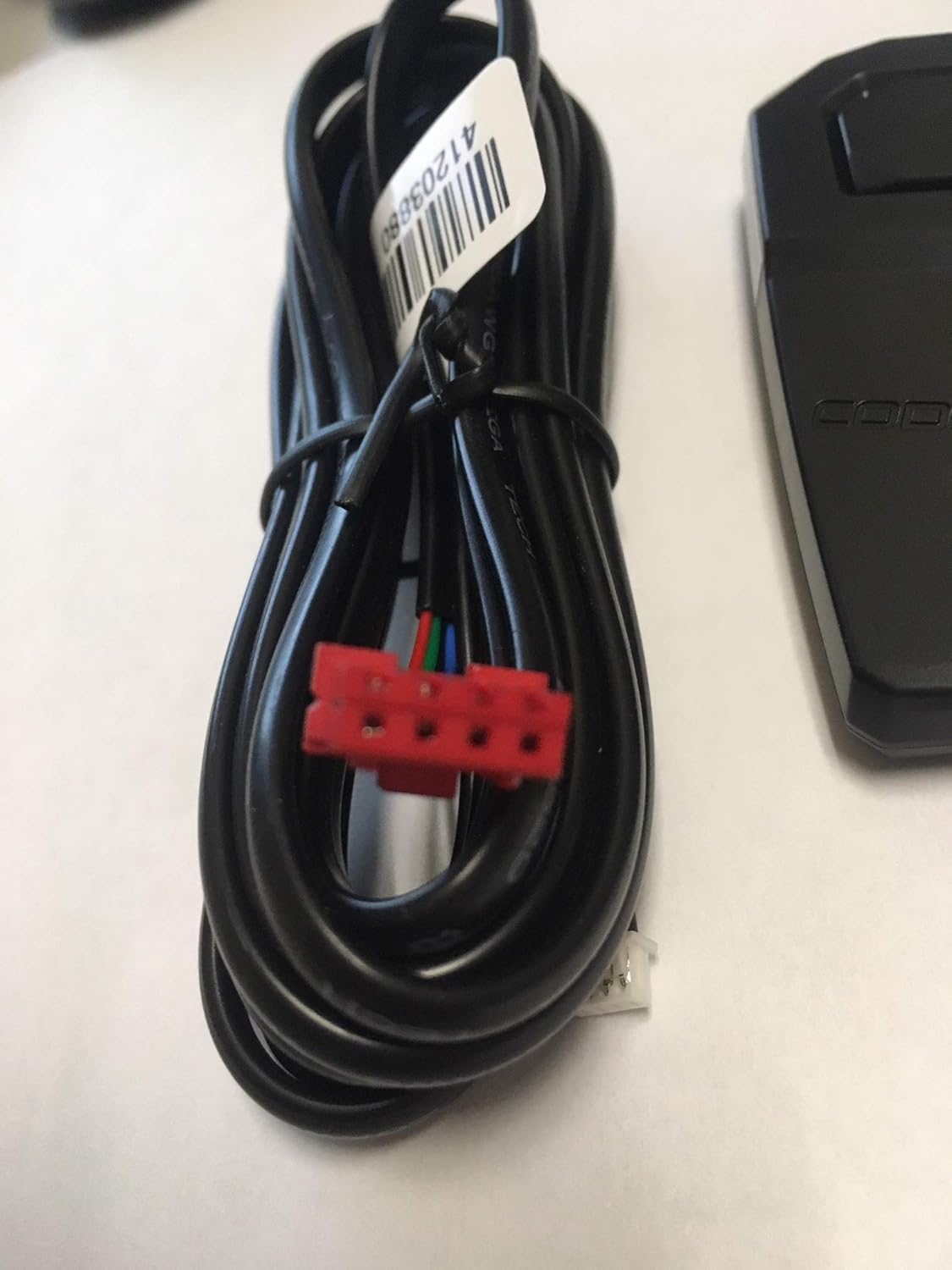
Image 1: The Code Alarm 41800640 2-Way Replacement Antenna and 41203880 Cable. This image shows the antenna unit and the coiled cable with its connectors.

Image 2: Close-up view of the Code Alarm 41203880 cable, showing the coiled black wire and the red multi-pin connector at one end, along with a smaller white connector.
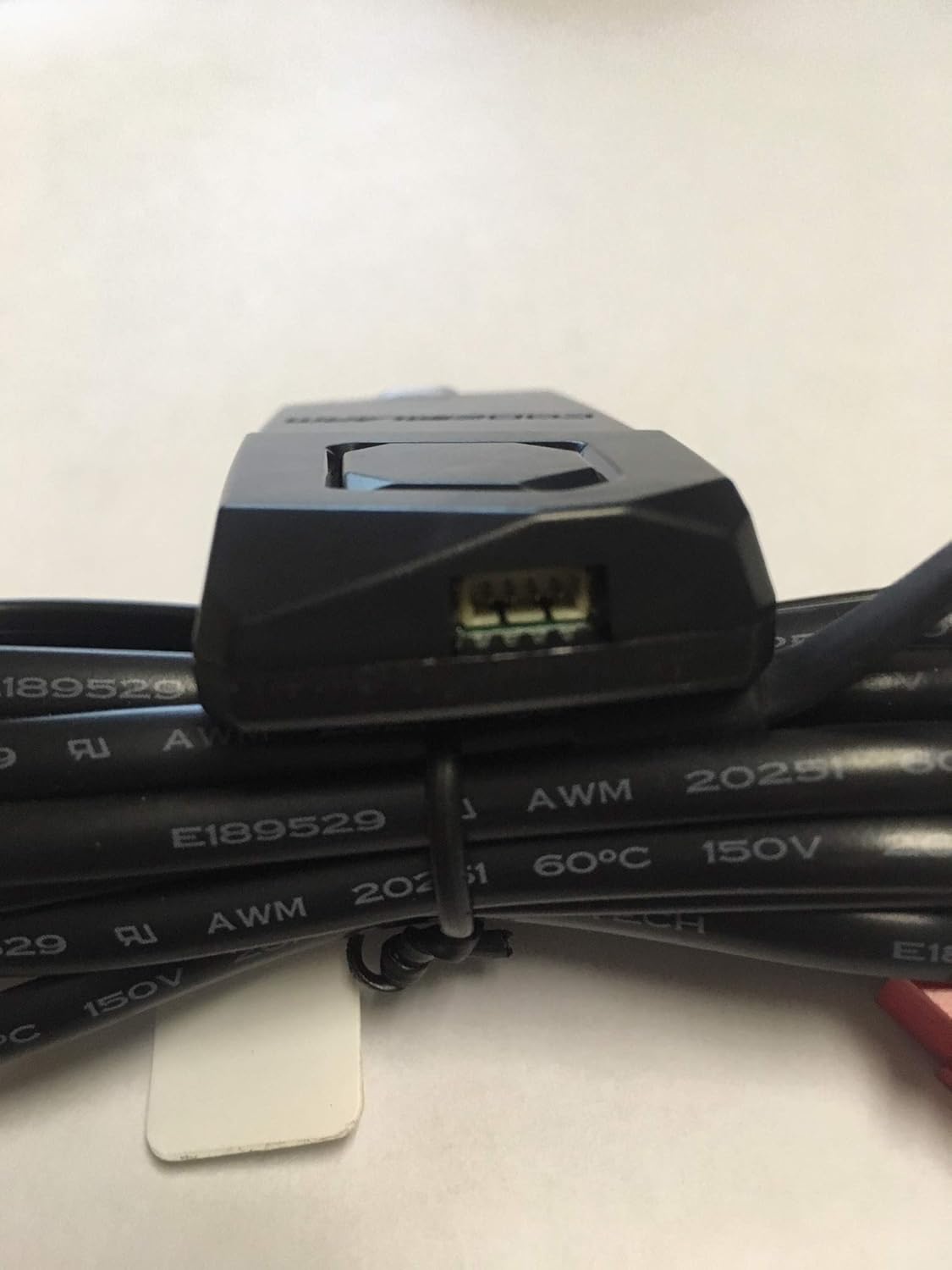
Image 3: Detailed view of the Code Alarm 41800640 antenna unit, showing the connection port where the 41203880 cable attaches. The cable is coiled next to the antenna.
Operating Instructions
The 41800640 antenna and 41203880 cable are passive components that facilitate communication between your Code Alarm remote and the main control unit. Their operation is integrated with your existing Code Alarm remote start or alarm system. Refer to your specific Code Alarm system's user manual for detailed instructions on operating your remote and system features.
- Ensure the antenna is not obstructed by metal objects or tinted windows that may contain metallic films, as this can degrade signal strength.
- Maintain a clear line of sight between your remote and the vehicle for optimal range, although the 2-way system is designed to work without direct line of sight.
- If experiencing reduced range or intermittent communication, check the antenna's position and connections.
Maintenance
The Code Alarm 41800640 antenna and 41203880 cable require minimal maintenance. Regular checks can help ensure longevity and optimal performance.
- Cleaning: Periodically wipe the antenna unit with a soft, dry cloth to remove dust or grime. Avoid using harsh chemicals or abrasive cleaners.
- Connection Check: Annually, or if issues arise, inspect the cable connections at both the antenna and the control unit to ensure they are secure and free from corrosion.
- Cable Inspection: Check the cable for any signs of wear, cuts, or damage. Damaged cables should be replaced immediately to prevent system malfunction.
- Environmental Exposure: While designed for outdoor use (as part of a vehicle system), extreme temperatures or prolonged direct exposure to harsh elements can affect lifespan. Ensure proper routing and protection where possible.
Troubleshooting
If you encounter issues with your Code Alarm system after installing the replacement antenna and cable, consider the following troubleshooting steps:
- No Communication/Reduced Range:
- Verify all cable connections are secure at both the antenna and the main control unit.
- Ensure the antenna is positioned correctly and not obstructed by metal or other materials that could block RF signals.
- Check for any damage to the cable or antenna unit.
- Test the remote's battery.
- Intermittent Operation:
- Inspect for loose connections.
- Ensure there are no new sources of electromagnetic interference near the antenna.
- System Not Responding:
- Confirm the Code Alarm system itself is powered and functioning.
- Re-verify compatibility of the antenna with your specific Code Alarm model.
If problems persist after performing these checks, contact Code Alarm technical support or a qualified installer for further assistance.
Specifications
| Model Number | 41800640 (Antenna) |
| Cable Part Number | 41203880 |
| Brand | Code Alarm |
| Connector Type | RF Connector |
| Compatible Devices | Code Alarm Remote Start Systems, Code Alarm Alarm Systems |
| Recommended Use | Replacement/Extension for Code Alarm Remote Start Systems and Alarm Systems |
| Indoor/Outdoor Use | Outdoor (as part of vehicle system) |
| Unit Count | 1 Count (Antenna and Cable) |
| UPC | 707568975909 |
| ASIN | B07MY8KVCQ |
Warranty and Support
For information regarding product warranty, please refer to the documentation provided with your original Code Alarm system or visit the official Code Alarm website. For technical support, installation assistance, or to report issues, please contact Code Alarm customer service directly.
Contact Information: Please refer to the official Code Alarm website or your original product packaging for the most current contact details.