
1. Introduction
Thank you for choosing the lightmaXX LED PAR 54 54x 1W RGBW Spot. This manual provides essential information for the safe and efficient operation of your new lighting fixture. Please read this manual thoroughly before installation and use, and retain it for future reference.
The lightmaXX LED PAR 54 is a versatile and powerful LED spotlight designed for various stage, event, and decorative lighting applications. It features 54 x 1W RGBW LEDs, offering a wide spectrum of colors and effects.
2. Safety Instructions
- Electrical Safety: Always connect the device to a grounded power outlet. Ensure the voltage matches the specifications of the unit. Disconnect from power before cleaning or servicing.
- Ventilation: Ensure adequate ventilation around the unit to prevent overheating. Do not block ventilation openings.
- Environment: This device is intended for indoor use only. Protect it from moisture, rain, and extreme temperatures.
- Handling: Avoid direct eye exposure to the light source. Do not operate the unit if the power cord or housing is damaged.
- Professional Use: Installation and operation should be performed by qualified personnel familiar with stage lighting equipment.
3. Package Contents
Please check that all items are present and in good condition upon unpacking:
- 1x lightmaXX LED PAR 54 54x 1W RGBW Spot
- 1x Power Cable
- 1x Instruction Manual (this document)
4. Product Overview
The lightmaXX LED PAR 54 is designed for robust performance and ease of use. Below are key visual references to help you identify components.

Figure 4.1: Front view of the lightmaXX LED PAR 54, showing the array of 54 RGBW LEDs.

Figure 4.2: Side view of the lightmaXX LED PAR 54, illustrating its compact design and adjustable mounting bracket.
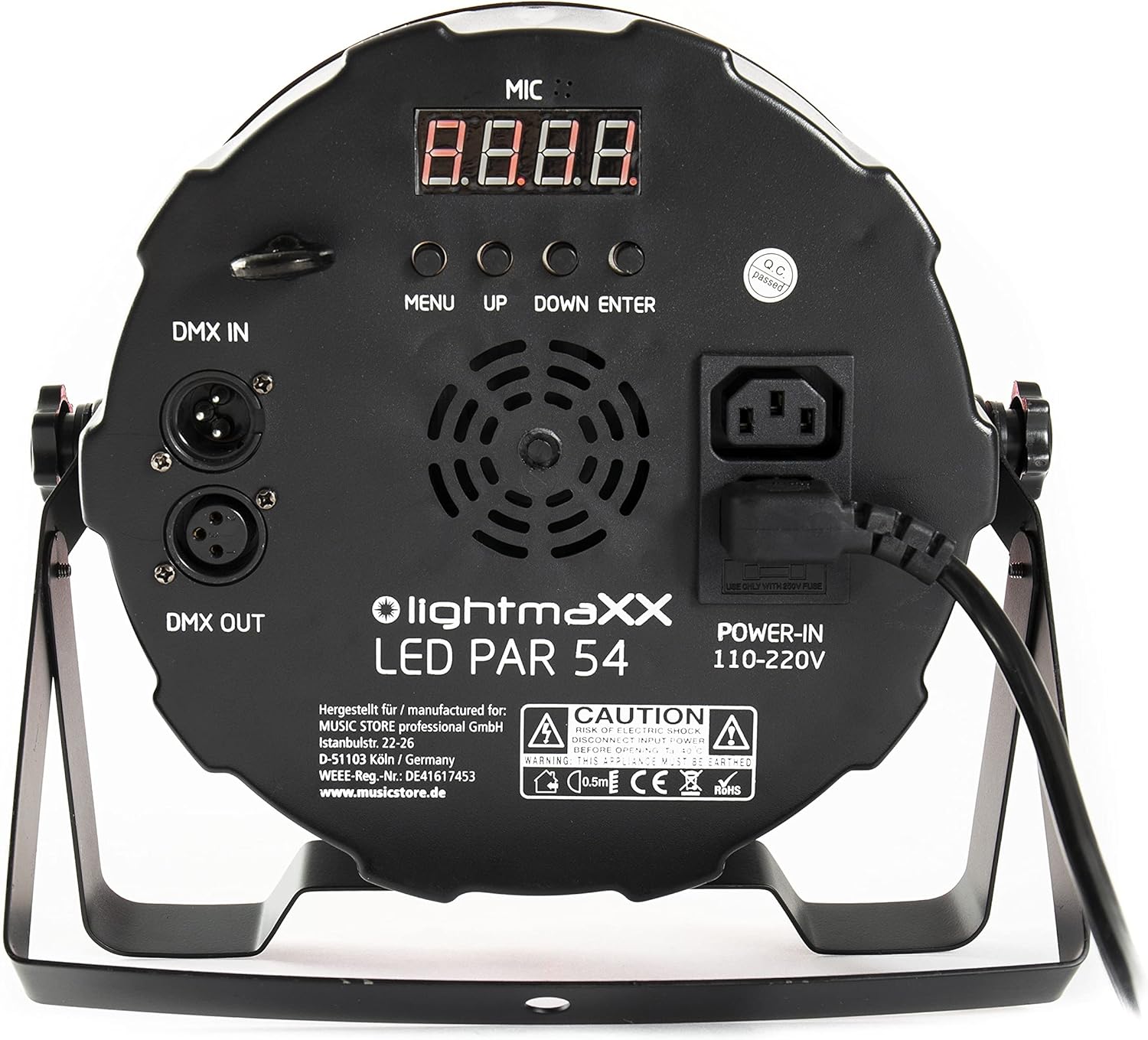
Figure 4.3: Rear panel of the lightmaXX LED PAR 54, featuring DMX In/Out, power input, and control buttons.

Figure 4.4: Close-up of the control panel, showing the digital display and 'MENU', 'UP', 'DOWN', 'ENTER' buttons for navigation.
5. Setup
5.1 Mounting
The LED PAR 54 can be mounted in various positions using its adjustable bracket. Ensure the mounting surface or truss is capable of supporting the weight of the fixture. Always use a safety cable when suspending the unit overhead.
- Attach the mounting bracket securely to a truss or stand using appropriate clamps (not included).
- Adjust the angle of the fixture using the side knobs on the bracket.
- Secure the safety cable to the designated safety point on the fixture and to the mounting structure.
5.2 Power Connection
Connect the supplied power cable to the 'POWER-IN' socket on the rear panel of the fixture and then to a suitable 110-220V AC power outlet. Ensure the power source is stable and grounded.
5.3 DMX Connection (Optional)
For DMX control, connect a DMX cable from your DMX controller's output to the 'DMX IN' socket on the first fixture. For multiple fixtures, daisy-chain them by connecting the 'DMX OUT' of the first fixture to the 'DMX IN' of the next, and so on. Terminate the last fixture in the chain with a DMX terminator if experiencing signal issues.
6. Operating the LED PAR 54
6.1 Control Panel Functions
The rear control panel allows you to navigate through the menu and select operating modes and settings:
- MENU: Press to enter the main menu or to go back to the previous menu level.
- UP: Increases the value of a setting or moves up through menu options.
- DOWN: Decreases the value of a setting or moves down through menu options.
- ENTER: Confirms the selected option or value.
6.2 Operating Modes
The LED PAR 54 typically offers several operating modes:
- Auto Mode: The fixture runs through pre-programmed light shows automatically.
- Sound-Activated Mode: The light show reacts to ambient sound detected by the built-in microphone.
- DMX Mode: Allows external control of all functions (color, dimming, strobe, programs) via a DMX controller. Refer to the DMX chart in the specifications section for channel assignments.
- Static Color Mode: Select a fixed color using the RGBW mixing capabilities.
6.3 Color Mixing (RGBW)
The fixture uses Red, Green, Blue, and White LEDs to create a wide range of colors. In DMX mode, you can control the intensity of each color channel independently. In static color mode, you can often select preset colors or adjust RGBW values directly from the control panel.

Figure 6.1: The lightmaXX LED PAR 54 projecting a vibrant red light beam.
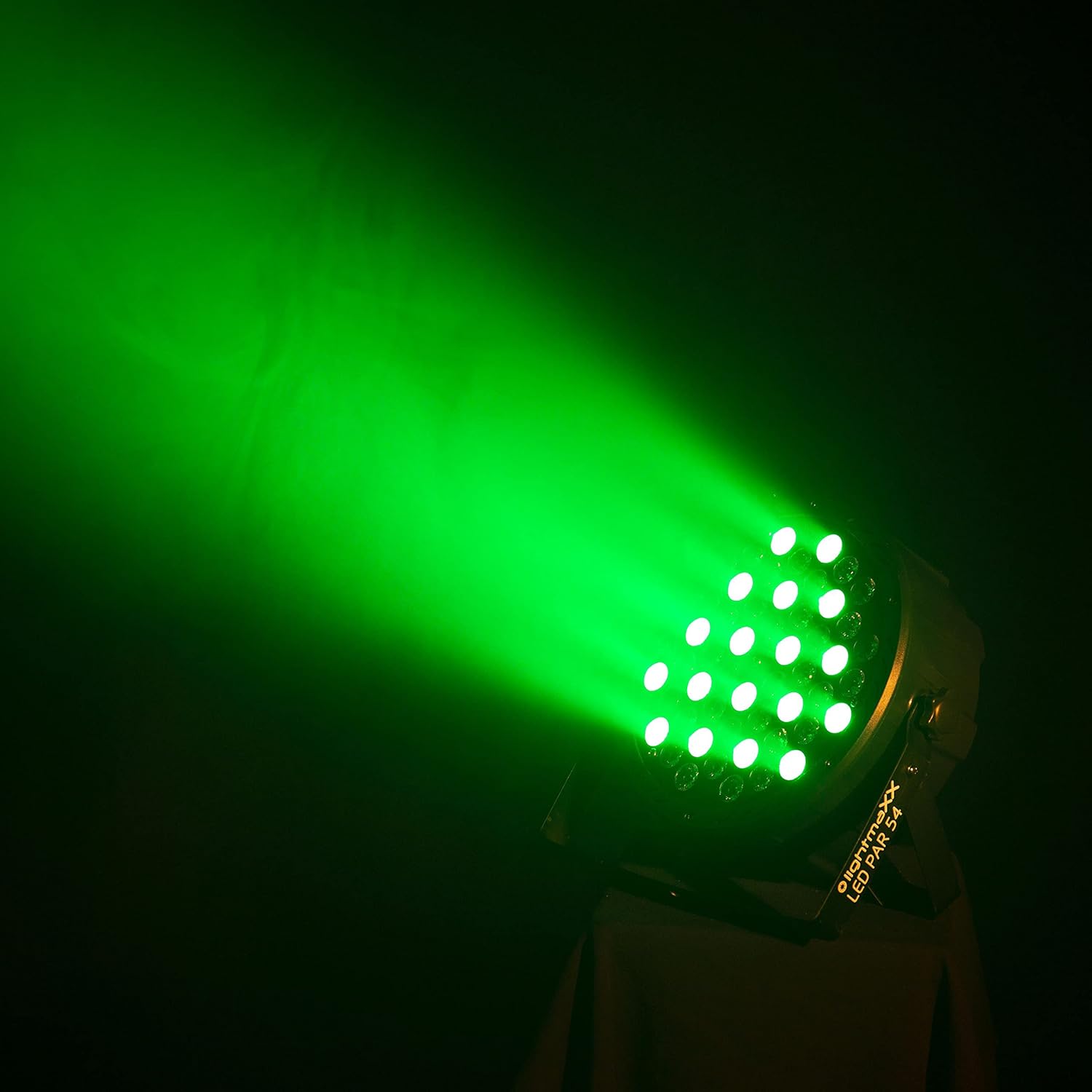
Figure 6.2: The lightmaXX LED PAR 54 projecting a bright green light beam.

Figure 6.3: The lightmaXX LED PAR 54 projecting a deep blue light beam.
6.4 Product Videos
Watch these videos to see the lightmaXX LED PAR 54 in action and understand its various lighting effects.
Video 6.4.1: Demonstration of various color changes and effects of the LED PAR light. This video showcases the dynamic capabilities of the fixture in a stage setting.
Video 6.4.2: Another demonstration highlighting different color combinations and transitions of the LED PAR light. This video provides further insight into the fixture's versatility.
7. Maintenance
7.1 Cleaning
Regular cleaning helps maintain optimal light output and extends the lifespan of the fixture.
- Disconnect the unit from power before cleaning.
- Use a soft, lint-free cloth to wipe the exterior and lens. Do not use abrasive cleaners or solvents.
- Periodically clean the ventilation openings to ensure proper airflow.
7.2 Fuse Replacement
If the unit does not power on, the fuse may need replacement. The fuse holder is located near the power input socket on the rear panel.
- Disconnect the unit from power.
- Carefully open the fuse holder.
- Replace the old fuse with a new one of the exact same type and rating (e.g., 250V fuse as indicated on the unit).
- Close the fuse holder securely.
8. Troubleshooting
If you encounter issues with your LED PAR 54, refer to the table below for common problems and solutions.
| Problem | Possible Cause | Solution |
|---|---|---|
| No power | Power cable disconnected, faulty outlet, blown fuse. | Check power connections, try a different outlet, replace fuse (see Section 7.2). |
| No light output | Dimmer setting too low, incorrect mode, DMX signal issue. | Increase dimmer, select appropriate operating mode, check DMX connections and address. |
| Incorrect colors or flickering | DMX signal interference, incorrect DMX channel settings. | Ensure DMX cables are good quality, check DMX address and mode settings, try a DMX terminator. |
| Unit overheating | Blocked ventilation, operating in high ambient temperature. | Clear ventilation openings, ensure adequate space around the unit, reduce ambient temperature if possible. |
9. Specifications
| Feature | Detail |
|---|---|
| Brand | lightmaXX |
| Model | LED PAR 54 |
| Manufacturer Reference | LIG0015761-000 |
| Lamp Type | LED |
| LED Configuration | 54 x 1W RGBW LEDs |
| Special Features | Color change |
| Voltage | 12 Volt (Operating range 110-220V AC) |
| Wattage | 60 watt |
| Item Weight | 1.78 Kilograms |
| Color Temperature | 6500 Kelvin (White LEDs) |
| Material | Aluminium |
| Color | Black |
| Product Dimensions | 25.3 x 25.2 x 13.6 cm |
| Country of Origin | Germany |
| Number of Items in Package | 1 |
10. Warranty and Support
For warranty information and technical support, please refer to the documentation provided with your purchase or contact your retailer. Keep your proof of purchase for any warranty claims.


