
1. Introduction
The ADJ 32 Hex Panel IP is a multi-functional lighting fixture designed for both indoor and outdoor applications. This unit combines performance and durability, offering a range of lighting effects including color washes, UV light, pulse patterns, blinds, and strobes. Its IP65 rating ensures protection against dust and water ingress, making it suitable for various environments. This manual provides essential information for the safe and efficient operation of your 32 Hex Panel IP.
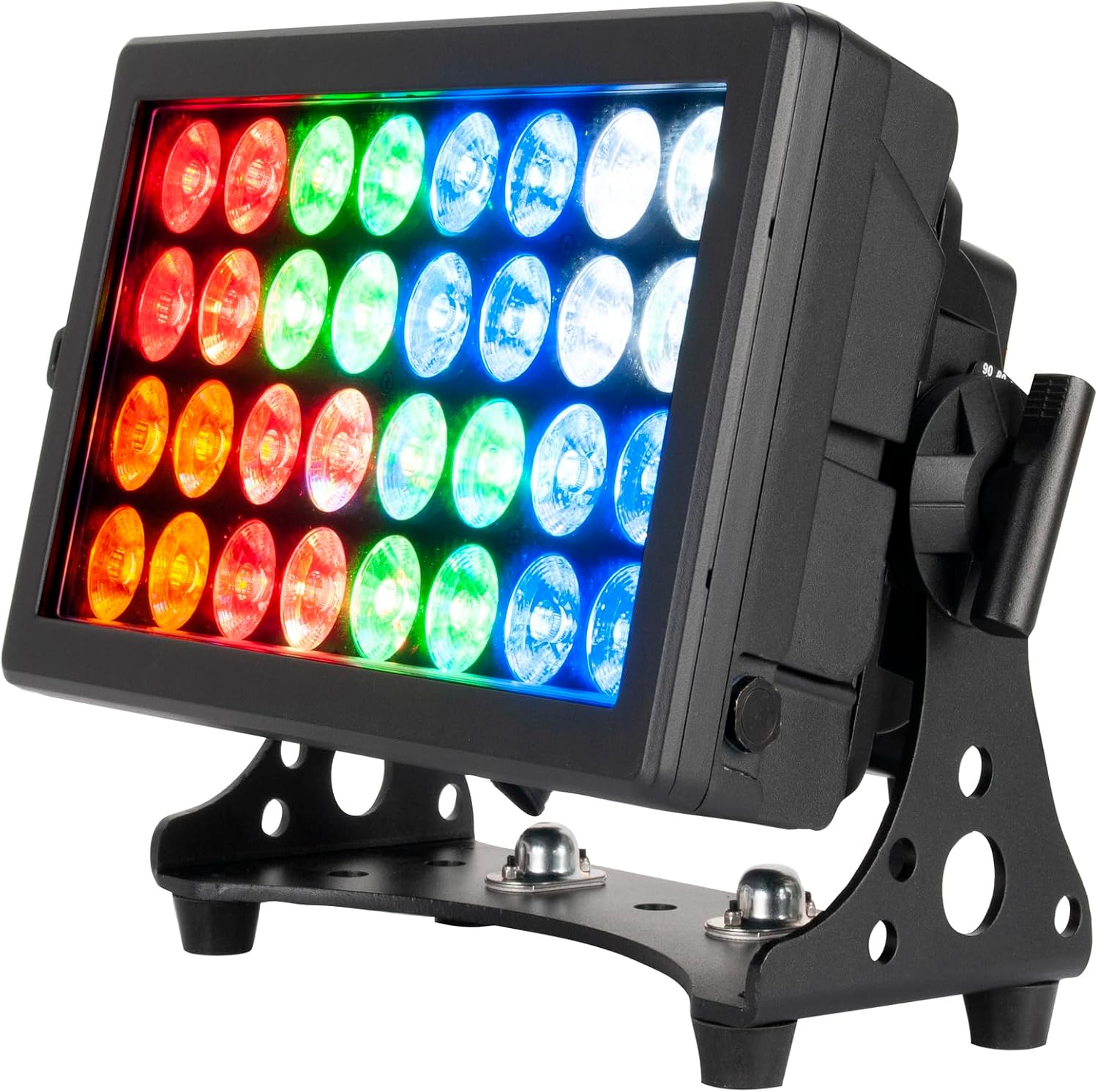
Figure 1: Front view of the ADJ 32 Hex Panel IP, showcasing its multi-colored LED array.
2. Safety Instructions
To ensure safe operation, please read and understand all instructions before using this device. Keep this manual for future reference.
- Electrical Safety: Always connect the unit to a grounded power source. Ensure the voltage matches the unit's requirements (240 Volts). Disconnect power before servicing or cleaning.
- Environmental Conditions: The unit is IP65-rated for indoor/outdoor use. However, avoid direct exposure to extreme weather conditions for prolonged periods. Ensure proper ventilation around the unit.
- Handling: Do not operate the unit if the power cord is damaged. Avoid looking directly into the light source, as it can cause eye injury.
- Mounting: Securely mount the fixture using appropriate hardware. Ensure the mounting surface can support the unit's weight (2 pounds).
- Service: Refer all servicing to qualified personnel. Do not attempt to repair the unit yourself.
3. Product Features
The ADJ 32 Hex Panel IP offers the following key features:
- Multifunctional Lighting: Operates as a multi-colored RGBWA+UV Strobe Light, Wash Light, or Blinder. Includes a UV element for blacklight effects.
- Durable Design: Features an all-metal construction and heavy-duty brackets, making it suitable for travel and various environments.
- IP65 Rating: Certified for both indoor and outdoor use, providing protection against dust and water.
- Professional Connectivity: Equipped with standard 5-pin XLR DMX input and output sockets for customizable chase pattern programming and other professional applications.
- Long-Lasting LEDs: Utilizes 32 long-lasting LED bulbs with a rated lifetime of approximately 50,000 hours.
- Controllable Beam Angle: Offers a concise 24-degree beam angle and can achieve wider washes with additional filters or barn doors.
4. Setup
4.1 Unpacking and Inspection
Upon receiving your ADJ 32 Hex Panel IP, carefully unpack the carton and check its contents to ensure all parts are present and in good condition. If any damage is observed, contact your dealer immediately.
4.2 Mounting
The 32 Hex Panel IP can be mounted in various positions (e.g., truss, floor stand) using its adjustable brackets. Ensure the mounting surface or structure is capable of supporting the unit's weight and that all clamps and fasteners are securely tightened.
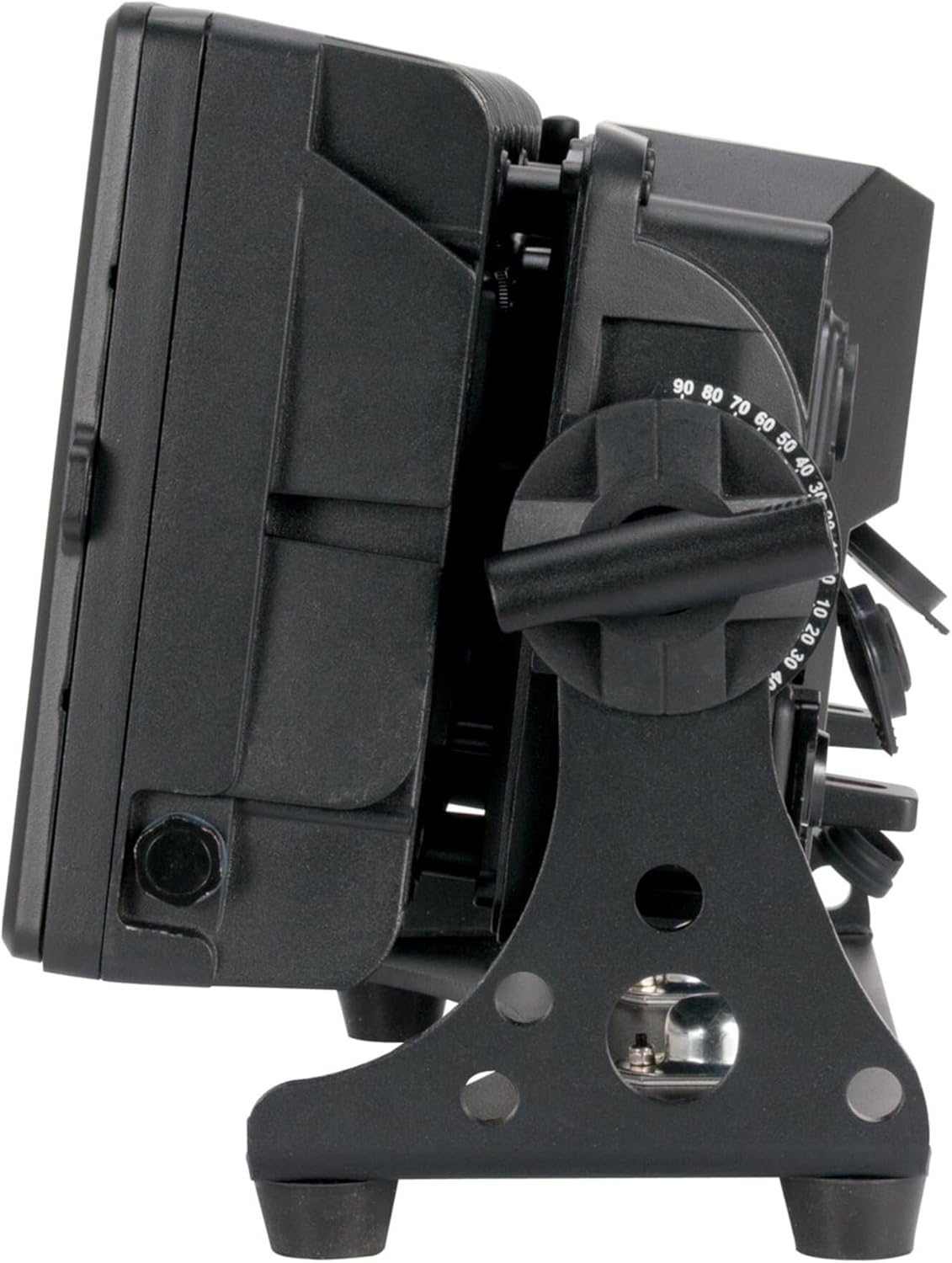
Figure 2: Side view illustrating the adjustable mounting bracket for flexible positioning.
4.3 Connections
The unit features Power IN/OUT and DMX IN/OUT connections on its rear panel.

Figure 3: Rear panel displaying power connections, 5-pin XLR DMX ports, and the control menu.
- Power Connection: Connect the provided power cable to the 'POWER IN' socket. The unit operates on 100-240V AC, 50/60Hz. Use the 'POWER OUT' socket to daisy-chain power to other compatible units.
- DMX Connection: For DMX control, connect a 5-pin XLR DMX cable from your DMX controller's output to the 'DMX IN' socket on the 32 Hex Panel IP. To control multiple units, connect the 'DMX OUT' of the first unit to the 'DMX IN' of the next unit in the chain.
5. Operation
5.1 Control Panel
The rear panel features a digital display and control buttons (MODE, UP, DOWN, ENTER) for navigating the menu and adjusting settings. Refer to Figure 3 for the location of these controls.
5.2 Menu Navigation
Use the MODE button to cycle through main menu options. Use UP/DOWN buttons to adjust values or select sub-menu items. Press ENTER to confirm selections.
5.3 Operating Modes
The 32 Hex Panel IP supports various operating modes, including DMX control, sound-active mode, and several pre-programmed shows. Consult the full DMX channel chart in the comprehensive manual for detailed DMX programming.
- DMX Mode: Allows external control of all functions via a DMX controller. Set the DMX address using the control panel.
- Standalone Modes: Access pre-programmed effects such as color washes, strobes, and UV effects directly from the unit's menu.
5.4 Beam Angle Adjustment
The unit provides a standard 24-degree beam angle. For wider light distribution, optional accessories such as diffusion filters or barn doors can be attached to the front of the fixture.

Figure 4: Optional barn doors accessory for shaping and widening the light beam.

Figure 5: Example of the unit projecting a blue light wash.
6. Maintenance
Regular maintenance helps ensure the longevity and optimal performance of your 32 Hex Panel IP.
- Cleaning: Periodically clean the lenses and exterior casing with a soft, lint-free cloth. Do not use abrasive cleaners or solvents. Ensure the unit is powered off and disconnected before cleaning.
- LED Lifespan: The LEDs are designed for a long operational life (approximately 50,000 hours) and typically do not require replacement.
- Inspection: Regularly inspect power and DMX cables for any signs of damage.
7. Troubleshooting
If you encounter issues with your 32 Hex Panel IP, refer to the following common problems and solutions:
| Problem | Possible Cause | Solution |
|---|---|---|
| Unit does not power on | No power supply; faulty cable | Check power connection; test with a different power cable; verify power outlet. |
| No DMX control | Incorrect DMX address; faulty DMX cable; DMX controller issue | Verify DMX address setting; check DMX cable connections; test DMX controller. |
| Lights flicker or behave erratically | Loose connections; DMX signal interference | Ensure all cables are securely connected; use a DMX terminator if necessary. |
If the problem persists after attempting these solutions, contact ADJ customer support.
8. Technical Specifications
| Specification | Detail |
|---|---|
| Model Number | 32 Hex Panel IP |
| Item Weight | 2 pounds |
| Product Dimensions | 19.1 x 14.15 x 12.15 inches |
| Material Type | Metal |
| Power Source | Corded Electric |
| Voltage | 240 Volts |
| Wattage | 12 watts |
| First Available | January 17, 2019 |
9. Warranty and Support
For warranty information and technical support, please refer to the official ADJ Products website or contact your authorized ADJ dealer. Keep your proof of purchase for any warranty claims.


