
1. Safety Information
Read all instructions carefully before installing and operating the fan. Retain this manual for future reference.
- Electrical Safety: Ensure the power supply is disconnected at the main circuit breaker before installation or servicing. All electrical wiring must comply with local codes and regulations.
- Mounting: The fan must be mounted to a structure capable of supporting its weight (approximately 3.86 kg / 8.51 lbs) and the dynamic load of its operation. Ensure the mounting box is securely fastened.
- Blade Clearance: Maintain a minimum clearance of 2.3 meters (7.5 feet) from the floor to the bottom of the fan blades and at least 0.5 meters (1.6 feet) from the wall to the blade tips.
- Ventilation: Do not operate the fan in areas with high humidity or where flammable materials are present.
- Children and Pets: Keep children and pets away from the fan during operation and installation.
- Professional Installation: If you are unsure about any part of the installation process, consult a qualified electrician.
2. Package Contents
Verify that all components are present and undamaged before proceeding with installation.
- Ceiling Fan Motor Assembly
- Fan Blades (3, Copper material)
- Downrod and Canopy
- Mounting Bracket
- Remote Control
- Instruction Manual
- Hardware Pack (screws, washers, wire nuts)
- Power Cord
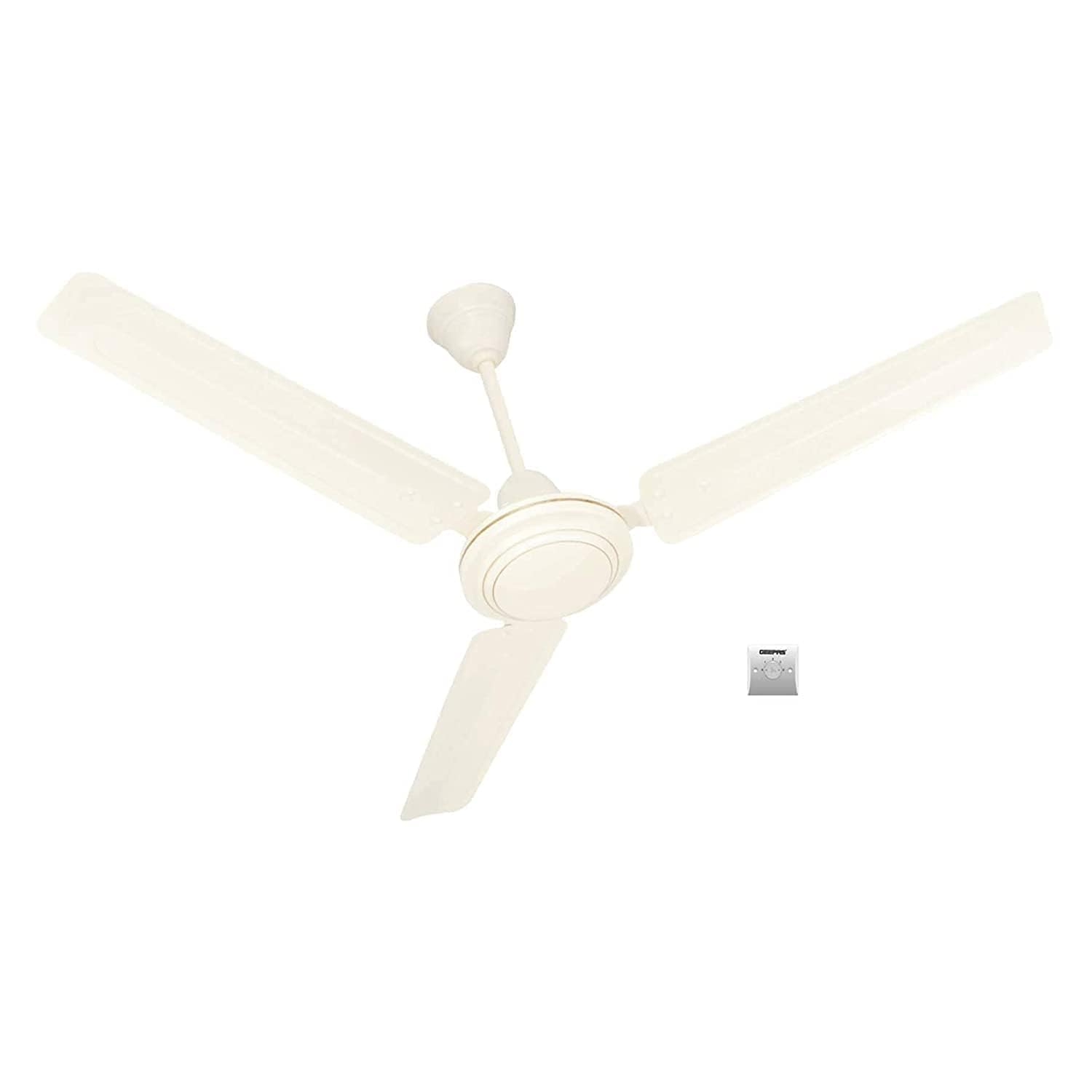
Image 2.1: Geepas GF9428 Ceiling Fan. This image shows the main unit of the Geepas GF9428 ceiling fan, highlighting its white finish and overall design. The fan is designed for indoor use and features a modern aesthetic.
3. Product Overview
The Geepas GF9428 is a 56-inch electric ceiling fan designed for indoor air circulation. It features a modern design with 3 copper blades and offers 5 speed settings controlled by a remote.
3.1 Key Components
- Motor Housing: Contains the electric motor that drives the fan blades.
- Fan Blades: Three copper blades, 56 inches in diameter, designed for efficient air movement.
- Downrod: Connects the fan motor to the mounting bracket, determining the fan's height from the ceiling.
- Canopy: Covers the electrical connections and mounting bracket at the ceiling.
- Mounting Bracket: Secures the fan to the ceiling junction box.
- Remote Control: Provides convenient operation of fan speeds and power.
Image 3.1: Geepas GF9428 Ceiling Fan. This image illustrates the assembled Geepas GF9428 ceiling fan, showcasing its sleek white finish and the arrangement of its three copper blades. It provides a visual reference for the fan's overall structure.
4. Installation
Follow these steps carefully for proper and safe installation. Ensure power is OFF at the circuit breaker before beginning.
4.1 Mounting the Bracket
- Locate a suitable ceiling joist or a fan-rated electrical junction box.
- Secure the mounting bracket to the ceiling joist or junction box using the provided screws and washers. Ensure it is firmly attached.
4.2 Assembling the Fan
- Attach the downrod to the motor housing, securing it with the pin and clip.
- Carefully feed the electrical wires from the motor through the downrod.
- Attach the fan blades to the motor housing using the blade screws. Ensure all screws are tightened securely.
4.3 Wiring the Fan
- Lift the fan assembly and hang it from the mounting bracket using the provided hook or safety cable.
- Connect the fan's electrical wires to the house wiring according to the wiring diagram (typically black to black, white to white, and green/bare copper to ground). Use wire nuts to secure connections.
- Tuck all wires neatly into the junction box.
4.4 Final Assembly
- Slide the canopy up to the ceiling and secure it to the mounting bracket with the canopy screws.
- Restore power at the circuit breaker and test the fan operation.
5. Operation
Your Geepas GF9428 ceiling fan is operated using the included remote control.
5.1 Remote Control Functions
- ON/OFF Button: Press to turn the fan on or off.
- Speed Control Buttons: The fan has 5 speed settings. Use the designated buttons (often labeled 1-5 or with fan icons) to adjust the fan speed from low to high.
- Timer Function (if applicable): Some remote controls may include a timer function to automatically turn off the fan after a set period. Refer to the remote's specific markings.
Ensure the remote control has working batteries and is pointed towards the fan's receiver for optimal performance.
6. Maintenance
Regular maintenance ensures optimal performance and extends the lifespan of your ceiling fan. Always disconnect power before performing any maintenance.
- Cleaning: Use a soft, damp cloth to clean the fan blades and motor housing. Do not use abrasive cleaners or solvents. Dust the blades regularly to prevent accumulation, which can affect balance and performance.
- Blade Tightness: Periodically check all blade attachment screws. They may loosen over time due to vibration. Retighten as necessary.
- Motor Lubrication: The fan motor is permanently lubricated and does not require additional oiling.
- Annual Inspection: Annually inspect the downrod, mounting bracket, and canopy for any signs of wear, damage, or loose connections.
7. Troubleshooting
Refer to the table below for common issues and their solutions.
| Problem | Possible Cause | Solution |
|---|---|---|
| Fan does not start | No power supply Loose wire connections Remote control issues | Check circuit breaker and wall switch Verify all wire connections are secure (power off) Replace remote batteries; ensure remote is paired with fan |
| Fan wobbles | Loose blade screws Unbalanced blades Loose mounting bracket | Tighten all blade screws Use a balancing kit (not included) or ensure blades are clean and undamaged Ensure mounting bracket is securely fastened to the ceiling |
| Noisy operation | Loose screws Motor issues Interference with ceiling | Check and tighten all screws on the fan and mounting Contact customer support if motor noise persists Ensure canopy is not touching the ceiling or downrod |
| Remote control not working | Dead batteries Out of range Not paired | Replace batteries Move closer to the fan Refer to remote pairing instructions (if applicable) |
8. Specifications
| Feature | Detail |
|---|---|
| Brand | Geepas |
| Model Number | GF9428 |
| Color | White |
| Fan Type | Ceiling Fan |
| Size | 56 inches (1.42 meters) |
| Number of Blades | 3 |
| Blade Material | Copper |
| Power Source | Electric |
| Power Consumption | 75 Watts |
| Speed | Up to 290 RPM |
| Number of Speeds | 5 |
| Control Method | Remote Control |
| Installation Type | Ceiling Mount |
| Recommended Use | Air Circulation (Indoor) |
| Item Weight | 3.86 kg (8.51 lbs) |
| Smart Home Compatible | No |
| Wireless | No |
9. Warranty and Support
Geepas products are manufactured to the highest quality standards. For warranty information or technical support, please refer to the warranty card included with your purchase or visit the official Geepas website.
Keep your purchase receipt as proof of purchase for any warranty claims.
Contact Information:
For assistance, please contact Geepas customer service through their official website or the contact details provided in your product packaging.