
1. Introduction
This manual provides detailed instructions for the installation, operation, and maintenance of your EACHPAI D3 1080P Car Dash Camera. Please read this manual thoroughly before using the device to ensure proper functionality and safety.
2. Safety Information
- Do not expose the device to extreme temperatures or direct sunlight for extended periods.
- Ensure the dash camera is securely mounted and does not obstruct the driver's view.
- Use only the provided charging cable and accessories to prevent damage.
- Do not attempt to disassemble or repair the device yourself. Contact customer support for assistance.
- Format the memory card regularly to maintain optimal recording performance.
3. Package Contents
Verify that all items are present in your product package:
- 1 x EACHPAI D3 Dash Camera
- 1 x Suction Cup Mount
- 1 x In-car Charging Cable
- 1 x User Manual

Image: The EACHPAI D3 Dash Camera, suction cup mount, car charger, and user manual are included in the package.
4. Product Overview
The EACHPAI D3 Dash Camera is a compact device designed to record video footage while driving. It features a 3.0-inch LCD screen for live view and playback, a wide-angle lens, and various recording functions.

Image: Front and rear view of the EACHPAI D3 Dash Camera, showing the lens and LCD screen.

Image: The dash camera with icons representing key features like G-Sensor, Parking Monitor, Wide Angle, 1080P, File Format, Loop Recording, Motion Detection, and Max 32GB storage.
5. Setup
5.1 Installing the Suction Cup Mount
- Clean the windshield surface where you intend to mount the dash camera.
- Attach the suction cup mount to the dash camera.
- Press the suction cup firmly against the windshield and flip the lever to secure it.
- Adjust the camera angle to ensure a clear view of the road.
Image: A close-up of the suction cup mount, which attaches to the top of the dash camera for windshield installation.
5.2 Inserting the Memory Card
Insert a Class 10 or higher Micro SD card (up to 32GB, not included) into the designated slot on the dash camera. Ensure the card is inserted correctly until it clicks into place.
5.3 Power Connection
Connect the in-car charging cable to the dash camera's power port and plug the other end into your vehicle's 12V power outlet (cigarette lighter socket). The camera will automatically power on and begin recording when the vehicle starts.
6. Operating Instructions
6.1 Basic Recording
Once powered on, the dash camera will automatically start continuous loop recording. Video segments are saved to the memory card. When the card is full, the oldest unlocked files will be overwritten.

Image: Illustration of the loop recording function, showing how the oldest unlocked video is automatically overwritten when the memory card is full.
6.2 G-Sensor & Emergency Accident Lock
The built-in G-sensor detects sudden impacts or collisions. When triggered, it automatically locks the current video footage, preventing it from being overwritten by loop recording. This ensures critical evidence is preserved.
6.3 Parking Monitor & Motion Detection
When the car engine is off, the camera enters a dormant state. If a collision or movement is detected, the camera will automatically turn on and record for 15-30 seconds, then return to dormancy. This feature is useful for monitoring your parked vehicle.

Image: Visual representation of 24-hour parking monitoring, G-Sensor locking video upon impact, and motion detection automatically recording movement.
6.4 Night Vision & WDR
Equipped with an advanced sensor and F2.0 wide aperture, the dash camera gathers more light for clear, color-accurate images even in low-light conditions. Wide Dynamic Range (WDR) technology compensates for light and dark spots, balancing exposure for optimal video quality.
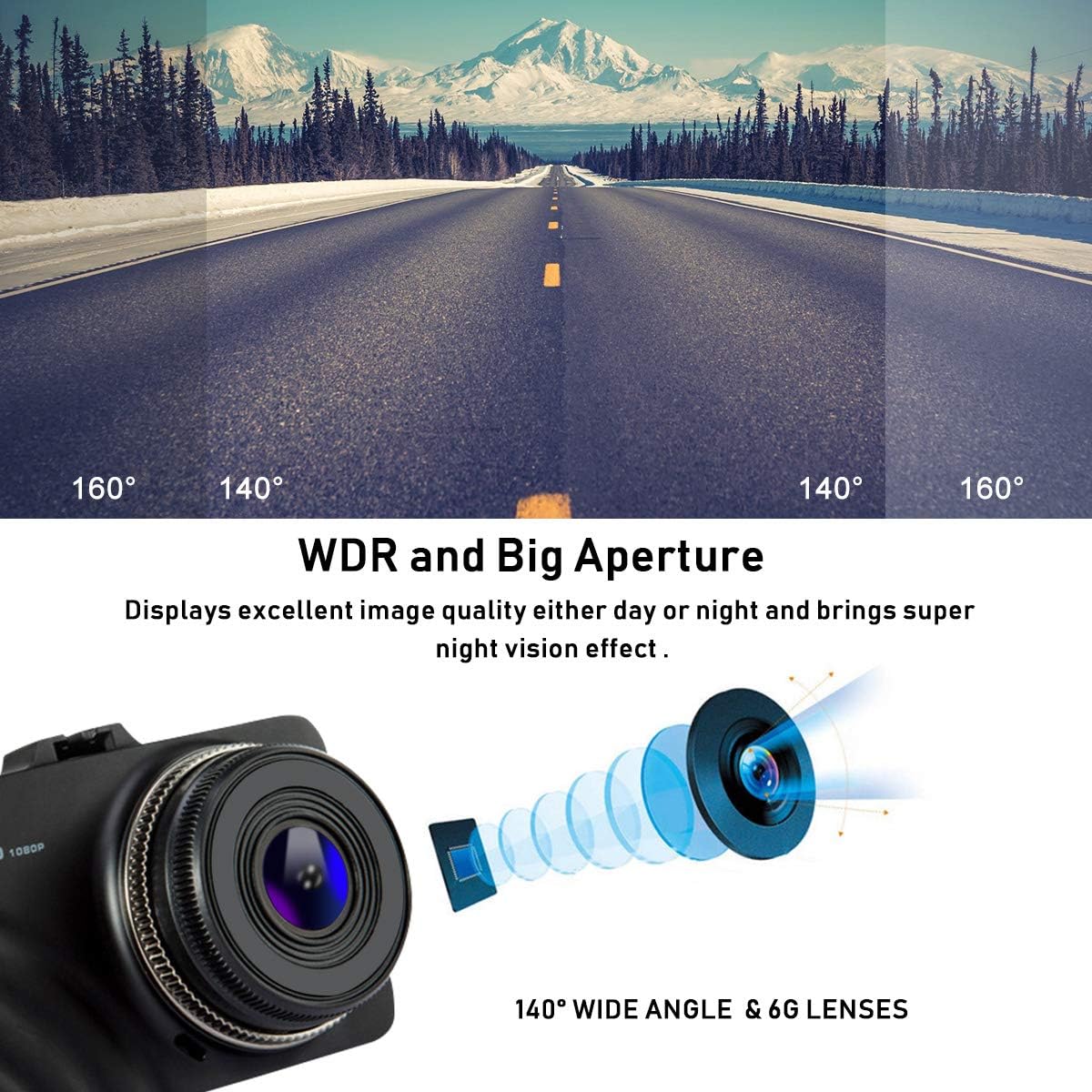
Image: Diagram illustrating WDR and a large aperture lens for excellent image quality day or night, highlighting the 140° wide angle and 6G lenses.
6.5 1080P Full-HD Video
The EACHPAI D3 records in 1080P Full-HD, capturing clear video with a super-wide angle lens. This provides detailed road coverage, which can be crucial for insurance claims or incident documentation.

Image: A dash camera view from inside a car, demonstrating the 1080P FHD recording capability and high-performance chip for clear video even at night.
7. Maintenance
7.1 Cleaning the Device
Use a soft, dry cloth to clean the camera lens and body. Avoid using abrasive cleaners or solvents that may damage the device.
7.2 Memory Card Care
To ensure stable recording and prevent data corruption, it is recommended to format the Micro SD card within the camera's settings every 2-4 weeks.
8. Troubleshooting
- Camera not powering on: Check the power connection and ensure the car charger is working.
- Recording stops unexpectedly: Ensure the memory card is Class 10 or higher and has sufficient free space. Format the card if necessary.
- Video quality is poor: Clean the camera lens. Ensure the protective film has been removed from the lens.
- Buttons unresponsive: Reset the device using the reset button (if available) or by disconnecting and reconnecting power.
9. Specifications
| Screen Size | 3.0 Inches |
| Video Capture Resolution | 1080p |
| Connectivity Technology | Auxiliary |
| Mounting Type | Suction Mount |
| Item Weight | 3.68 ounces (0.23 Pounds) |
| Package Dimensions | 5.9 x 4.4 x 4.1 inches |
| Batteries | 1 Lithium Ion batteries required (included) |
| Operating Temperature Range | Max 65°F, Min -25°F (Note: This temperature range seems unusual and might be a typo in the source data, typically dash cams operate in a wider range. Please refer to product packaging for precise details.) |
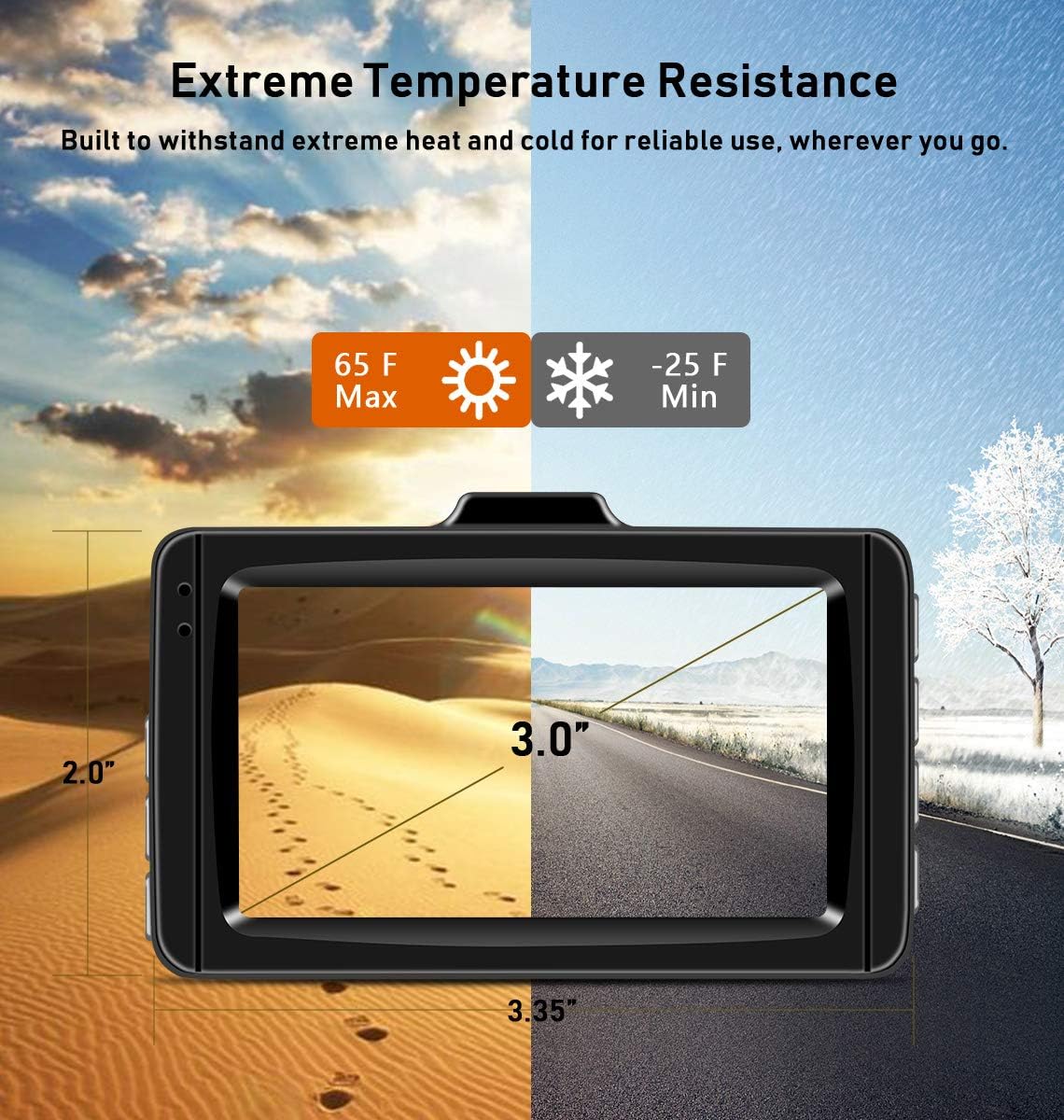
Image: The dash camera is designed to withstand extreme temperatures, from -25°F to 65°F, for reliable use in various climates.
10. Warranty and Support
The EACHPAI D3 Dash Camera comes with a 12-month product replacement warranty. For any suggestions, opinions, or support inquiries, please contact our customer service team at 2880650905@qq.com. We are committed to providing friendly and helpful assistance.