
Product Overview
The Taylor 760641932 Digital Glass Scale is designed for accurate and easy-to-read weight measurements. It features a durable tempered glass platform and a large backlit LCD display for clear visibility. This scale incorporates 'STEP ON' technology for immediate readings and includes a weight tracking function to monitor progress.
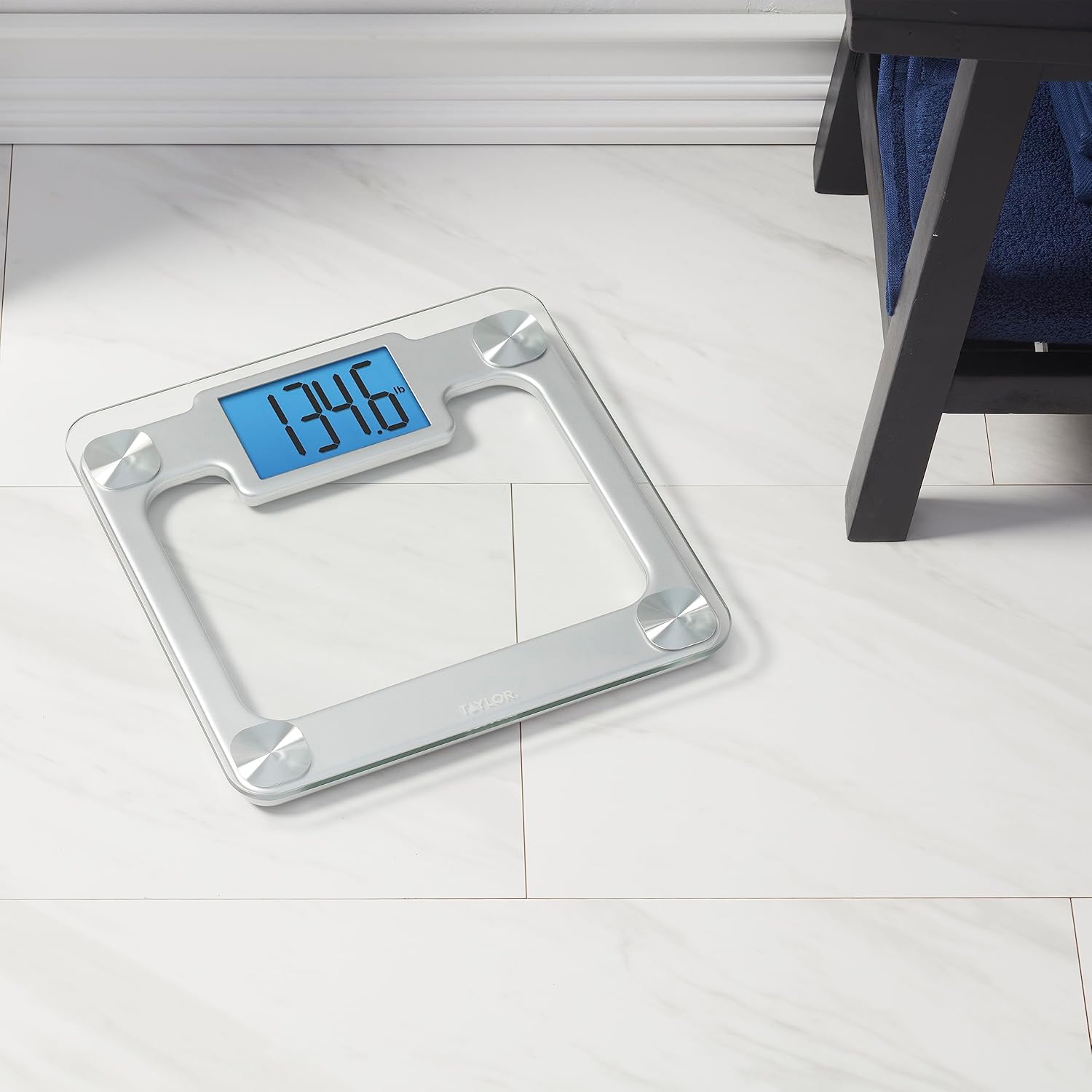
Front view of the Taylor 760641932 Digital Scale, showcasing its glass platform and digital display.
Key Features:
- Large Digital Display: Features giant digits on a 4.3" x 2.7" readout with a bright blue backlight for enhanced readability.
- Durable Platform: Constructed with a spacious 12.2" x 12" tempered glass platform and brushed metal accents.
- Weight Tracking: Displays weight gains or losses since the previous measurement.
- High Capacity: Supports up to 440 lbs (200 kg or 31 st 6 lb) with 0.2 lb (0.1 kg) increments.
- STEP ON Technology: Provides instant weight readings upon stepping onto the scale.
- Auto-Off: Automatically turns off to conserve battery life.
- Low Battery Indicator: Alerts when batteries need replacement.
- Batteries Included: Comes with 3 AAA batteries.
Setup
Battery Installation:
- Locate the battery compartment on the underside of the scale.
- Open the battery compartment cover.
- Insert the 3 AAA batteries, ensuring correct polarity (+/-).
- Close the battery compartment cover securely.

The underside of the scale, indicating the battery compartment location.
Scale Placement:
For accurate readings, place the scale on a hard, flat surface. Avoid placing it on carpets, rugs, or uneven flooring, as this can affect measurement precision.
Operating Instructions
Taking a Measurement:
- Ensure the scale is on a flat, stable surface.
- Gently step onto the scale platform with bare feet. The scale will automatically turn on due to 'STEP ON' technology.
- Stand still on the scale until your weight is displayed and stabilizes.
- The display will show your current weight. If the weight tracking feature is active, it may also indicate the difference from your last recorded weight.
- Step off the scale. The scale will automatically turn off after a few seconds to conserve battery life.

A person stepping onto the scale, demonstrating the 'STEP ON' feature.
Changing Weight Units:
The scale can display weight in pounds (lb), kilograms (kg), or stones (st). To change the unit, locate the unit conversion button on the underside of the scale, usually near the battery compartment. Press this button to cycle through the available units until your desired unit is displayed.

Close-up of the scale's large, backlit digital display showing a weight reading.
Maintenance
Cleaning:
The tempered glass platform and brushed metal accents can be cleaned with a damp cloth and mild detergent. Avoid abrasive cleaners or harsh chemicals, as these may damage the surface. Ensure the scale is dry before storage or next use.
Battery Care:
When the low battery indicator appears on the display, replace all 3 AAA batteries promptly. If the scale will not be used for an extended period, it is recommended to remove the batteries to prevent leakage.
Accuracy Check:
To ensure continued accuracy, periodically check the scale's calibration using known weights (e.g., dumbbells). If you notice consistent discrepancies, ensure the scale is on a level surface and batteries are fresh.
Troubleshooting
- Inaccurate Readings:
Ensure the scale is placed on a hard, flat, and level surface. Carpets or uneven floors can cause inaccurate measurements. Recalibrate by stepping off, waiting for it to turn off, then stepping back on. Check battery levels. - Display Not Working/Blank:
Check if the batteries are correctly installed and not depleted. Replace batteries if necessary. If the issue persists, ensure there is no moisture in the battery compartment. - 'Lo' or 'Err' Message:
A 'Lo' message typically indicates low battery. Replace the batteries. An 'Err' message may suggest an overload (weight exceeds 440 lbs) or a measurement error. Step off the scale, wait for it to reset, and try again. - Weight Tracking Issues (Person 1/Person 2):
This model primarily tracks the last weigh-in for a single user. If you experience unexpected weight changes or 'Person 1'/'Person 2' indications, ensure only one person is using the scale for consistent tracking or disregard the tracking feature if multiple users are weighing themselves.
Specifications
| Model Number | 760641932 |
| Product Dimensions | 12.2 x 12 x 1.1 inches |
| Item Weight | 3.7 Pounds |
| Weight Capacity | 440 Pounds (200 kg / 31 st 6 lb) |
| Readout Accuracy | 0.2 Pounds (0.1 kg) |
| Display Type | LCD with Blue Backlight |
| Power Source | 3 x AAA Batteries (included) |
| Material | Tempered Glass, Metal |
Warranty & Support
Limited Warranty:
This Taylor Digital Scale is covered by a 5-year limited warranty. This warranty covers defects in materials and workmanship under normal use. Please retain your proof of purchase for warranty claims.
Customer Support:
For technical assistance, warranty inquiries, or replacement parts, please contact Taylor customer support. Refer to the contact information provided on the product packaging or the official Taylor website.


