
1. Introduction
The BAOFENG GT-3TP Mark III is a high-power, dual-band handheld ham radio designed for reliable two-way communication. Featuring an 8W output, an upgraded 21cm high-gain antenna, and various advanced functions, this radio provides extended range and clear audio. It is suitable for a wide range of applications, from outdoor adventures to professional use, ensuring consistent performance and user convenience.

Image: The BAOFENG GT-3TP Mark III in use across different environments, highlighting its versatility.
2. Package Contents
Upon opening your BAOFENG GT-3TP Mark III package, please verify that all the following items are included:
- 1 x GT-3TP Mark III Radio Unit
- 1 x 7.4V 1800mAh Li-ion Battery
- 1 x 23CM High Gain Antenna
- 1 x Car Charger
- 1 x Belt Clip
- 1 x User Manual (this document)
- 1 x AC Power Adapter
- 1 x Desktop Charger Cradle
- 1 x Headset

Image: A complete view of all items included in the BAOFENG GT-3TP Mark III product box.
3. Product Overview
3.1 Radio Components
The BAOFENG GT-3TP Mark III features a robust design with intuitive controls for ease of use. Familiarize yourself with the main components as shown below:
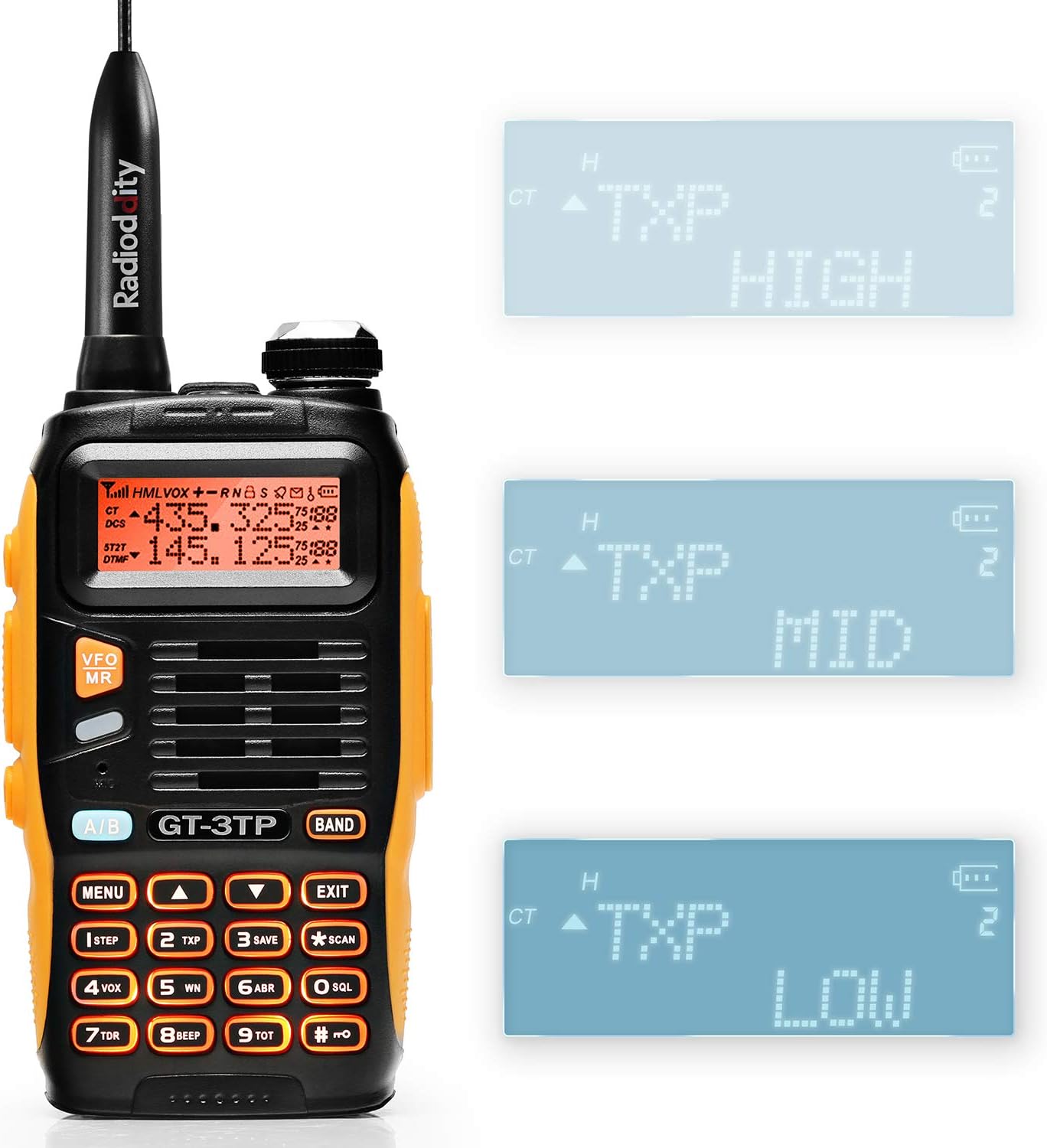
Image: Front view of the BAOFENG GT-3TP Mark III radio.
3.2 Controls and Display
The radio is equipped with a clear LCD display and a full numeric keypad for direct frequency input and menu navigation. Key controls include:
- PTT (Push-to-Talk) Button: Located on the left side, used for transmitting.
- MENU Button: Accesses the radio's settings menu.
- A/B Button: Switches between upper and lower frequency displays.
- BAND Button: Toggles between VHF and UHF bands.
- VFO/MR Button: Switches between Frequency Mode (VFO) and Channel Mode (MR).
- Numeric Keypad: For direct frequency entry and selecting menu options.
- Volume/Power Knob: Rotates to adjust volume and presses to power the unit on/off.
- Accessory Port: Located on the side, covered by a rubber flap, for connecting headsets or programming cables.

Image: Detailed views of the radio's side controls and ports.
4. Setup
4.1 Battery Installation
To install the 7.4V 1800mAh Li-ion battery:
- Align the battery with the grooves on the back of the radio.
- Slide the battery upwards until it clicks securely into place.
- To remove, press the release latch at the bottom of the battery and slide it downwards.
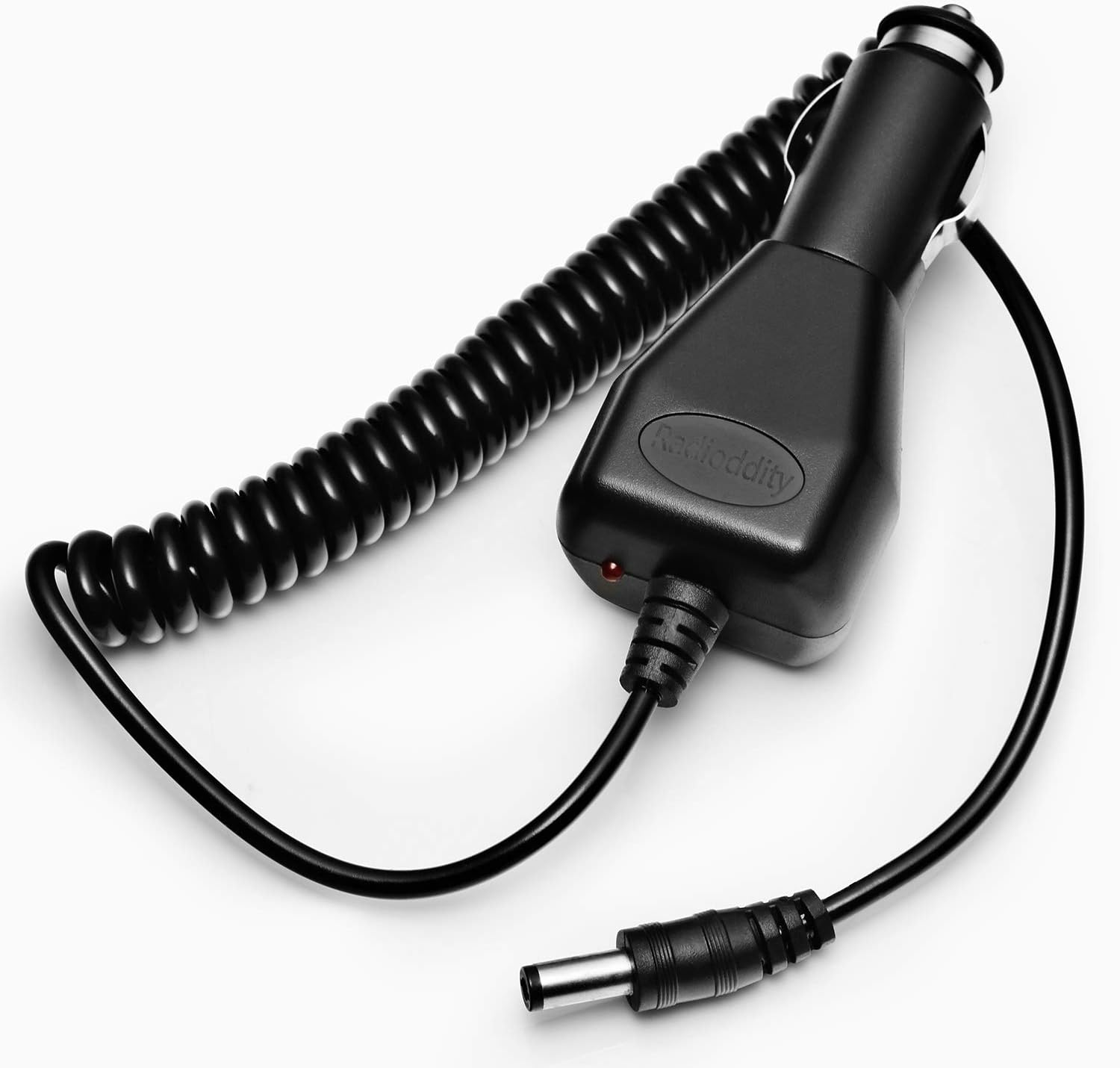
Image: The radio with its battery removed, illustrating the installation process.
4.2 Antenna Attachment
The radio comes with a 23CM high-gain antenna for enhanced performance.
- Screw the antenna clockwise onto the connector at the top of the radio until it is finger-tight. Do not overtighten.
- Ensure the antenna is securely attached before operation to prevent damage and ensure optimal signal quality.
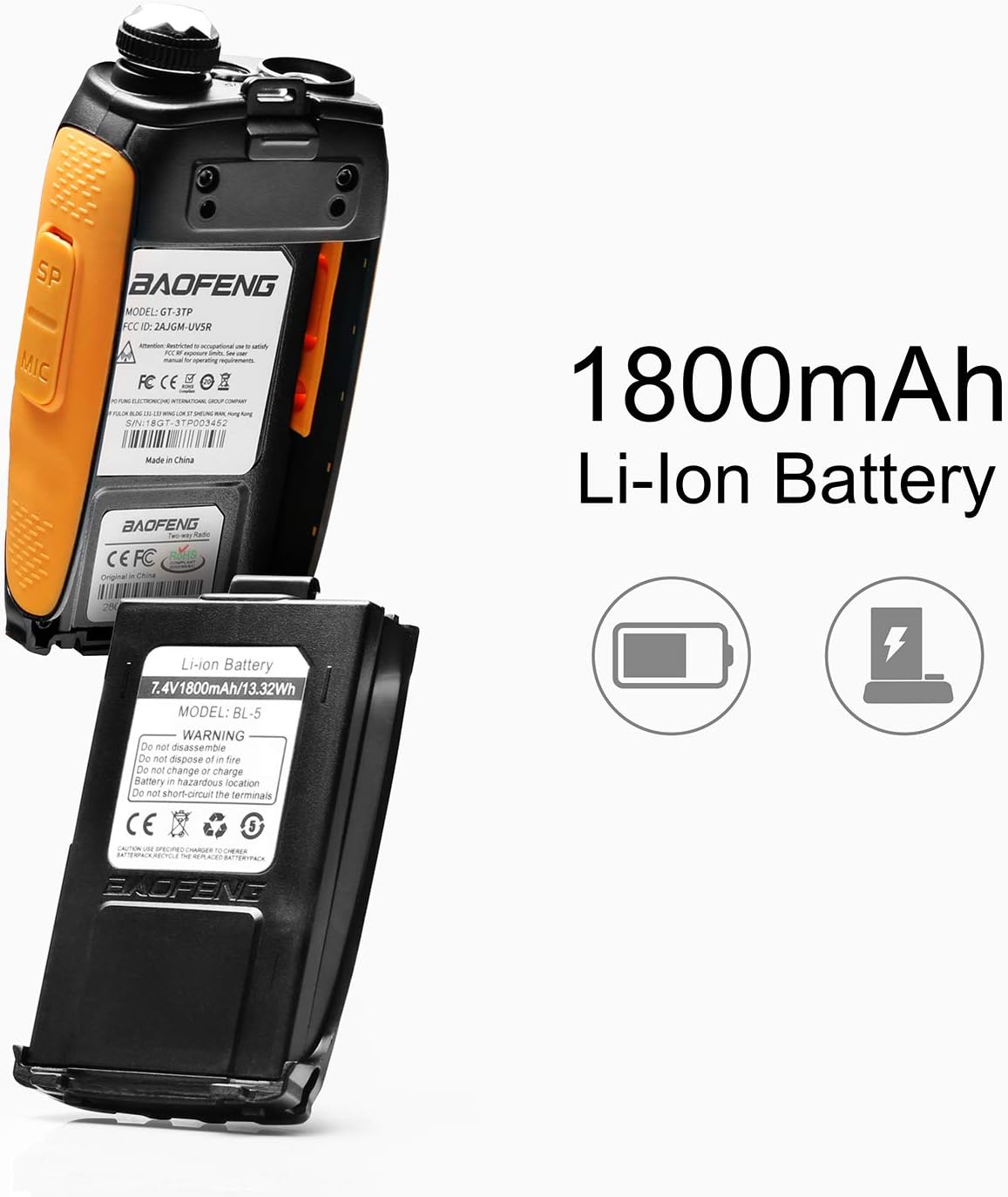
Image: The BAOFENG GT-3TP Mark III with its high-gain antenna.
4.3 Charging the Battery
To charge the radio's battery:
- Connect the AC adapter to the desktop charger cradle.
- Place the radio (with battery installed) into the charging slot of the cradle.
- The indicator light on the charger will show the charging status (typically red for charging, green for fully charged).
- For in-vehicle charging, use the provided car charger by plugging it into your vehicle's 12V outlet and the radio's charging port.

Image: The included car charger for the BAOFENG GT-3TP Mark III.
5. Operating Instructions
5.1 Power On/Off and Volume
To power on the radio, rotate the Volume/Power knob clockwise until you hear a click. Continue rotating to increase volume. Rotate counter-clockwise to decrease volume and turn off the radio.
5.2 Channel and Frequency Selection
The GT-3TP Mark III supports both Frequency Mode (VFO) for direct frequency input and Channel Mode (MR) for pre-programmed channels.
- Press the VFO/MR button to switch between modes.
- In VFO mode, use the numeric keypad to enter desired frequencies (e.g., 145.000 MHz or 440.000 MHz).
- In MR mode, use the UP/DOWN arrow keys or the numeric keypad to select a stored channel (1-128).
- Press the BAND button to toggle between VHF (144-148MHz) and UHF (420-450MHz) bands.
5.3 Transmit Power Settings
The radio offers multiple power output levels to conserve battery life or maximize range:
- Low Power: For short-range communication and extended battery life.
- Mid Power: A balanced option for moderate distances.
- High Power (8W): For maximum range and clarity, especially over long distances up to 11km.
To adjust transmit power, navigate through the menu options. The display will indicate the current power setting (TXP HIGH, TXP MID, TXP LOW).

Image: Display indicators for High, Mid, and Low transmit power settings.
5.4 VOX Function (Voice Operated Transmission)
The VOX function allows for hands-free transmission. When activated, the radio will automatically transmit when it detects your voice, eliminating the need to press the PTT button.
- Access the VOX setting through the radio's menu.
- Adjust the VOX sensitivity level to prevent accidental transmissions or missed voice activation.
5.5 CTCSS/DCS Tones
The radio supports 50 CTCSS (Continuous Tone-Coded Squelch System) and 104 DCS (Digital-Coded Squelch) tones. These tones help filter out unwanted signals and provide group calling convenience by allowing you to hear only transmissions from radios set to the same tone.
- Configure CTCSS/DCS tones in the menu for both transmit (TX) and receive (RX) frequencies.
5.6 Frequency Offset (OFFSET)
The OFFSET function is used for repeater access. It sets the difference between the transmit and receive frequencies when communicating through a repeater.
- Set the offset direction (positive or negative) and the offset frequency value in the menu.
5.7 Busy Channel Lockout (BCLO)
BCLO prevents the radio from transmitting on a channel that is already in use, avoiding interference with ongoing conversations.
- Enable or disable BCLO in the radio's menu settings.
5.8 Power Output Test Video
Watch this official video from the seller demonstrating the power output capabilities of the BAOFENG GT-3TP Mark III radio across different power settings.
Video: A demonstration of the BAOFENG GT-3TP Mark III's power output levels.
6. Maintenance
Proper maintenance ensures the longevity and optimal performance of your radio:
- Cleaning: Use a soft, damp cloth to clean the radio's exterior. Avoid harsh chemicals or abrasive cleaners.
- Battery Care: Do not short-circuit the battery terminals. Store the battery in a cool, dry place when not in use. Avoid overcharging or completely draining the battery frequently to prolong its lifespan.
- Storage: If storing the radio for an extended period, remove the battery.
- Water Resistance: This model is not water-resistant. Avoid exposure to water or high humidity.
7. Troubleshooting
If you encounter issues with your BAOFENG GT-3TP Mark III, refer to the following common problems and solutions:
| Problem | Possible Cause | Solution |
|---|---|---|
| Radio does not power on | Low or dead battery; improperly installed battery | Charge the battery; ensure battery is correctly installed. |
| Cannot transmit or receive | Incorrect frequency/channel; antenna not connected; low power setting; squelch too high; BCLO enabled | Verify frequency/channel; attach antenna securely; increase power setting; adjust squelch level; disable BCLO. |
| Poor audio quality or static | Weak signal; interference; damaged antenna | Move closer to the other radio; check for obstructions; inspect antenna for damage. |
| Keypad is locked | Keypad lock function activated | Refer to the radio's specific key combination (often a long press of '#') to unlock the keypad. |
8. Specifications
Key technical specifications for the BAOFENG GT-3TP Mark III:
- Model Number: GT-3TP
- Frequency Range: VHF (144-148MHz), UHF (420-450MHz)
- Output Power: 8W (High), Mid, Low
- Number of Channels: 128
- Battery: 7.4V 1800mAh Lithium Ion (included)
- Antenna: 23CM High Gain Antenna
- Display Type: LCD
- Special Features: Voice Operated Transmission (VOX), Call Alert, Dual Band, Keypad Lock, Frequency Offset (OFFSET), Busy Channel Lockout (BCLO), 50 CTCSS/104 DCS
- Talking Range Maximum: 11 Kilometers (under optimal conditions)
- Product Dimensions: 7.05 x 5.59 x 3.78 inches
- Item Weight: 0.01 ounces
- Water Resistance Level: Not Water Resistant
- FCC Certified: FCC Part 15 Part 97 Certified (FCC ID: 2AJGM-UV5R)
9. Warranty and Support
For warranty information and technical support, please refer to the documentation provided with your purchase or contact the BAOFENG customer service directly. Keep your proof of purchase for any warranty claims.
For further assistance, you may visit the official BAOFENG store or contact your authorized dealer.


