
Introduction
Thank you for purchasing the MISTRAL MLF3508R 14-inch Slide Fan. This manual provides important information for the safe and efficient operation of your fan. Please read it thoroughly before use and retain it for future reference.
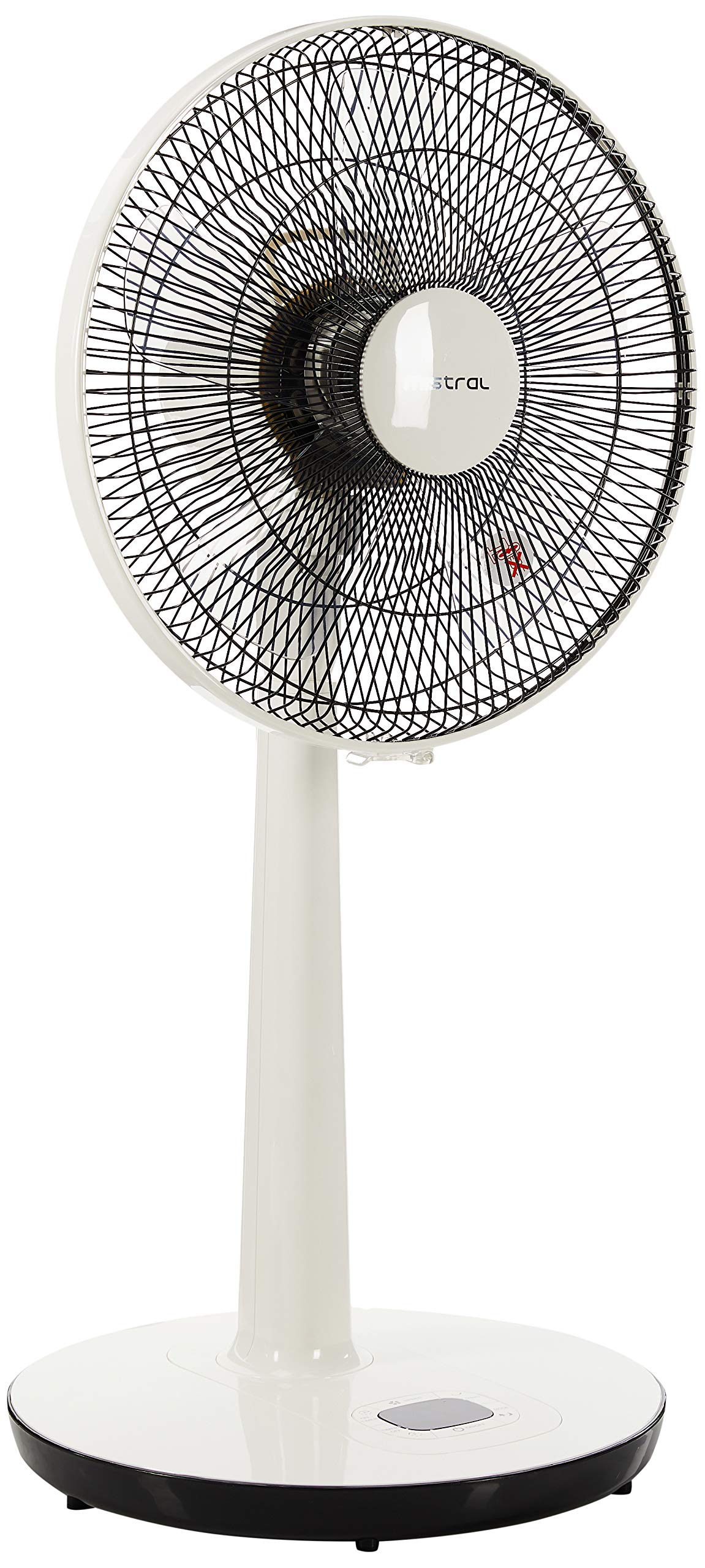
Figure 1: MISTRAL MLF3508R Slide Fan (Front View)
This image shows the MISTRAL MLF3508R 14-inch Slide Fan from the front. It features a white body, a circular fan head with a protective grille, and a stable black base. The fan is designed for floor placement and offers adjustable height.
Important Safety Instructions
To reduce the risk of fire, electric shock, or injury, always follow these basic safety precautions:
- Read all instructions before using this appliance.
- Ensure the power supply voltage matches the rating label on the fan.
- Do not operate any fan with a damaged cord or plug. Discard the fan or return to an authorized service facility for examination and/or repair.
- Do not run cord under carpeting. Do not cover cord with throw rugs, runners, or similar coverings. Arrange cord away from traffic area and where it will not be tripped over.
- Do not insert fingers or any objects through the grille when the fan is operating.
- Unplug the fan from the outlet when not in use, when moving it from one location to another, and before cleaning.
- Do not use the fan in wet or damp locations such as bathrooms.
- This appliance is not intended for use by persons (including children) with reduced physical, sensory or mental capabilities, or lack of experience and knowledge, unless they have been given supervision or instruction concerning use of the appliance by a person responsible for their safety.
- Children should be supervised to ensure that they do not play with the appliance.
Package Contents
Verify that all components are present in the package:
- 1 x MISTRAL MLF3508R Slide Fan Unit
- 1 x Remote Control
Setup and Assembly
The MISTRAL MLF3508R Slide Fan comes largely pre-assembled. Follow these steps for final setup:
- Unpacking: Carefully remove all packaging materials from the fan unit and remote control.
- Placement: Place the fan on a firm, level surface. Ensure there is adequate space around the fan for proper air circulation and oscillation.
- Height Adjustment: The fan features an adjustable height mechanism. Loosen the height adjustment knob (if present, typically on the stand), adjust the fan to the desired height (maximum 110 cm), and then securely tighten the knob.
- Power Connection: Insert the power plug into a standard electrical outlet. Ensure the outlet voltage matches the fan's requirements.

Figure 2: Fan Height Reference
This image illustrates the approximate height of the MISTRAL MLF3508R fan in relation to a person, showing a height of 34 inches (85 cm) at a lower setting. The fan's height is adjustable up to 110 cm.
Operating Instructions
Your MISTRAL MLF3508R fan can be operated using the control panel on the fan base or the included remote control.
Control Panel
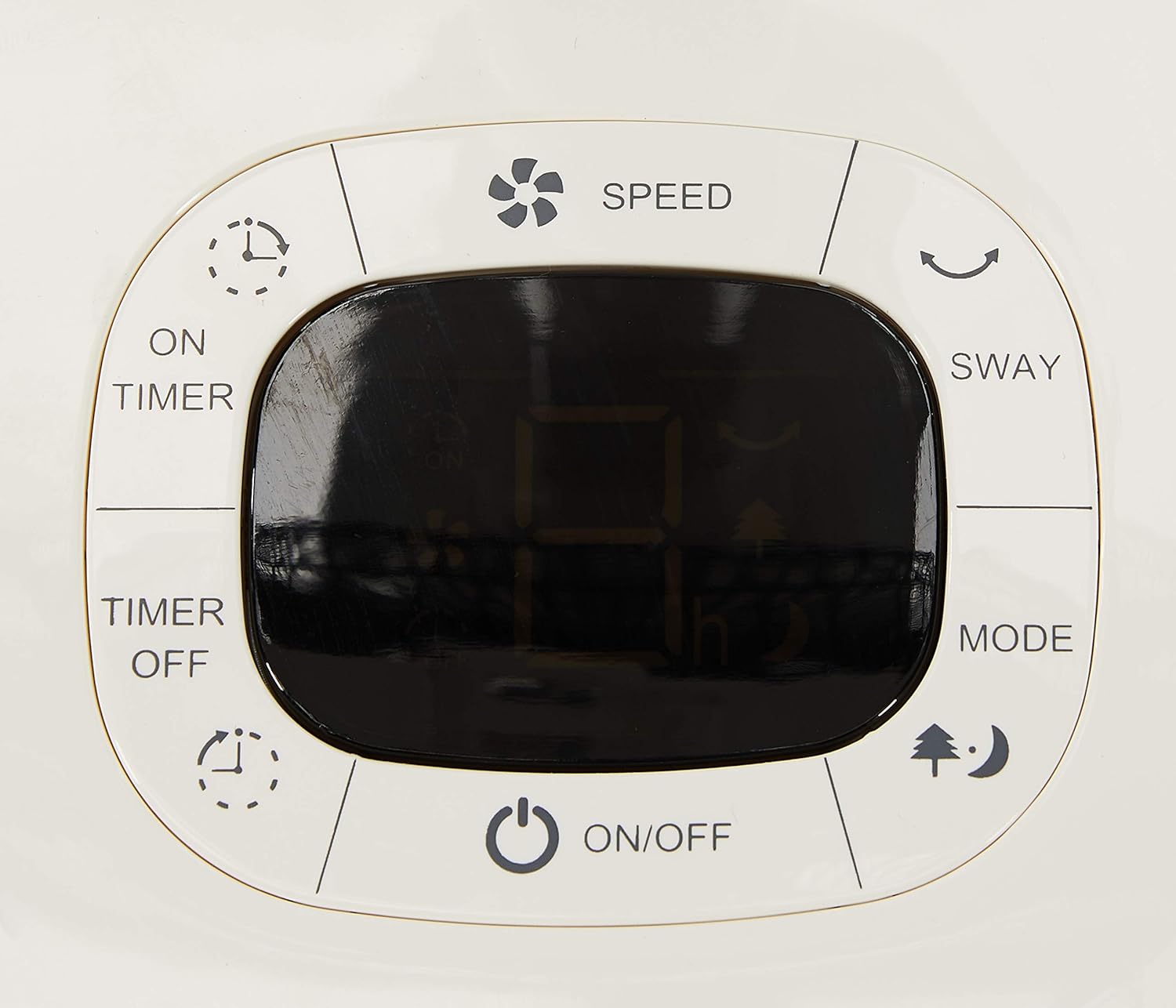
Figure 3: Fan Control Panel
This image displays a detailed view of the control panel located on the fan's base. It features a central digital display and touch-sensitive buttons for various functions including power, speed, oscillation (sway), mode selection, and timer settings.
- ON/OFF (⏻): Press to turn the fan on or off.
- SPEED (💨): Press to cycle through 6 speed settings. The current speed will be displayed.
- SWAY (↔): Press to activate or deactivate the oscillation function, which moves the fan head from side to side.
- MODE (🌲🌙): Press to select between Normal, Natural, and Sleep modes.
- Normal Mode: Constant airflow at selected speed.
- Natural Mode: Simulates natural breeze by varying fan speed.
- Sleep Mode: Gradually decreases fan speed over time for quiet operation during sleep.
- TIMER ON (⏱ON): Sets a timer for the fan to automatically turn on after a set period.
- TIMER OFF (⏱OFF): Sets a timer for the fan to automatically turn off after a set period (up to 8 hours).
Remote Control

Figure 4: Remote Control and Holder
This image displays the remote control for the MISTRAL MLF3508R fan, along with its wall-mountable holder. The remote has clearly labeled buttons for all fan functions, mirroring those on the main control panel, allowing convenient operation from a distance.
The remote control duplicates all functions available on the fan's control panel, allowing convenient operation from a distance. Ensure the remote has working batteries and is pointed towards the fan's receiver for optimal performance.
- Battery Installation: Open the battery compartment on the back of the remote and insert the required batteries (typically AAA, not always included) according to polarity markings.
- Operation: Point the remote control directly at the fan's receiver window (usually located on the front panel or base) and press the desired function button.
Maintenance
Regular cleaning will help maintain your fan's performance and extend its lifespan.
- Always unplug the fan from the power outlet before cleaning.
- Exterior Cleaning: Wipe the exterior surfaces of the fan with a soft, damp cloth. Do not use abrasive cleaners or solvents.
- Grille and Blades: Dust can accumulate on the fan grille and blades. Use a vacuum cleaner with a brush attachment or a soft, dry cloth to gently clean these areas. For thorough cleaning, the front grille may be removable (refer to specific assembly instructions if provided with the product for removal steps). Ensure the fan is completely dry before plugging it back in.
- Storage: When not in use for extended periods, store the fan in a cool, dry place, preferably in its original packaging to protect it from dust.
Troubleshooting
If you encounter issues with your MISTRAL MLF3508R fan, refer to the following common problems and solutions:
| Problem | Possible Cause | Solution |
|---|---|---|
| Fan does not turn on. | No power supply. Power button not pressed. | Check if the power cord is securely plugged into a working outlet. Press the ON/OFF button on the fan or remote. |
| Remote control is not working. | Dead or incorrectly installed batteries. Obstruction between remote and fan. Remote not pointed correctly. | Replace batteries with new ones, ensuring correct polarity. Remove any objects blocking the signal path. Point the remote directly at the fan's receiver window. |
| Fan makes unusual noise. | Loose parts or debris. Fan not on a level surface. | Unplug the fan and check for any loose components or foreign objects in the grille/blades. Ensure the fan is placed on a stable, flat surface. |
| Oscillation (Sway) not working. | Sway function not activated. Mechanical obstruction. | Press the SWAY button on the control panel or remote. Check for any objects preventing the fan head from moving. |
If the problem persists after trying these solutions, please contact customer support.
Specifications
| Model Number | MLF3508R |
| Fan Type | 14-inch Slide Fan / Pedestal Fan |
| Color | White |
| Power Source | Corded Electric |
| Wattage | 45 watts |
| Number of Speeds | 6 |
| Timer | Up to 8 hours |
| Modes | Normal, Natural, Sleep |
| Blades | 5 ABS fan blades |
| Noise Level | 54 Decibels |
| Dimensions (D x W x H) | 21.3D x 25.7W x 43.3H centimetres (base dimensions, height adjustable) |
| Item Weight | 4 Kilograms |
| Material | Acrylonitrile Butadiene Styrene (ABS) |
| Controller Type | Remote Control, On-unit Buttons |
Warranty and Support
Warranty: This MISTRAL MLF3508R fan comes with a 2 Year Local Warranty from the date of purchase. Please retain your proof of purchase for warranty claims.
Customer Support: For technical assistance, warranty claims, or any other inquiries, please contact MISTRAL customer service through their official website or the retailer where the product was purchased. Provide your model number (MLF3508R) and purchase details when contacting support.