
1. Introduction
This manual provides detailed instructions for the Aexit Three-Digit Combination Padlock. Designed with three numerical wheels, this padlock allows you to set your own personalized combination for enhanced security. It is factory preset to open at 0-0-0 and is suitable for various applications such as luggage, jewelry boxes, toolboxes, mini suitcases, and other private containers.
2. Product Overview
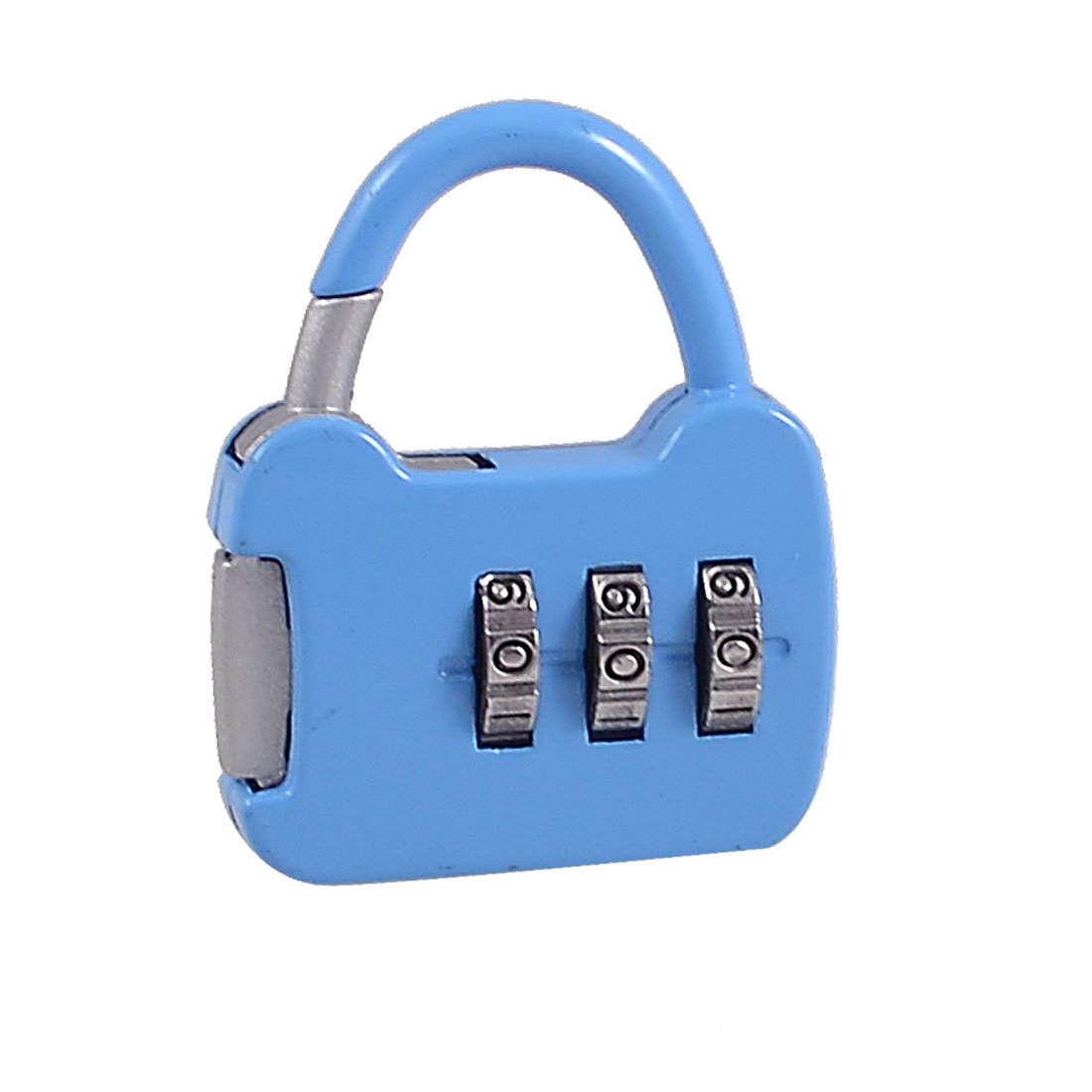
Image: A blue Aexit Three-Digit Combination Padlock, featuring a handbag-shaped body and three numerical wheels set to 0-0-0. The shackle is visible at the top.
Key Features:
- Product Name: Combination Lock
- Design: 3-digit, 0-9 numbers, handbag shape
- Material: Metal
- Main Color: Blue
- Overall Size: 4.4 x 3.5 x 0.8 cm (1.4'' x 1.4'' x 0.3'' (L*W*H))
- Net Weight: 24g
3. Setup: Setting Your Combination
Your new Aexit combination padlock is factory preset to open at 0-0-0. To set your personal combination, follow these steps:
- Ensure the lock is open. If it's closed, rotate the three number wheels to 0-0-0 and pull up the shackle.
- With the shackle in the open position, rotate it 90 degrees (or 180 degrees, depending on the model) from its locked position. For this model, typically rotate it 90 degrees counter-clockwise.
- Press the shackle down firmly into the lock body while holding it in the rotated position.
- While holding the shackle down, set your desired 3-digit combination by rotating the number wheels. Choose a memorable combination.
- Release the shackle.
- Rotate the shackle back to its original locked position.
- Scramble the numbers on the wheels to lock the padlock.
Important: Make sure to remember your new combination. There is no master key or reset function if you forget it.
4. Operating the Padlock
To Open:
- Rotate the three number wheels to your correct 3-digit combination.
- Pull up the shackle to open the lock.
To Lock:
- Push the shackle down firmly into the lock body until it clicks into place.
- Scramble the numbers on the wheels to secure the lock and prevent accidental opening.
5. Maintenance
To ensure the longevity and smooth operation of your Aexit combination padlock, consider the following maintenance tips:
- Keep Dry: Avoid prolonged exposure to moisture or extreme humidity, which can lead to corrosion.
- Clean Regularly: Wipe the lock with a soft, dry cloth to remove dust and grime. Do not use abrasive cleaners or solvents.
- Lubrication (Optional): If the wheels become stiff over time, a small amount of graphite powder or a silicone-based lubricant can be applied to the moving parts. Avoid oil-based lubricants as they can attract dirt.
- Avoid Force: Do not force the shackle or the wheels if they are stuck. This can damage the internal mechanism.
6. Troubleshooting
Lock Will Not Open:
- Incorrect Combination: Double-check that you have entered the correct 3-digit combination. Ensure each number is precisely aligned in the viewing window.
- Wheels Stiff: If the wheels are difficult to turn, try gently wiggling them while applying slight pressure. Refer to the Maintenance section for lubrication tips.
Cannot Set New Combination:
- Shackle Not Fully Depressed/Rotated: Ensure the shackle is fully pressed down and rotated to the correct position before attempting to change the numbers.
- Incorrect Initial Combination: Make sure the lock is open with the current (or factory default 0-0-0) combination before attempting to reset.
7. Specifications
| Feature | Detail |
|---|---|
| Manufacturer | Aexit |
| Model Number | f190412ae121440 |
| Style | Combination Lock |
| Number of Pieces | 1 |
| Special Features | Code Unlock |
| Material | Metal |
| Main Color | Blue |
| Overall Size (L*W*H) | 4.4 x 3.5 x 0.8 cm (1.4'' x 1.4'' x 0.3'') |
| Net Weight | 24g |
| ASIN | B07MQSC73S |
| Date First Available on Amazon.fr | April 12, 2019 |
8. Warranty and Support
Specific warranty information for this product is not provided in the available data. For any questions regarding warranty, product support, or technical assistance, please contact the manufacturer, Aexit, or the seller directly through your purchase platform.