
Introduction
The Aputure Amaran MC is a versatile RGBWW Mini LED Light designed for filmmakers and photographers. This compact and portable lighting solution offers full color control, various lighting effects, and convenient operation via on-board controls or the Sidus Link mobile application. Its magnetic mounting capabilities and 1/4"-20 screw mount provide flexible placement options for any creative setup.
What's in the Box
- Aputure MC Light x1
- USB Type-C Charging Cable x1
- Silicone Rubber Diffuser x1
- Adhesive Mounting Tape x2
- Aputure Carrying Bag x1

Image: The Aputure Amaran MC light is shown alongside its included accessories: a USB Type-C charging cable, a silicone rubber diffuser, two adhesive mounting tapes, and a branded carrying bag.
Product Overview
Physical Features
- OLED Screen: Displays current settings such as intensity, color temperature, and battery status.
- Power Switch: Turns the device on or off.
- Function Control Wheel: Navigates menus and adjusts parameters.
- USB Type-C Charging Port: For charging the internal battery.
- Magnetic Back: Allows for quick attachment to metal surfaces.
- 1/4"-20 Screw Mount: For mounting on tripods or other accessories.
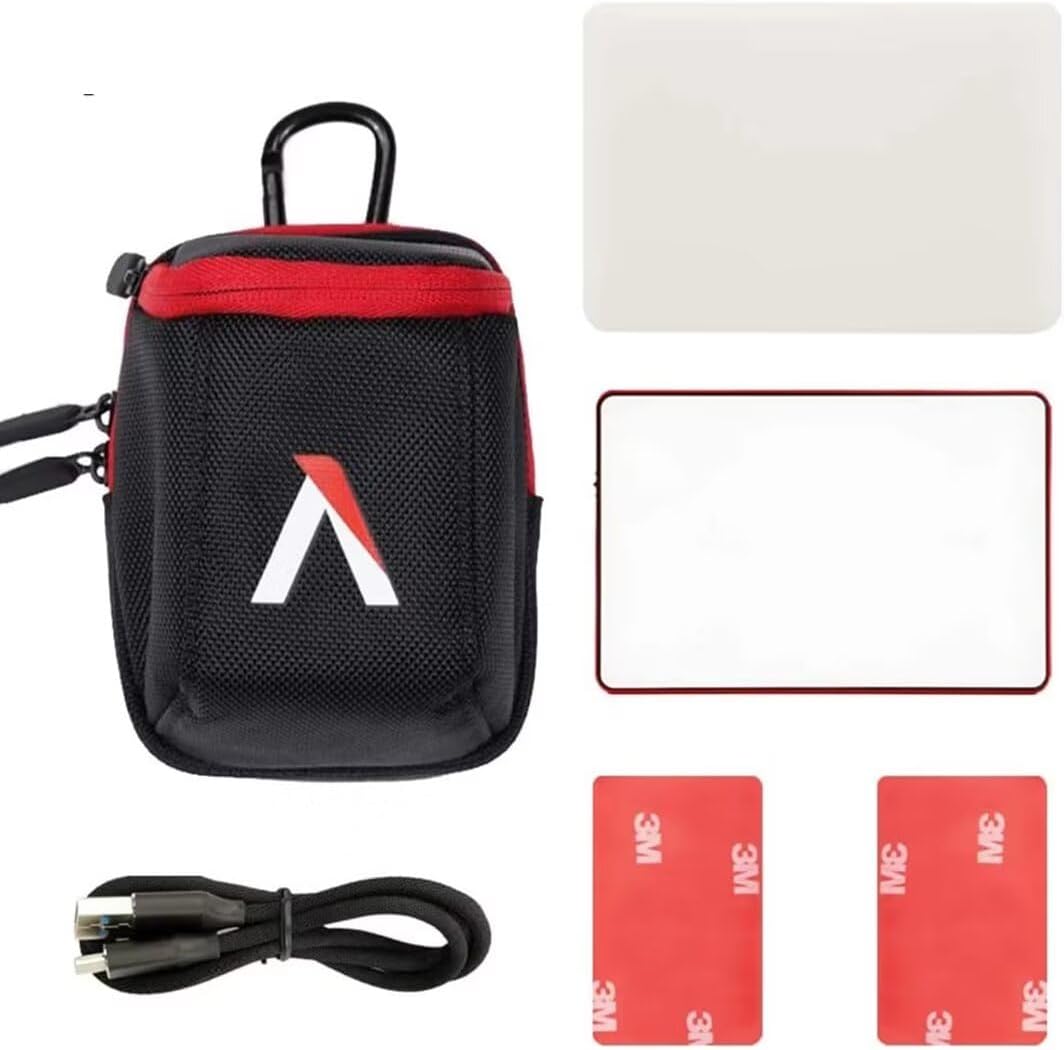
Image: A close-up side view of the Aputure Amaran MC light highlights its OLED screen, power switch, USB Type-C charging port, and function control wheel.

Image: A diagram shows the back of the Aputure Amaran MC light, pointing out the integrated magnets and the 1/4"-20 screw mount for versatile attachment.
Setup
1. Initial Charging
Before first use, fully charge the Aputure Amaran MC using the provided USB Type-C cable. Connect the cable to the light's USB-C port and a compatible USB power source. The OLED screen will indicate charging status.
2. Attaching Diffuser
For softer light output, slide the included silicone rubber diffuser over the front of the light. The diffuser is designed to fit snugly and can be easily removed when not needed.
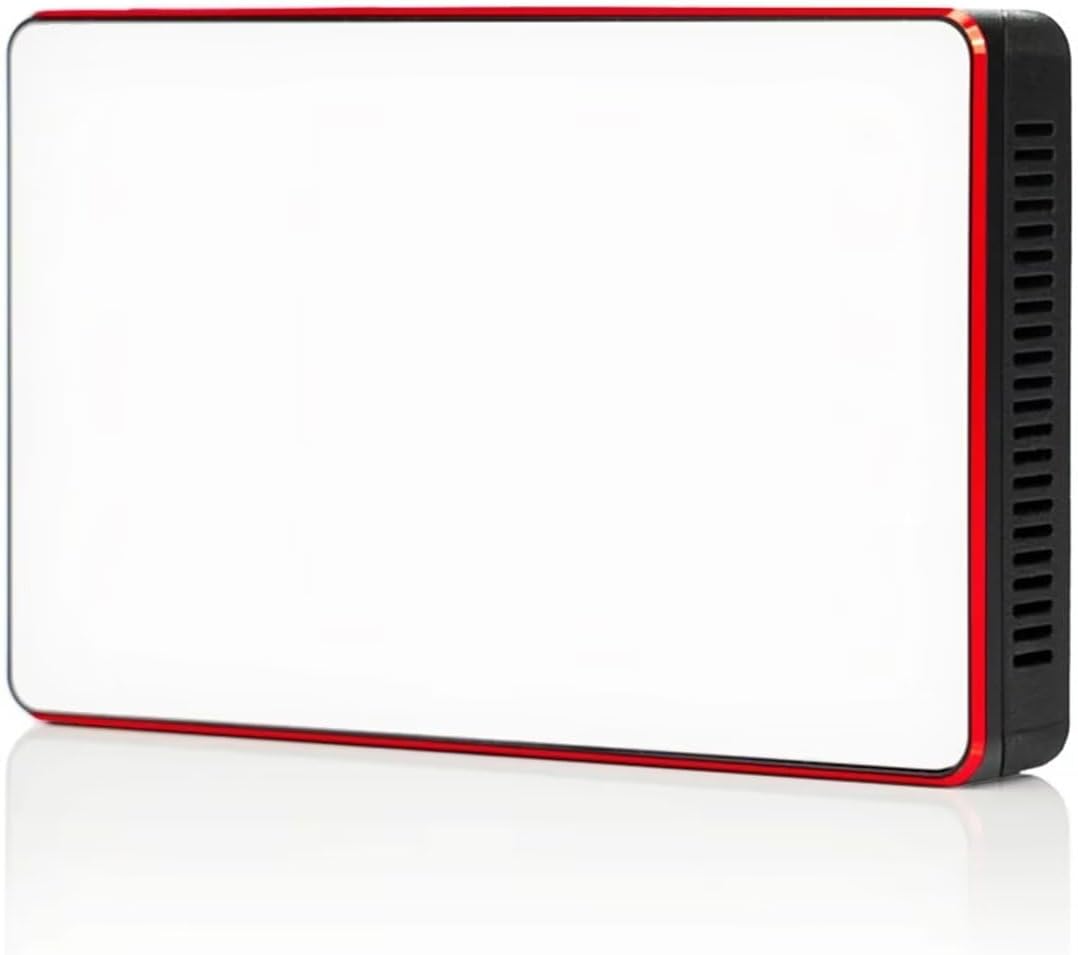
Image: The Aputure Amaran MC light is shown with its translucent silicone rubber diffuser fitted over the LED panel, softening the light output.
3. Mounting Options
- Magnetic Mount: The integrated magnets on the back of the light allow for quick attachment to any ferrous metal surface.
- 1/4"-20 Screw Mount: Use the 1/4"-20 screw thread to attach the light to tripods, light stands, or other compatible mounting accessories.
Operating Instructions
1. Power On/Off
Slide the power switch to the 'ON' position to turn on the light. Slide it to 'OFF' to power down the device.
2. On-Board Control
Use the function control wheel to navigate through the light's settings displayed on the OLED screen. Press the wheel to select an option and rotate it to adjust values such as intensity (INT) and color temperature (CCT).

Image: A detailed diagram highlights the various controls on the side of the Aputure Amaran MC light, including the OLED screen for display, the USB-C port, the power switch, and the function control wheel.
3. Sidus Link App Control
For advanced control and features, download the Sidus Link mobile application from your device's app store. Connect the Amaran MC via Bluetooth to unlock full RGBWW color tuning, special effects, and multi-light control.
- CCT Mode: Adjust color temperature from 3200K to 6500K.
- HSI Mode: Full control over Hue, Saturation, and Intensity.
- RGB Mode: Fine-tune Red, Green, and Blue values.
- FX Mode: Access built-in lighting effects like Fire, Cop Car, Lightning, Paparazzi, Pulsing, and more.
- Source Match: Use your phone's camera to sample a color and match the light's output.
- Scene Control: Create and save custom lighting scenes for quick recall, managing multiple lights simultaneously.

Image: A smartphone screen displays the Sidus Link app's color wheel interface, allowing users to select and adjust hue, saturation, and intensity for the Amaran MC light.

Image: The Sidus Link app's effects menu is shown on a smartphone, presenting icons for various pre-programmed lighting effects such as Fireworks, Party, Fire, Cop Car, and TV.

Image: A visual comparison demonstrates the Amaran MC light's ability to produce different color temperatures, with one image showing a warm 3200K light and another a cool 6500K light.
Maintenance
To ensure optimal performance and longevity of your Aputure Amaran MC light, follow these maintenance guidelines:
- Cleaning: Use a soft, dry cloth to clean the light. Avoid abrasive cleaners or solvents.
- Battery Care: For best battery life, avoid fully discharging the battery frequently. Recharge regularly.
- Storage: Store the light in a cool, dry place, preferably in its carrying bag, when not in use.
Troubleshooting
- Light Not Turning On: Ensure the battery is charged. Connect to a USB power source to check if it powers on.
- App Connectivity Issues: Ensure Bluetooth is enabled on your mobile device and the light is within range. Restart both the app and the light if issues persist.
- Overheating: The light has a warning regarding magnets and heat. To prevent decreasing the strength of the magnets, do not attach this device or the magnets to any surface hotter than 80°C.
Specifications
| Feature | Specification |
|---|---|
| Product Dimensions | 3.7"L x 2.4"W x 0.7"H |
| Item Weight | 1.09 pounds |
| Item Model Number | APMRRGBLC |
| Batteries | 1 Lithium Ion batteries required (included) |
| Battery Life | Up to 15 Hours (at minimum brightness) |
| Connectivity Technology | Bluetooth |
| Hardware Interface | USB, USB Type C |
Warranty and Support
For detailed warranty information and customer support, please refer to the product packaging or visit the official Aputure website. Keep your proof of purchase for any warranty claims.

