Thank you for choosing the iPlay, iLearn 2-in-1 RC Baseball & Tennis Pitching Machine. This versatile toy is designed to provide an engaging and active experience for children, helping them develop hand-eye coordination and sports skills. Please read this manual carefully before assembly and use to ensure proper function and safety.
Safety Information
WARNING: Children may get injured and/or have accidents when playing sports. Adult supervision is recommended when using this toy. This 2-in-1 pitching machine set is designed with kids' safety in mind and is safe when used correctly.
Ensure all components are securely assembled before use.
Use only the balls provided or recommended by the manufacturer.
Keep hands and face clear of the ball launching mechanism during operation.
Do not attempt to modify the pitching machine.
What's in the Box
The iPlay, iLearn 2-in-1 RC Baseball & Tennis Pitching Machine set includes the following components:
1 x Pitching Machine Unit
1 x RC Baseball Bat
1 x Tennis Racket
6 x Balls (Baseball and Tennis)
Note: 4 D batteries are required and not included.
Setup and Assembly
Follow these steps to assemble your pitching machine:
Remove Balls: Before assembly, ensure no balls are in the machine.
Ensure Switches are OFF: Verify that both the main unit switch and the RC bat switch are in the OFF position.
Assemble: Carefully connect the pitching machine components. Ensure the main unit is fully pushed into the base.
Install Batteries: Open the battery compartment and insert 4 D batteries (not included), ensuring correct polarity.
Turn Main Unit Switch ON: Once batteries are installed, turn the main unit switch to the ON position.
Load Balls: Place the balls into the feeder. Ensure balls are above the gear before turning on the machine.
Select Mode: Turn the switch to ON for Auto pitching or RC Mode for remote-controlled pitching.
Image: Detailed assembly steps for the pitching machine, showing component connection and switch positions.
Image: Visual guide showing correct insertion of the main unit and proper ball placement above the gear before operation.
Operating Modes
The iPlay, iLearn Pitching Machine features two operating modes:
1. RC Mode (Remote Control)
In RC Mode, the pitching machine is controlled by the red button on the baseball bat. This allows the user to trigger a pitch at their own rhythm, providing a more interactive experience.
Image: A child holding the RC baseball bat, with an indicator showing the remote control signal to the pitching machine.
2. Auto Mode
In Auto Mode, the pitching machine automatically pitches balls at regular intervals, typically every 5-7 seconds. This mode is suitable for continuous practice and is the only mode available when using the tennis racket.
Image: The pitching machine in Auto Mode, illustrating a ball being pitched with a timer indicating 5-7 second intervals.
Video: An official product video demonstrating the iPlay, iLearn 2-in-1 RC Baseball & Tennis Pitching Machine in action, showcasing both baseball and tennis pitching functionalities.
Maintenance
Overload Protection and Jamming
The pitching machine is equipped with self-regulating jam protection. If the machine becomes unresponsive or jammed, follow these steps:
Turn off the machine.
Remove all balls from the feeder.
Wait 5-10 minutes before turning the machine back on. The device will reset and should work properly.
Image: Text instructions detailing how to resolve issues if the pitching machine becomes unresponsive or jammed.
Sleep Mode
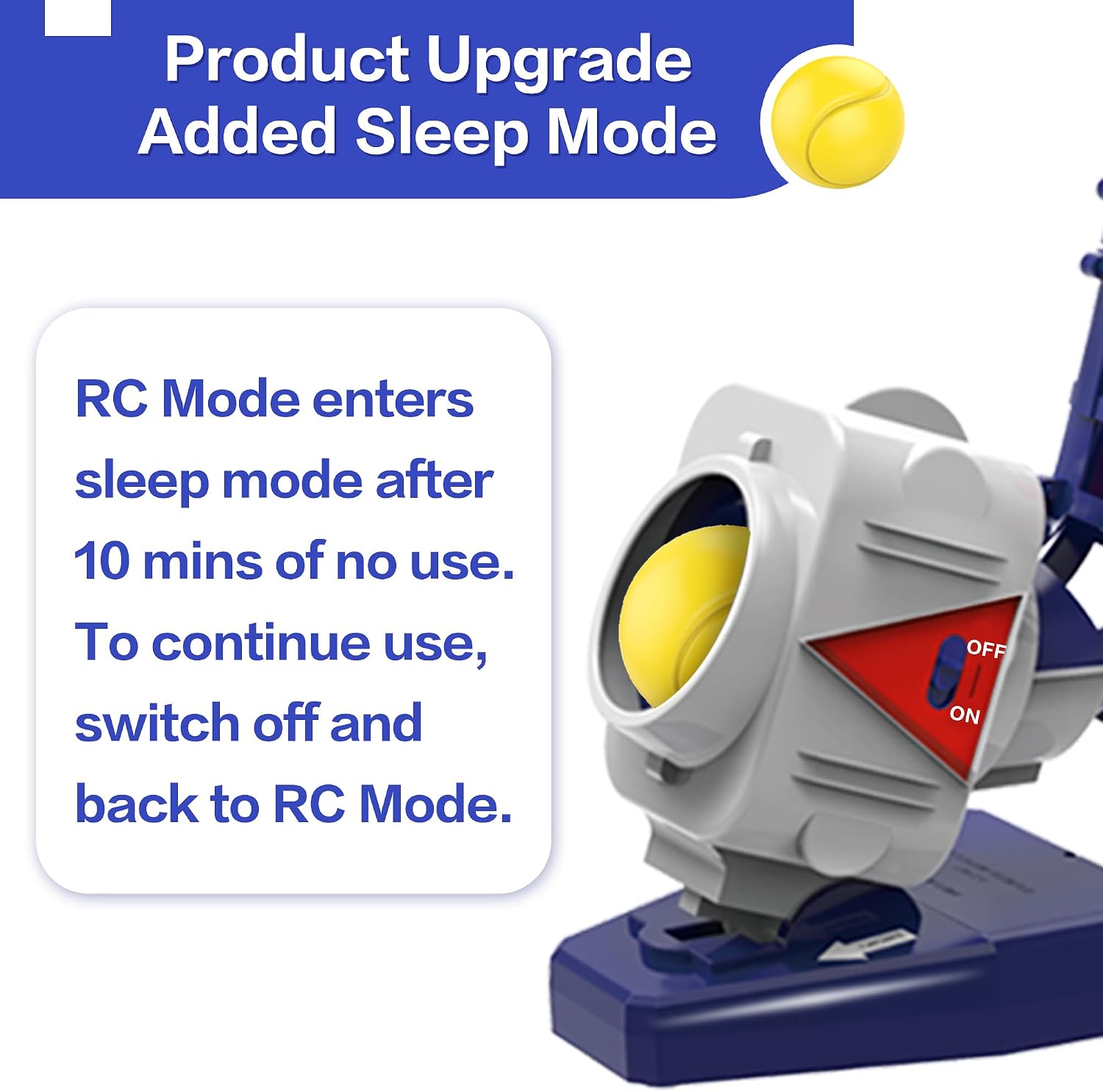
The product features an upgraded sleep mode. In RC Mode, the machine will enter sleep mode after 10 minutes of no use to conserve battery life. To resume operation, switch the device off and then back to RC Mode.
Image: A visual explanation of the product's sleep mode feature, indicating how to reactivate the machine after inactivity.
Troubleshooting
Problem
Possible Cause
Solution
Machine is unresponsive or jammed.
Overload protection activated or ball jammed.
Turn off, remove balls, wait 5-10 minutes, then restart.
Machine stops working in RC Mode after inactivity.
Sleep mode activated.
Switch the device off and then back to RC Mode to reactivate.
Balls are not pitching correctly.
Incorrect ball loading or low batteries.
Ensure balls are placed correctly above the gear. Replace batteries if needed.
Specifications
Feature
Detail
Product Dimensions
7 x 10 x 25 inches
Item Weight
3.4 pounds
Model Number
SP-SPTN-233
Recommended Age
5 - 12 years
Batteries Required
4 D batteries (not included)
Modes
RC (Remote Control) and Auto
Support and Additional Resources
For further assistance or detailed information, please refer to the official user manual PDF or visit the iPlay, iLearn store:
Kenmore Elite Range Hood Installation and User Manual Comprehensive installation, use, and care manual for Kenmore Elite range hoods. Includes safety guidelines, operation instructions, cleaning procedures, parts lists, tools needed, duct length calculations, preparation steps, wiring, installation, and service parts information.
Kenmore ELITE Range Hood Use & Care and Installation Manual Comprehensive guide for Kenmore ELITE range hoods, covering usage, care, installation, safety instructions, parts, and troubleshooting. Includes model numbers 233.5502xxx, 233.5512xxx, and 233.5522xxx.
Samsung Digital Appliances Gift Redemption Guide and Promotion Details Comprehensive guide to redeeming free gifts with Samsung Digital Appliances purchases. Details promotion periods, eligible models, bundle deals, and step-by-step redemption instructions for refrigerators, laundry, air conditioners, and more.
Tyger Auto T3 Soft Tri-Fold Tonneau Cover Installation Guide Step-by-step instructions for installing the Tyger Auto T3 Soft Tri-Fold Tonneau Cover on various truck models. Includes parts list, clamp and latch overview, and after-installation care.