
Aexit modle
Aexit AC100-260V 0.65A Power Supply and Power Module User Manual
Model: modle
Brand: Aexit
1. Introduction
This manual provides essential information for the safe and effective use of your Aexit AC100-260V 0.65A Power Supply and Power Module. This device is designed to convert AC input voltage to a stable DC 24V 2000mA output, suitable for various electronic devices, particularly CCTV cameras and other security equipment. It features a US plug and a 5.5mm x 2.1mm DC jack with a 4ft extension cable. It can replace your old or worn out power adapter and is easy to connect to security devices like CCTV cameras.
Please read this manual thoroughly before operating the device and retain it for future reference.

Figure 1.1: Front view of the Aexit Power Supply, showing the US plug, main unit, and DC output cable with a 5.5mm x 2.1mm jack.
2. Safety Information
WARNING: To reduce the risk of electric shock, fire, or injury, always follow these basic safety precautions.
- Do not allow children to have casual contact with the device.
- Handle with care; do not shake forcefully.
- Avoid use in extreme temperatures such as open flames and super high temperatures.
- Ensure the power adapter is used with devices that match its voltage and current specifications (DC 24V, 2000mA).
- Do not disassemble or modify the power adapter.
- Keep the power adapter away from water and moisture.
- If the cable or plug is damaged, do not use the adapter.
- Unplug the adapter from the power outlet when not in use for extended periods.
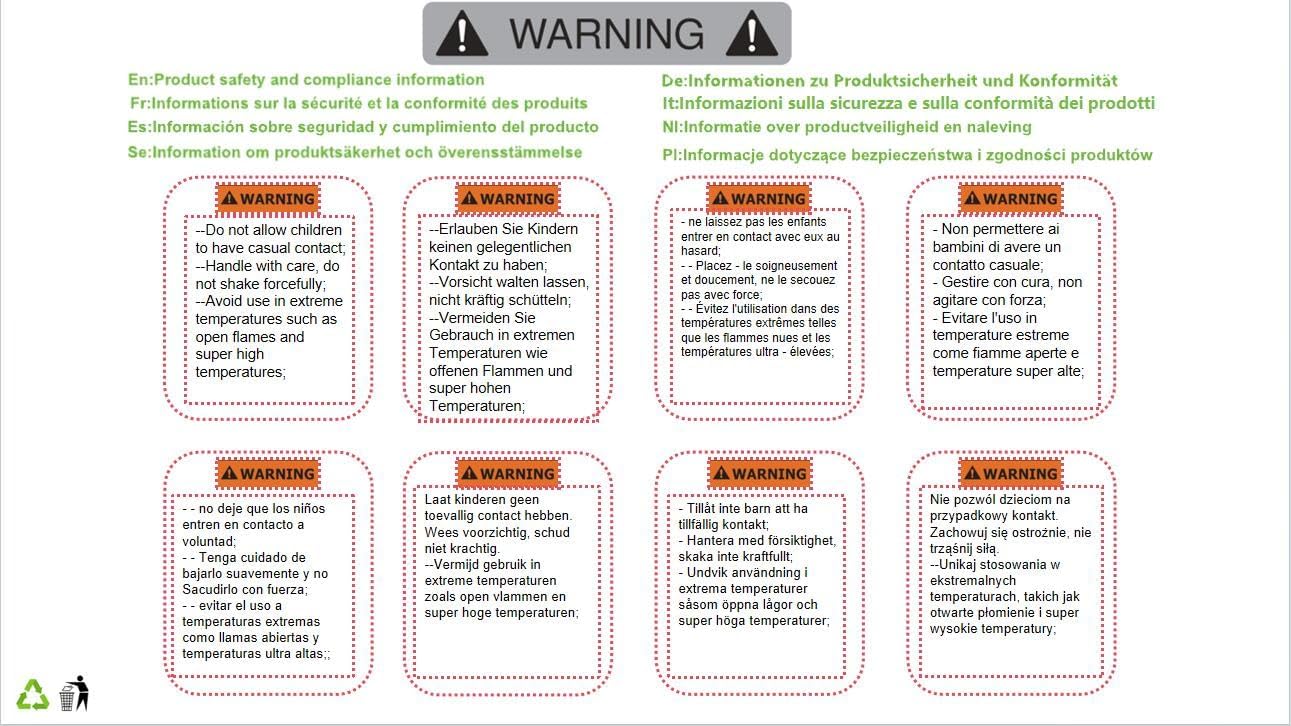
Figure 2.1: Product safety and compliance information, including warnings against casual contact by children, forceful handling, and use in extreme temperatures.

Figure 2.2: Packaging displaying product safety and compliance information, reiterating warnings for safe handling and usage conditions.
3. Setup
Setting up your Aexit Power Supply is straightforward:
- Verify Compatibility: Ensure the device you intend to power requires a DC 24V input and has a 5.5mm x 2.1mm DC input jack. The maximum current draw of your device should not exceed 2000mA (2A).
- Connect to Device: Insert the DC output plug (5.5mm x 2.1mm) of the power adapter into the corresponding DC input jack on your electronic device.
- Connect to Power Outlet: Plug the US plug of the power adapter into a standard AC 100-260V wall outlet.
- Power On: Once connected, the power adapter will supply power to your device. There is no separate power switch on the adapter itself.

Figure 3.1: Rear view of the Aexit Power Supply, illustrating its compact and simple design, ready for connection.
4. Operating Instructions
The Aexit Power Supply operates automatically once connected to a power source and a compatible device.
- The adapter provides a stable DC 24V output, suitable for continuous operation of compatible devices.
- It is designed for indoor use only.
- Ensure proper ventilation around the adapter during operation to prevent overheating.
- If the connected device is not powering on, first check all connections and ensure the device itself is functioning correctly.
5. Maintenance
Proper maintenance ensures the longevity and safe operation of your power adapter:
- Cleaning: Disconnect the adapter from the power outlet and the device before cleaning. Use a soft, dry cloth to wipe the exterior. Do not use liquid cleaners or aerosols.
- Storage: When not in use, store the adapter in a cool, dry place, away from direct sunlight and extreme temperatures. Avoid tightly coiling the cable to prevent damage.
- Inspection: Periodically inspect the power cord and plug for any signs of damage, such as cuts, fraying, or bent prongs. If damage is found, discontinue use immediately.
6. Troubleshooting
If you encounter issues with your Aexit Power Supply, refer to the following common problems and solutions:
| Problem | Possible Cause | Solution |
|---|---|---|
| Device not powering on. |
|
|
| Adapter feels hot. |
|
|
7. Specifications
| Feature | Detail |
|---|---|
| Product Name | Power Adapter Cable |
| Plug Type | US Plug |
| Input | AC 100-260V 0.65A 50/60Hz |
| Output | DC 24V 2000mA |
| Body Size | 7.5 x 5 x 3.1cm / 3" x 2" x 1.2" (L*W*T) |
| Cable Length | 120cm / 4ft |
| DC Connector Type | 5.5mm x 2.1mm DC Jack |
| Color | Black |
| Material | Plastic |
| Net Weight | 112g / 3.95 ounces |
| Wattage | 24 watts |
| Compatible Devices | Cameras (and other compatible electronics) |
| Manufacturer | Aexit |
| Model Number | modle |
8. Warranty and Support
This product is subject to Amazon's standard return policy, which typically allows for returns or replacements within 30 days of purchase. For specific details regarding returns, refunds, or technical support, please refer to your purchase documentation or contact the seller directly through the Amazon platform.
For further assistance, you may contact Aexit customer support via the contact information provided on their official website or through your purchase channel.
Related documentsmodle


Ask a question about this manual
Ask about setup, troubleshooting, compatibility, parts, safety, or missing instructions. Manuals+ will review the question and use this page’s manual context to help answer it.