
1. Introduction
This manual provides comprehensive instructions for the safe and effective operation, maintenance, and troubleshooting of the Aexit YX-960TR Analog Multimeter. The YX-960TR is a versatile instrument designed for measuring DC voltage, AC voltage, DC current, resistance, and transistor hFE. Please read this manual thoroughly before using the device to ensure proper functionality and safety.
2. Safety Information
Always adhere to the following safety precautions to prevent personal injury or damage to the multimeter or equipment under test. This device is intended for use by qualified personnel only.
- Do not attempt to measure voltage or current beyond the specified maximum ratings.
- Ensure the test leads are properly connected to the correct input jacks for the desired measurement.
- Never touch the exposed metal parts of the test leads or the circuit being tested when power is applied.
- Always turn off power to the circuit and discharge high-voltage capacitors before making resistance or continuity measurements.
- Replace the battery when the low battery indicator appears to ensure accurate readings.
- Do not use the multimeter if it appears damaged or if the case is open.
- Avoid using the multimeter in environments with extreme temperatures, high humidity, or explosive gases.
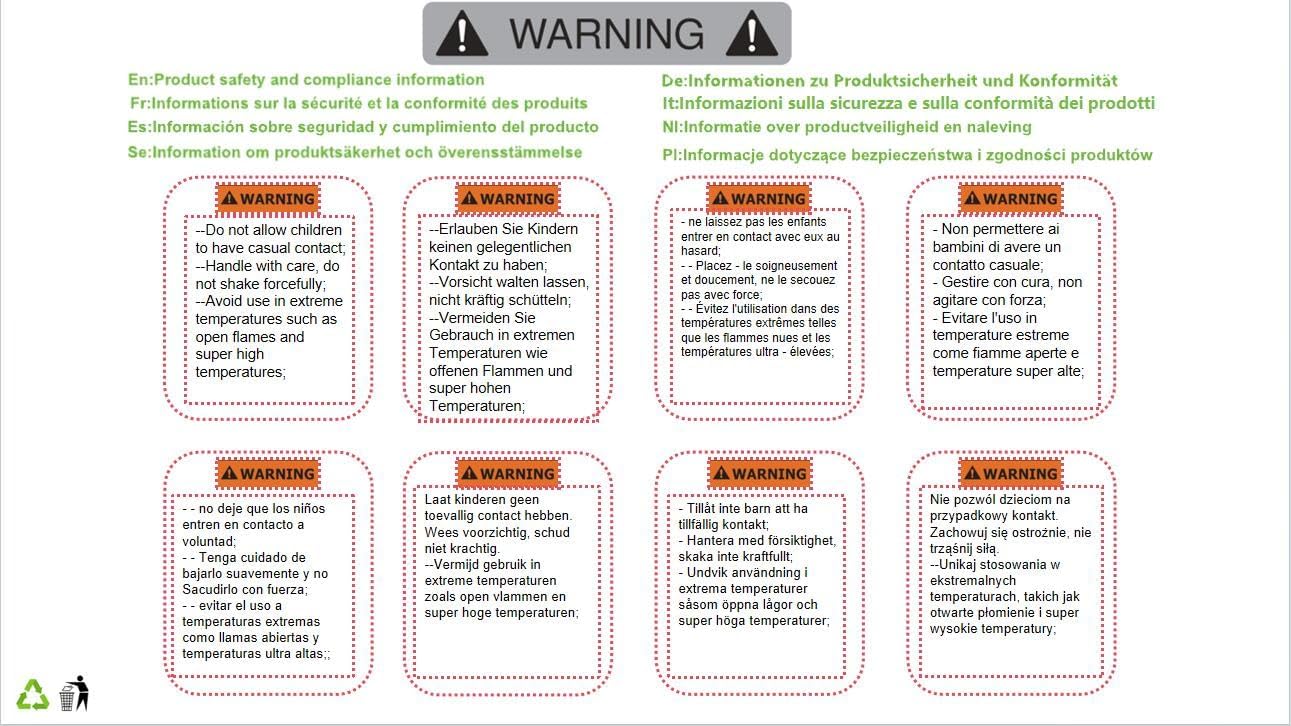
Image Description: A warning label displaying safety information in multiple languages, including English, French, German, Italian, Spanish, and Polish. The warnings advise against allowing children to have casual contact, handling with force, avoiding use in extreme temperatures, and near open flames.

Image Description: The product packaging box, which features a prominent warning label similar to the one described above. The label reiterates product safety and compliance information in several languages, emphasizing precautions for handling and environmental conditions.
3. Product Overview
The Aexit YX-960TR is an analog multimeter featuring a large, easy-to-read scale and a rotary switch for function and range selection. It comes with a pair of test leads for various measurements.

Image Description: A clear view of the Aexit YX-960TR Analog Multimeter. The image shows the large analog display with multiple scales for different measurements, the central rotary switch for function selection, and the input jacks for the red and black test leads. The test leads are connected to the multimeter, ready for use.
Key Components:
- Analog Display: Features multiple scales for ACV, DCV, DCA, Resistance (Ω), and hFE.
- Rotary Switch: Used to select the measurement function (DCV, ACV, DCA, Ω, hFE, BATT) and the desired range.
- Input Jacks:
- COM (Common): Negative input jack, typically for the black test lead.
- VΩmA: Positive input jack for voltage, resistance, and low current measurements, typically for the red test lead.
- 2.5A: Positive input jack for high current measurements (up to 2.5A).
- Zero Ohm Adjust (Ω ADJ): Knob used to zero the resistance scale before making measurements.
- hFE Socket: For testing transistor hFE (DC current gain).
- Test Leads: Red and black leads with probes for connecting to circuits.
4. Setup
4.1 Battery Installation
The YX-960TR requires batteries for operation. Typically, it uses one 9V battery and two 1.5V AA batteries. Refer to the battery compartment cover on the back of the unit for specific battery types and polarity.
- Ensure the multimeter is turned off (rotary switch set to OFF or highest ACV range if no OFF position).
- Locate the battery compartment cover on the back of the unit.
- Unscrew or slide open the cover.
- Insert the batteries, observing the correct polarity (+ and -) as indicated inside the compartment.
- Replace the battery compartment cover and secure it.
4.2 Connecting Test Leads
Always connect the black test lead to the COM (common) jack. Connect the red test lead to the appropriate positive input jack based on the measurement you intend to make:
- For Voltage (DCV, ACV), Resistance (Ω), and low DC Current (DCA µA, mA): Connect the red lead to the VΩmA jack.
- For high DC Current (DCA 2.5A): Connect the red lead to the 2.5A jack.
5. Operating Instructions
Before each measurement, ensure the multimeter is set to the correct function and range. If the magnitude of the value to be measured is unknown, start with the highest range and gradually decrease it until a suitable reading is obtained.
5.1 Measuring DC Voltage (DCV)
- Connect the black test lead to the COM jack and the red test lead to the VΩmA jack.
- Set the rotary switch to the desired DCV range (e.g., 2.5V, 10V, 50V, 250V, 1000V).
- Connect the test probes in parallel across the component or circuit to be measured, observing polarity (red to positive, black to negative).
- Read the voltage value from the DCV scale on the analog display.
5.2 Measuring AC Voltage (ACV)
- Connect the black test lead to the COM jack and the red test lead to the VΩmA jack.
- Set the rotary switch to the desired ACV range (e.g., 10V, 50V, 250V, 1000V).
- Connect the test probes in parallel across the AC voltage source. Polarity is not critical for AC measurements.
- Read the voltage value from the ACV scale on the analog display.
5.3 Measuring DC Current (DCA)
- Important: Current measurements require the multimeter to be connected in series with the circuit. Ensure the circuit is de-energized before connecting the multimeter.
- For low current (µA, mA): Connect the black test lead to the COM jack and the red test lead to the VΩmA jack.
- For high current (2.5A): Connect the black test lead to the COM jack and the red test lead to the 2.5A jack.
- Set the rotary switch to the desired DCA range (e.g., 50µA, 2.5mA, 25mA, 250mA, 2.5A).
- Break the circuit and connect the multimeter in series with the load. Observe polarity (red to positive side of current flow, black to negative).
- Apply power to the circuit and read the current value from the DCA scale.
5.4 Measuring Resistance (Ω)
- Important: Ensure the circuit or component to be measured is completely de-energized and any capacitors are discharged before measuring resistance.
- Connect the black test lead to the COM jack and the red test lead to the VΩmA jack.
- Set the rotary switch to the desired Ω range (e.g., X1, X10, X100, X1K, X10K).
- Short the test probes together (touch red and black probes).
- Adjust the Ω ADJ knob until the needle points exactly to '0' on the resistance scale. This zeros the meter for accurate readings.
- Connect the test probes across the component whose resistance you want to measure.
- Read the value from the Ω scale and multiply it by the range multiplier (e.g., if reading is 50 on X10 range, resistance is 500Ω).
5.5 Transistor hFE Test
- Set the rotary switch to the hFE position.
- Identify if the transistor is NPN or PNP.
- Insert the transistor leads (Emitter, Base, Collector) into the corresponding holes in the hFE socket, ensuring correct NPN or PNP orientation.
- Read the hFE value directly from the hFE scale on the analog display.
5.6 Battery Test (BATT)
- Connect the black test lead to the COM jack and the red test lead to the VΩmA jack.
- Set the rotary switch to the BATT position (e.g., 1.5V, 9V).
- Connect the test probes across the battery terminals, observing polarity.
- Read the battery voltage from the BATT scale.
6. Maintenance
6.1 Cleaning
Wipe the case with a damp cloth and mild detergent. Do not use abrasives or solvents. Keep the input jacks free of dust and debris.
6.2 Battery Replacement
When the meter's readings become erratic or the needle does not zero correctly, it may be time to replace the internal batteries. Follow the battery installation steps in Section 4.1.
6.3 Fuse Replacement
If the current measurement function stops working, the internal fuse may have blown. Refer to the product's internal diagram or contact support for fuse specifications and replacement instructions. Always replace with a fuse of the same type and rating.
7. Troubleshooting
| Problem | Possible Cause | Solution |
|---|---|---|
| No reading or erratic reading | Dead or low batteries; incorrect range selected; loose test leads; blown fuse (for current). | Replace batteries; select appropriate range; ensure leads are firmly connected; check and replace fuse if necessary. |
| Resistance measurement inaccurate or cannot be zeroed | Low batteries; Ω ADJ not calibrated; component still energized. | Replace batteries; perform Ω ADJ calibration; ensure circuit is de-energized. |
| Meter does not turn on | Dead batteries; incorrect battery installation. | Check battery polarity and replace batteries. |
| Current measurement not working | Blown fuse; incorrect lead connection (e.g., using VΩmA for 2.5A); meter not in series. | Check and replace fuse; use 2.5A jack for high current; connect meter in series. |
8. Specifications
| Parameter | Value |
|---|---|
| Model Number | YX-960TR |
| Manufacturer | Aexit |
| DC Voltage Ranges | 2.5V, 10V, 50V, 250V, 1000V |
| AC Voltage Ranges | 10V, 50V, 250V, 1000V |
| DC Current Ranges | 50µA, 2.5mA, 25mA, 250mA, 2.5A |
| Resistance Ranges | X1, X10, X100, X1K, X10K (Ohms) |
| Transistor hFE Test | Yes |
| Battery Test | 1.5V, 9V |
| Power Source | Battery Powered |
| Material | Other (as per manufacturer) |
| First Available Date | January 2, 2019 |
9. Warranty and Support
For warranty information or technical support regarding your Aexit YX-960TR Analog Multimeter, please contact the manufacturer directly. Refer to the product packaging or the manufacturer's official website for the most up-to-date contact details and warranty terms.
Manufacturer: Aexit
Note: Specific warranty terms may vary by region and retailer. Keep your purchase receipt as proof of purchase.