
Introduction
The Inkbird ITH-20 is a convenient digital indoor thermometer and hygrometer designed to simultaneously display temperature and humidity. This unit is capable of memorizing maximum and minimum values for both temperature and humidity, and allows switching between Celsius and Fahrenheit modes. Its accurate and reliable readings make it suitable for various environments such as households, guitar cases, greenhouses, offices, and laboratories.
Product Features
- Max and Min Records: Displays instant readings and allows viewing of maximum and minimum temperature and humidity values recorded.
- Air Quality Indication: Features 3 levels (DRY, COMFORT, WET) to indicate air quality, suitable for both indoor and outdoor use.
- Easy to Use: Equipped with three buttons on the back for intuitive operation, including Fahrenheit or Celsius switching, clearing records, and controlling backlight.
- Delicate Design: Compact 2.8-inch display with both a holder for tabletop use and a hanging design for wall mounting.
- Comfort Default: The COMFORT indicator is active when the temperature is between 20 to 30 degrees Celsius (68 to 86 degrees Fahrenheit) and relative humidity is between 40 to 70% RH.
Package Contents
- 1 x Inkbird ITH-20 Digital Thermometer Hygrometer Unit
- 1 x User Manual
- Note: 2x AAA batteries are required and not included.
Setup
1. Battery Installation
The ITH-20 requires two AAA batteries (not included) for operation.
- Locate the battery compartment cover on the back of the unit.
- Slide the cover downwards to open the compartment.
- Insert two AAA batteries, ensuring correct polarity (+ and -) as indicated inside the compartment.
- Close the battery compartment cover by sliding it upwards until it clicks into place.
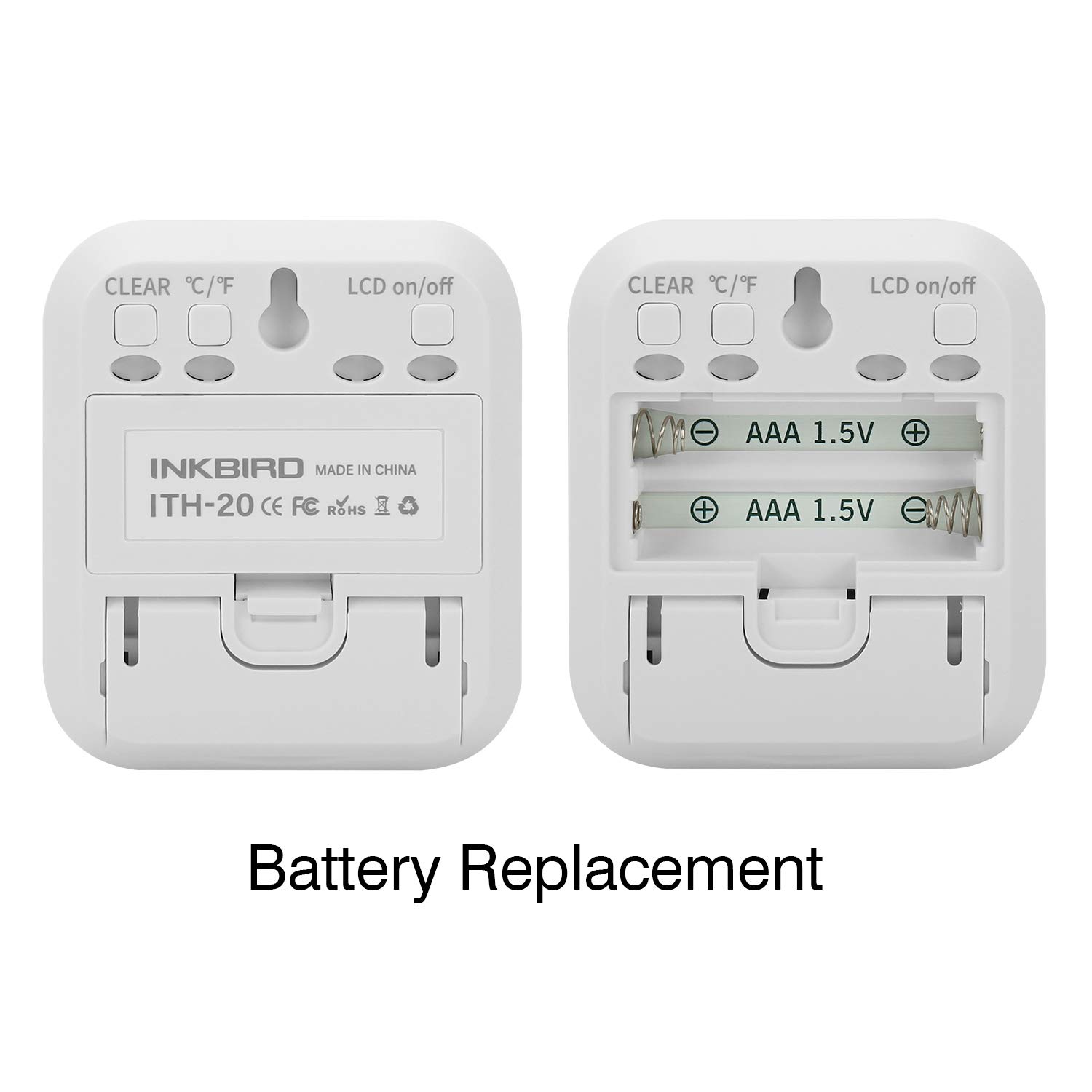
Figure 1: Rear view of the ITH-20 unit, illustrating the battery compartment and button layout.
2. Placement Options
The ITH-20 offers versatile placement options:
- Tabletop Placement: Utilize the integrated kickstand on the back of the unit to stand it upright on any flat surface, such as a desk, shelf, or counter.
- Wall Mounting: Use the hanging hole located on the back of the unit to mount it securely on a wall using a nail or screw.

Figure 2: The ITH-20 unit demonstrating both tabletop (brace) and wall-mounted (suspension) placement options.
Operating Instructions
1. Display Overview
The large LCD screen displays current temperature, current humidity, and the maximum/minimum recorded values for both. It also features indicators for air quality (DRY, COMFORT, WET).

Figure 3: Detailed view of the ITH-20 display, highlighting current temperature, current humidity, maximum/minimum records, and air quality indicators.
2. Button Functions
The unit has three buttons on the back:
- CLEAR °C/°F Button (Left):
- Press once to switch between Celsius (°C) and Fahrenheit (°F) temperature units.
- Press and hold for approximately 3 seconds to clear the recorded maximum and minimum temperature and humidity values.
- LCD on/off Button (Right): Press to toggle the LCD display on or off. This can help conserve battery life.
Figure 4: Rear view of the ITH-20, showing the location and labels of the control buttons.
3. Air Quality Indicators
The display features three indicators at the bottom to show the current air quality based on humidity levels:
- DRY: Indicates humidity is below 40% RH.
- COMFORT: Indicates humidity is between 40% and 70% RH, and temperature is between 20°C to 30°C (68°F to 86°F).
- WET: Indicates humidity is above 70% RH.
Maintenance
1. Battery Replacement
When the display becomes dim or the unit stops functioning, it is time to replace the batteries. Follow the battery installation steps outlined in the Setup section.
2. Cleaning
Wipe the unit with a soft, damp cloth. Do not use abrasive cleaners or immerse the unit in water.
Troubleshooting
| Problem | Possible Cause | Solution |
|---|---|---|
| No display or dim display | Batteries are low or incorrectly installed. | Replace batteries with new AAA batteries, ensuring correct polarity. |
| Inaccurate readings | Unit placed near heat/cold sources or in direct sunlight/drafts. Unit needs time to stabilize. | Move the unit to a stable environment away from extreme temperature fluctuations. Allow 15-30 minutes for readings to stabilize after relocation. |
| Max/Min values not resetting | CLEAR button not held long enough. | Press and hold the CLEAR button for approximately 3 seconds until values reset. |
Specifications
| Parameter | Value |
|---|---|
| Model Number | ITH-20 |
| Temperature Measurement Range | -10°C to 50°C (14°F to 122°F) |
| Humidity Measurement Range | 10% to 99% RH |
| Temperature Display Accuracy | 0.1°C (0.1°F) |
| Temperature Measurement Accuracy | ±1.0°C |
| Humidity Measurement Accuracy | ±5% |
| Humidity Display Accuracy | 1% |
| Temperature and Humidity Sampling Period | 10 seconds |
| Power Source | 2 x AAA 1.5V Batteries (not included) |
| Product Dimensions | 2.52"W x 2.8"H (6.5cm x 7.5cm) |
| Color | White |
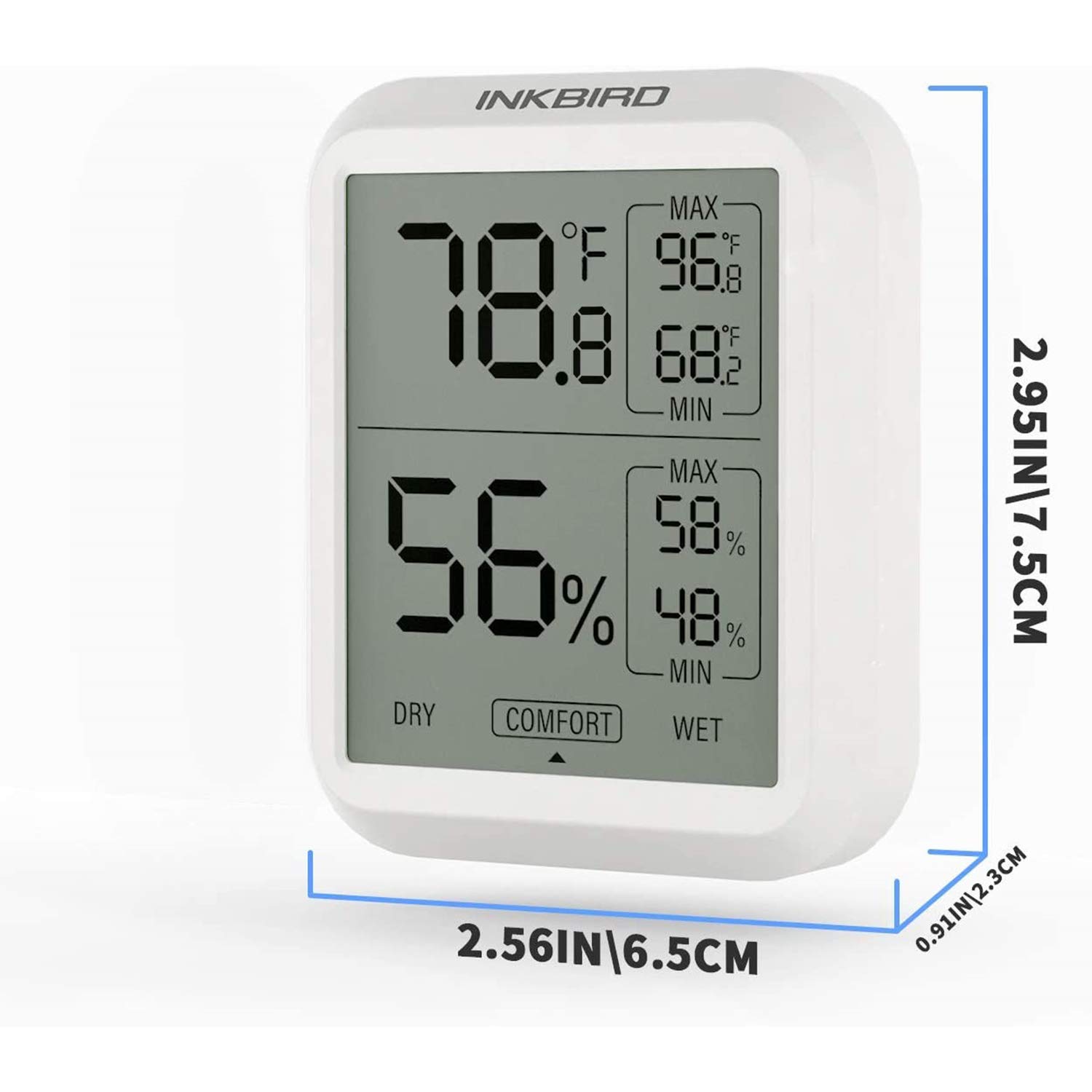
Figure 5: Dimensions of the ITH-20 unit.

Figure 6: Key technical specifications of the ITH-20.
Scope of Application
The Inkbird ITH-20 is versatile and can be used in a variety of indoor environments to monitor temperature and humidity, ensuring optimal conditions for different needs.
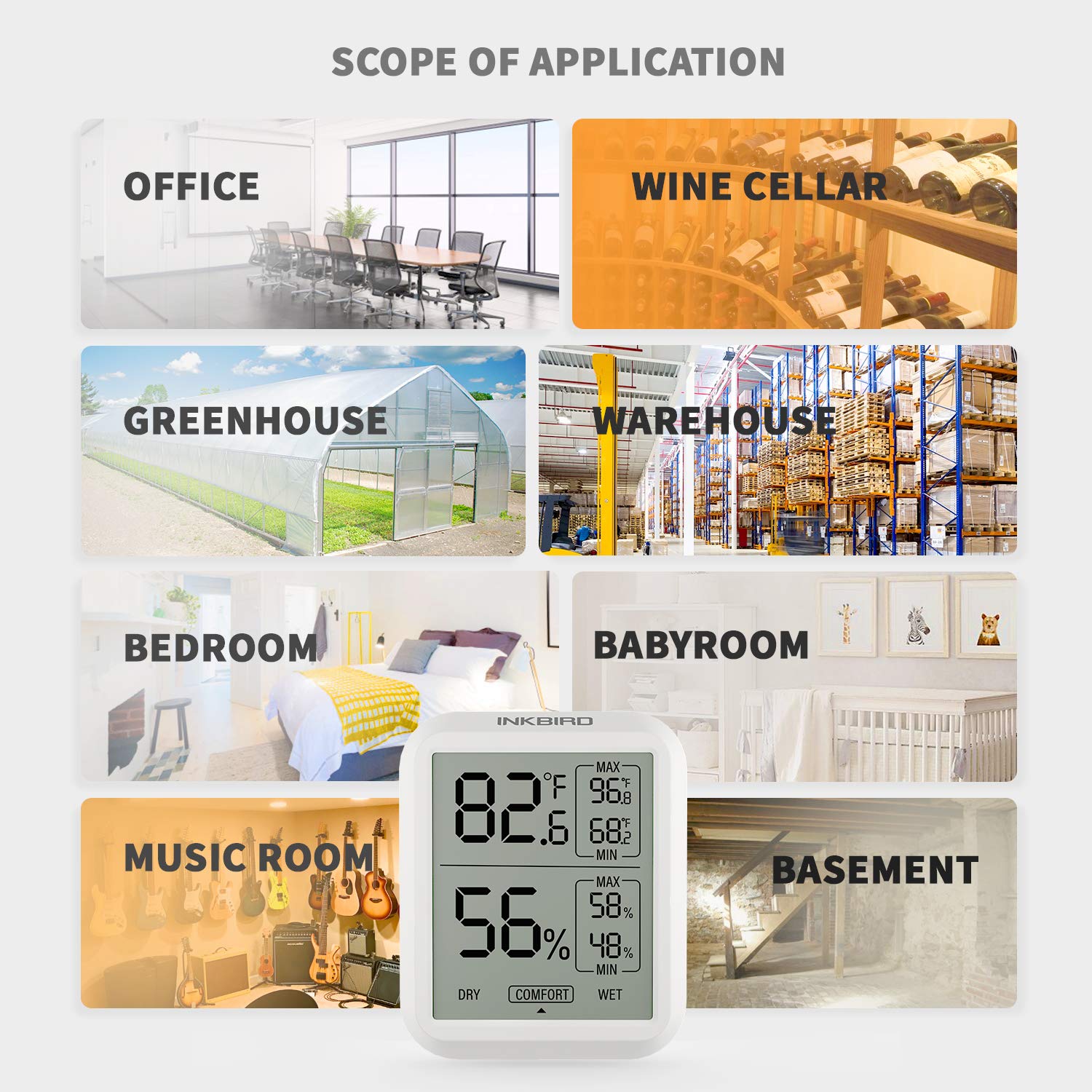
Figure 7: Examples of environments where the ITH-20 can be effectively used.
Product Video
Video 1: An official product video demonstrating the features and design of the Inkbird ITH-20 Digital Indoor Hygrometer Thermometer.
Warranty and Support
For warranty information, technical support, or further assistance, please refer to the official Inkbird website or contact their customer service. A detailed User Guide in PDF format is also available for download.


