
Introduction
This manual provides comprehensive instructions for the setup, operation, and maintenance of your TeknoGame GC Wired Game Controller. This controller is designed for use with Nintendo Wii and Nintendo GameCube systems, offering a classic gaming experience.
Please read this manual thoroughly before using the product to ensure proper functionality and longevity.
Product Overview

Image 1: Front view of the TeknoGame GC Wired Game Controller, showcasing its clear casing, button layout, and the GameCube-style connector cable.
The TeknoGame GC Wired Game Controller features a transparent design, allowing visibility of its internal components. It includes a standard GameCube controller layout with an analog stick, C-stick, D-pad, A/B/X/Y buttons, Start/Pause button, and L/R/Z shoulder buttons. The controller connects via a wired cable with a GameCube compatible plug.
Setup Instructions
- Identify the Controller Port: Locate the GameCube controller ports on your Nintendo Wii console (under a flap on the top side) or directly on your Nintendo GameCube console.
- Connect the Controller: Insert the controller's plug firmly into an available GameCube controller port. Ensure the plug is oriented correctly to avoid damage.
- Power On Console: Turn on your Nintendo Wii or GameCube console.
- Test Functionality: Navigate the console's menu or start a game to confirm the controller is responsive.

Image 2: Top-down view of the controller, highlighting the button layout and transparent design.
Operating the Controller
The TeknoGame GC Wired Game Controller functions identically to an original GameCube controller. Refer to your game's specific instructions for button assignments and control schemes.
- Analog Stick: Used for primary character movement or menu navigation.
- C-Stick: Often used for camera control, secondary actions, or smash attacks in fighting games.
- D-Pad: Used for menu navigation or specific in-game actions.
- A, B, X, Y Buttons: Primary action buttons, functions vary by game.
- Start/Pause Button: Pauses the game or accesses in-game menus.
- L/R Buttons: Analog shoulder buttons, often used for shielding, aiming, or other context-sensitive actions.
- Z Button: Digital shoulder button, typically used for specific actions like grabbing or targeting.
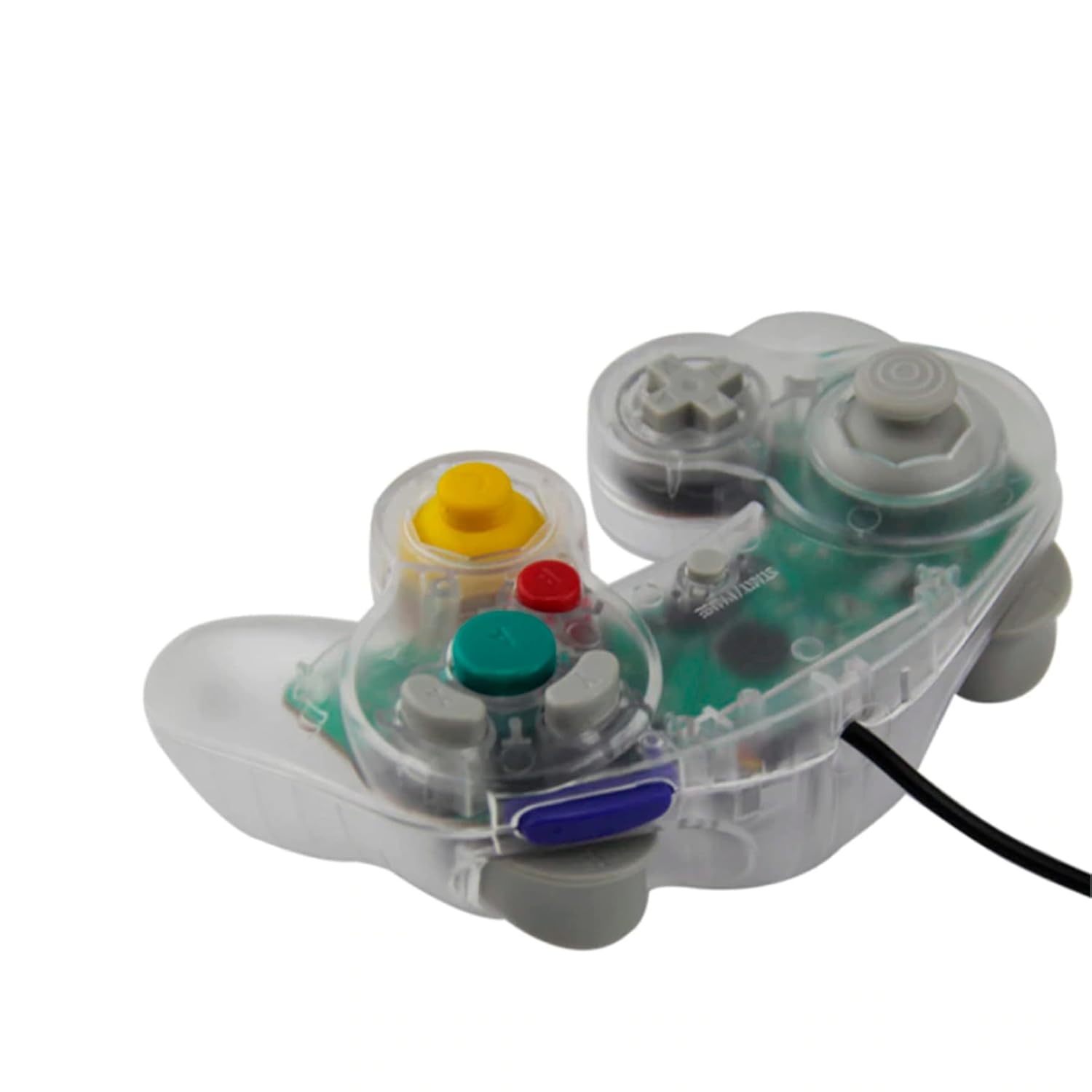
Image 3: Side view of the controller, illustrating its ergonomic shape and the attached wired cable.
Care and Maintenance
- Cleaning: Use a soft, dry cloth to clean the controller's surface. For stubborn dirt, slightly dampen the cloth with water. Avoid harsh chemicals or abrasive cleaners.
- Storage: Store the controller in a cool, dry place away from direct sunlight and extreme temperatures. Avoid wrapping the cable too tightly around the controller to prevent damage.
- Handling: Do not drop the controller or subject it to strong impacts. Avoid pulling the cable forcefully when disconnecting from the console; always grasp the plug.
Troubleshooting
| Problem | Possible Cause | Solution |
|---|---|---|
| Controller not responding. | Loose connection, incorrect port, console not powered on. |
|
| Buttons or sticks are unresponsive/stiff. | Debris under buttons, internal component issue. |
|
| Controller disconnects intermittently. | Loose cable connection, damaged cable. |
|
Specifications
- Model: GC Wired Game Controller
- Brand: Teknogame
- Compatibility: Nintendo Wii, Nintendo GameCube
- Connectivity: Wired (GameCube port)
- Dimensions: Approximately 8 x 8 x 3 inches
- Weight: Approximately 8.8 ounces
Warranty and Support
For warranty information or technical support, please refer to the contact details provided with your purchase or visit the official Teknogame website.