Introduction
This manual provides essential instructions for the safe and effective use of your Digipartspower AC Adapter Charger, designed for compatibility with the ATALAX Portable Wireless Speaker AL-Q8. Please read this manual thoroughly before use and retain it for future reference.
Safety Information
Your Digipartspower AC Adapter Charger incorporates multiple safety features to ensure reliable operation and protection for your devices. These include:
- Over Voltage Protection (OVP): Prevents damage from excessive voltage input.
- Over Temperature Protection (OTP): Safeguards against overheating.
- Over Current Protection: Protects against excessive current flow.
- Short Circuit Protection (SCP): Prevents damage from short circuits.
General Safety Precautions:
- Do not expose the adapter to water or moisture.
- Avoid dropping or subjecting the adapter to strong impacts.
- Do not disassemble or attempt to repair the adapter.
- Ensure the adapter is used within its specified voltage and current ratings.
- Unplug the adapter from the power outlet when not in use for extended periods.
WARNING: This product may contain chemicals known to the State of California to cause cancer and birth defects or other reproductive harm. For more information, go to www.P65Warnings.ca.gov.

Image: This graphic highlights the intelligent security technology integrated into the adapter, emphasizing its multi-protection capabilities.
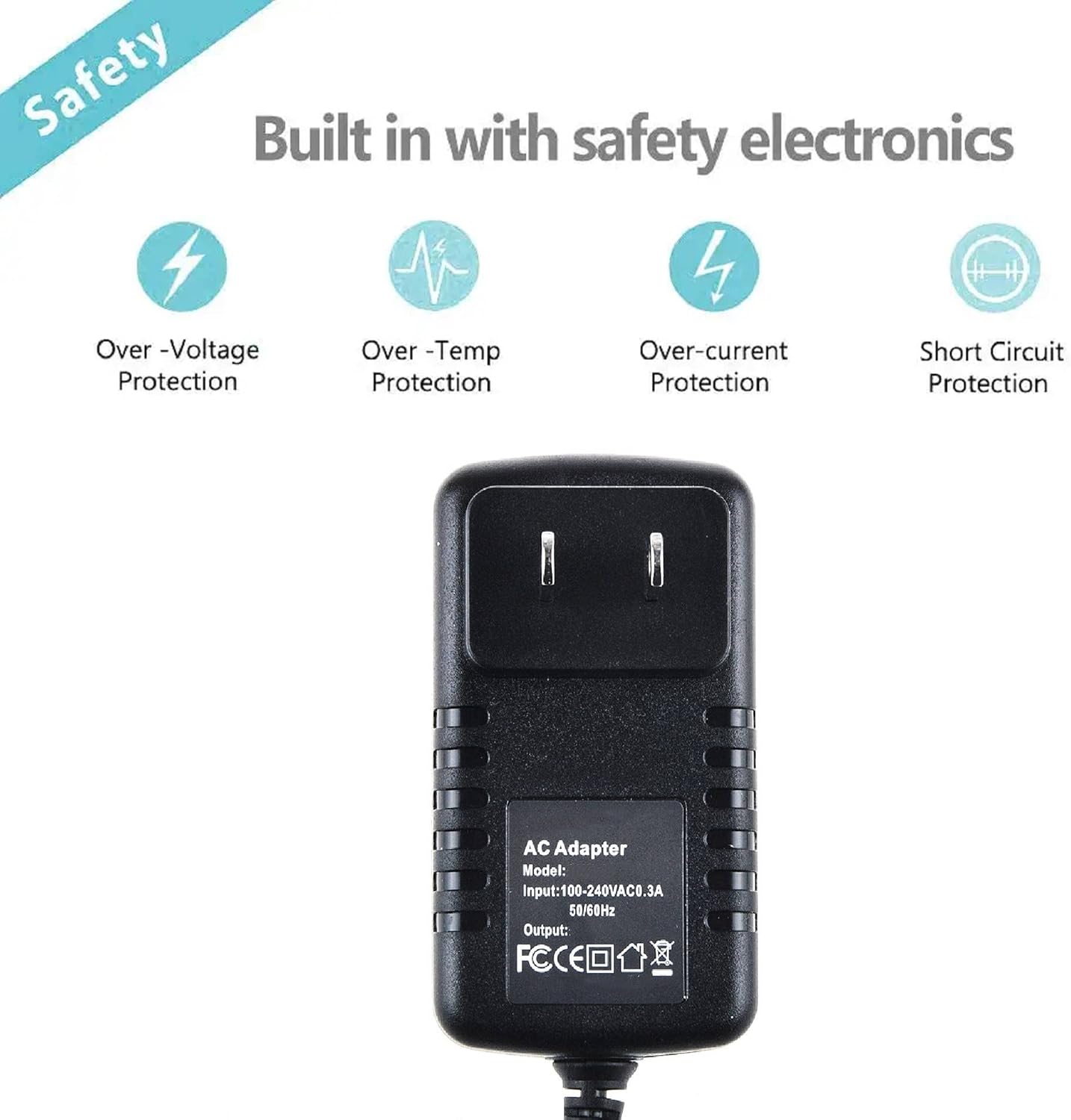
Image: The adapter's safety features are visually represented, including protection against over-voltage, over-temperature, over-current, and short circuits. The back of the adapter shows its model, input, and output specifications.
Package Contents
Please verify that all items are present in the package:
- 1 x Digipartspower AC Adapter Charger

Image: A clear view of the Digipartspower AC Adapter Charger, showing the main unit, attached cable, and the barrel connector end.
Setup
Follow these steps to set up your AC adapter:
- Identify the Power Input: Locate the power input port on your ATALAX Portable Wireless Speaker AL-Q8. This is typically a round port.
- Connect the Adapter: Carefully insert the barrel connector of the Digipartspower AC Adapter into the power input port of your speaker. Ensure a snug fit.
- Plug into Power Outlet: Insert the AC adapter's prongs into a standard 120V AC wall outlet.
The speaker should now be receiving power or begin charging, depending on its current state and design.
Operating Instructions
Once connected, the Digipartspower AC Adapter Charger provides continuous power to your ATALAX Portable Wireless Speaker AL-Q8 or charges its internal battery.
- Powering the Speaker: With the adapter connected and plugged into a live outlet, your speaker will draw power directly from the adapter.
- Charging the Speaker: If your speaker has a rechargeable battery, the adapter will automatically initiate the charging process when connected. Refer to your speaker's manual for charging indicators (e.g., LED lights).

Image: This collage illustrates the versatility and portability of the AC adapter, suitable for use in diverse environments such as home, office, and outdoor settings, highlighting its travel-friendly design.
Maintenance
Proper care and maintenance will extend the lifespan of your AC adapter:
- Cleaning: Disconnect the adapter from the power outlet and the speaker before cleaning. Use a soft, dry cloth to wipe the surface. Do not use liquid cleaners or abrasive materials.
- Storage: Store the adapter in a cool, dry place away from direct sunlight and extreme temperatures. Avoid tightly winding the cable to prevent damage.
- Cable Handling: Always grasp the plug when disconnecting from the outlet or speaker; do not pull on the cable itself. Inspect the cable periodically for any signs of wear, cuts, or fraying.

Image: A cross-section diagram illustrating the robust inner structure of the power cable, featuring a valid cord core, multi-level protective layers, and durable PVC insulation, designed for longevity and safety.
Troubleshooting
If you encounter issues with your AC adapter, try the following steps:
- No Power/Charging:
- Ensure the adapter is securely plugged into a working wall outlet. Test the outlet with another device.
- Verify that the barrel connector is fully inserted into the speaker's power port.
- Check the adapter cable for any visible damage or kinks.
- Overheating:
- Ensure the adapter is in a well-ventilated area and not covered.
- If overheating persists, discontinue use and contact support.
If these steps do not resolve the issue, please refer to the Support Information section.
Specifications
| Feature | Specification |
|---|---|
| Brand | Digipartspower |
| Compatible Devices | ATALAX Portable Wireless Speaker AL-Q8 (Speakers) |
| Input Voltage | 120 Volts (AC) |
| Connector Type | Round Barrel Connector |
| Cable Length | 3 FT |
| Color | Black |
| Item Weight | 2.89 ounces |
| Package Dimensions | 3.5 x 3.35 x 1.77 inches |
| Safety Certifications | CE, FCC, RoHS |
| Special Feature | Travel |
| Date First Available | December 25, 2018 |
Warranty Information
Specific warranty details for the Digipartspower AC Adapter Charger are typically provided with your purchase documentation or can be found on the manufacturer's official website. Please retain your proof of purchase for any warranty claims.
Support
For further assistance, technical support, or inquiries regarding your Digipartspower AC Adapter Charger, please contact the seller or visit the official Digipartspower website. Contact information is usually available on the product packaging or the point of purchase.
You may also refer to the product page on Amazon for additional details: Amazon Product Page


