
1. Product Overview
The Aquasana Countertop Water Filter System, Model AQ-CWM2-B, is engineered to provide clean, filtered drinking water directly from your countertop. Utilizing advanced Claryum Technology, this system significantly reduces common contaminants while retaining beneficial minerals for healthier, great-tasting water.
Key features include:
- Power Activated Filtration: Delivers an 8-ounce glass of filtered water in approximately 8 seconds.
- Claryum Technology: Reduces up to 99% of 78 contaminants, including lead, PFAS, microplastics, mercury, pesticides, and pharmaceuticals.
- Mineral Retention: Filters out harmful substances while preserving naturally occurring minerals like calcium, magnesium, and potassium.
- Eco-Friendly Design: One filter replaces over 2,200 plastic water bottles, lasting up to 7.5 times longer than leading pitcher filters.
- Easy Setup & Maintenance: No plumbing installation required, with simple filter replacements.
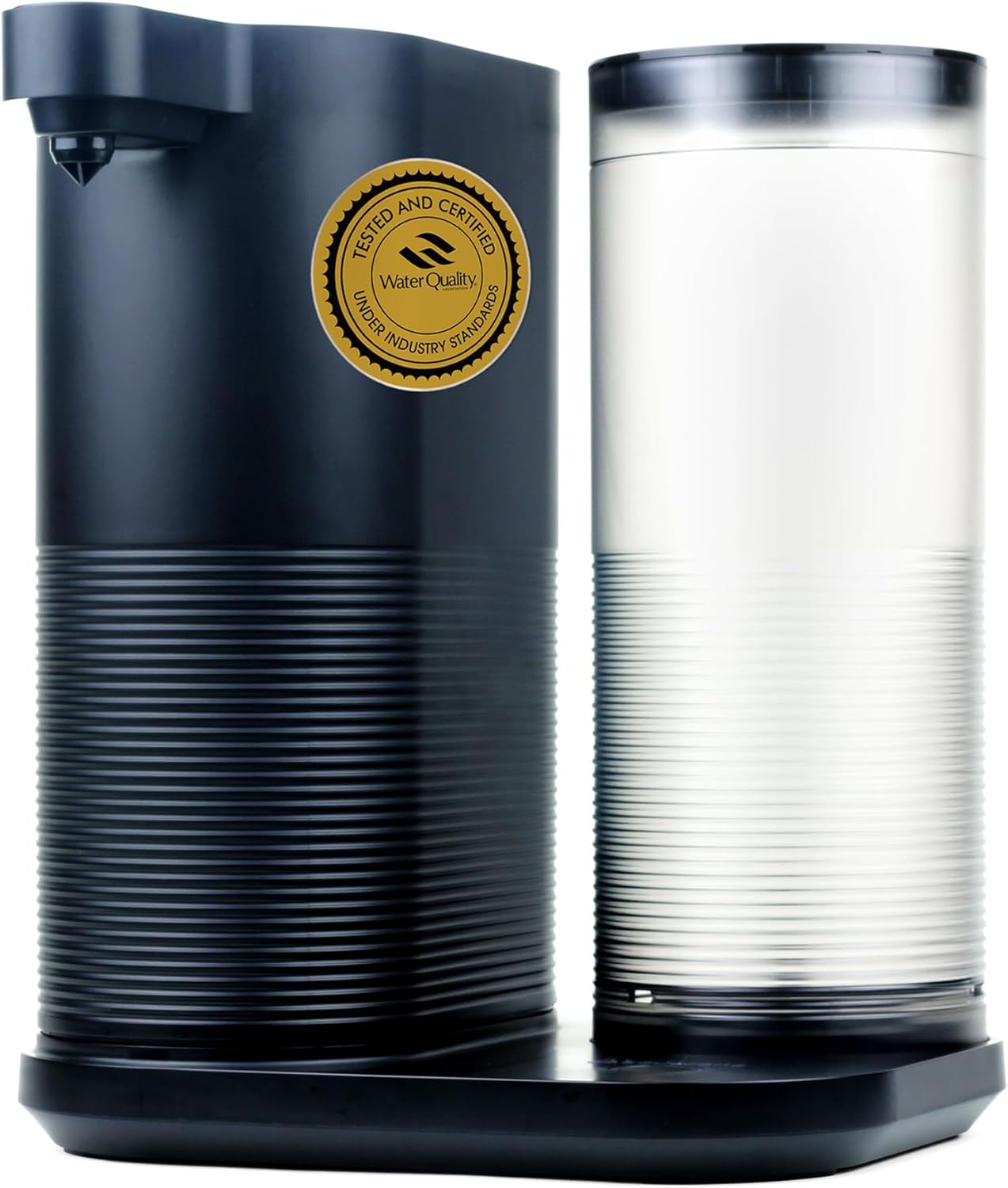
2. Setup Instructions
Follow these steps to set up your Aquasana Countertop Water Filter System:
2.1 Unpacking and Initial Cleaning
- Carefully remove all components from the packaging.
- Wash the water tank and lid with warm, soapy water. Rinse thoroughly and dry.
- Wipe down the main dispenser unit with a damp cloth.

2.2 Filter Installation
- Twist the filter chamber cap to the left (counter-clockwise) to open it.
- Remove the plastic wrapping from the new filter.
- Insert the clean filter into the filter chamber, ensuring a snug fit.
- Twist the filter chamber cap to the right (clockwise) to close and lock it into place.
- Place the lid back onto the dispenser unit.

2.3 Initial System Flush
Before first use, the system must be flushed to prepare the filter.
- Fill the water tank with tap water and place it on the dispenser dock.
- Place an empty container (at least 64 oz capacity) under the dispenser spout.
- Plug the power cord into an electrical outlet.
- Press the dispense button 3 times quickly. The light will illuminate red for 5 seconds.
- Press and hold the dispense button for 1 second to begin the flush. The light will blink red during the 60-second cleaning cycle.
- Once the flush is complete, the light will blink blue for 5 seconds, then illuminate solid blue for 5 seconds. Discard the flushed water.
3. Operating Instructions
Using your Aquasana Countertop Water Filter System is simple:
3.1 Filling the Water Tank
- Remove the water tank from the dispenser dock.
- Fill the tank with tap water up to the indicated fill line.
- Place the filled water tank back onto the dispenser dock.
3.2 Dispensing Filtered Water
- Place a glass or bottle under the dispenser spout.
- Press and hold the dispense button. The system will begin dispensing filtered water.
- Release the button when your container is full or when you have dispensed the desired amount of water.

4. Maintenance
Regular maintenance ensures optimal performance and longevity of your water filter system.
4.1 Filter Replacement
For best performance, replace filters every 300 gallons or 6 months, whichever comes first. The system's indicator light will alert you when it's time for a new filter.
- When the light indicator alternates between red and blue, it's time to order a replacement filter.
- When the light indicator turns solid red, it's time to change the filter.
- Follow the steps in Section 2.2 (Filter Installation) to replace the old filter with a new one.
- After replacing the filter, perform a system flush as described in Section 2.3 (Initial System Flush).
4.2 Cleaning the Water Tank and Unit
Clean the water tank regularly with warm, soapy water. The dispenser unit can be wiped clean with a damp cloth. Avoid using abrasive cleaners.

5. Troubleshooting
If you encounter any issues with your Aquasana Countertop Water Filter System, refer to the following common solutions:
- Water Drips After Dispensing: Ensure you stop water flow before the glass is completely full to prevent dripping. Some residual dripping may occur due to the nature of the dispensing mechanism.
- Unusual Noise During Operation: The system uses a pump for power-activated filtration, which may produce a moderate operating sound. If the noise is excessive or unusual, ensure all components are correctly assembled and the unit is on a stable, flat surface.
- Water Taste/Odor Issues: If water quality seems compromised, check the filter replacement indicator. A solid red light means the filter needs immediate replacement. Ensure the filter was properly flushed after installation or replacement.
- No Water Dispensing: Check if the unit is properly plugged in. Ensure the water tank is correctly seated on the dock and filled with water. Verify the filter is correctly installed and the chamber cap is locked.
6. Product Specifications
| Feature | Specification |
|---|---|
| Model Number | AQ-CWM2-B |
| Brand Name | Aquasana |
| Material | Carbon Block |
| Product Dimensions (D x W x H) | 9.69"D x 7.96"W x 11.61"H |
| Item Weight | 6.2 Pounds |
| External Testing Certification | WQA certified to NSF/ANSI Standards 42, 53, and 401 |
| Filter Life | 300 gallons or 6 months |
| Included Components | Clean Water Machine, Filter |
| UPC | 816749015324 |

7. Warranty and Support
The Aquasana Countertop Water Filter System (Model AQ-CWM2-B) comes with a 1-Year Limited Warranty from the manufacturer, Aquasana.
For technical support, warranty claims, or to purchase replacement filters, please contact Aquasana directly through their official website or customer service channels.


