
1. Introduction
The Mastercool 55850 Intellasense Leak Detector Kit is a professional-grade instrument designed for the accurate detection of both refrigerant and combustible gas leaks. This comprehensive kit provides technicians with the necessary tools for efficient and reliable leak detection in HVAC, automotive, and industrial applications. Its advanced sensor technology and user-friendly interface ensure precise readings and ease of operation.
2. Safety Information
Always observe the following safety precautions when operating the Mastercool 55850 Leak Detector:
- Personal Protective Equipment: Always wear the included UV safety glasses (Mastercool P/N 92398) and other appropriate personal protective equipment (PPE) when performing leak detection, especially when using the UV light or handling refrigerants.
- Ventilation: Ensure adequate ventilation in the work area, particularly when dealing with combustible gases or refrigerants, which can displace oxygen or be flammable.
- Flammable Gases: Exercise extreme caution when detecting combustible gases. Avoid open flames, sparks, or other ignition sources in areas where flammable gases may be present.
- Battery Safety: Use only the specified D alkaline batteries. Do not mix old and new batteries, or different types of batteries. Dispose of batteries properly.
- Probe Handling: The flexible probe contains sensitive electronics. Avoid sharp bends or excessive force that could damage the probe or sensor tip.
- Storage: Store the unit and its components in the provided hard case in a cool, dry place away from direct sunlight and extreme temperatures.
3. Product Overview and Kit Contents
The Mastercool 55850 Intellasense Leak Detector Kit is a comprehensive solution for professional leak detection. It includes the main 55800 detector unit and a range of essential accessories.
Kit Contents:
- Mastercool 55800 Intellasense Leak Detector
- LED UV Light (Mastercool P/N 53513)
- UV Safety Glasses (Mastercool P/N 92398)
- 2 x D Alkaline Batteries
- Leak Test Vial
- Replacement Filters
- Molded Hard Carrying Case

Key Features:
- Dual Gas Detection: Detects all common refrigerants (CFCs, HCFCs, HFCs, R1234yf, R410a, R32) and combustible gases (e.g., hydrogen-based trace gases).
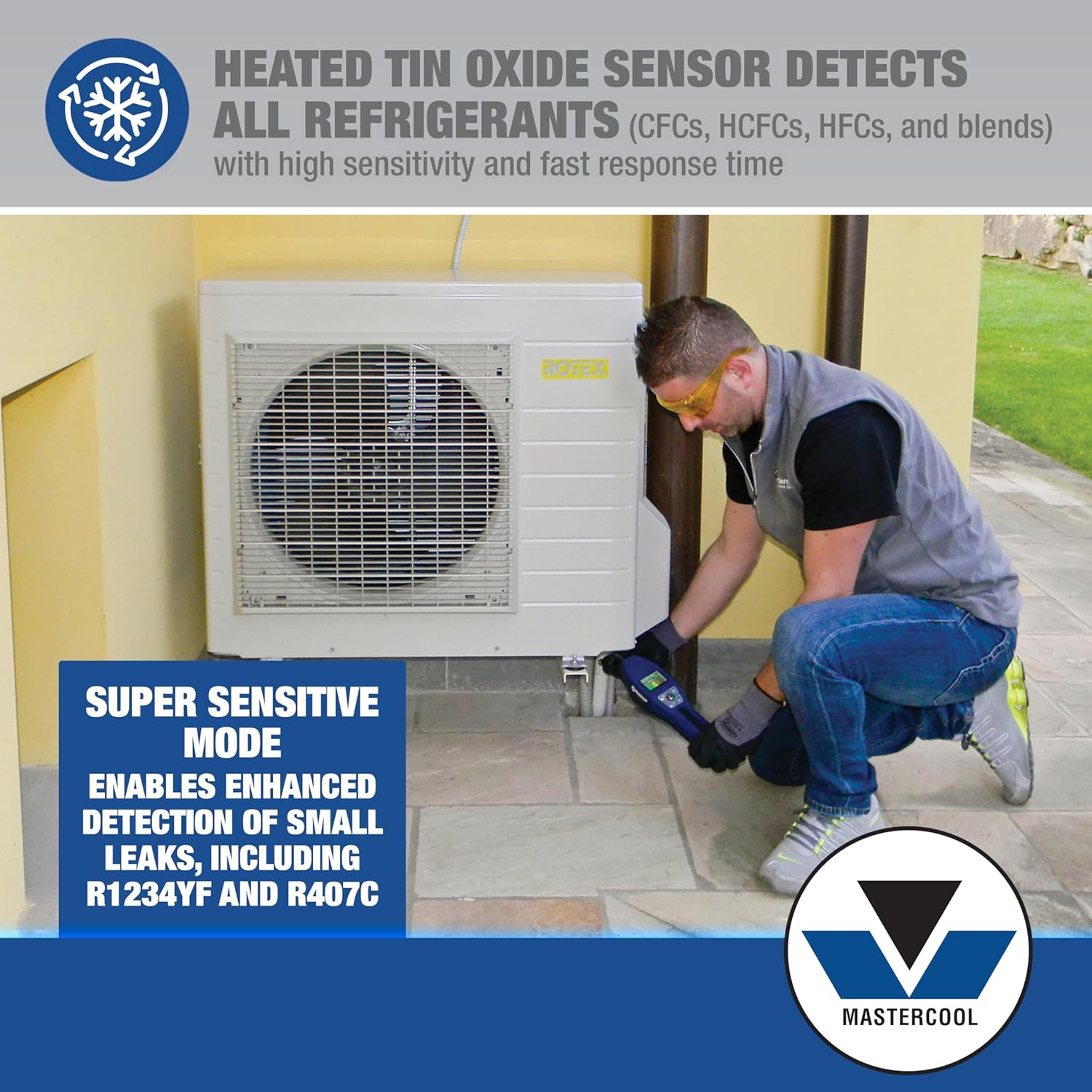
- Long-Life Sensor: Equipped with a heated metal oxide (tin oxide) sensor providing up to 2000 hours of reliable operation.
- Super Sensitive Mode: Enhances detection accuracy for low-level refrigerant leaks, such as R1234yf and R407C.
- LCD Display: A large LCD screen provides real-time visual feedback on leak intensity (via vertical bars), sensitivity level, battery status, and diagnostic error codes.
- Intelligent Flexible Probe: Features a 16-inch (40.6 cm) flexible probe with an intelligent sensing tip that minimizes false readings by adjusting for environmental interference.
- User-Friendly Controls: Intuitive controls for Volume/Mute, Sensitivity (High/Medium/Low), and Peak Hold/Freeze Signal functions.

4. Setup
4.1. Battery Installation
- Locate the battery compartment on the underside of the detector unit.
- Open the battery compartment cover.
- Insert two (2) D alkaline batteries, ensuring correct polarity (+/-) as indicated inside the compartment.
- Close the battery compartment cover securely.
4.2. Initial Power-On and Warm-Up
- Press and hold the Power button (⏻) on the keypad until the unit powers on.
- The LCD display will show a warm-up sequence. The unit requires approximately 30-60 seconds to warm up and stabilize the sensor. During this time, the display may show "WAIT".
- Once warm-up is complete, the display will indicate "READY" and the unit is ready for operation.
5. Operating Instructions
5.1. Powering On/Off
- To Power On: Press and hold the Power button (⏻) until the unit activates. Allow for the warm-up period.
- To Power Off: Press and hold the Power button (⏻) until the unit shuts down.
5.2. Adjusting Sensitivity Levels
The detector offers three sensitivity levels: High (H), Medium (M), and Low (L). Use the 'HML' button to cycle through these settings.
- High (H): For detecting very small leaks or when the leak source is unknown.
- Medium (M): General purpose detection.
- Low (L): For large leaks or when pinpointing a known leak source.
5.3. Super Sensitive Function
To activate the Super Sensitive function for enhanced detection of minute leaks (e.g., R1234yf, R407C), ensure the unit is in High sensitivity mode, then refer to the specific instructions in the full manual for activation, as this may involve a combination of button presses or a dedicated mode.

5.4. Interpreting the LCD Display
The LCD provides critical information during operation:
- Leak Intensity Bars: Vertical bars illuminate to indicate the concentration of detected gas. More bars signify a stronger leak.
- Sensitivity Level: Displays 'H', 'M', or 'L' to show the current sensitivity setting.
- Battery Status: An icon indicates the remaining battery life. Replace batteries when the low battery indicator appears.
- Status Messages: "WAIT" during warm-up, "READY" when operational, "PEAK" when Peak Hold is active, "MUTE" when audio is off.
- Error Codes: Specific codes (e.g., E8) may appear to indicate sensor issues or other malfunctions. Refer to the Troubleshooting section for details.
5.5. Using the Flexible Probe
The 16-inch flexible probe allows access to hard-to-reach areas. Slowly move the probe tip around suspected leak points, maintaining a consistent distance from the surface. The intelligent sensing tip is designed to minimize false alarms from environmental factors.

5.6. Peak Hold Function
Press the 'PEAK' button to activate the Peak Hold function. This feature locks the highest detected leak signal on the display while allowing the unit to continue scanning for additional leaks. This is useful for identifying the strongest leak point in an area with multiple small leaks.
5.7. Volume/Mute Control
Press the 'VOLUME/MUTE' button to toggle the audible alarm on or off. The display will show "MUTE" when the audio is disabled.
5.8. Using the UV Light and Safety Glasses
For systems charged with UV dye, the included LED UV light (53513) and UV safety glasses (92398) can be used to visually locate leaks. Shine the UV light on suspected areas while wearing the safety glasses to observe a bright green/yellow glow where the dye has escaped.

6. Maintenance
6.1. Sensor Replacement
The heated metal oxide sensor has an approximate lifespan of 2000 hours. When sensor performance degrades or an error code related to the sensor appears, it should be replaced. Refer to the full manual for detailed sensor replacement instructions.
6.2. Filter Replacement
The probe tip contains a filter that prevents debris from entering the sensor. Replace the filter periodically, or if it appears dirty or clogged, using the included replacement filters. A clogged filter can affect detection accuracy.
6.3. Cleaning the Unit
Wipe the exterior of the detector with a clean, damp cloth. Do not use abrasive cleaners or solvents. Ensure the unit is powered off before cleaning.
6.4. Battery Replacement
Replace the D batteries when the low battery indicator appears on the LCD. Follow the battery installation steps outlined in Section 4.1.
6.5. Storage
When not in use, store the Mastercool 55850 Leak Detector and all accessories in its original hard carrying case. This protects the unit from dust, moisture, and physical damage.
7. Troubleshooting
| Problem | Possible Cause | Solution |
|---|---|---|
| Unit does not power on. | Dead or incorrectly installed batteries. | Check battery polarity. Replace batteries with new D alkaline batteries. |
| Low sensitivity or no detection. | Sensor nearing end of life; clogged filter; incorrect sensitivity setting; environmental interference. | Replace sensor (if applicable). Replace probe filter. Adjust sensitivity to 'H' or 'Super Sensitive' mode. Move to a less turbulent area. |
| False alarms or erratic readings. | Strong air currents; presence of other gases/vapors; sensor contamination. | Minimize air movement around the probe. Ensure the area is free of non-target gases (e.g., cleaning solvents). Clean or replace sensor/filter. |
| LCD displays "E8" or other error code. | Sensor malfunction or internal error. | Power off the unit, wait 30 seconds, then power on again. If the error persists, the sensor may need replacement or the unit requires servicing. Contact Mastercool support. |
8. Specifications
| Model Number | 55850 |
| Sensor Type | Heated Tin Oxide |
| Detects | CFCs, HCFCs, HFCs (including R1234yf, R410a, R32), Combustible Gases (e.g., Hydrogen) |
| Sensitivity (Refrigerant) | 0.15 oz/yr (High), 0.25 oz/yr (Medium), 0.5 oz/yr (Low) |
| Operating Temperature | 0°F to 140°F (-17.8°C to 60°C) |
| Power Source | 2 x D Alkaline Batteries (included) |
| Battery Life | Approximately 60 hours |
| Probe Length | 16 inches (40.6 cm) flexible |
| Product Dimensions | 12"D x 9"W x 4.5"H (approximate case dimensions) |
| Item Weight | 8.5 Pounds (including case and accessories) |
9. Warranty and Support
The Mastercool 55850 Intellasense Leak Detector Kit is backed by Mastercool's reliable service and U.S.-based customer support team. For warranty information, technical assistance, or service inquiries, please refer to the contact details provided in the product packaging or visit the official Mastercool website. Keep your purchase receipt for warranty claims.