
1. Product Overview
The ASHATA DC 12V Electronic Cabinet Lock is designed for secure and stable locking applications. Its ultra-thin and compact design allows for easy installation in various container products. This lock operates by electrifying to unlock and automatically locks when the door is closed, providing a simple and effective security solution.
Key features include:
- Ultra-thin Design: Compact and delicate for easy installation.
- High Security: Features anti-vibration, prying-resistant, anti-drilling, and anti-technology open design.
- Durability: Tested for a long lifespan of 100,000 operations.
- Simple Operation: Electrify to unlock, close the door to lock.
- Robust Construction: Lock body made of metallic material for rigidity and stability.
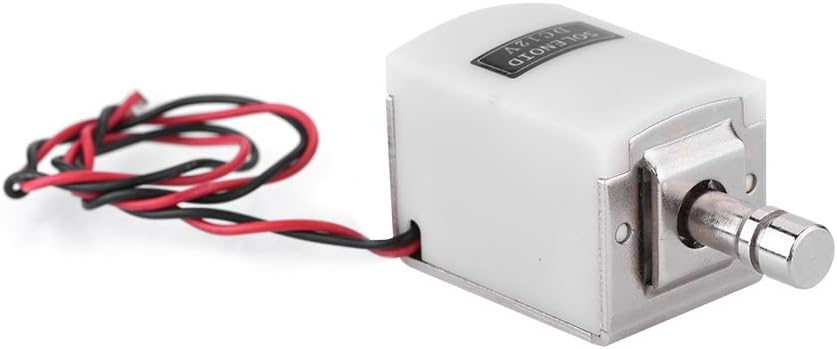
Image 1.1: Front view of the ASHATA DC 12V Electronic Cabinet Lock, showing the solenoid mechanism and power wires.
2. Product Components
The ASHATA DC 12V Electronic Cabinet Lock package includes the following components:
- 1 x Electric Cabinet Lock unit
Note: Additional mounting hardware, power supply, and control modules are not included and must be sourced separately.
3. Specifications
| Feature | Specification |
|---|---|
| Brand | ASHATA |
| Model Number | ASHATAbh7nx0erc8 |
| Power Requirement | DC 12V |
| Material | Plastic (body), Metallic (lock mechanism) |
| Style | Compact |
| Shape | Rectangular |
| Special Features | Anti-drilling, Anti-vibration, Compact |
| Lifespan (Aging Test) | 100,000 times |
| Dimensions (L x W x H) | Approximately 1 x 1 x 1 cm (product); 12 x 3 x 1 cm (package) |
| Weight | 120 g |
| Batteries Required | No |
4. Installation Guide
The ASHATA DC 12V Electronic Cabinet Lock is designed for easy installation. Follow these general steps:
- Prepare Mounting Surface: Identify the desired location for the lock on your cabinet, drawer, or other container. Ensure the surface is clean and stable.
- Position the Lock: Place the lock unit in the desired position. Mark the mounting points for screws.
- Secure the Lock: Use appropriate screws (not included) to firmly attach the lock unit to the mounting surface. Ensure it is securely fastened to prevent movement.
- Connect Power: Connect the red and black wires of the lock to a DC 12V power supply. The red wire is typically positive (+), and the black wire is negative (-). Ensure correct polarity to avoid damage.
- Test Functionality: Before final assembly, test the lock's operation by applying power. The lock should unlock when power is applied and lock when power is removed and the door is closed.

Image 4.1: Side view illustrating the ultra-thin design of the lock, suitable for compact installations.

Image 4.2: Bottom view of the lock, highlighting the mounting holes for secure attachment.

Image 4.3: Example of the lock installed on a wall next to a door in an office setting, demonstrating a typical application.
5. Operating Instructions
The ASHATA DC 12V Electronic Cabinet Lock operates on a simple principle:
- To Unlock: Apply DC 12V power to the lock's red and black wires. The solenoid mechanism will retract, unlocking the door or drawer.
- To Lock: Remove the DC 12V power. The lock will remain in an unlocked state until the door or drawer is closed. Once the door is closed, the lock mechanism will engage, securing the container.
This operational mode is designed for applications where the lock needs to be released temporarily and then automatically secured upon closure.

Image 5.1: Illustration of the lock's easy operation, showing it installed within a safe.

Image 5.2: Examples of suitable applications for the lock, including lockers, doors, and safes.
6. Safety Information
To ensure safe and reliable operation of your ASHATA Electronic Cabinet Lock, please observe the following safety guidelines:
- Power Supply: Only use a stable DC 12V power supply. Using incorrect voltage or an unstable power source can damage the lock and pose a safety risk.
- Wiring: Ensure all electrical connections are secure and correctly polarized (red to positive, black to negative). Loose connections can lead to intermittent operation or electrical hazards.
- Installation: Install the lock securely to a stable surface. Improper installation may compromise the lock's security features and lead to failure.
- Environmental Conditions: Avoid exposing the lock to extreme temperatures, moisture, or corrosive environments, which can affect its performance and lifespan.
- Intended Use: This lock is designed for securing cabinets, drawers, and similar container products. Do not use it for purposes other than its intended design.

Image 6.1: The lock's metallic body ensures rigidity and stability, as depicted by its placement on a cracked surface.

Image 6.2: The lock offers high security with anti-vibration, prying-resistant, and anti-drilling features.
7. Maintenance
The ASHATA DC 12V Electronic Cabinet Lock is designed for long-term, maintenance-free operation, with an aging test indicating a lifespan of 100,000 cycles. Regular maintenance is generally not required.
- Cleaning: If necessary, gently wipe the exterior of the lock with a dry, soft cloth. Do not use abrasive cleaners or solvents.
- Inspection: Periodically check the mounting screws and wiring connections to ensure they remain secure.
- Avoid Lubrication: Do not apply lubricants or oils to the internal mechanism of the lock, as this can attract dust and interfere with its operation.
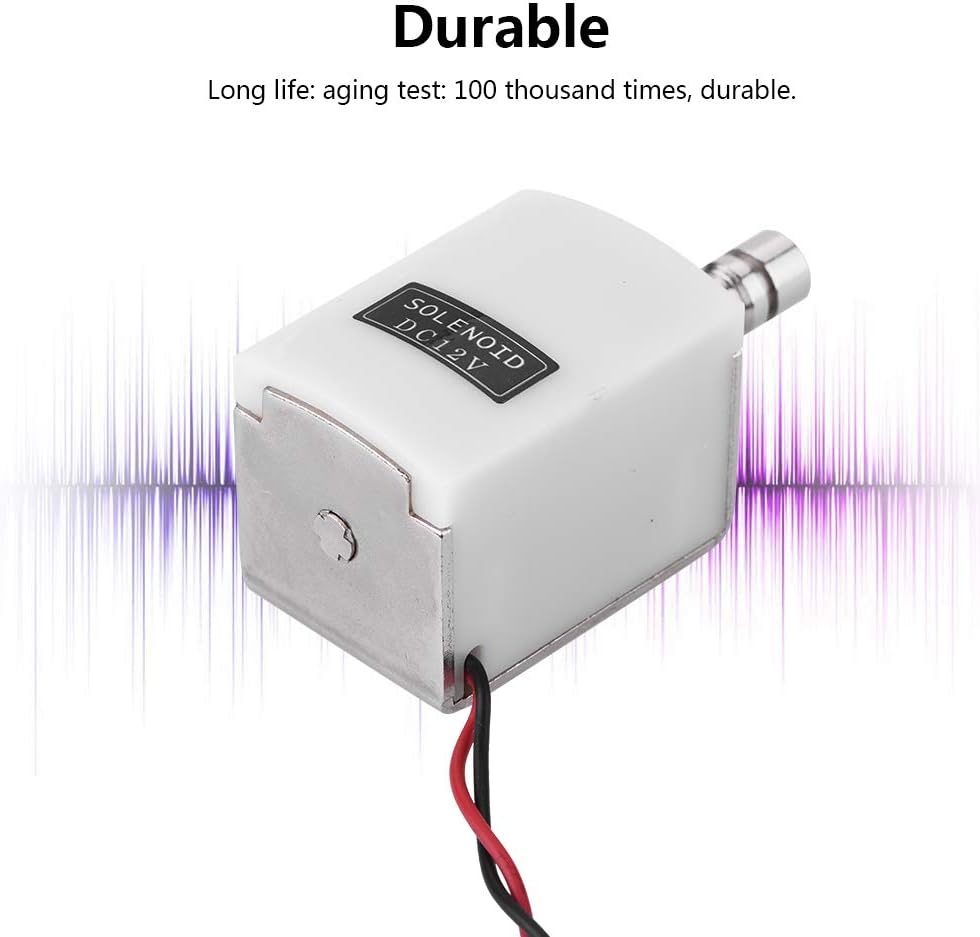
Image 7.1: The lock is built for durability, with a tested lifespan of 100,000 operations.
8. Troubleshooting
If you encounter issues with your ASHATA Electronic Cabinet Lock, consider the following troubleshooting steps:
- Lock Not Unlocking:
- Check if the DC 12V power supply is correctly connected and providing power.
- Verify that the red and black wires are connected with correct polarity.
- Ensure there are no obstructions preventing the solenoid from retracting.
- Lock Not Engaging (Locking):
- Confirm that the DC 12V power supply has been removed. The lock engages when power is off and the door is closed.
- Check if the door or drawer is fully closed, allowing the lock mechanism to engage.
- Inspect for any physical obstructions preventing the lock from engaging.
- Intermittent Operation:
- Examine all wiring connections for looseness or damage.
- Ensure the power supply is stable and not fluctuating.
If these steps do not resolve the issue, please contact customer support for further assistance.
9. Warranty and Support
For information regarding warranty coverage and customer support, please refer to the documentation provided at the time of purchase or visit the official ASHATA website. Keep your purchase receipt as proof of purchase for warranty claims.
For technical assistance or inquiries, please contact ASHATA customer service through their official channels.