
1. Introduction
The JEKCA Beagle 01S is a 3D animal installation kit designed for individuals aged 14 and above. This model utilizes a patented interlocking brick technology, ensuring a sturdy construction without the need for glue. The assembly process is guided by a detailed, step-by-step manual included in the package, providing an engaging and rewarding building experience.
Product Features:
- Recommended for ages 14 and up.
- Comprises over 1020 pieces for a detailed model.
- Features a patented interlocking brick-through system for enhanced stability.
- Results in a sturdy model that is not prone to breaking apart.
- Includes a comprehensive building manual.
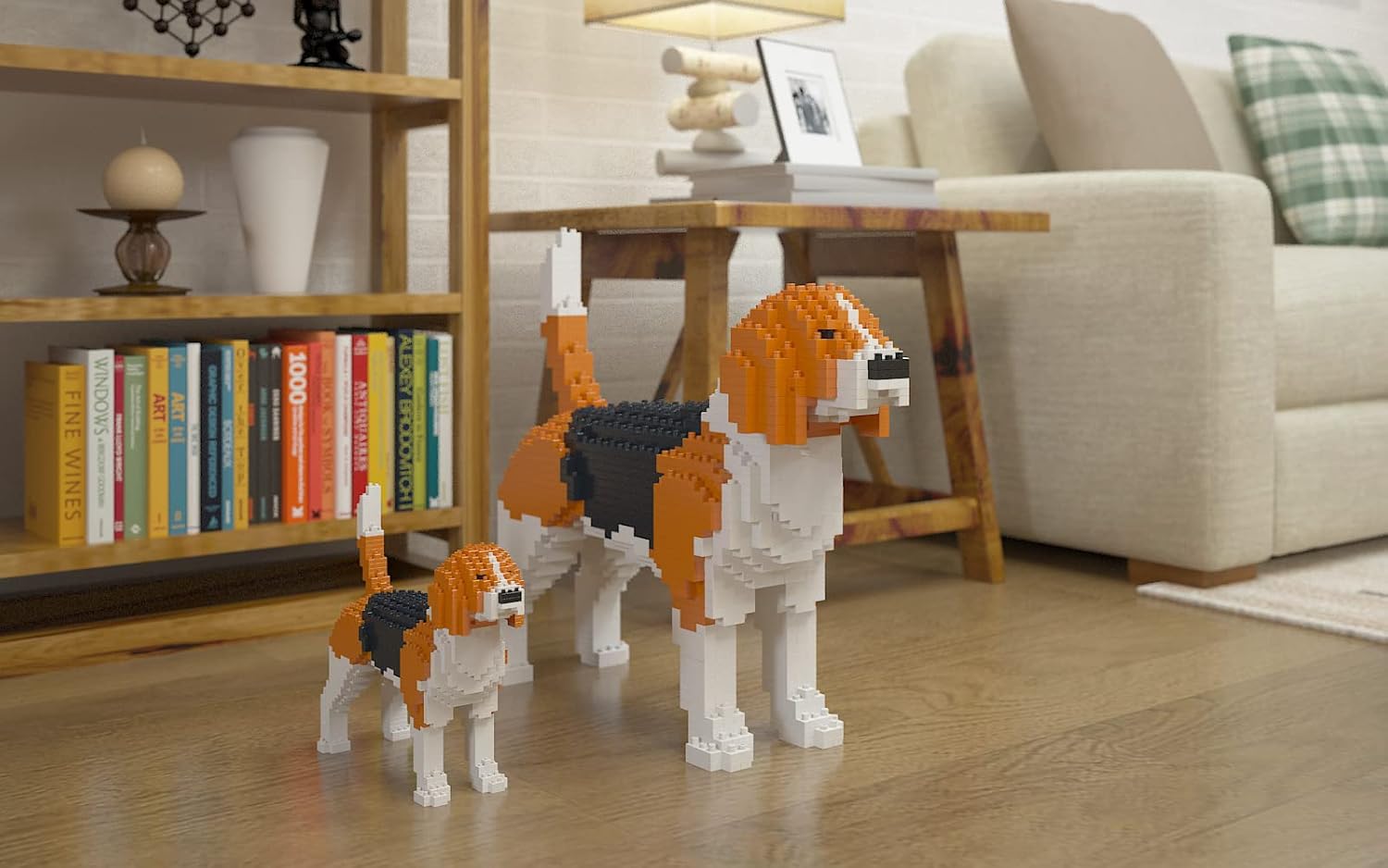
Image: Two JEKCA Beagle models, one large and one small, displayed in a living room setting, showcasing the finished product.
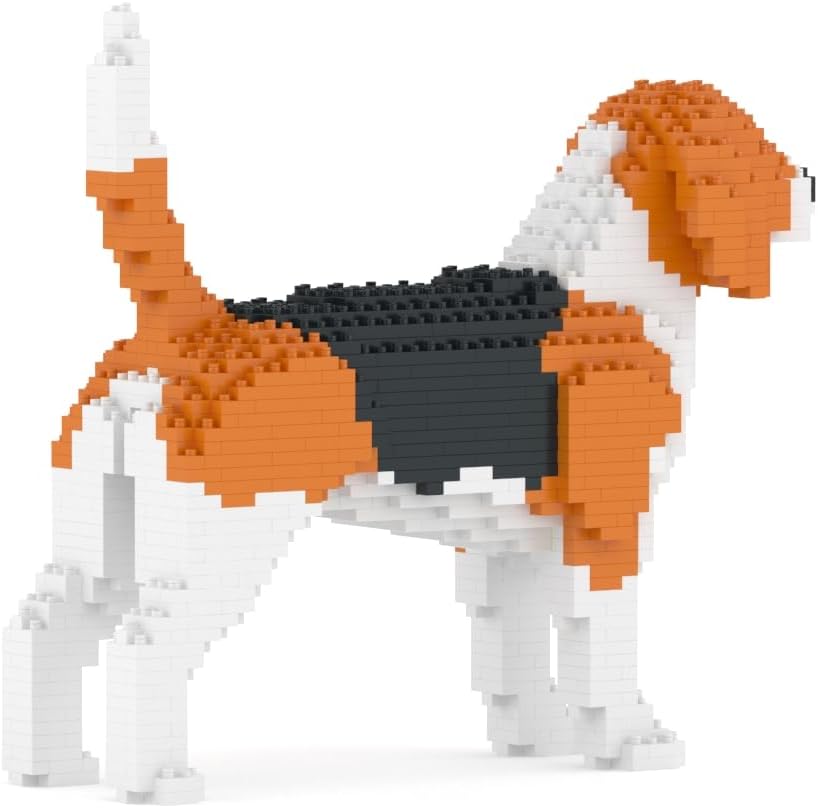
Image: Side view of the assembled JEKCA Beagle 01S model, highlighting its block construction and tri-color pattern.
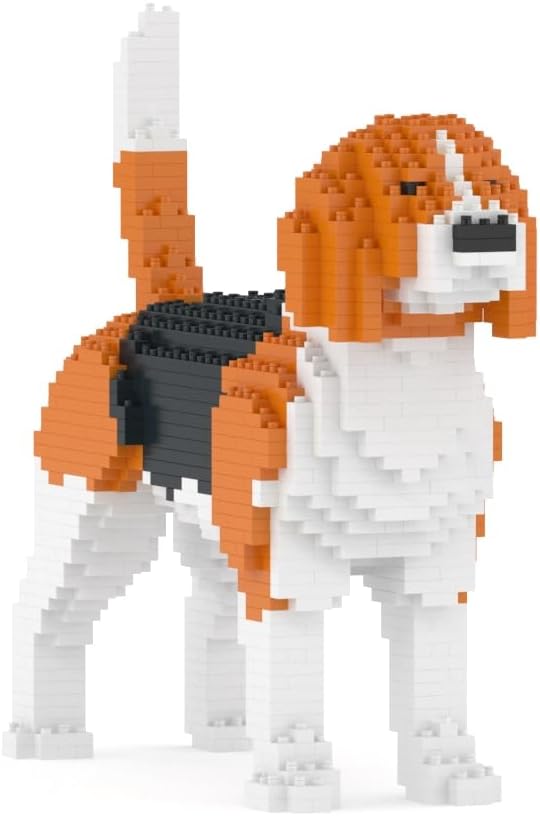
Image: Front-side view of the assembled JEKCA Beagle 01S model, showcasing the facial features and overall block design.
2. Setup and Assembly
Before beginning assembly, ensure all components are present. The package includes:
- Instruction Manual
- Bricks (over 1020 pieces)
- Pins
- Pin Driver
- Quick Guide
The JEKCA building system utilizes a patented interlocking mechanism where bricks are secured together using pins and a pin driver. Follow the detailed step-by-step instructions provided in the included manual for proper assembly. Each step will guide you on which bricks to use and where to insert the pins to create a robust structure.
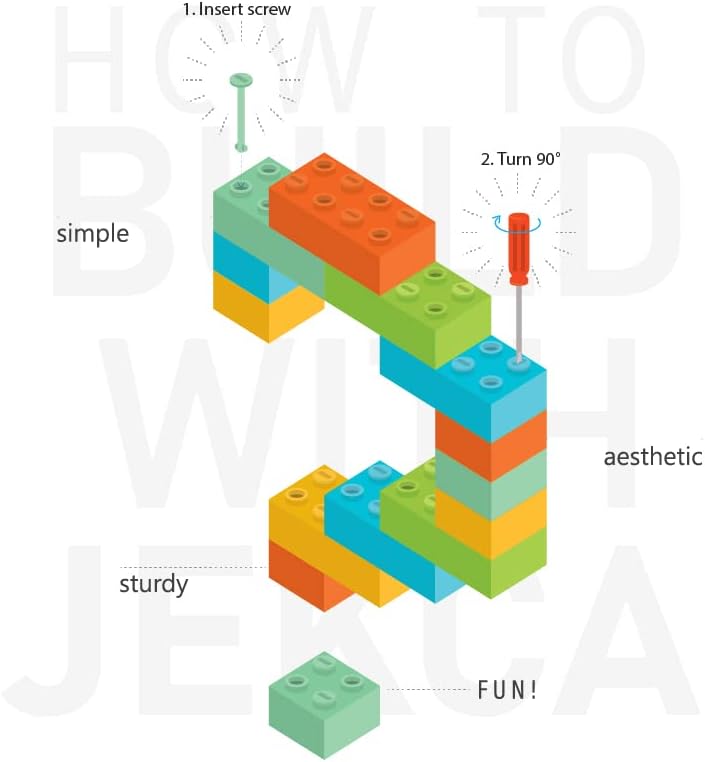
Image: Diagram illustrating the JEKCA building process. Step 1: Insert pin. Step 2: Turn 90 degrees with the pin driver to secure the bricks, ensuring a sturdy connection.
3. Building Process
The building process involves carefully following the provided instruction manual. Each step is illustrated to show the placement of bricks and the insertion of pins. Pay close attention to the orientation of each brick and the direction of pin insertion to ensure the model's structural integrity.
- Review the Manual: Before starting, familiarize yourself with the overall structure and the first few steps.
- Identify Bricks: Locate the correct bricks and pins for each step as indicated in the manual.
- Insert Pins: Use the provided pin driver to insert pins through the designated holes in the bricks. Ensure the pins are fully seated and turned 90 degrees to lock the bricks securely.
- Layer by Layer: Build the model layer by layer, verifying each connection before proceeding to the next step.
- Patience is Key: The assembly requires precision and patience. Do not force pieces together; if a piece does not fit, re-check the instructions.
4. Maintenance
Once assembled, your JEKCA Beagle 01S model requires minimal maintenance to preserve its appearance and structure.
- Cleaning: To remove dust, gently wipe the model with a soft, dry cloth or use a soft brush. For more stubborn dirt, a slightly damp cloth can be used, but avoid excessive moisture.
- Handling: Handle the model with care to prevent accidental drops or impacts that could dislodge bricks or pins.
- Storage: Keep the model away from direct sunlight and extreme temperatures to prevent material degradation or discoloration over time.
5. Troubleshooting
If you encounter any difficulties during the assembly process, consider the following:
- Bricks Not Fitting: Double-check the instruction manual to ensure you are using the correct bricks for the current step and that their orientation is accurate. Sometimes, a brick may appear similar to another but have subtle differences.
- Pins Difficult to Insert: Ensure the holes in the bricks are properly aligned. Apply firm but gentle pressure. If a pin still doesn't go in smoothly, verify that the pin is not bent and that the brick is correctly positioned.
- Structure Feels Unstable: Revisit the previous steps in the manual. An unstable section often indicates a missed pin insertion or an incorrectly placed brick. The patented interlocking system is designed for sturdiness, so any instability suggests an assembly error.
- Missing Pieces: Carefully check the packaging and your work area. If a piece is genuinely missing, refer to the support section for contact information.
6. Specifications
| Feature | Detail |
|---|---|
| Model Number | ST19PT15 |
| Product Dimensions | 11.06 x 3.7 x 9.69 inches (28.1 x 9.4 x 24.6 cm) |
| Item Weight | 2.01 pounds |
| Number of Pieces | >1020 pieces |
| Recommended Age | 14 years and up |
| Manufacturer | JEKCA Limited |

Image: The JEKCA Beagle 01S model displayed alongside a tablet showing its specifications, including model number, piece count, length, width, and height.
7. Warranty and Support
Product Quality:
JEKCA products are manufactured to high standards, ensuring durability and a satisfying building experience. While specific warranty details are not provided, the product is designed for long-lasting enjoyment when assembled and maintained according to these instructions.
Customer Support:
For any questions, concerns, or assistance with missing parts, please refer to the contact information provided in the Quick Guide or the main instruction manual included with your product. You may also visit the official JEKCA store for additional resources and support.
Visit the JEKCA Store for more information.