
1. Introduction
Thank you for choosing the Severin KGK 8941 Refrigerator-Freezer. This manual provides essential information for the safe and efficient use, installation, and maintenance of your appliance. Please read these instructions carefully before use and keep them for future reference.
2. Safety Instructions
Always follow basic safety precautions when using electrical appliances to reduce the risk of fire, electric shock, and injury.
- Ensure the appliance is properly grounded.
- Do not damage the refrigerant circuit.
- Do not use electrical appliances inside the food storage compartments unless they are of the type recommended by the manufacturer.
- Unplug the appliance before cleaning or performing maintenance.
- Keep ventilation openings clear of obstruction.
- This appliance is not intended for use by persons (including children) with reduced physical, sensory or mental capabilities, or lack of experience and knowledge, unless they have been given supervision or instruction concerning use of the appliance by a person responsible for their safety.
3. Setup and Installation
3.1 Unpacking
Carefully remove all packaging materials. Inspect the appliance for any damage incurred during transit. Report any damage to your retailer immediately.
3.2 Placement
Place the refrigerator-freezer on a firm, level surface away from direct sunlight, heat sources (e.g., oven, radiator), and extreme cold. Ensure adequate air circulation around the appliance. Maintain a minimum distance of 10 cm from walls and other furniture.
Dimensions (W x D x H): 59.5 x 64.2 x 185.5 cm
Weight: 63 kg
3.3 Leveling
Adjust the front leveling feet to ensure the appliance is stable and level. This prevents vibrations and ensures proper door closure.
3.4 Electrical Connection
This appliance requires a dedicated electrical connection. Note: The appliance is supplied without a plug. A qualified electrician must install an appropriate plug or hardwire the appliance according to local electrical codes. Ensure the voltage and frequency match the ratings on the appliance's data plate.
3.5 Initial Cleaning
Before first use, clean the interior and all accessories with a mild detergent and warm water. Wipe dry thoroughly.
3.6 First Use
After cleaning, plug in the appliance and allow it to run for at least 2-3 hours before placing food inside. This allows the compartments to reach their optimal operating temperatures.

Image: Interior view of the Severin KGK 8941 with both refrigerator and freezer doors open, showcasing shelves, drawers, and door bins.
4. Operating Instructions
4.1 Control Panel and Temperature Adjustment
The appliance features an adjustable temperature control system. Use the digital control panel, typically located on the exterior or interior top of the refrigerator door, to set desired temperatures for both the refrigerator and freezer compartments.
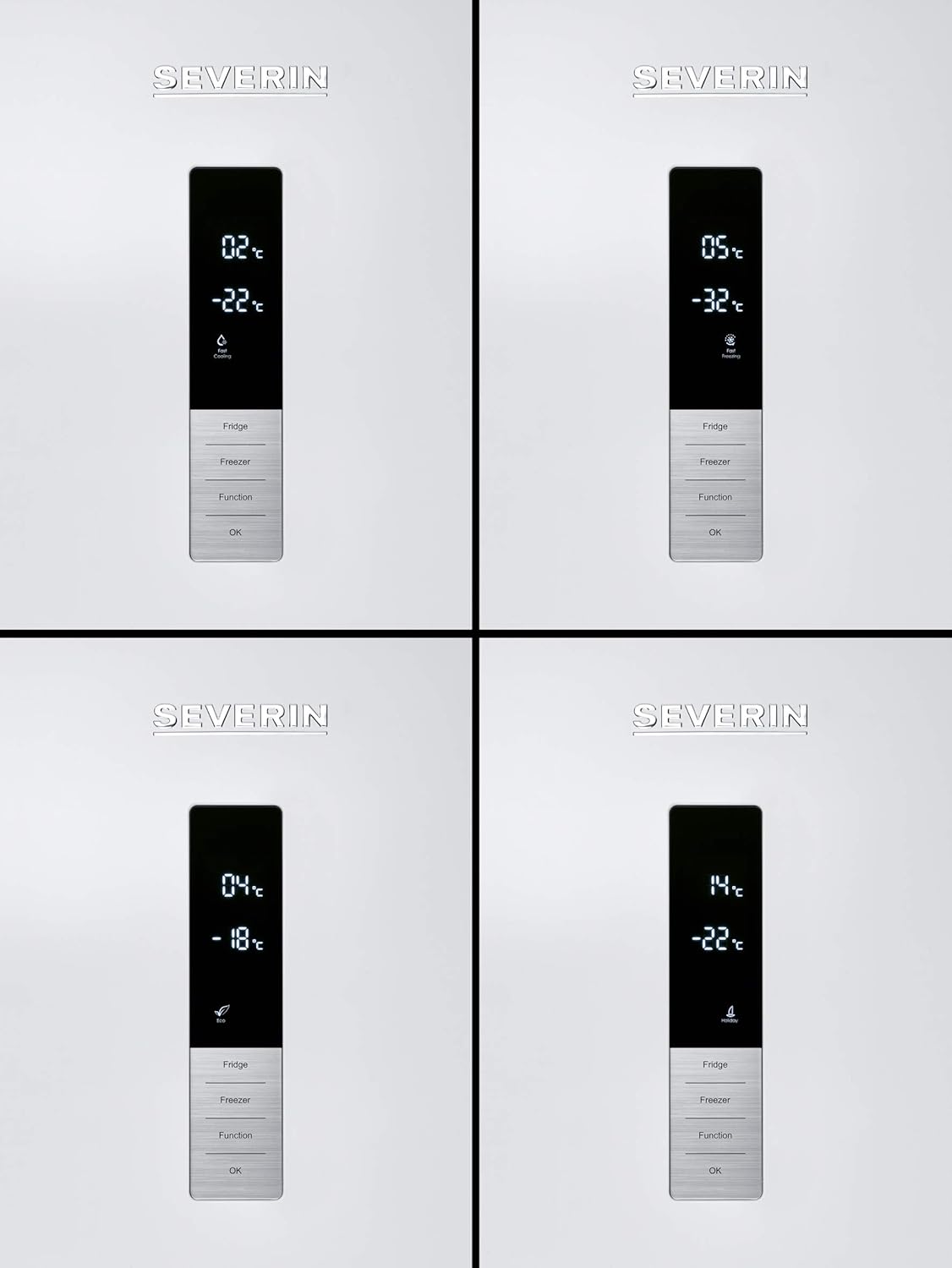
Image: Digital control panel displaying temperature settings for the refrigerator and freezer, along with function buttons.
4.2 Refrigerator Compartment
The upper section is the refrigerator compartment, designed for storing fresh foods. It features adjustable shelves, door bins, and specialized drawers.
- AL NO FROST: This refrigerator compartment features No Frost technology, preventing ice build-up and eliminating the need for manual defrosting.
- ZEROBOX: A dedicated drawer for storing meat and fish at a lower temperature, helping to preserve freshness longer.
- VEGGIBOX: A humidity-controlled drawer designed to keep fruits and vegetables fresh.
- LED Lighting: The interior is illuminated by energy-efficient LED lights for clear visibility.

Image: Detailed view of the ZeroBox and VeggiBox drawers, designed for optimal storage of specific food types.

Image: The VeggiBox drawer, shown with various fresh vegetables, highlighting its capacity and design.
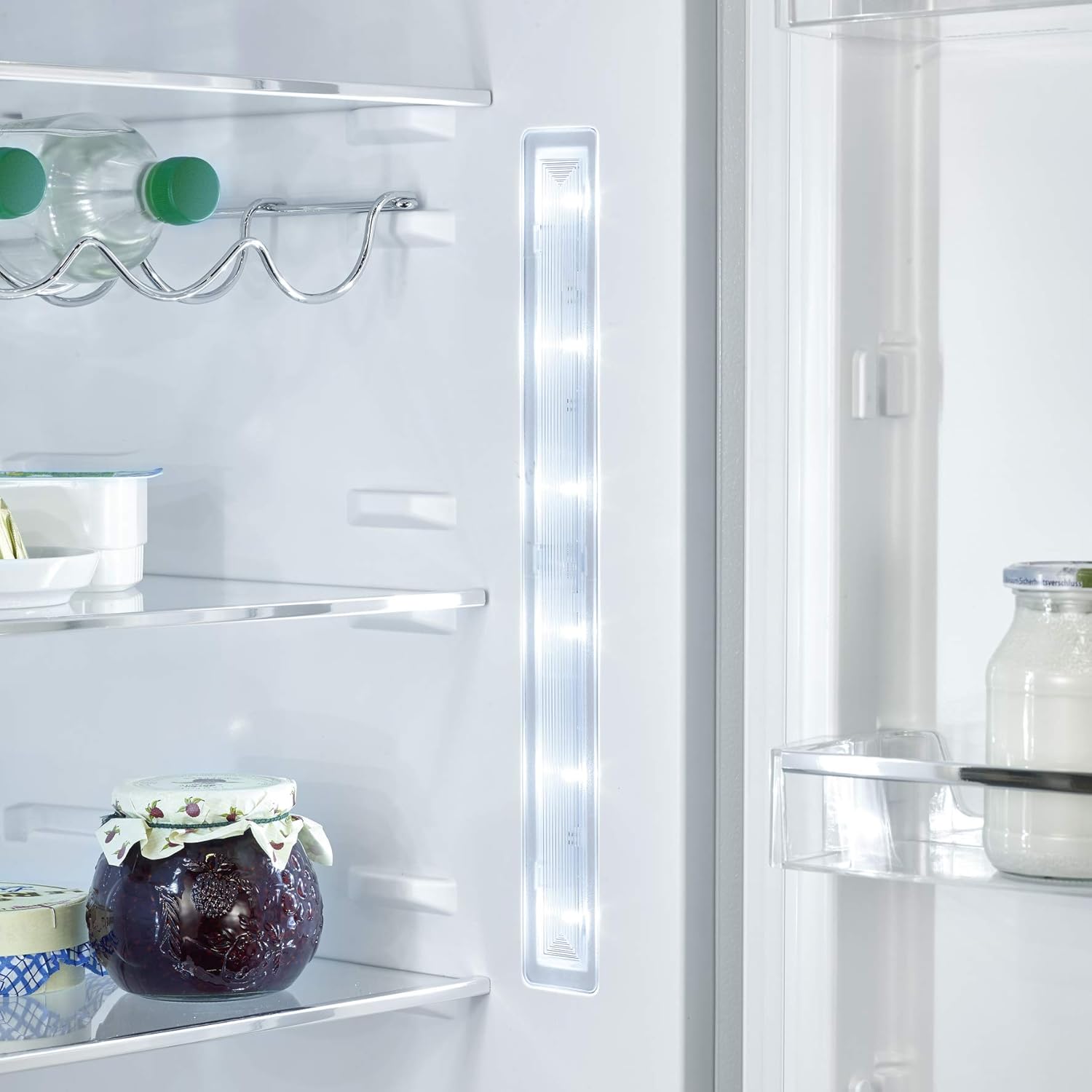
Image: Interior LED lighting and a chrome bottle rack for horizontal storage of bottles.
4.3 Freezer Compartment
The lower section is the freezer compartment, suitable for long-term storage of frozen foods. It typically consists of multiple drawers for organized storage.
- Ensure food is properly packaged before freezing to prevent freezer burn.
- Do not place hot food directly into the freezer.
- Avoid opening the freezer door unnecessarily to maintain stable temperatures.
5. Maintenance
5.1 Cleaning the Interior
Regularly clean the interior of your appliance to prevent odors and maintain hygiene. Unplug the appliance before cleaning.
- Use a soft cloth and a mild, non-abrasive detergent with warm water.
- Avoid harsh chemicals, abrasive cleaners, or scouring pads.
- Remove shelves and drawers for thorough cleaning.
- Dry all parts completely before returning them to the appliance.
5.2 Cleaning the Exterior
Wipe the exterior surfaces with a soft, damp cloth. For stubborn stains, use a mild detergent. Keep the door seals clean to ensure a tight seal.
5.3 Defrosting
The refrigerator compartment features No Frost technology, eliminating the need for manual defrosting. The freezer compartment may require occasional manual defrosting if ice builds up significantly, though modern systems often minimize this. If manual defrosting is needed, remove all food, unplug the appliance, and allow ice to melt naturally. Do not use sharp objects to remove ice.
5.4 Power Outages
In case of a power outage, keep the doors closed to maintain the internal temperature for as long as possible. Avoid opening the doors unnecessarily.
6. Troubleshooting
Before contacting customer service, please refer to the following common issues and solutions:
| Problem | Possible Cause | Solution |
|---|---|---|
| Appliance does not operate | No power supply; plug not inserted correctly; fuse blown. | Check power connection; ensure plug is secure; check household fuse/circuit breaker. |
| Temperature is not cold enough | Door not closed properly; frequent door opening; warm food placed inside; temperature setting too high; poor ventilation. | Ensure door is sealed; reduce door openings; allow hot food to cool; adjust temperature setting; ensure adequate clearance around appliance. |
| Unusual noises | Appliance not level; objects touching the back wall; normal operating sounds (e.g., refrigerant flow). | Adjust leveling feet; move objects away from walls; normal sounds are not a fault. |
| Water on the floor | Drain hole blocked; drip tray overflowing. | Clear the drain hole; ensure drip tray is correctly positioned and not full. |
7. Specifications
| Feature | Specification |
|---|---|
| Brand | SEVERIN |
| Model Number | 8941-000 |
| Product Dimensions (W x D x H) | 59.5 x 64.2 x 185.5 cm |
| Weight | 63 kg |
| Capacity | 317 Liters (Total) |
| Configuration | Bottom Freezer |
| Color | White |
| Installation Type | Freestanding |
| Adjustable Temperature Control | Yes |
| Electrical Connection | Is electric: Yes. Plug: No plug (requires professional installation). |
| Compliance | CE |
8. Warranty and Customer Support
For warranty information and customer support, please refer to the warranty card included with your appliance or contact your retailer or the official Severin customer service in your region. Keep your proof of purchase for warranty claims.
You can find more information and contact details on the official Severin website: www.severin.com


