
1. Introduction
This manual provides essential information for the safe and efficient operation of your SUPER GENERAL SGLED-32-A2 32-Inch LED Standard TV. Please read this manual thoroughly before using the television and retain it for future reference.
2. Safety Information
Always follow basic safety precautions when using this television to reduce the risk of fire, electric shock, and injury to persons. Keep the TV away from water and moisture. Do not block ventilation openings. Use only attachments/accessories specified by the manufacturer. Unplug the TV during lightning storms or when unused for long periods.
3. What's in the Box
Carefully unpack the box and ensure all items are present and undamaged. If any items are missing or damaged, contact your retailer.
- SUPER GENERAL SGLED-32-A2 32-Inch LED Standard TV
- Remote Control
- Batteries for Remote Control
- TV Stand components
- User Manual (this document)
4. Setup
4.1 Attaching the Stand
Place the TV screen face down on a soft, clean surface to prevent scratches. Align the stand components with the mounting holes on the bottom of the TV. Secure the stand using the provided screws. Ensure the stand is firmly attached before placing the TV upright.
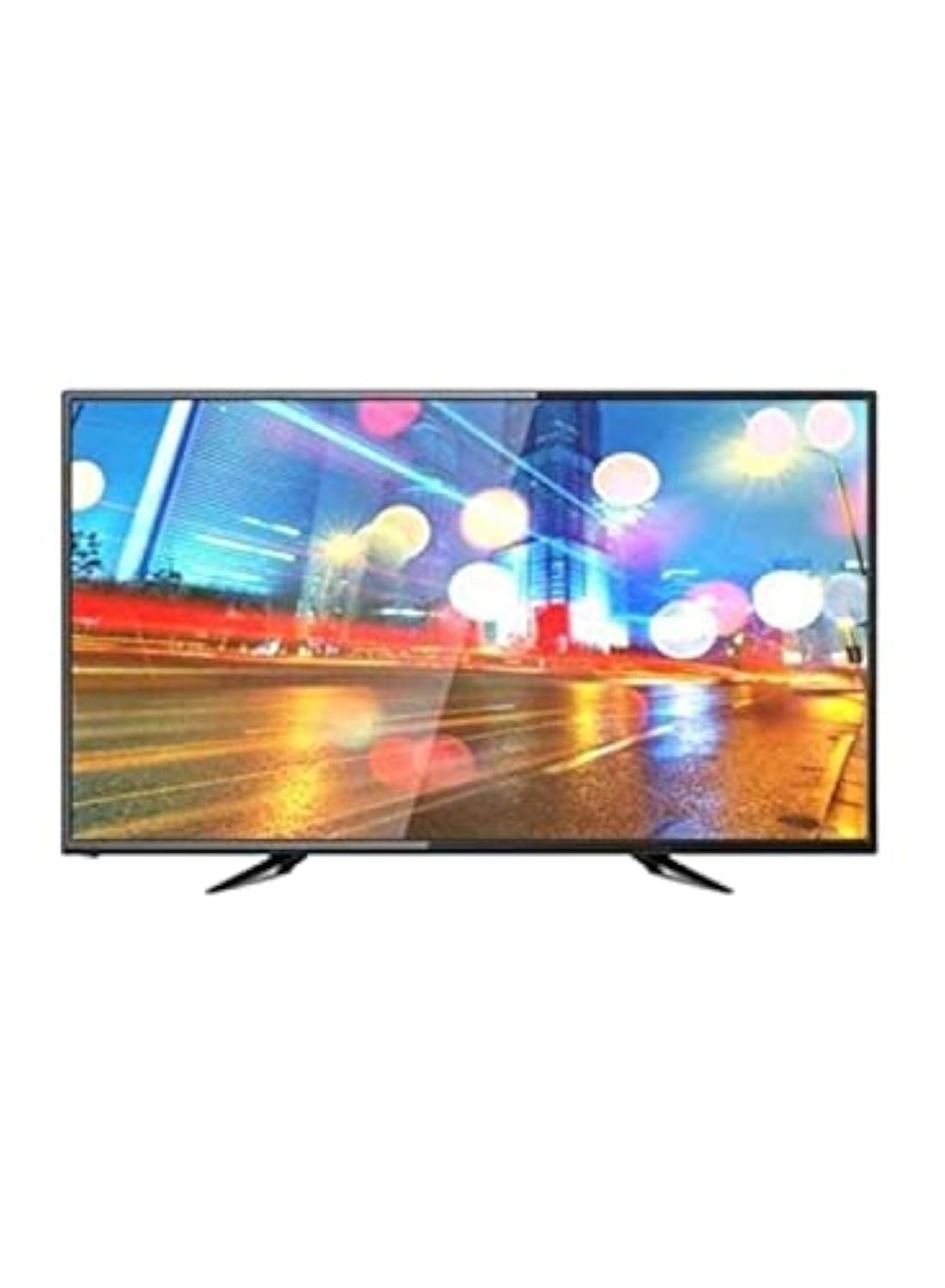
Image 1: Front view of the SUPER GENERAL SGLED-32-A2 TV, showing its display and key features like HD TV, 1 HDMI, 1 USB, Contrast Ratio 1000:1, Brightness 220 (cd/m2)(typ.), Music MP3, and Picture JPEG/BMP/PNG support. The screen size is 32 inches with a resolution of 1366x768 (HD).
4.2 Connecting Power
Plug the power cord into the TV's power input, then plug the other end into a suitable wall outlet. Ensure the power outlet is easily accessible.
4.3 Connecting External Devices
Your TV is equipped with various ports for connecting external devices.
- HDMI: Connect Blu-ray players, gaming consoles, or set-top boxes to the HDMI port. This TV features 1 HDMI port.
- USB: Connect USB storage devices (flash drives, external hard drives) to the USB port for media playback. This TV features 1 USB port.
- Antenna/Cable: Connect an antenna or cable TV source to the RF input for broadcast channels.
5. Operating the TV
5.1 Remote Control Overview
Insert the provided batteries into the remote control. The remote allows you to control all TV functions from a distance.
- Power Button: Turns the TV on or off.
- Volume Up/Down: Adjusts the sound level.
- Channel Up/Down: Changes TV channels.
- Input/Source: Selects the input source (HDMI, USB, TV).
- Navigation Buttons: Used to navigate menus and select options.
- Netflix Button: Direct access to the Netflix application (if configured).
5.2 Basic Functions
Power On/Off: Press the Power button on the remote or the TV's control panel.
Input Selection: Press the "Input" or "Source" button on the remote to cycle through available input sources (TV, HDMI1, USB).
Volume Adjustment: Use the Volume Up/Down buttons.
Channel Selection: Use the Channel Up/Down buttons or enter channel numbers directly.
5.3 Media Playback via USB
Insert a USB storage device into the TV's USB port. The TV supports playback of Music (MP3) and Picture (JPEG/BMP/PNG) files. Navigate to the USB input source using the "Input" button and select the desired media file for playback.
5.4 Internet Applications (Netflix)
This TV supports the Netflix application. Ensure your TV is connected to a Wi-Fi network. Use the dedicated Netflix button on your remote or navigate through the TV's smart features menu to access Netflix. An active Netflix subscription is required.
6. Maintenance
6.1 Cleaning the TV
Before cleaning, unplug the TV from the power outlet. Use a soft, dry cloth to wipe the screen and TV body. For stubborn marks, lightly dampen the cloth with water or a mild, non-abrasive screen cleaner. Never spray cleaner directly onto the screen or TV.
6.2 Storage
If storing the TV for an extended period, unplug it and cover it to protect it from dust. Store in a cool, dry place away from direct sunlight and extreme temperatures.
7. Troubleshooting
Refer to the following table for common issues and their solutions.
| Problem | Possible Cause | Solution |
|---|---|---|
| No power | Power cord not connected; power outlet not working. | Ensure power cord is securely plugged in. Test the outlet with another device. |
| No picture, but sound is present | Incorrect input source selected; backlight issue. | Press the "Input" button to select the correct source. Contact support if the issue persists. |
| No sound, but picture is present | Volume muted or too low; external audio device issue. | Increase volume. Check if mute is active. Ensure external audio devices are connected correctly. |
| Remote control not working | Batteries are dead or incorrectly inserted; obstruction between remote and TV. | Replace batteries. Ensure correct polarity. Remove any obstructions. Point remote directly at the TV's IR sensor. |
8. Specifications
Detailed technical specifications for the SUPER GENERAL SGLED-32-A2 TV.
- Model Number: SGLED32A2
- Screen Size: 32 Inches
- Display Type: LED
- Resolution: 720p (1366x768 HD)
- Aspect Ratio: 16:9
- HDTV: Yes
- Contrast Ratio: 1000:1
- Brightness: 220 cd/m² (typical)
- HDMI Ports: 1
- USB Ports: 1
- Wireless Technology: Wi-Fi
- Supported Internet Services: Netflix
- Audio Output Mode: Surround
- Control Method: Remote Control
- Supported Media (USB): Music MP3, Picture JPEG/BMP/PNG
- Mounting Type: Table Mount
- Color: Black
- Item Weight: Approximately 11.9 Pounds
9. Warranty and Support
For warranty information, please refer to the warranty card included with your product or contact your retailer. For technical support or service inquiries, please contact SUPER GENERAL customer service. Keep your purchase receipt as proof of purchase.
Customer Service Contact: Refer to your product packaging or the SUPER GENERAL official website for the most current contact information.

