1. Introduction
This manual provides comprehensive instructions for the installation, operation, and maintenance of your Bosch EasyControl CT200 Smart Thermostat System. This system is designed for intelligent and efficient control of gas heating systems, offering convenient management via a touchscreen interface and the Bosch EasyControl mobile application.
The system includes the CT200 controller and three wireless radiator thermostats, enabling individual temperature and heating program settings for each room. Please read this manual carefully before installation and use to ensure safe and optimal performance.
2. Safety Information
Always adhere to the following safety guidelines to prevent injury or damage to the device:
- Electrical Safety: Installation and electrical connections must be performed by a qualified electrician in accordance with local regulations. Disconnect power before any installation or maintenance work.
- Product Use: Use the device only for its intended purpose as a heating control system. Do not modify the device.
- Environmental Conditions: Do not expose the device to extreme temperatures, humidity, or direct water. Ensure proper ventilation.
- Children and Pets: Keep the device out of reach of children and pets to prevent accidental damage or misuse.
- Battery Handling: When replacing batteries in the radiator thermostats, use only the specified type (LR6/AA) and dispose of old batteries responsibly.
3. Package Contents
Verify that all components are present in the package:
- 1x Bosch EasyControl CT200 Controller (Black or White)
- 3x Bosch EasyControl Smart Wireless Radiator Thermostats
- Adapters for various radiator valves (M30 x 1.5 mm connection)
- Installation materials (screws, wall plugs)
- User Manual (this document)
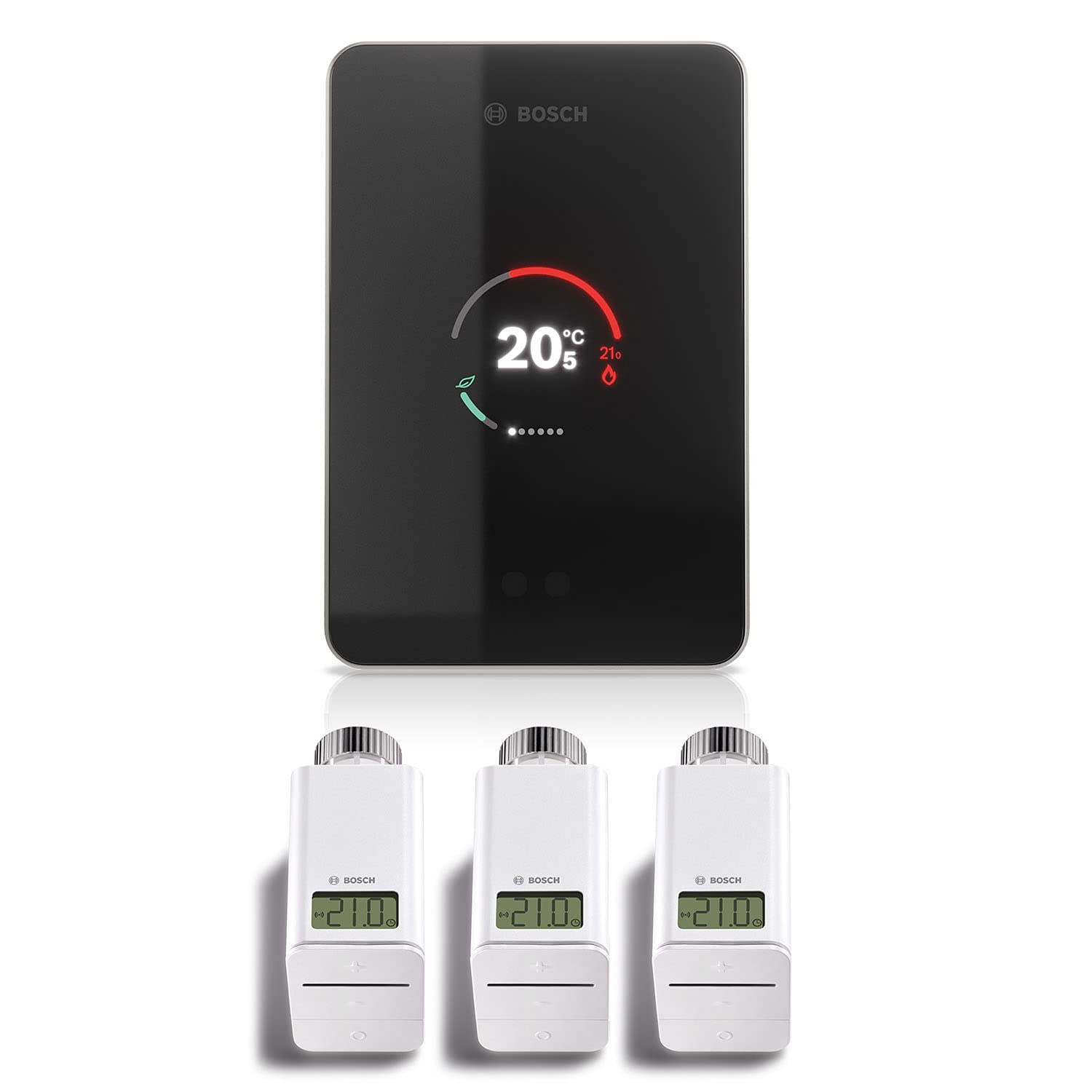
Image 3.1: Complete Bosch EasyControl CT200 system package contents, showing the main controller and three radiator thermostats.
4. Setup and Installation
4.1. Bosch EasyControl CT200 Controller Installation
- Choose Location: Select a central location in your home, away from direct sunlight or drafts, for accurate temperature readings. The controller is designed for wall mounting.
- Power Connection: Connect the CT200 controller to your heating system's bus connection. Ensure power is off before making any electrical connections.
- Mounting: Securely mount the controller to the wall using the provided screws and wall plugs.
- Power On: Restore power to your heating system. The CT200 will power on.

Image 4.1: A user interacting with the Bosch EasyControl CT200 controller, demonstrating its wall-mounted placement.
4.2. Wireless Radiator Thermostat Installation
- Remove Old Thermostat: Turn your radiator valve to the maximum setting. Unscrew and remove your existing radiator thermostat head.
- Install Adapter (if needed): If the Bosch thermostat does not fit directly, use one of the provided adapters.
- Attach New Thermostat: Screw the Bosch Smart Home Radiator Thermostat onto the valve. Ensure it is securely fastened.
- Insert Batteries: Open the battery compartment and insert 2 x LR6/AA batteries (not included).

Image 4.2: A Bosch Smart Home Radiator Thermostat securely installed on a radiator valve.
4.3. App Installation and Initial Setup
- Download App: Download the "Bosch EasyControl" app from the iOS App Store or Google Play Store.
- Connect to WLAN: Follow the on-screen instructions in the EasyControl app to connect your CT200 controller to your home WLAN network. This process is guided by an installation assistant within the app.
- Pair Thermostats: Use the app to pair the wireless radiator thermostats with your CT200 controller. The app will guide you through assigning each thermostat to a specific room.
- Configure Settings: Complete the initial configuration, including setting up heating schedules and desired temperatures for different rooms.

Image 4.3: The Bosch EasyControl CT200 controller shown alongside a smartphone running the EasyControl app, illustrating remote control capabilities.
5. Operating Instructions
5.1. Using the CT200 Touchscreen
The CT200 controller features a touchscreen for direct access to main functions. You can adjust the target temperature, view current status, and access basic settings directly from the device.
5.2. Using the EasyControl App
The Bosch EasyControl app provides full control and advanced settings for your heating system:
- Temperature Control: Adjust the temperature for individual rooms or the entire home.
- Heating Programs: Create and manage customized heating schedules for different times of the day and week.
- Presence Detection (Geofencing): Utilize the intelligent presence detection via GPS. The system can automatically adjust heating based on whether residents are home, saving energy. This feature can be enabled or disabled in the app.
- Eco-Bar: Monitor your energy consumption for hot water and heating through the "Eco-Bar" efficiency display in the app.
- Data Control: You have full control over your data. All smart functions, including presence detection, can be switched on or off at any time via the app.

Image 5.1: A user demonstrating the convenience of wireless control with the Bosch EasyControl system, highlighting its smart features.
5.3. Smart Home Integration
The Bosch EasyControl system is compatible with:
- Amazon Echo: Control your heating system using voice commands.
- IFTTT: Integrate with other smart home devices and services for advanced automation (available from early 2018).
- Bosch Smart Home: Radiator thermostats can automatically connect with window contacts in the same room for optimized heating. Child lock functionality is also available.
6. Maintenance
6.1. Cleaning
Wipe the CT200 controller and radiator thermostats with a soft, dry cloth. Do not use abrasive cleaners or solvents. Ensure no liquid enters the devices.
6.2. Radiator Thermostat Battery Replacement
The radiator thermostats are powered by 2 x LR6/AA batteries, with an approximate battery life of 2 years. The app will notify you when batteries are low. To replace:
- Gently open the battery compartment cover on the thermostat.
- Remove the old batteries.
- Insert new LR6/AA batteries, ensuring correct polarity.
- Close the battery compartment cover.
7. Troubleshooting
| Problem | Possible Cause | Solution |
|---|---|---|
| CT200 not connecting to WLAN. | Incorrect Wi-Fi password, weak signal, router issues. | Double-check password. Move CT200 closer to router. Restart router. Use the in-app installation assistant for guidance. |
| Radiator thermostat not responding. | Low batteries, not paired, out of range. | Replace batteries. Re-pair thermostat via the app. Ensure thermostat is within range of the CT200 controller. |
| Inaccurate temperature readings. | CT200 placed near heat sources/drafts, or direct sunlight. | Relocate the CT200 controller to a more suitable, central location. |
| App not displaying correct information. | App requires update, connectivity issue, server issue. | Ensure app is updated. Check internet connection. Restart app. |
8. Specifications
| Feature | Detail |
|---|---|
| Manufacturer | Bosch Thermotechnik GmbH Junkers Deutschland |
| Part Number | EasyControl SET CT 200 nero |
| Item Weight | 800 g |
| Product Dimensions | 15.3 x 10.3 x 2.4 cm; 800 Grams |
| Model Number | EasyControl SET CT 200 nero |
| Color | White |
| Style | WLAN |
| Material | Glass |
| Shape | Rectangular |
| Power Source | Battery Powered (for thermostats) |
| Voltage | 3 Volts (DC) |
| Package Quantity | 1 |
| Display Type | LCD |
| Mounting Type | Wall Mount |
| Special Features | Geofence Technology |
| Specific Uses For Product | Heating |
| Included Components | 3x Bosch EasyControl Smart Wireless Thermostats |
| Batteries Included | No |
| Batteries Required | Yes |
| Controller Type | iOS (and Android) |
| First Available Date | December 17, 2018 |
9. Warranty Information
Bosch products are manufactured to the highest quality standards. For specific warranty terms and conditions applicable to your region, please refer to the warranty card included with your product or visit the official Bosch website. Keep your proof of purchase for warranty claims.
10. Customer Support
For technical assistance, troubleshooting beyond this manual, or service inquiries, please contact Bosch customer support. You may also find useful resources and updates on the Bosch HomeCom Pro Portal (available from early 2018) for optimal service and support.
Visit the official Bosch website for contact details and further information: www.bosch-thermotechnology.com


