1. Introduction
The Phonak Baseo Q10-Sp is a comprehensive entry-level Behind-The-Ear (BTE) hearing aid designed for individuals with mild to profound hearing losses. This device is part of the Baseo Q series, powered by the innovative Quest platform technology, which aims to provide natural sound perception and high first-fit acceptance.
Key features include a 3-channel digital processing system and a fixed directional microphone, which enhances speech understanding in noisy environments by reducing background disturbances. The Baseo Q10-Sp is a computerized programmable digital hearing aid, requiring professional fitting for optimal performance.
2. Product Components
Your Phonak Baseo Q10-Sp hearing aid package typically includes the following components:
- Hearing Aid Unit: The main device housing the electronics.
- Ear Hook: Connects the hearing aid to the ear mold/tube.
- Ear Mold/Tube: Custom-fitted or standard tube that directs sound into the ear canal.
- Battery Compartment: For inserting the hearing aid battery.
- Control Button: For volume adjustment and program selection.
- Storage Case: For safe keeping of the hearing aid.
- Silica Gel Packet: To absorb moisture and keep the hearing aid dry.

Figure 2.1: Phonak Baseo Q10-Sp BTE Hearing Aid. This image shows the main hearing aid unit, typically worn behind the ear, with its ear hook and control button visible.
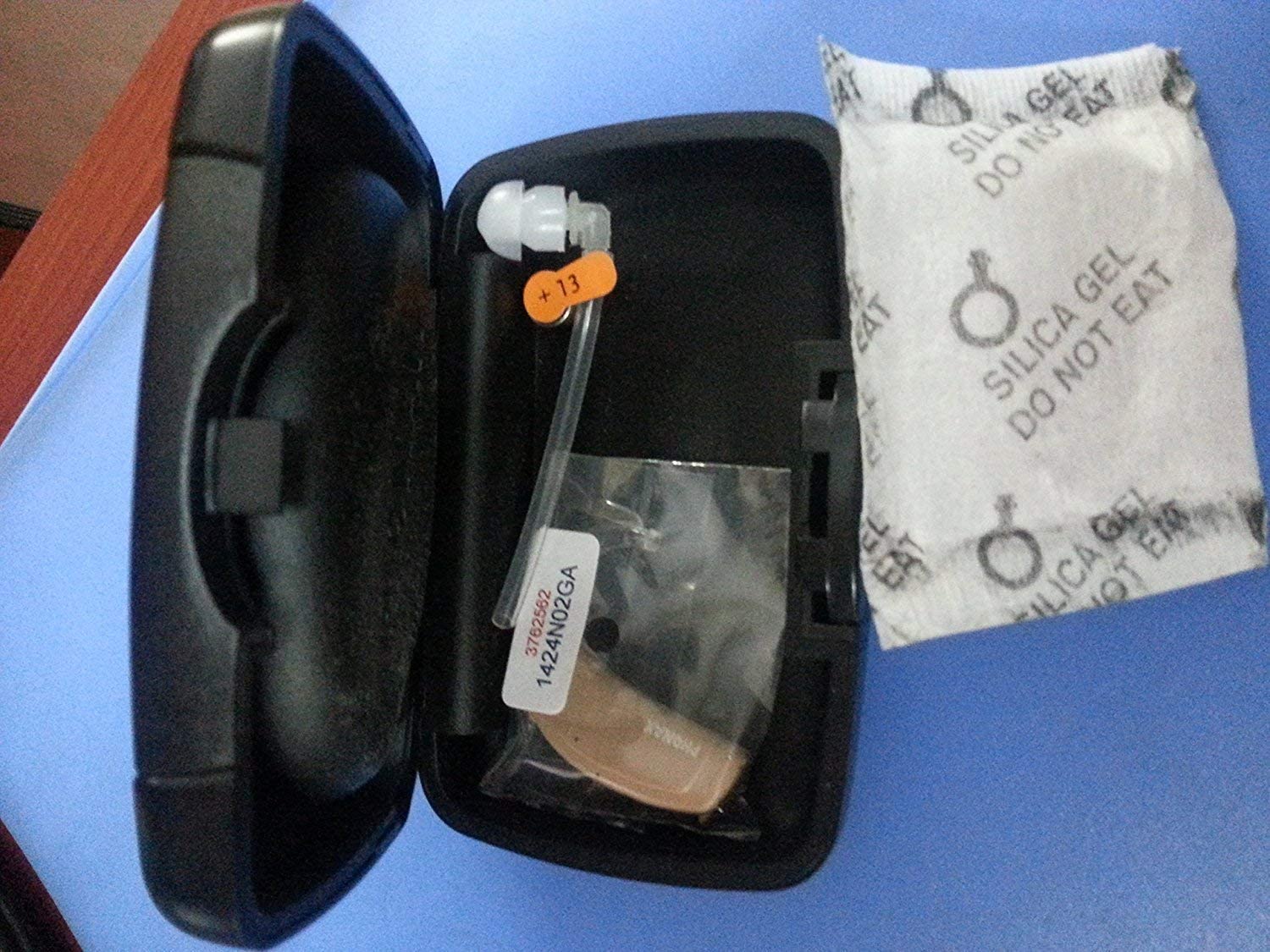
Figure 2.2: Phonak Baseo Q10-Sp Hearing Aid and accessories in its storage case. The image displays the hearing aid unit, a tube, and a silica gel packet within the protective case, highlighting the importance of proper storage and moisture control.
3. Setup and First Use
Proper setup of your Phonak Baseo Q10-Sp hearing aid is crucial for optimal performance. It is highly recommended that the initial fitting and programming be performed by a qualified audiologist.
3.1. Battery Insertion
- Gently open the battery compartment door located at the bottom of the hearing aid.
- Insert a new Size 13 hearing aid battery with the positive (+) side facing the correct orientation as indicated inside the compartment.
- Close the battery compartment door firmly until it clicks into place. The hearing aid will typically power on automatically.
3.2. Professional Fitting
The Baseo Q10-Sp is a digital programmable hearing aid. It requires professional programming by an audiologist to match your specific hearing loss profile. Attempting to use the device without proper programming may result in unsatisfactory sound quality or discomfort.
Your audiologist will:
- Perform a comprehensive hearing assessment.
- Program the hearing aid using specialized software (Target fitting software).
- Fit the ear mold or dome comfortably in your ear.
- Provide instructions on daily use and care.
4. Operating Instructions
4.1. Turning On/Off
- To Turn On: Close the battery compartment door completely. The hearing aid will power on.
- To Turn Off: Open the battery compartment door slightly until the hearing aid powers down. For extended storage, remove the battery completely.
4.2. Volume Control
The Baseo Q10-Sp features a button control for volume adjustment. Your audiologist will configure how this button operates during your fitting session.
- Typically, a short press on the button will adjust the volume up or down.
- Consult your audiologist for specific instructions on your device's volume control settings.
4.3. Program Selection
Your hearing aid may be programmed with multiple listening programs for different environments (e.g., quiet, noisy, music). The control button can also be used to switch between these programs.
- A longer press or a specific sequence of presses on the control button might cycle through available programs.
- Your audiologist will explain the specific functions of your programmed settings.
4.4. Fixed Directional Microphone
The fixed directional microphone system is designed to improve speech understanding in noisy environments. It automatically or manually focuses on sounds coming from the front while reducing noise from the back and sides. This feature can be activated as programmed by your audiologist when better understanding in noise is required.
5. Maintenance and Care
Regular maintenance is essential to ensure the longevity and optimal performance of your Phonak Baseo Q10-Sp hearing aid.
5.1. Daily Cleaning
- Wipe the hearing aid unit and ear mold/tube with a soft, dry cloth to remove earwax and debris.
- Use a small brush or wax pick (often provided with hearing aids) to clear any wax from the sound outlet of the ear mold/dome.
- Never use water, solvents, or cleaning fluids directly on the hearing aid.
5.2. Battery Replacement
Replace the battery (Size 13) when you notice a decrease in sound quality or when the hearing aid stops functioning. Battery life varies depending on usage and environmental conditions.
5.3. Storage
When not in use, store your hearing aid in its protective case, preferably with a fresh silica gel packet. This helps to absorb moisture and prevent damage.
- Always turn off the hearing aid by opening the battery door before storing.
- Keep the hearing aid away from extreme temperatures, humidity, and direct sunlight.
- Store out of reach of children and pets.
5.4. General Precautions
- Avoid dropping the hearing aid.
- Do not expose the hearing aid to water or excessive moisture. Remove it before showering, swimming, or using hairspray/perfume.
- Do not attempt to repair the hearing aid yourself. Contact a qualified professional for service.
6. Troubleshooting
If your Phonak Baseo Q10-Sp hearing aid is not functioning as expected, try the following common troubleshooting steps. If the issue persists, contact your audiologist or a qualified service center.
| Problem | Possible Cause | Solution |
|---|---|---|
| No Sound |
|
|
| Weak or Distorted Sound |
|
|
| Whistling (Feedback) |
|
|
Important Note: The Phonak Baseo Q10-Sp is a sophisticated digital device. Many issues, especially those related to sound quality or programming, require the expertise of a trained audiologist. Do not attempt to open or repair the device yourself, as this may void the warranty and cause further damage.
7. Technical Specifications
| Feature | Detail |
|---|---|
| Model Name | Baseo Q10-Sp |
| Brand | Phonak |
| Fit Type | Behind-the-Ear (BTE) |
| Control Type | Button Control |
| Number of Channels | 3 (for Baseo Q10) |
| Battery Size | 13 |
| Fitting Range | 20-120 dB |
| Gain | 73 dB |
| Material | Plastic |
| Item Weight | 200 g |
| Package Dimensions | 10.01 x 10.01 x 10.01 cm |
| ASIN | B07LG2DQXL |
| Date First Available | 18 December 2018 |
8. Warranty and Support
8.1. Warranty Information
Specific warranty terms and conditions for your Phonak Baseo Q10-Sp hearing aid are typically provided at the time of purchase by your authorized Phonak dealer or audiologist. It is crucial to retain your proof of purchase for any warranty claims.
Please note that warranties may not cover damage due to improper handling, unauthorized repairs, or use of non-approved accessories. Purchasing hearing aids online may affect warranty coverage, as highlighted in some user reviews. Always verify warranty details with your seller or an authorized Phonak service provider.
8.2. Customer Support
For any questions regarding the operation, maintenance, or performance of your Phonak Baseo Q10-Sp hearing aid, please contact your audiologist or the authorized Phonak service center where you purchased the device.
Professional assistance is recommended for:
- Initial fitting and programming.
- Adjustments to your hearing aid settings.
- Repairs or advanced troubleshooting.
- Obtaining genuine replacement parts or accessories.
You can also visit the official Phonak website for general product information and to locate authorized dealers or service centers in your region.


