
Introduction
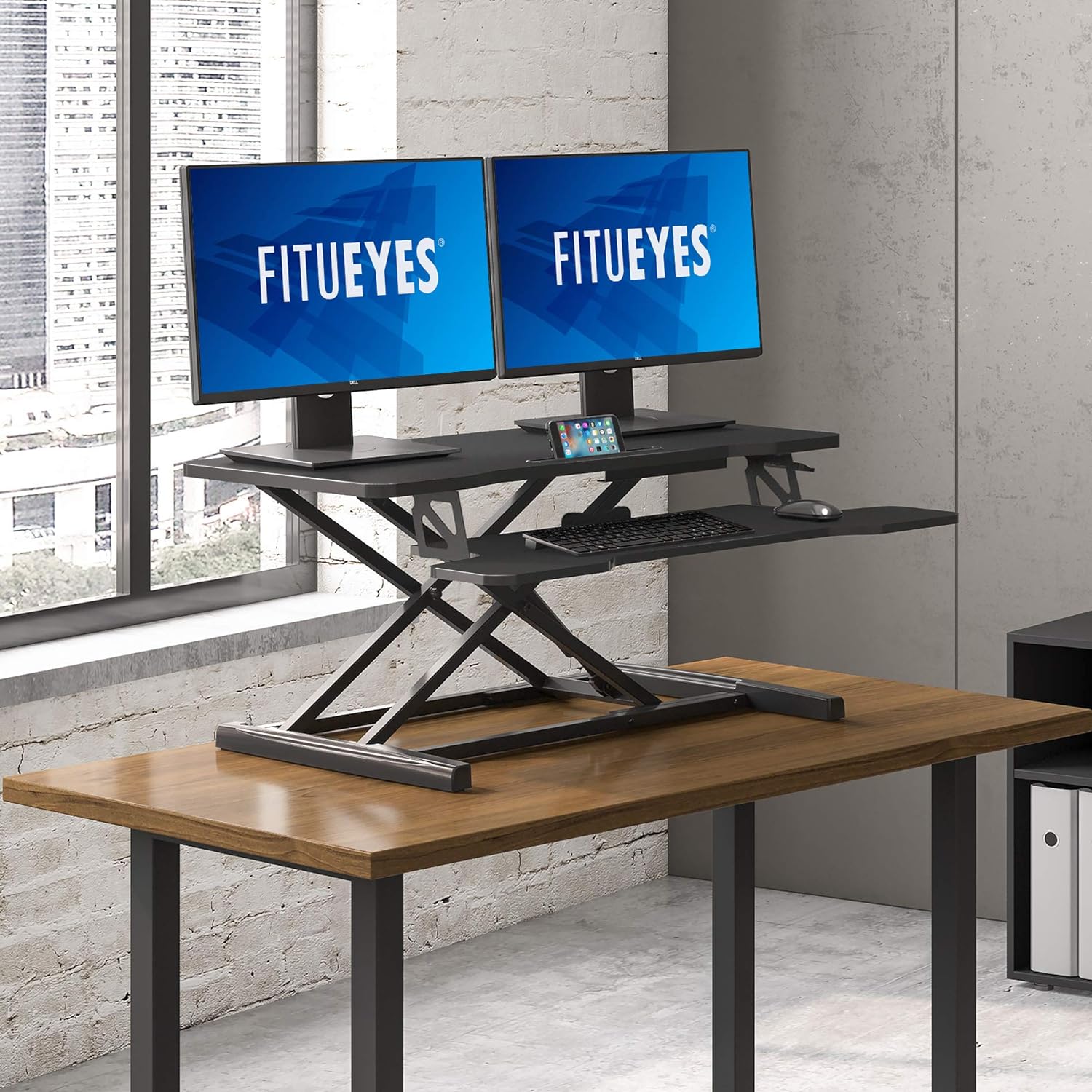
This manual provides instructions for the assembly, operation, and maintenance of your FITUEYES SD309101WB Height Adjustable Standing Desk Converter. This 36-inch wide sit-to-stand workstation is designed to provide a versatile and ergonomic workspace for laptops and dual monitor setups. It allows for easy transitions between sitting and standing positions throughout your workday.
Package Contents
Before beginning assembly, please ensure all parts are present and undamaged. The package should contain:
- Main Desk Converter Unit
- Keyboard Tray
- Assembly Hardware (screws, hex wrench)
- Non-slip feet / Protect sponge pads
Setup Instructions
Follow these steps to assemble your standing desk converter:
- Carefully remove all components from the packaging.
- Place the main desk converter unit upside down on a soft, clean surface to prevent scratches.
- Attach the keyboard tray to the designated slots on the main unit using the provided screws and hex wrench. Ensure it is securely fastened.
- Apply the non-slip feet or protect sponge pads to the bottom of the desk converter's base. These pads help prevent damage to your existing desk surface.
- Carefully flip the assembled unit upright and place it on your desired desk surface.


Operating Instructions
The FITUEYES standing desk converter features a dual gas spring system for smooth and effortless height adjustments.
Adjusting Height
- To raise the desk: Gently squeeze the handles located on the sides of the top surface. The gas spring mechanism will assist in lifting the desk. Guide it to your desired standing height.
- To lower the desk: Gently squeeze the handles and apply downward pressure. The gas spring will allow for a controlled descent. Guide it to your desired sitting height.
- Release the handles at any point to lock the desk into position. The innovative simple touch height locking mechanism ensures stability at your chosen height.
The adjustment range is from 4.3 inches (lowest sitting position) to 19.8 inches (highest standing position).


Maintenance
To ensure the longevity and proper function of your FITUEYES standing desk converter, follow these maintenance guidelines:
- Cleaning: Wipe surfaces with a soft, damp cloth. Avoid abrasive cleaners or harsh chemicals that could damage the finish.
- Inspection: Periodically check all screws and connections to ensure they remain tight. Retighten if necessary.
- Gas Spring: The gas spring mechanism is designed for maintenance-free operation. Do not attempt to disassemble or lubricate it.
- Weight Capacity: Do not exceed the maximum load capacity of 33 lbs (15 kg) to prevent damage and ensure safe operation.
Troubleshooting
If you encounter any issues with your standing desk converter, refer to the following common solutions:
- Desk is difficult to raise or lower: Ensure that the handles are fully squeezed when attempting to adjust the height. Check that the weight on the desk does not exceed the maximum load capacity.
- Desk feels wobbly: Verify that all assembly screws are securely tightened. Ensure the desk converter is placed on a stable, flat surface.
- Missing parts or damaged components: Contact FITUEYES customer support immediately for assistance.
Specifications
| Feature | Specification |
|---|---|
| Brand | FITUEYES |
| Model Number | SD309101WB |
| Color | Black |
| Material | Metal |
| Item Dimensions (L x W x H) | 15.7 x 36 x 19.8 inches |
| Item Weight | 13.43 Kilograms (approx. 29.6 lbs) |
| Load Capacity | 33 Pounds (15 kg) |
| Adjustment Range | 4.3 inches to 19.8 inches |
| Special Features | Adjustable, Gas Spring Lift |
| Finish Type | Powder Coated |
| Required Assembly | No (Minimal assembly of keyboard tray) |
Warranty & Support
For warranty information or technical support, please contact FITUEYES customer service. Refer to the product packaging or the official FITUEYES website for the most current contact details and warranty terms.
Website: FITUEYES Store on Amazon
