
1. Introduction
Thank you for choosing the ThruNite TN50 Powerful Rechargeable LED Flashlight. This manual provides essential information for the safe and effective use, setup, operation, and maintenance of your device. Please read this manual thoroughly before use and retain it for future reference.
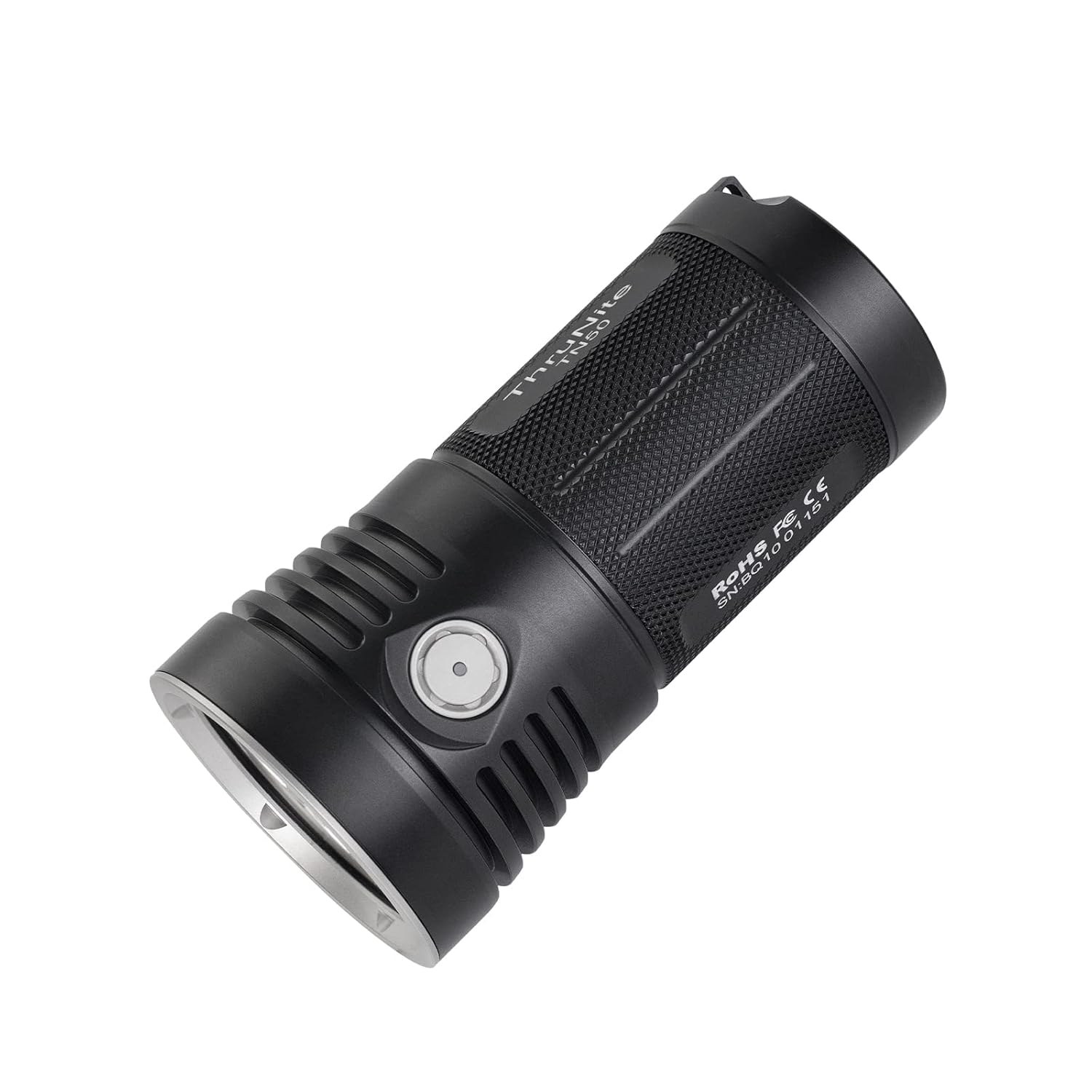
Figure 1: ThruNite TN50 Powerful Rechargeable LED Flashlight. This image shows the overall design of the flashlight, highlighting its robust construction and side switch.
2. Product Overview
2.1 Key Features
- Extremely Bright Output: Equipped with CREE XHP70.2 LED bulbs, delivering up to 16340 ANSI lumens and a beam distance of up to 410 meters.
- Fast Charging and Long Lasting: Features a 5.5mm charging port for 3A fast charging. The built-in non-removable battery pack allows for extended use, up to 62.5 days in Firefly mode on a single charge.
- Versatile Modes: Offers multiple lighting modes including Firefly, Low, Medium, High, Turbo, Turbo S, and Strobe, suitable for various applications.
- Intelligent Power Level Indicator: The indicator on the side switch flashes red when the battery voltage drops below 11.1V, signaling the need for recharging.
2.2 Included Components
The following items are included with your ThruNite TN50 flashlight:
- ThruNite TN50 Flashlight (with built-in battery pack)
- Holster
- Spare O-rings (x2)
- Anti-dust plug
- Power Adapter

Figure 2: Contents of the ThruNite TN50 package. This image displays the flashlight, holster, power adapter, and other accessories included.
3. Specifications
| Feature | Detail |
|---|---|
| LED | CREE XHP70.2 x 4 |
| Battery | 4 x 21700 (Built-in Battery Pack) |
| Reflector | Orange Peel Reflector |
| Working Voltage | 10.8-16.8V |
| Peak Beam Intensity | 42000 cd (max.) |
| Max Beam Distance | 410 meters |
| Impact Resistant | 1 meter |
| Waterproof Rating | IPX-8 Standard (2 meters) |
| Weight | 650g |
| Dimensions | 134.5mm (Length) x 68mm (Head Diameter) x 58mm (Body Diameter) |
| Material | Aluminium |
3.1 Output Modes and Runtime
- Turbo S: 16340 lumens (80 seconds) then 2964 lumens (230 minutes)
- Turbo: 7600 lumens (195 seconds) then 2960 lumens (235 minutes)
- High: 3580 lumens (12 minutes) then 3000 lumens (235 minutes)
- Medium: 1157 lumens (11 hours)
- Low: 190 lumens (50 hours)
- Firefly: 1.3 lumens (62.5 days)
- Strobe: 2900 lumens (340 minutes)
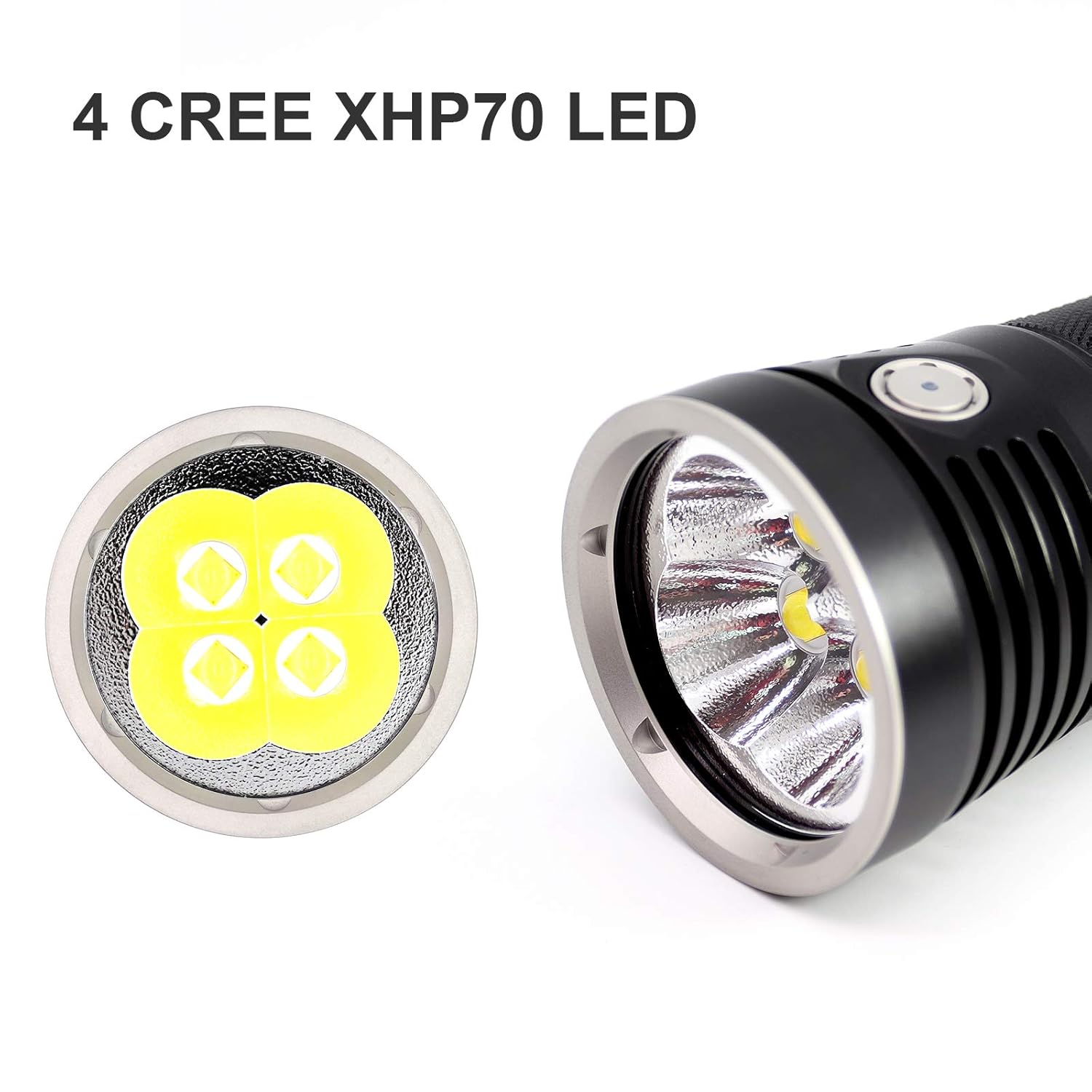
Figure 3: Close-up view of the ThruNite TN50's four CREE XHP70 LED emitters. This image highlights the powerful light source.
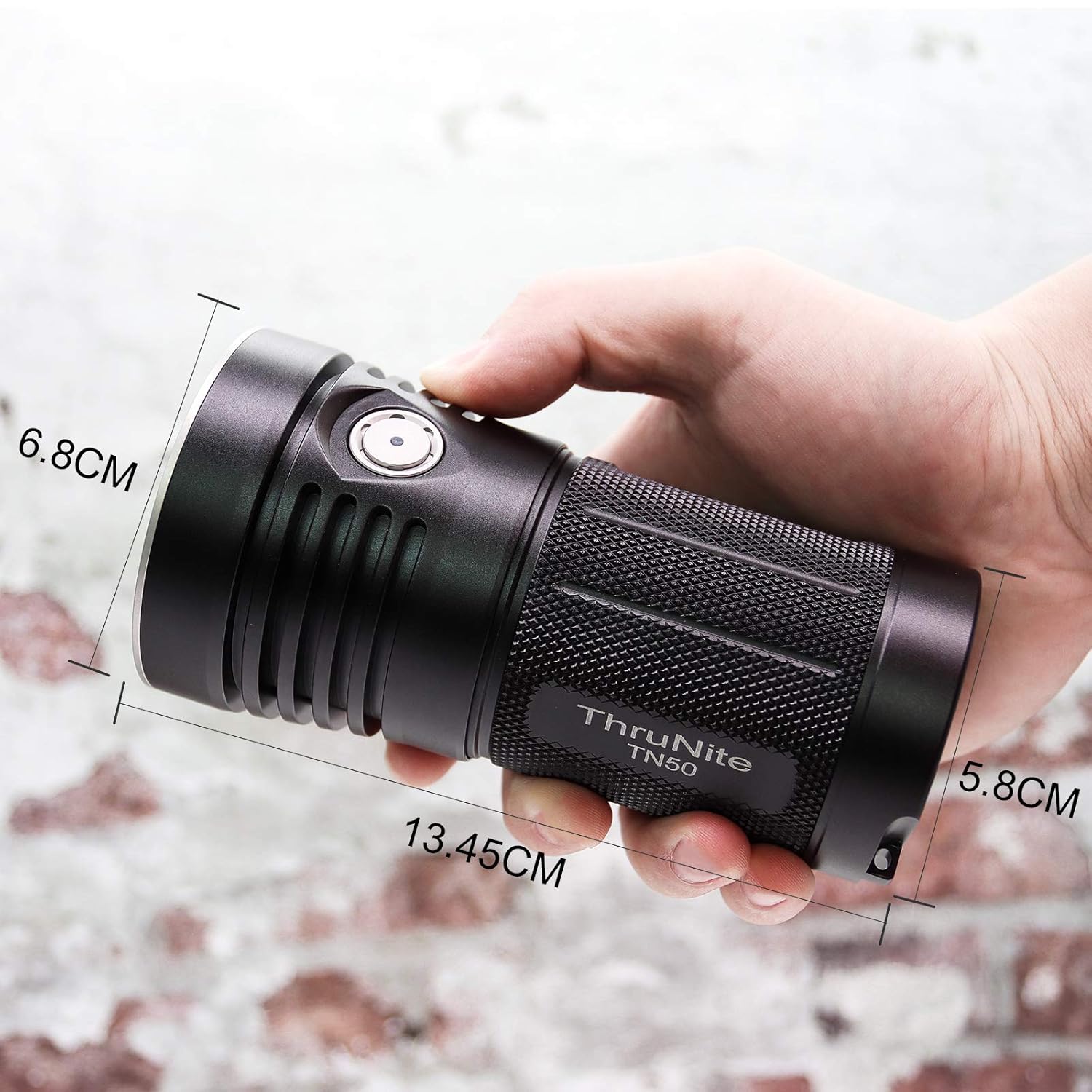
Figure 4: Dimensions of the ThruNite TN50 flashlight shown in hand for scale. The image indicates the length (13.45cm), head diameter (6.8cm), and body diameter (5.8cm).
4. Setup
4.1 Charging the Flashlight
The ThruNite TN50 features a built-in, non-removable battery pack and is charged via the included power adapter.
- Locate the 5.5mm charging port on the flashlight.
- Connect the provided power adapter to the charging port.
- Plug the power adapter into a suitable power outlet.
- The indicator light on the side switch will show the charging status:
- Red: Charging in progress.
- Blue: Fully charged.
- When the voltage is lower than 11.1V, the indicator will flash red, indicating that the flashlight requires charging.

Figure 5: Visual representation of the charging indicator states. This image shows the indicator light for voltage warning (red flash), charging (red), and fully charged (blue).
5. Operation
5.1 Lock/Unlock Function
The lock-out function prevents accidental activation of the flashlight.
- To Lock: When the flashlight is off, press and hold the side switch for over 5 seconds until the light turns off. This will first enter Firefly mode, then continue holding until the light extinguishes to confirm lockout.
- To Unlock: While in lockout mode, press and hold the side switch for over 5 seconds. The indicator will flash blue to signal that the flashlight is unlocked and ready for use.
5.2 Turn ON/OFF
Press the side switch once to turn the light ON or OFF.
5.3 Change Modes
When the light is ON (not in Firefly mode):
- Press and hold the side switch to automatically cycle through Low, Medium, High, and Turbo modes.
- Release the side switch to select the desired mode.
- A quick double-press of the side switch will activate Turbo S mode.
- A quick triple-press of the side switch will activate Strobe mode.
- To access Firefly mode from OFF, press and hold the side switch for approximately 1 second.

Figure 6: Diagram illustrating the lock and unlock procedures for the ThruNite TN50. It shows pressing and holding the side switch for over 5 seconds to unlock (indicator flashes blue) or to lock (light turns off after entering firefly mode).
6. Maintenance
Proper maintenance ensures the longevity and optimal performance of your ThruNite TN50 flashlight.
- Cleaning: Regularly wipe the flashlight body with a soft, damp cloth to remove dirt and debris. Avoid using harsh chemicals or abrasive materials.
- Storage: Store the flashlight in a cool, dry place away from direct sunlight and extreme temperatures.
- Battery Care: Although the battery pack is built-in, it is recommended to fully charge the flashlight every 3-6 months if not in regular use to maintain battery health.
- O-rings: Periodically inspect the O-rings for wear and tear. Replace them with the provided spare O-rings if necessary to maintain the waterproof seal.
7. Troubleshooting
If you encounter issues with your ThruNite TN50 flashlight, please refer to the following common troubleshooting steps:
- Flashlight does not turn on: Ensure the flashlight is not in lockout mode. If it is, unlock it as described in Section 5.1. Check the battery level indicator and recharge the flashlight if the battery is low.
- Light output is dim or flickers: This typically indicates a low battery. Recharge the flashlight fully.
- Charging indicator not working: Ensure the power adapter is securely connected to both the flashlight and the power outlet. If the issue persists, try a different power outlet.
- Water ingress: If the flashlight has been exposed to water and is not functioning correctly, ensure the O-rings are properly seated and undamaged. Do not attempt to disassemble the flashlight.
For any persistent issues or problems not covered here, please contact ThruNite customer support.
8. Warranty and Support
ThruNite stands behind the quality of its products.
- 30 Days Money Back Guarantee: If you are not satisfied with your purchase, you may return it within 30 days for a full refund.
- 2 Years Free Repair Warranty: The ThruNite TN50 flashlight is covered by a 2-year free repair warranty from the date of purchase, covering manufacturing defects.
For warranty claims, technical support, or any other inquiries, please visit the official ThruNite website or contact their customer service department. Please have your purchase details and product model (TN50) available when contacting support.


