
1. Introduction
Thank you for purchasing the Lenco DIR-170WA Internet Desk Radio. This versatile device offers a wide range of audio options, including Internet Radio, DAB+, FM, Bluetooth connectivity, USB playback, and AUX input. This manual provides detailed instructions to help you set up, operate, and maintain your radio for optimal performance.
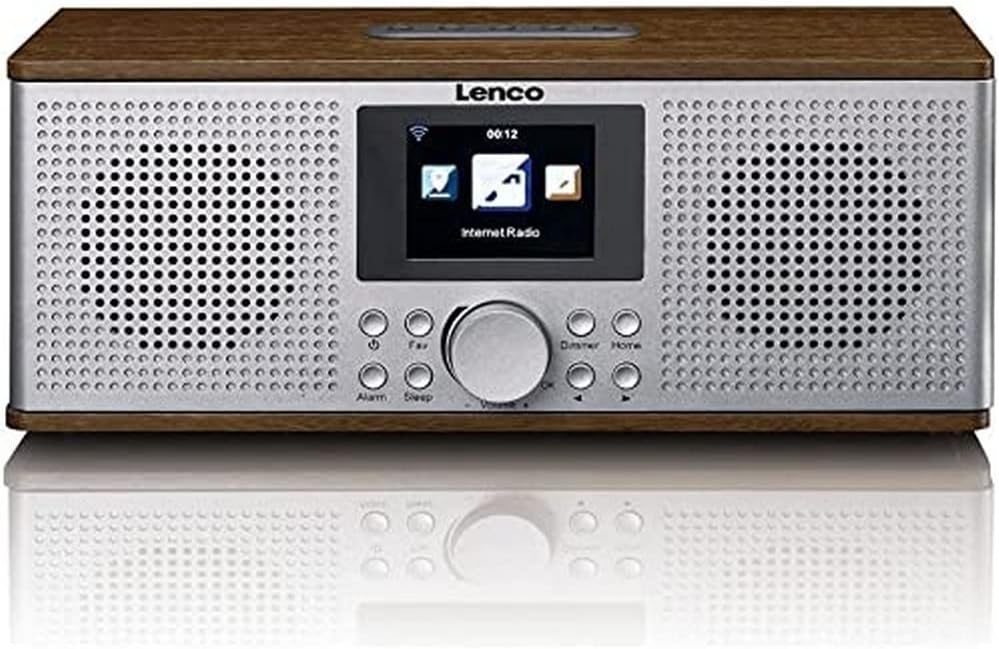
Figure 1.1: Front view of the Lenco DIR-170WA Internet Desk Radio, showcasing its walnut wood finish, silver front panel with dual speakers, central display, and control buttons.
2. Safety Information
Please read these safety instructions carefully before using the device and keep them for future reference. Incorrect use may result in electric shock or fire.
- Do not expose the device to rain or moisture to prevent fire or electric shock.
- Ensure proper ventilation. Do not block any ventilation openings.
- Only use attachments/accessories specified by the manufacturer.
- Unplug the device during lightning storms or when unused for long periods.
- Refer all servicing to qualified service personnel.
- Do not place the device near heat sources such as radiators, heat registers, stoves, or other apparatus (including amplifiers) that produce heat.
3. Package Contents
Verify that all items are present and in good condition upon unpacking.
- Lenco DIR-170WA Internet Desk Radio
- Remote Control
- Power Adapter
- User Manual (this document)
4. Product Overview: Controls and Connections
Familiarize yourself with the various buttons, knobs, and ports on your Lenco DIR-170WA.

Figure 4.1: Close-up of the Lenco DIR-170WA's front panel, highlighting the central color display, large rotary knob for volume and selection, and surrounding control buttons such as Alarm, Sleep, Fav, Dimmer, and Home.
Front Panel Controls:
- Display: Color screen for navigation and information.
- Rotary Knob (Volume/Select): Turn to adjust volume or scroll through menus; press to confirm selection.
- Alarm Button: Set and manage alarms.
- Sleep Button: Set sleep timer.
- Fav Button: Access or save favorite stations.
- Dimmer Button: Adjust display brightness.
- Home Button: Return to the main menu.
- Navigation Buttons (Left/Right): Move through menus or tune stations.
Rear Panel Connections:
- Power Input: Connect the supplied power adapter.
- USB Port: For USB media playback.
- AUX Input: Connect external audio devices using a 3.5mm cable.
- Antenna: Extendable telescopic antenna for DAB+ and FM reception.
5. Setup
5.1 Power Connection
- Connect the power adapter to the DC IN port on the rear of the radio.
- Plug the power adapter into a wall outlet.
- The radio will power on and enter standby mode or the initial setup wizard.
5.2 Initial Setup Wizard
The first time you power on the radio, a setup wizard will guide you through essential settings.
- Language Selection: Use the rotary knob to select your preferred language and press to confirm.
- Network Configuration: The radio will prompt you to connect to a Wi-Fi network. Select "Yes" to proceed.
- Scan for Networks: The radio will scan for available Wi-Fi networks. Select your network from the list.
- Enter Password: Use the rotary knob to navigate the on-screen keyboard and enter your Wi-Fi password. Press the rotary knob to confirm each character and then select "OK" to connect.
- Time/Date Setup: Choose to set the time and date manually or synchronize automatically via network.
6. Operating Modes
The Lenco DIR-170WA offers multiple listening modes. Press the Home button to return to the main menu and select your desired mode.
6.1 Internet Radio
Access thousands of radio stations from around the world via your Wi-Fi connection.
- From the main menu, select "Internet Radio".
- You can browse stations by location, genre, or use the search function.
- To save a station as a favorite, tune into the station and press the Fav button. Follow the on-screen prompts to store it.
6.2 DAB+ Radio
Enjoy high-quality digital radio broadcasts.
- Extend the telescopic antenna fully.
- From the main menu, select "DAB+ Radio".
- The radio will perform a scan for available DAB+ stations.
- Use the rotary knob to select a station from the list.
6.3 FM Radio
Tune into traditional analog FM broadcasts.
- Extend the telescopic antenna fully.
- From the main menu, select "FM Radio".
- Use the navigation buttons or rotary knob to manually tune to a frequency, or perform an auto-scan for available stations.
6.4 Bluetooth Mode
Stream audio wirelessly from your Bluetooth-enabled devices.
- From the main menu, select "Bluetooth".
- The radio will enter pairing mode and become discoverable.
- On your smartphone or tablet, enable Bluetooth and search for "Lenco DIR-170WA".
- Select the radio to pair. Once connected, you can play audio from your device.
6.5 USB Playback
Play audio files directly from a USB flash drive.
- Insert a USB flash drive into the USB port on the rear of the radio.
- From the main menu, select "USB".
- Browse your files and folders using the rotary knob and navigation buttons.
- Press the rotary knob to select and play a track.
6.6 AUX Input
Connect external audio sources like MP3 players or CD players.
- Connect one end of a 3.5mm audio cable (not supplied) to the AUX IN port on the rear of the radio.
- Connect the other end to the headphone output or AUX OUT of your external audio device.
- From the main menu, select "AUX In".
- Control playback from your external device.
7. Alarm Function
The DIR-170WA features a dual alarm function, snooze, and sleep timer.
7.1 Setting Alarms
- Press the Alarm button.
- Select Alarm 1 or Alarm 2.
- Set the alarm time, duration, source (buzzer, Internet Radio, DAB+, FM), and frequency (daily, once, weekends, weekdays).
- Ensure the alarm is set to "On" and confirm your settings.
7.2 Snooze and Sleep Timer
- Snooze: When an alarm sounds, press the rotary knob or any button (except Power) to activate snooze. The alarm will sound again after a set interval.
- Sleep Timer: Press the Sleep button repeatedly to cycle through sleep timer options (e.g., 15, 30, 60, 90 minutes, Off). The radio will automatically turn off after the selected time.
8. Maintenance
Proper care ensures the longevity of your Lenco DIR-170WA.
- Cleaning: Use a soft, dry cloth to clean the exterior of the radio. For stubborn marks, slightly dampen the cloth with water. Do not use abrasive cleaners or solvents.
- Display: Gently wipe the display with a microfiber cloth to avoid scratches.
- Ventilation: Ensure the ventilation openings are clear of dust and debris.
- Storage: If storing the radio for an extended period, unplug it from the power outlet and store it in a cool, dry place.
9. Troubleshooting
If you encounter issues with your radio, refer to the following common problems and solutions.
| Problem | Possible Cause | Solution |
|---|---|---|
| No power | Power adapter not connected or faulty outlet. | Check power connections. Try a different power outlet. |
| No sound | Volume too low; Mute activated; Incorrect mode selected. | Increase volume. Check if mute is on. Ensure correct operating mode (e.g., Internet Radio, Bluetooth). |
| Cannot connect to Wi-Fi | Incorrect password; Router too far; Network issue. | Double-check Wi-Fi password. Move radio closer to router. Restart router. |
| Internet Radio buffering/disconnecting | Weak Wi-Fi signal; Internet connection unstable. | Improve Wi-Fi signal strength. Check your internet service provider. |
| DAB+/FM reception poor | Antenna not extended; Weak signal area. | Fully extend the telescopic antenna. Try repositioning the radio. |
| Bluetooth pairing fails | Device not in pairing mode; Radio not discoverable. | Ensure both devices are in pairing mode. Restart Bluetooth on your device and the radio. |
10. Specifications
Detailed technical specifications for the Lenco DIR-170WA.
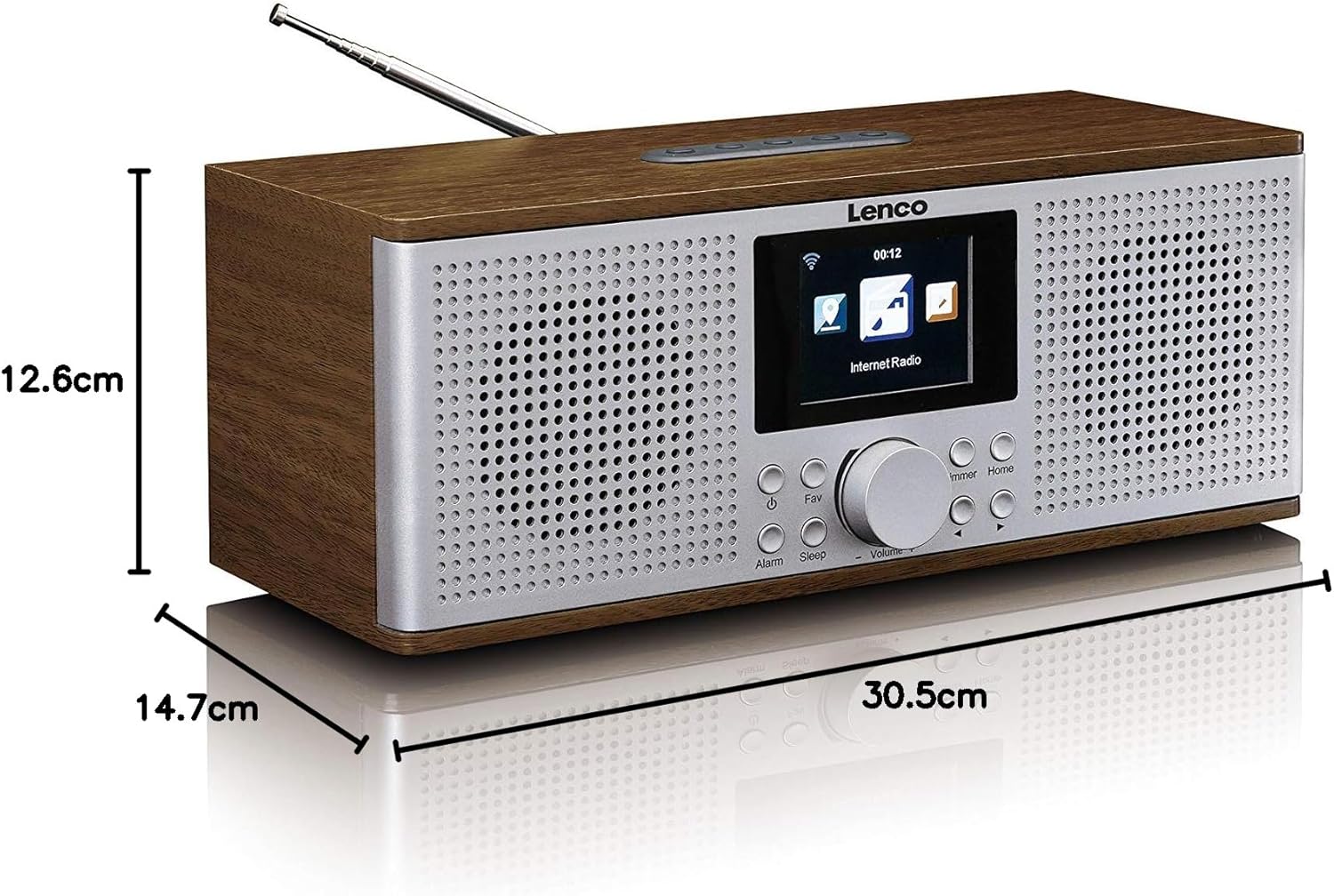
Figure 10.1: Diagram illustrating the dimensions of the Lenco DIR-170WA Internet Desk Radio: 30.5 cm (length), 14.7 cm (width), and 12.6 cm (height).
| Feature | Specification |
|---|---|
| Model Number | DIR-170WA |
| Product Dimensions (L x W x H) | 30.5 x 14.7 x 12.6 cm |
| Weight | 2.3 kg |
| Connectivity Technology | Wi-Fi, Bluetooth, USB, AUX |
| Radio Tuner | Internet Radio, DAB+, FM |
| Output Power | 2 x 10 Watt RMS |
| Special Features | Built-In Clock, Alarm Function (Dual), Snooze, Sleep Timer |
| Housing Material | Acoustically tuned MDF (Walnut finish) |
| Color | Brown (Walnut) |
11. Warranty and Support
Lenco products are designed and manufactured to the highest quality standards. In the unlikely event that you experience any issues with your product, please refer to the warranty information provided with your purchase documentation. For technical support or service inquiries, please contact your local Lenco dealer or visit the official Lenco website for contact details.
Please retain your proof of purchase for warranty claims.


