
1. Introduction
This instruction manual provides essential information for the safe and effective use of the Aexit KCD-107 ON-Off Snap Round Rocker Switch. Please read this manual thoroughly before installation and operation, and retain it for future reference. This product is designed for general electrical switching applications within specified voltage and current ratings.
2. Product Features
- Product Type: Rocker Switch
- Model: KCD-107
- Operation Mode: ON-OFF (SPST - Single Pole, Single Throw)
- Electrical Rating: AC 125V/10A, AC 250V/6A
- Mounting Type: Snap-in Mount
- Mount Diameter: 20mm
- Total Height: Approximately 28mm (1.1 inches)
- Main Color: Black body with Red button
- Material: Durable Plastic and Metal components
- Package Content: Typically supplied in packs (e.g., 12 pieces)
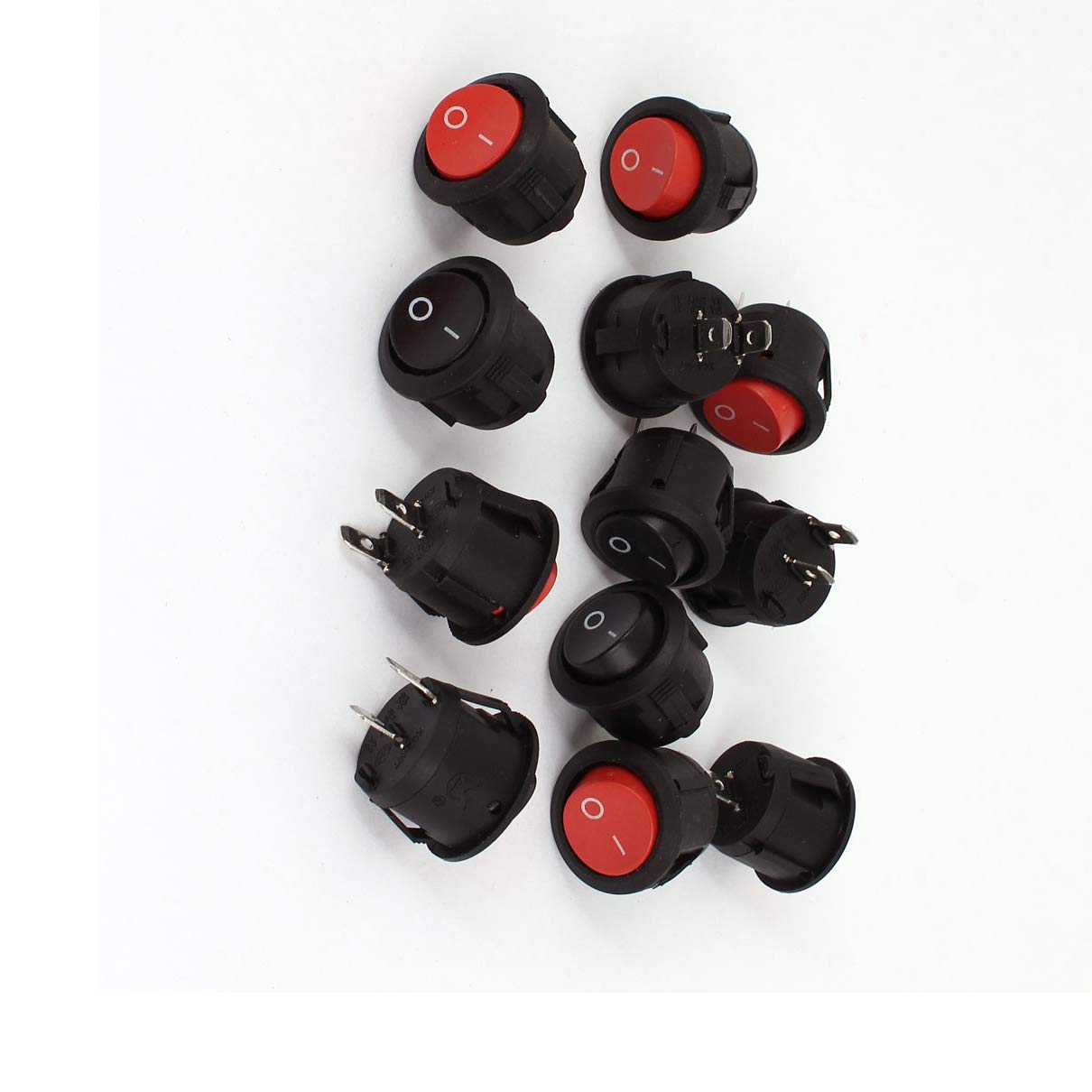
Figure 1: Aexit KCD-107 ON-Off Snap Round Rocker Switch. This image shows a single Aexit KCD-107 round rocker switch. It features a black body and a red ON-OFF button. The switch is designed for snap-in mounting.
3. Specifications
| Attribute | Value |
|---|---|
| Manufacturer | Aexit |
| Model Number | KCD-107 |
| Operation Mode | ON-OFF |
| Switch Type | Rocker |
| Terminal Type | SPST (Single Pole, Single Throw) |
| Mounting Type | Snap In Mount |
| Rated Voltage | AC 125V / 250V |
| Rated Current | 10A (at 125V), 6A (at 250V) |
| Mount Diameter | 20mm |
| Total Height | 28mm / 1.1" |
| Material | Plastic, Metal |
| Net Weight (per 12 pcs) | 50g |
4. Safety Information
WARNING: Electrical work can be dangerous. Always follow local electrical codes and safety guidelines. Improper installation or use can result in electric shock, fire, or personal injury.
- Ensure power is disconnected at the circuit breaker or fuse box before performing any installation or maintenance.
- Only use this switch within its specified voltage and current ratings (AC 125V/10A, 250V/6A). Exceeding these ratings can cause damage or fire.
- Do not install in wet or damp locations unless the switch is specifically rated for such environments. This switch is not waterproof.
- If you are unsure about any part of the installation process, consult a qualified electrician.
- Keep out of reach of children.
5. Installation and Setup
The Aexit KCD-107 rocker switch is designed for snap-in mounting into a panel cutout. Ensure the cutout diameter matches the switch's mount diameter (20mm).
- Prepare Panel: Create a round cutout in your panel with a diameter of 20mm (approximately 0.79 inches). Ensure the panel thickness is suitable for snap-in mounting.
- Disconnect Power: Before wiring, ensure that the power supply to the circuit is completely disconnected.
- Wire Connections: The KCD-107 is a SPST (Single Pole, Single Throw) switch with two terminals.
- Connect the incoming live/hot wire to one terminal.
- Connect the outgoing live/hot wire (to the load) to the other terminal.
- Ensure all connections are secure and properly insulated.
- Mount Switch: Gently push the switch into the prepared cutout until it snaps securely into place. The retaining clips on the sides of the switch will hold it firmly.
- Restore Power: Once installation is complete and all connections are verified, restore power to the circuit.
Note: For applications requiring a neutral wire or ground, ensure these are properly managed according to electrical codes and are not routed through the switch. This switch only interrupts the live/hot line.
6. Operation
The Aexit KCD-107 is a simple ON-OFF rocker switch. To operate:
- Press one side of the rocker button to the 'ON' position to complete the circuit and supply power to the connected device.
- Press the other side of the rocker button to the 'OFF' position to break the circuit and cut power to the connected device.
The switch typically has markings (e.g., 'I' for ON, 'O' for OFF) or a visual indicator on the rocker button to denote its current state.
7. Maintenance
The Aexit KCD-107 rocker switch requires minimal maintenance. Follow these guidelines to ensure longevity and safe operation:
- Regular Inspection: Periodically inspect the switch for any signs of physical damage, such as cracks, discoloration, or loose connections.
- Cleaning: If necessary, clean the switch surface with a soft, dry cloth. Do not use abrasive cleaners or solvents. Ensure power is off before cleaning.
- Environmental Conditions: Ensure the switch is not exposed to excessive moisture, dust, or extreme temperatures beyond its operational limits.
- Connection Check: If accessible and safe to do so (with power off), periodically check that the wire connections to the terminals remain secure.
8. Troubleshooting
If you encounter issues with your Aexit KCD-107 rocker switch, consider the following troubleshooting steps:
- Switch Not Functioning:
- Verify that the power supply to the circuit is active (check circuit breaker/fuse).
- Ensure the switch is correctly wired and connections are secure.
- Confirm the switch is fully pressed into the 'ON' position.
- Check if the connected load (device) is functioning correctly.
- Overheating or Burning Smell:
- Immediately disconnect power to the circuit.
- This indicates a serious issue, possibly an overload or short circuit. Do not attempt to use the switch.
- Consult a qualified electrician for inspection and repair.
- Loose Switch in Panel:
- Ensure the panel cutout size is correct (20mm).
- Check if the retaining clips on the switch are damaged. If so, the switch may need replacement.
If troubleshooting steps do not resolve the issue, discontinue use and consider replacing the switch or consulting a professional.
9. Warranty and Support
Aexit products are manufactured to high standards. For specific warranty information, please refer to the product packaging or contact your point of purchase. If you require technical support or have questions regarding the Aexit KCD-107 rocker switch, please contact the seller or Aexit customer service through their official channels.
Keep your purchase receipt as proof of purchase for any warranty claims.
10. Disposal Information
When the Aexit KCD-107 rocker switch reaches the end of its service life, please dispose of it responsibly according to local regulations for electronic waste. Do not dispose of electrical components with general household waste. Proper disposal helps prevent potential negative consequences for the environment and human health.