
1. Introduction
These Aexit Mica Insulator Sheets are designed as replacement parts for various home appliances, primarily microwave ovens. Made from mica paper with silicone resin, these sheets serve as a heat-resisting and insulating product. They are crucial for protecting the magnetron and other internal components of a microwave from food splatters and moisture, while allowing microwave energy to pass through efficiently.
This manual provides essential information regarding the safe handling, installation, and maintenance of your Aexit Mica Insulator Sheets.
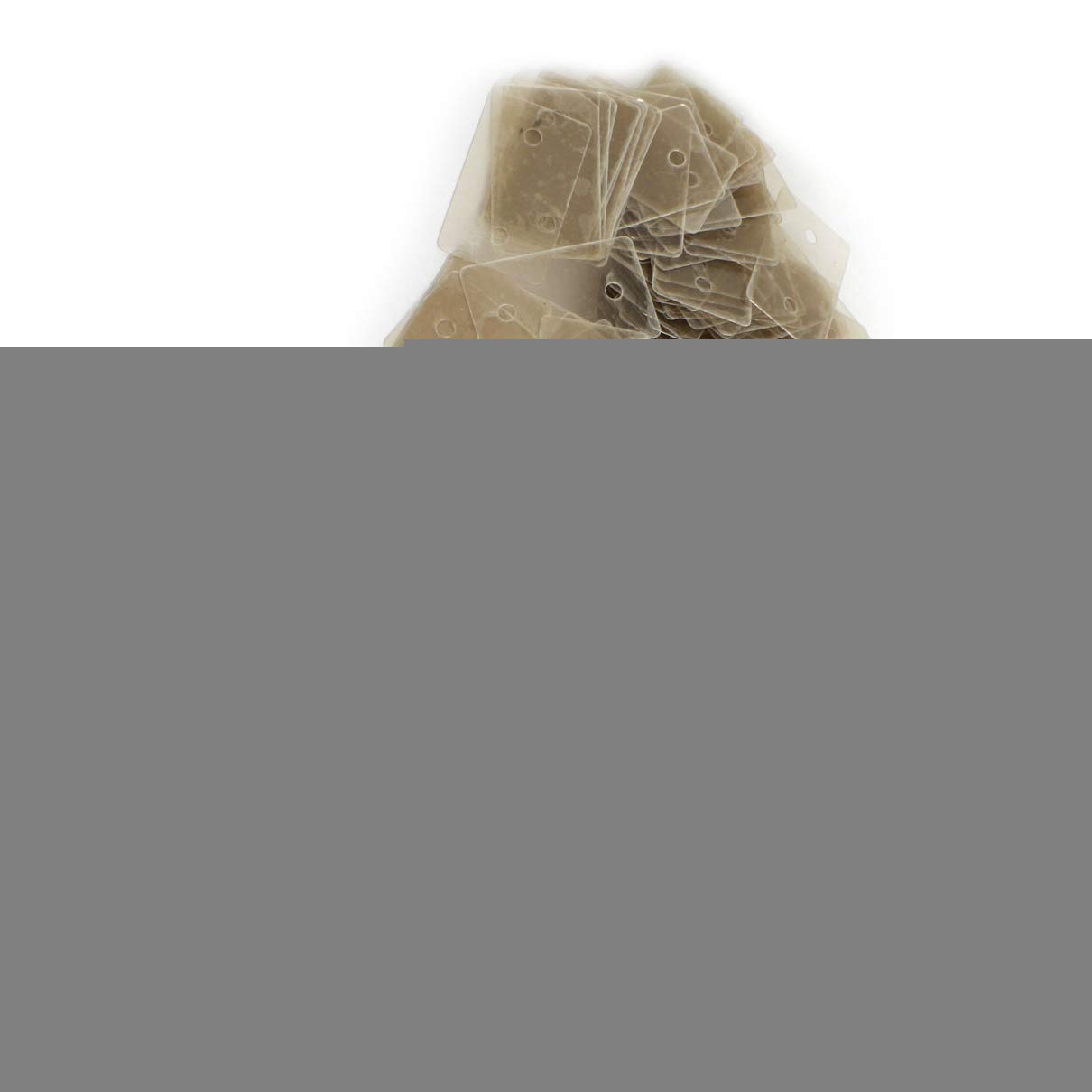
Figure 1: A stack of Aexit Mica Insulator Sheets, showing their rectangular shape and uniform thickness. These sheets are essential for insulation in microwave ovens.
2. Safety Information
WARNING: Always disconnect power to the appliance before attempting any repair or installation. Failure to do so can result in electric shock, serious injury, or death.
- Ensure the appliance is unplugged from the wall outlet before beginning work.
- Wear appropriate personal protective equipment (PPE), such as gloves, to prevent injury.
- If you are unsure about any repair procedure, consult a qualified technician.
- Keep these mica sheets out of reach of children.
- Do not use damaged or altered mica sheets.
3. Product Features
The Aexit Mica Insulator Sheets offer the following key features:
- Material: Constructed from high-quality mica paper with silicone resin, ensuring excellent heat resistance and insulation properties.
- Dimensions: Each sheet measures approximately 24 x 39 x 0.12mm (0.94" x 1.5" x 0.005" L*W*Thickness).
- Hole Diameter: Features a 3.5mm hole, typically for mounting or alignment.
- Quantity: Supplied in a package containing 300 (±2%) individual sheets.
- Application: Ideal for use in microwave ovens, electric hair-dryers, toasters, and other appliances requiring heat insulation.
4. Installation Instructions
These mica sheets are typically used as a waveguide cover in microwave ovens. The installation process generally involves replacing an old, damaged sheet.
- Disconnect Power: Ensure the microwave oven is unplugged from the electrical outlet.
- Locate Old Mica Sheet: Open the microwave door and locate the mica sheet, usually on the right-hand side wall inside the cooking cavity. It may be held in place by screws, clips, or simply slotted into place.
- Remove Old Sheet: Carefully remove the old, damaged mica sheet. Note its orientation and how it was secured.
- Clean Area: Clean any food debris or grease from the area where the mica sheet was located.
- Prepare New Sheet: If necessary, trim the new Aexit Mica Insulator Sheet to match the exact dimensions and hole placement of the original sheet. While these sheets are pre-cut to common dimensions, slight variations in appliance models may require minor adjustments. Use the old sheet as a template.
- Install New Sheet: Insert the new mica sheet into position. Ensure it sits flush against the wall and is securely fastened using the original screws or clips. If it was simply slotted, ensure it is firmly in place.
- Test Appliance: Close the microwave door, plug the appliance back into the electrical outlet, and perform a test run (e.g., heating a cup of water) to ensure proper operation and that no arcing occurs.
Note: For specific appliance models, refer to the appliance's service manual for detailed instructions on replacing the mica waveguide cover.
5. Operation
The Aexit Mica Insulator Sheet is a passive component. Once correctly installed, it functions by:
- Protecting the Waveguide: It prevents food particles, grease, and moisture from entering the waveguide and magnetron area, which could cause arcing and damage to the microwave.
- Allowing Microwave Transmission: Its material composition allows microwave energy to pass through into the cooking cavity with minimal interference, ensuring efficient heating.
- Insulation: Provides thermal and electrical insulation for internal components.
No direct user interaction is required with the mica sheet during normal appliance operation. Its presence ensures the safe and efficient functioning of the appliance.
6. Maintenance
Regular inspection and cleaning of the mica sheet can extend the life of your appliance.
- Cleaning: Periodically inspect the mica sheet for food splatters or grease buildup. With the appliance unplugged, gently wipe the surface of the mica sheet with a damp cloth. Avoid using abrasive cleaners or harsh chemicals, as these can damage the material.
- Inspection: Look for signs of damage such as burning, discoloration, cracks, or holes. A damaged mica sheet can lead to arcing inside the microwave, which is a fire hazard and can damage the magnetron.
- Replacement: If the mica sheet shows any signs of damage, it must be replaced immediately with a new Aexit Mica Insulator Sheet to ensure safe operation of the appliance.
7. Troubleshooting
If you experience issues related to the mica sheet, consider the following:
| Problem | Possible Cause | Solution |
|---|---|---|
| Sparks or arcing inside microwave | Damaged, dirty, or missing mica sheet. |
|
| Microwave not heating efficiently | Severely damaged mica sheet obstructing microwave energy. |
|
8. Specifications
| Attribute | Detail |
|---|---|
| Product Name | Mini Mica Insulator |
| Brand | Aexit |
| Model Number | f190413ae013100 |
| Material | Mica, Paper, Silicone Resin |
| Dimensions (L x W x T) | 24 x 39 x 0.12mm (0.94" x 1.5" x 0.005") |
| Hole Diameter | 3.5mm |
| Net Weight (approx.) | 93g (for 300 sheets) |
| Package Content | 300 (±2%) x Mini Mica Insulator Sheets |
9. Warranty and Support
Specific warranty information for the Aexit Mica Insulator Sheets is not provided in the product details. For any warranty claims or technical support, please refer to the retailer or manufacturer directly.
For further assistance, you may contact the seller "XY-union" through the platform where the product was purchased.