
ANRAN K08W5939
ANRAN 8-Channel 5MP Wireless Security Camera System User Manual
Brand: ANRAN
Model: K08W5939
Introduction
This manual provides comprehensive instructions for the installation, operation, and maintenance of your ANRAN 8-Channel 5MP Wireless Security Camera System. This system features a 13-inch LCD monitor, an integrated 3TB hard drive, and 8pcs 3MP CCTV IP cameras with sound recording capabilities, designed for both indoor and outdoor surveillance.
Please read this manual carefully before using the product to ensure proper setup and optimal performance. Keep this manual for future reference.
Package Contents
Before proceeding with installation, verify that all components listed below are included in your package:

Figure 1: Package Contents. This image displays the 13-inch LCD NVR, 3TB hard drive, 8x 3MP IP cameras, NVR power adapter, quick start guide, 1m/3ft network cable, USB mouse, 8x camera power adapters, pack of mounting screws, and waterproof lids.
- 1 x 13-inch LCD NVR with pre-installed 3TB Hard Drive
- 8 x 3MP IP Cameras
- 1 x NVR Power Adapter
- 8 x Camera Power Adapters
- 1 x Quick Start Guide
- 1 x 1m/3ft Network Cable
- 1 x USB Mouse
- Mounting Screws and Waterproof Lids
Setup and Installation
The ANRAN security system is designed for simple plug-and-play installation. Follow these steps to set up your system.
1. System Overview and Components

Figure 2: Camera and NVR Component Diagram. This diagram highlights key features of the camera such as Wi-Fi antenna, bracket, IR-CUT filter, power port, reset button, IP66 aluminum alloy housing, 36PCS IR-LEDs, and Megapixel HD lens. It also shows the NVR's HDMI port, WLAN port, USB ports, and DC 12V power port.
Familiarize yourself with the main components of the camera and the NVR unit, including their respective ports and features, as shown in Figure 2.
2. Initial Connection
- Connect the NVR: Plug the NVR power adapter into the NVR's DC 12V power port and then into a power outlet. The 13-inch LCD monitor will power on.
- Connect the Cameras: Connect each 3MP IP camera to its respective power adapter and plug them into power outlets. The cameras will automatically pair with the NVR.
- Connect to Router (Optional for Remote Access): For remote viewing, connect the NVR to your internet router using the provided network cable.

Figure 3: System Connection Diagram. This image illustrates the wireless connection between the camera and the 13-inch NVR, and the wired connection from the NVR to a router for internet access.
The system is designed for easy setup, with cameras automatically connecting wirelessly to the NVR. For remote access, a wired connection from the NVR to your router is required, as depicted in Figure 3.
3. Camera Placement
The cameras are IP66 rated, making them suitable for both indoor and outdoor environments. Choose strategic locations that provide optimal coverage of the areas you wish to monitor.
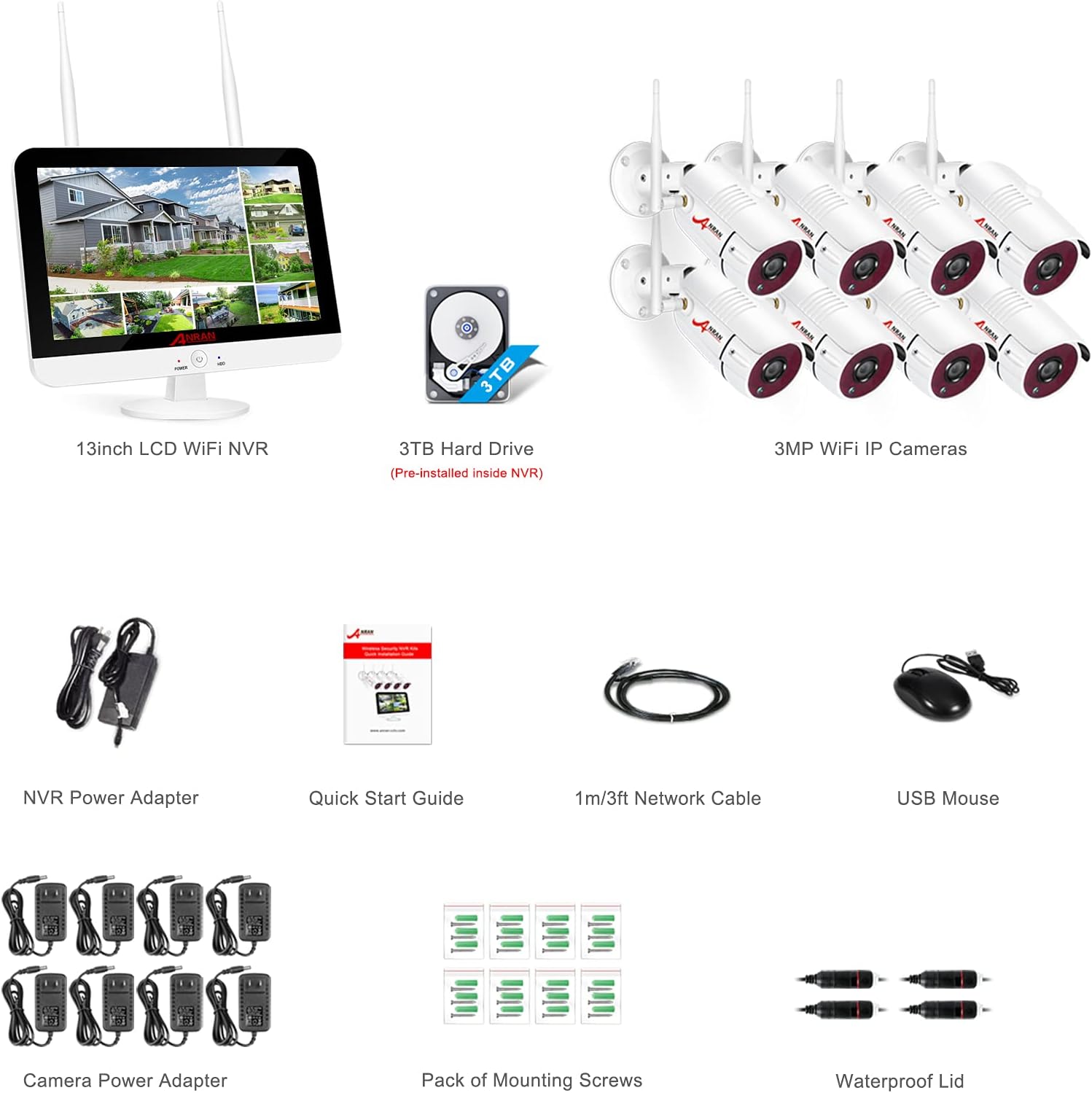
Figure 4: IP66 Security Camera for Outdoor/Indoor Use. This image demonstrates the camera's durability and resistance to various weather conditions, including dust, rain, and snow, with a working temperature range of -25°C to +55°C.
Ensure cameras are mounted securely using the provided screws. The IP66 rating guarantees protection against dust and strong jets of water, as shown in Figure 4, allowing for reliable operation in diverse weather conditions.
Operation
1. Live View and Recording
Once powered on, the NVR will display live feeds from all connected cameras on its 13-inch LCD monitor. The system automatically records footage to the pre-installed 3TB hard drive.

Figure 5: ANRAN Security Camera System Overview. This image shows the complete system, including the 13-inch LCD monitor displaying multiple camera feeds, the 3TB hard drive, and eight wireless IP cameras.
The NVR provides a clear, multi-channel view of your surveillance area, as seen in Figure 5.
2. Audio Recording
Each camera is equipped with a built-in microphone, enabling simultaneous video and audio recording. This feature ensures that you capture both visual and auditory information from the monitored areas.

Figure 6: Audio Recording Capability. This image shows a camera with sound waves emanating from it, indicating its built-in microphone for clear audio recording alongside HD video.
The integrated microphone captures clear sound, enhancing the surveillance capabilities as illustrated in Figure 6.
3. Remote Access and Mobile App
Access your camera feeds remotely from your smartphone or PC. This requires connecting the NVR to your router via an Ethernet cable.
- Download App: Download and install the "ARCCTV" client on your smartphone or the "Eseecloud" client on your PC.
- Connect: Follow the in-app instructions to add your device and view live feeds or playback recorded footage.

Figure 7: Remote Access via Mobile App. This image displays screenshots of the ARCCTV mobile application, showing how users can view live camera feeds and playback recordings on their smartphone.
The mobile application provides convenient access to your surveillance system from anywhere, as demonstrated in Figure 7.
4. Motion Detection and Alerts
Configure motion detection zones and sensitivity settings through the NVR interface. When motion is detected, the system can trigger various alerts:
- APP Alarm: Receive instant notifications on your smartphone via the ARCCTV app.
- Email Alert: Get email notifications with snapshots of the detected event.
- Buzzer: The NVR can emit an audible alarm.
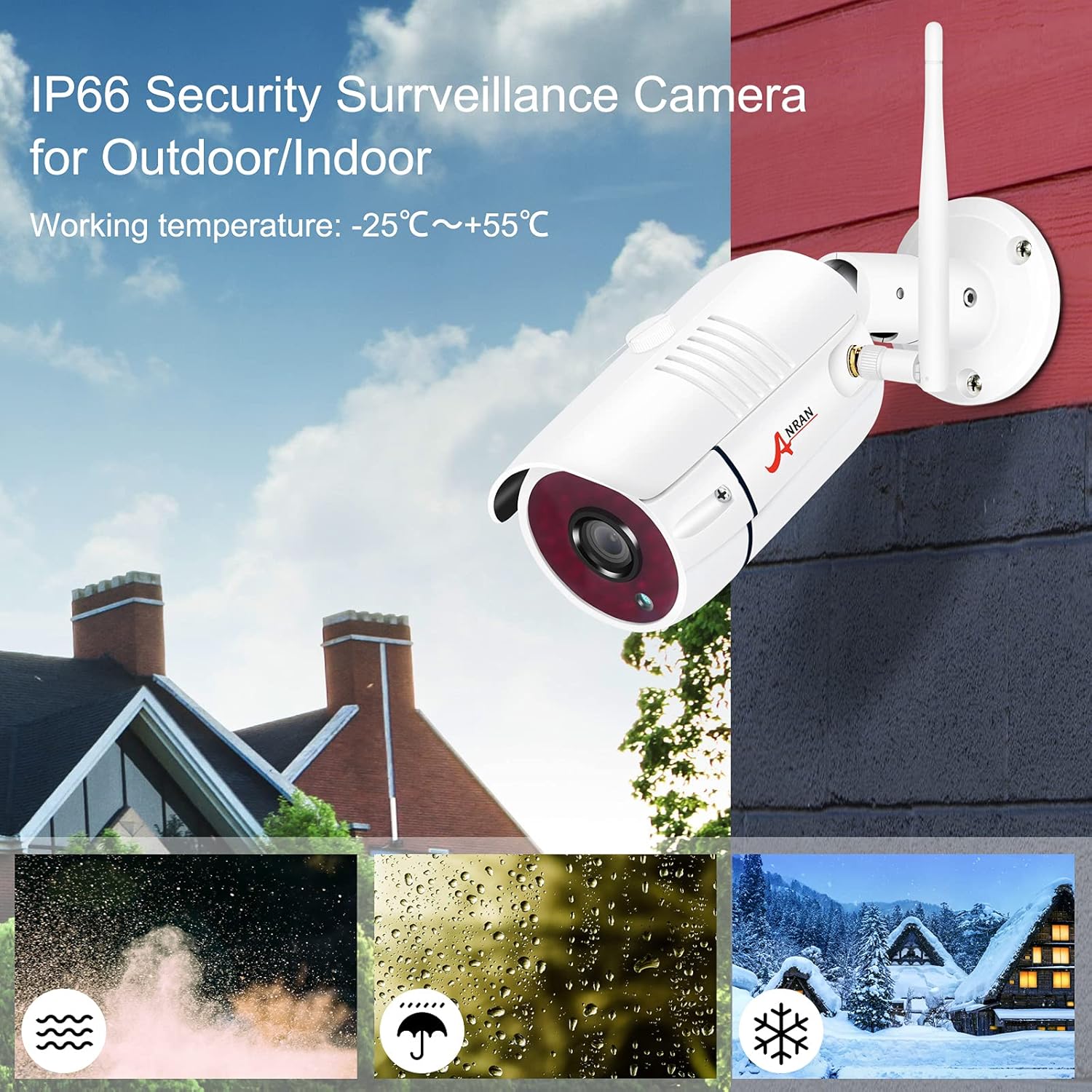
Figure 8: Motion Detection and E-Mail Alert. This image visually explains how the system detects motion and sends alerts, including app alarms, email alerts, and a buzzer notification.
Motion detection provides proactive security, alerting you to suspicious activity as shown in Figure 8.
5. Day and Night Vision
The 3MP HD cameras provide clear images both day and night. The integrated IR-LEDs ensure excellent night vision even in complete darkness.

Figure 9: Day and Night Vision. This image compares the clear 3MP HD video quality during the day and the effective infrared night vision in low-light conditions.
Figure 9 demonstrates the superior clarity of the 3MP HD cameras in both daytime and nighttime scenarios.
Maintenance
Regular maintenance ensures the longevity and optimal performance of your security system.
- Cleaning: Periodically clean the camera lenses and the NVR screen with a soft, dry cloth. Avoid abrasive cleaners.
- Firmware Updates: Check the ANRAN official website for any available firmware updates for your NVR and cameras. Updates can improve performance and add new features.
- Cable Inspection: Regularly inspect all power and network cables for any signs of wear or damage.
- Hard Drive Health: The 3TB hard drive is designed for continuous recording. While durable, it's good practice to periodically back up critical footage if needed.
Troubleshooting
If you encounter issues with your ANRAN security system, refer to the following common troubleshooting steps:
| Problem | Possible Cause | Solution |
|---|---|---|
| No image on NVR screen | Power issue; NVR not powered on. | Ensure NVR power adapter is securely connected and plugged into a working outlet. |
| Cameras not displaying on NVR | Camera power issue; Camera out of range; Pairing lost. | Check camera power connections. Relocate camera closer to NVR. Re-pair cameras if necessary (refer to quick start guide for pairing instructions). |
| No remote access via app | NVR not connected to internet; Incorrect app settings. | Ensure NVR is connected to router via Ethernet cable. Verify internet connection. Check app settings and device ID. |
| Motion detection not working | Settings incorrect; Environmental factors. | Adjust motion detection sensitivity and zones in NVR settings. Ensure no obstructions are blocking the camera's view. |
| Poor night vision | IR-LEDs obstructed; Insufficient power. | Clear any obstructions from the camera's IR-LEDs. Ensure camera has stable power supply. |
Specifications
| Feature | Detail |
|---|---|
| Brand | ANRAN |
| Model Number | K08W5939 |
| NVR Display Size | 13 inches LCD |
| Hard Drive Capacity | 3 TB (Terabytes) |
| Camera Resolution | 3MP (2048x1536P) |
| Video Recording Resolution | 1080p, 960p |
| Audio Recording | Built-in microphone in cameras |
| Connectivity Technology | Wireless (Wi-Fi) for cameras, Wired for NVR to router |
| Special Features | Motion Detector, HD Resolution, IP66 Weatherproof |
| Number of Channels | 8 |
| Power Source | Electric Cable (12 Volts) |
| Material | Metal (for cameras) |
| Dimensions (L x W x H) | 34.5 x 28.5 x 27.5 cm (System package) |
| Weight | 6.9 kilograms |
| Operating Temperature | -25°C to +55°C |
Warranty and Support
ANRAN products are designed for reliability and performance. For warranty information and technical support, please refer to the warranty card included in your package or visit the official ANRAN website. For common inquiries, the troubleshooting section of this manual may provide immediate solutions.
For further assistance, please contact ANRAN customer support through their official channels.
Related documentsK08W5939


Ask a question about this manual
Ask about setup, troubleshooting, compatibility, parts, safety, or missing instructions. Manuals+ will review the question and use this page’s manual context to help answer it.