
1. Introduction
Thank you for purchasing the Lenco LS-300 Hi-Fi Turntable. This manual provides essential information for the safe and correct operation of your new device. Please read it thoroughly before use and retain it for future reference.
Safety Information
- Do not expose the unit to rain or moisture to prevent fire or shock hazards.
- Ensure proper ventilation around the unit. Do not block ventilation openings.
- Use only the power adapter supplied with the unit.
- Avoid placing the unit near heat sources or in direct sunlight.
- Do not attempt to disassemble or repair the unit yourself. Refer all servicing to qualified personnel.
2. Package Contents
Carefully unpack your Lenco LS-300 turntable and ensure all items listed below are present and in good condition. If any items are missing or damaged, please contact your retailer.

Image: All components included in the Lenco LS-300 package.
- Lenco LS-300 Turntable Unit
- Audio Technica AT-3600 Cartridge (pre-installed or separate)
- 2 x External Speakers
- 2 x Speaker Cables
- Dust Cover
- Slipmat
- 45 RPM Adapter
- Power Adapter with Plug
- Instruction Manual
3. Product Overview
Familiarize yourself with the various parts of your Lenco LS-300 turntable.
Turntable Components

Image: Close-up of the turntable's tonearm and related parts.
- Counterweight: Balances the tonearm and adjusts tracking force.
- Tonearm Clip: Secures the tonearm when not in use.
- Tonearm: Holds the cartridge and stylus.
- Stylus (Audio Technica AT-3600): The needle that reads the grooves of a record.
Rear Panel Connections
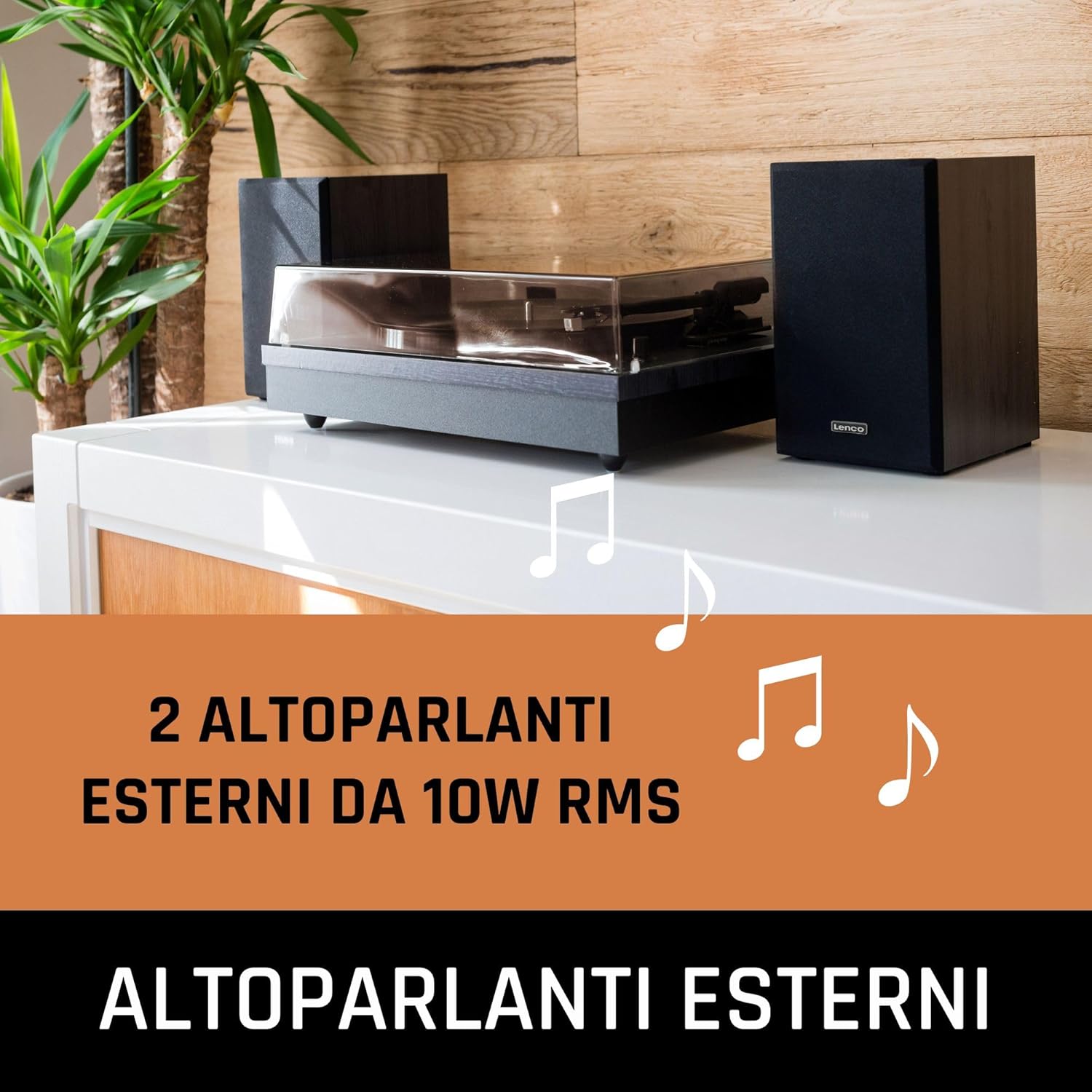
Image: Rear view showing the input and output ports of the turntable.
- Speaker Outputs: Connect the external speakers here.
- Phono/Line Switch: Selects between Phono (for external amplifier) and Line (for built-in preamp or active speakers) output.
- RCA Output: Connects to an external amplifier or receiver.
- Power Input (DC 12V): Connect the power adapter here.
- On/Off Button: Powers the unit on or off.
4. Setup
Follow these steps to set up your Lenco LS-300 turntable for the first time.

Image: The Lenco LS-300 turntable and its speakers arranged for use.
4.1 Placement
- Place the turntable on a stable, level surface away from direct sunlight, heat sources, and excessive dust or vibrations.
- Position the external speakers on either side of the turntable for optimal stereo separation.
4.2 Connecting the Speakers
- Connect the supplied speaker cables to the speaker output terminals on the rear of the turntable and to the corresponding input terminals on the external speakers. Ensure correct polarity (red to red, black to black).
4.3 Power Connection
- Insert the DC plug of the power adapter into the Power Input (DC 12V) on the rear of the turntable.
- Plug the AC adapter into a suitable wall outlet.
4.4 Dust Cover Installation
- Carefully attach the dust cover to the hinges at the back of the turntable.
5. Operating Instructions
5.1 Playing a Vinyl Record
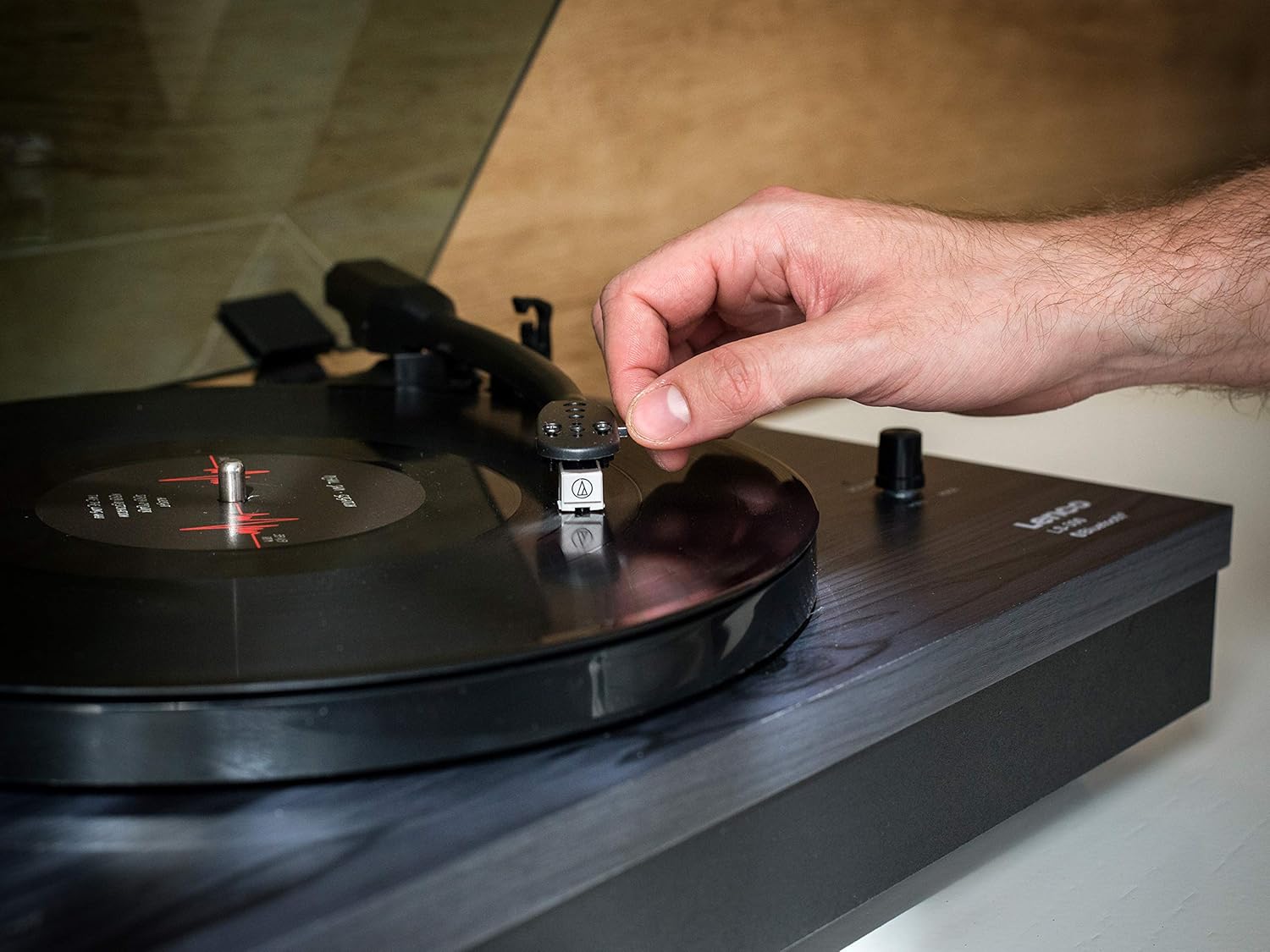
Image: Demonstrating the manual placement of the tonearm on a record.
- Turn on the turntable using the On/Off button on the rear panel.
- Place the slipmat on the platter.
- Place a vinyl record on the platter. For 45 RPM singles, use the included 45 RPM adapter.
- Select the correct speed (33 or 45 RPM) using the speed selector switch.
- Unlock the tonearm clip.
- Gently lift the tonearm using the cueing lever.
- Move the tonearm over the desired starting groove of the record.
- Lower the cueing lever to gently place the stylus onto the record.
- At the end of the record, the auto-stop function will stop the platter rotation. Lift the tonearm, return it to its rest, and secure it with the tonearm clip.
5.2 Bluetooth Functionality

Image: A smartphone displaying music playback, indicating Bluetooth connectivity with the turntable system.
The Lenco LS-300 can receive audio wirelessly from Bluetooth-enabled devices like smartphones or tablets, playing it through its external speakers.
- Ensure the turntable is powered on.
- Switch the Phono/Line switch to the 'BT' (Bluetooth) position. The Bluetooth indicator light will begin to flash, indicating it is in pairing mode.
- On your Bluetooth device (smartphone, tablet), enable Bluetooth and search for available devices.
- Select 'Lenco LS-300' from the list of devices.
- Once paired, the Bluetooth indicator light on the turntable will glow steadily.
- You can now play music from your device through the LS-300's speakers.
6. Maintenance
Regular maintenance helps ensure the longevity and optimal performance of your turntable.
6.1 Cleaning the Unit
- Always unplug the unit from the power outlet before cleaning.
- Use a soft, dry cloth to wipe the turntable cabinet and dust cover. Do not use abrasive cleaners or solvents.
- For the dust cover, a mild, non-abrasive plastic cleaner can be used if necessary.
6.2 Stylus Care
- The stylus is delicate. Handle it with extreme care.
- Clean the stylus regularly using a soft brush, brushing gently from back to front.
- Replace the stylus approximately every 300-500 hours of playback, or if you notice a degradation in sound quality.
6.3 Record Care
- Keep your records clean and free of dust. Use an anti-static brush before each play.
- Store records vertically in their sleeves to prevent warping.
7. Troubleshooting
If you encounter any issues with your Lenco LS-300, refer to the following common problems and solutions.
- No Power:
- Ensure the power adapter is securely connected to both the turntable and a working wall outlet.
- Check if the On/Off button on the rear panel is in the 'On' position.
- No Sound or Low Sound:
- Verify that the speaker cables are correctly connected to both the turntable and the speakers.
- Check the Phono/Line switch position. For playing records through the internal speakers, ensure it is set to 'Line' (or 'Phono' if connecting to an external amplifier's phono input).
- Ensure the volume knob on the turntable is turned up.
- If using Bluetooth, ensure the turntable is paired correctly and the volume on your source device is turned up.
- Skipping or Distorted Sound:
- Ensure the record is clean and free of dust or debris.
- Check the stylus for damage or dirt. Clean or replace if necessary.
- Ensure the turntable is on a stable, level surface to prevent vibrations.
- Verify the tonearm counterweight is correctly adjusted (if applicable for your model).
- Platter Not Spinning or Incorrect Speed:
- Check the speed selector switch (33/45 RPM) is set correctly for the record being played.
- Ensure the drive belt is properly seated around the motor pulley and the platter.
- Bluetooth Pairing Issues:
- Ensure the Phono/Line switch is set to 'BT'.
- Make sure your Bluetooth device is within range (typically 10 meters) of the turntable.
- Try unpairing and re-pairing the device.
- Ensure no other Bluetooth devices are actively connected to the turntable.
If the problem persists after trying these solutions, please contact Lenco customer support or your retailer for further assistance.
8. Specifications
Technical specifications for the Lenco LS-300 Turntable.

Image: Dimensions of the Lenco LS-300 turntable and its accompanying speakers.
| Feature | Specification |
|---|---|
| Model Number | LS-300 |
| Brand | Lenco |
| Dimensions (Turntable) | 43.8 x 35 x 15.2 cm |
| Weight (Item) | 8 kg |
| Color | Black |
| Material | Plastic (MDF casing) |
| Power Output (Speakers) | 2 x 10 W RMS (20 Watt total) |
| Speeds | 33, 45 RPM |
| Drive Type | Belt Drive |
| Features | Bluetooth, Auto-Stop, External Speakers |
| Cartridge | Audio Technica AT-3600 |
| Connectivity | RCA Output, Bluetooth, Mini USB (for service, not user accessible) |
| Power Supply | AC Adapter (12V) |
9. Warranty and Support
Lenco products are manufactured to high quality standards. In the unlikely event of a defect, Lenco provides a warranty in accordance with European laws and regulations. Your warranty period begins on the date of purchase. Please retain your proof of purchase (receipt) as it will be required for any warranty claims.
For technical support, service, or warranty inquiries, please refer to the contact information provided in the separate warranty card or visit the official Lenco website.


