
Introduction
The Verbatim 70221 Wireless Controller is designed for comfortable gameplay with your Nintendo Switch™ and Nintendo Switch™ Lite consoles. It connects wirelessly via a 2.4GHz connection, ensuring responsive and lag-free performance. This controller also features a vibration function to enhance your gaming experience with realistic feedback. The included microUSB cable allows for convenient charging, ensuring your controller is always ready for use.
Package Contents
- 1 x Verbatim 70221 Wireless Controller
- 1 x USB-A to microUSB Charging Cable

Image: The Verbatim 70221 Wireless Controller shown alongside its included USB-A to microUSB charging cable.
Setup
1. Charging the Controller
Before initial use, ensure the controller is fully charged. Connect the microUSB end of the included cable to the charging port on the controller and the USB-A end to a powered USB port (e.g., Nintendo Switch dock, computer, or USB wall adapter). The controller contains a lithium metal battery.
2. Pairing with Nintendo Switch™ / Switch™ Lite
- Ensure your Nintendo Switch™ console is powered on and updated to the latest system software.
- From the HOME Menu, select "Controllers", then "Change Grip/Order".
- On the controller, press and hold the HOME button and the Y button simultaneously for a few seconds until the player indicator lights begin to flash.
- The console will search for the controller. Once detected, the player indicator light(s) on the controller will illuminate steadily, indicating a successful connection.
- If connection issues occur, try connecting the controller to the Switch dock via the USB cable first, then disconnect and attempt wireless pairing again.
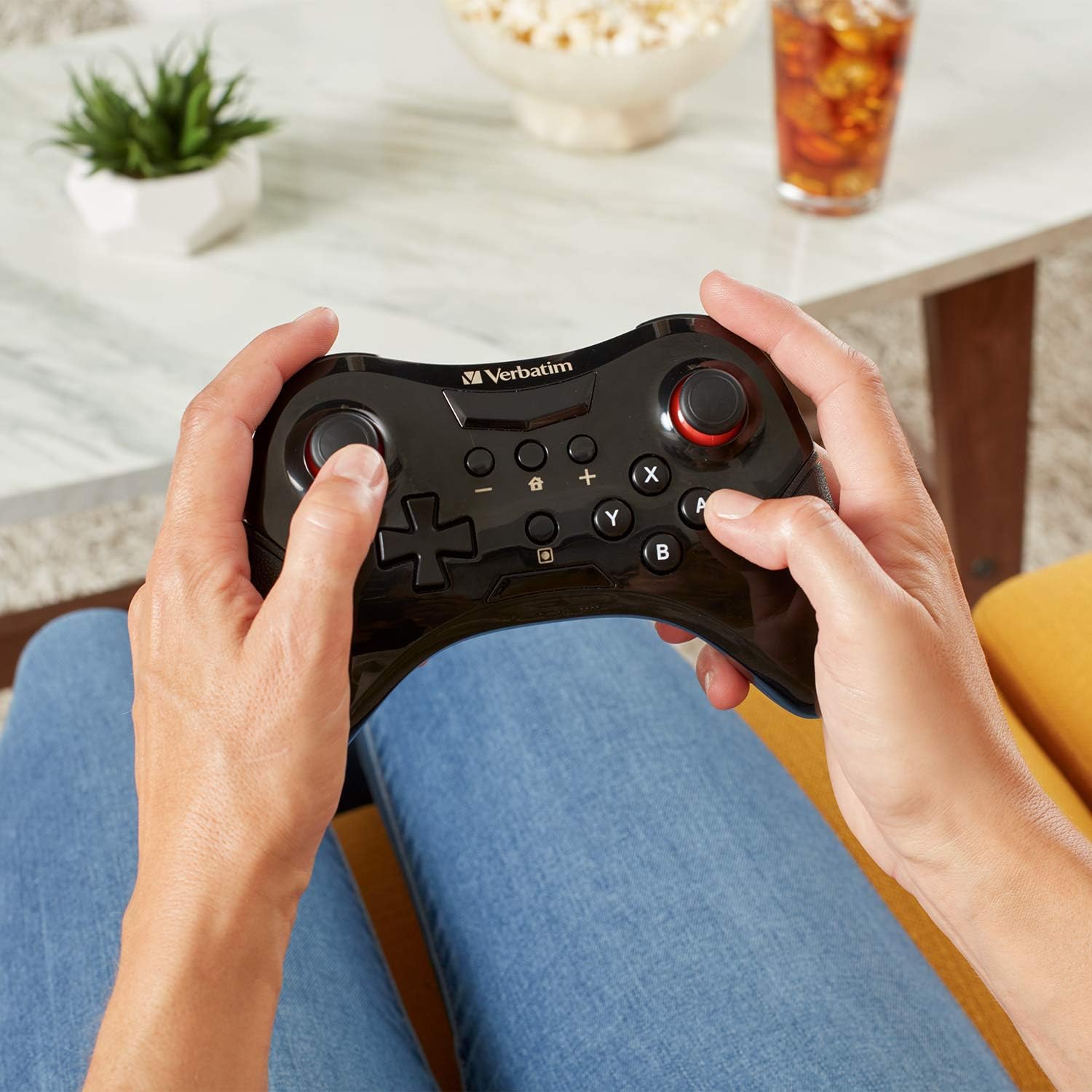
Image: Top view of the Verbatim 70221 Wireless Controller, highlighting the HOME and Y buttons for pairing.
Operating Instructions
1. Powering On/Off
- To power on the controller, press the HOME button. It will attempt to connect to the last paired console.
- The controller will automatically power off after a period of inactivity to conserve battery. To manually power off, press and hold the HOME button for several seconds.
2. Reconnecting
If the controller disconnects or you wish to reconnect it to a previously paired console, simply press the HOME button. The controller will automatically attempt to establish a connection.
3. Vibration Function
The controller includes a vibration function for enhanced tactile feedback during gameplay, where supported by the game.

Image: A user holding the Verbatim 70221 Wireless Controller, demonstrating its ergonomic design for comfortable use.
Maintenance
- Keep the controller clean by wiping it with a soft, dry cloth. Do not use harsh chemicals or abrasive materials.
- Avoid exposing the controller to extreme temperatures, direct sunlight, or moisture.
- Store the controller in a safe place when not in use to prevent damage.
Troubleshooting
Controller Not Connecting
- Ensure the controller is fully charged.
- Verify that the Nintendo Switch™ console is powered on and within range.
- Repeat the pairing process as described in the "Setup" section.
- Try connecting the controller to the Switch dock via the USB cable first, then disconnect and attempt wireless pairing.
- Check for any obstructions or interference that might affect the 2.4GHz wireless signal.
- Ensure your Nintendo Switch™ system software is up to date.
Buttons or Joysticks Not Responding
- Ensure the controller is properly connected to the console.
- Restart both the controller and the Nintendo Switch™ console.
- If issues persist, contact Verbatim customer support.
Specifications
| Feature | Detail |
|---|---|
| Brand | Verbatim |
| Model Number | 70221 |
| Controller Type | Gamepad |
| Connectivity Technology | 2.4GHz Wireless (USB for charging only) |
| Color | Black |
| Special Features | Wireless, Vibration Function |
| Hardware Platform | Nintendo Switch™, Nintendo Switch™ Lite |
| Power Source | Battery Powered (Lithium Metal) |
| Item Dimensions (L x W x H) | 11.5 x 16 x 4.5 cm |
| Country of Origin | China |
| UPC / GTIN | 023942702214 |
| ASIN | B07L2Y3SBY |
Warranty Information
The Verbatim 70221 Wireless Controller is backed by a 1-Year Limited Warranty. Please retain your proof of purchase for warranty claims. For detailed warranty terms and conditions, refer to the official Verbatim website or contact customer support.

Image: Official Verbatim 1-Year Limited Warranty badge.
Support
For further assistance, technical support, or warranty inquiries, please visit the official Verbatim website or contact their customer service department. Contact information can typically be found on the product packaging or the Verbatim website.


