
Introduction
This manual provides instructions for the Fujifilm Instax Mini 8 Instant Film Camera. This particular unit is a renewed product, professionally inspected and tested to function and appear like new. The refurbishing process includes functionality testing, basic cleaning, inspection, and repackaging. It ships with all relevant accessories and a minimum 90-day warranty.

Figure 1: Front view of the Instax Mini 8 camera.
Setup
1. Inserting Batteries
The Instax Mini 8 requires two AA batteries. Ensure the camera is off before opening the battery compartment.
- Locate the battery compartment on the side of the camera.
- Open the battery compartment cover.
- Insert two AA batteries, ensuring correct polarity (+/-).
- Close the battery compartment cover securely.

Figure 2: Back view of the Instax Mini 8 camera, showing the battery compartment location.
2. Loading Film
Use Fujifilm Instax Mini Instant Film. Each film pack contains 10 exposures.
- Open the film compartment door on the back of the camera.
- Align the yellow mark on the film pack with the yellow mark on the camera.
- Insert the film pack straight into the compartment. Do not press the two rectangular holes on the back of the film pack.
- Close the film compartment door. The film counter will display 'S' (Start).
- Press the shutter button once to eject the black film cover. The film counter will then display '10', indicating 10 photos remaining.
Operating the Camera
1. Turning On/Off
To turn on the camera, press the button located beside the lens. The lens will extend, and the flash charging lamp will light up. To turn off the camera, gently push the lens back into the camera body.

Figure 3: Steps for turning on the camera, adjusting settings, and taking a photo.
2. Adjusting Brightness (Exposure)
The camera features automatic exposure measurement. A flashing LED light on the brightness adjustment dial indicates the recommended aperture setting for the current lighting conditions. Rotate the dial to align the mark with the lit LED.
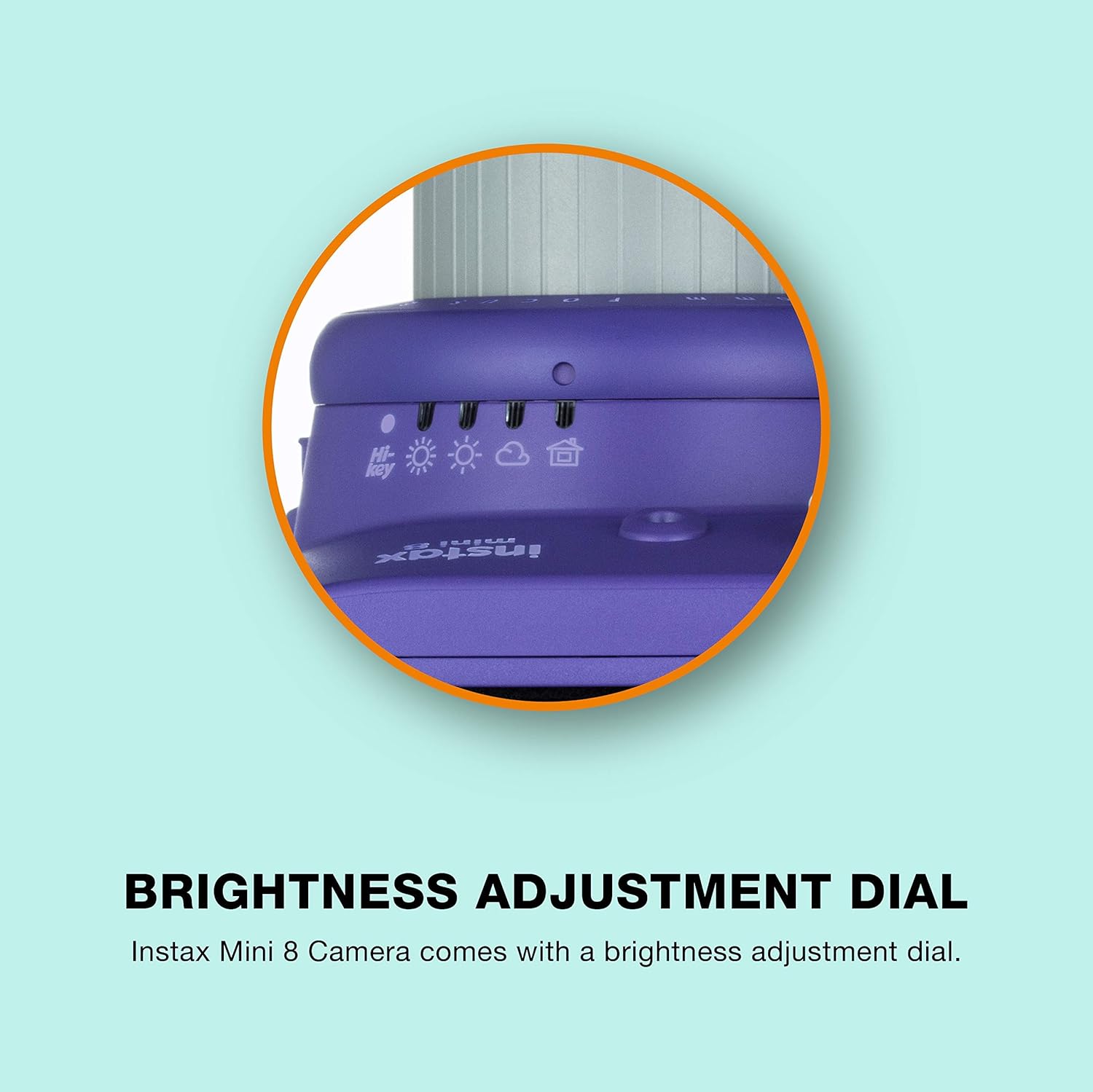
Figure 4: The brightness adjustment dial with icons for different lighting conditions.
3. Using Hi-Key Mode
For brighter pictures with a softer impression, ideal for portraits, select the 'Hi-Key' mode on the brightness adjustment dial. This mode intentionally overexposes the image slightly to achieve a dreamy, soft-focus effect.

Figure 5: Hi-Key mode for brighter, softer images.
4. Taking a Photo
- Look through the viewfinder to compose your shot.
- Press the shutter button. The flash will fire automatically.
- The photo will eject from the top slot of the camera.
5. Developing the Photo
After the photo ejects, do not shake or bend it. Place the photo face down on a flat, dark surface and allow it to develop naturally. Development typically takes a few minutes, with colors gradually appearing.
Maintenance
1. Cleaning
- Use a soft, dry cloth to clean the camera body.
- For the lens and viewfinder, use a lens cleaning cloth and solution designed for optical surfaces. Avoid abrasive materials.
- Keep the film ejection slot clear of dust and debris.
2. Storage
- Store the camera in a cool, dry place away from direct sunlight and extreme temperatures.
- Remove batteries if the camera will not be used for an extended period to prevent leakage.
- Keep film packs in their original packaging and store them in a cool, dark place until ready to use.
Troubleshooting
- Camera does not turn on: Check if the batteries are inserted correctly and are not depleted. Replace with fresh AA batteries if necessary.
- Film does not eject: Ensure a film pack is properly loaded and the black film cover has been ejected. If the film counter shows '0', the pack is empty.
- Photos are too dark/light: Verify that the brightness adjustment dial is set to the recommended position indicated by the flashing LED. For darker environments, ensure the flash is working.
- Blurred photos: Hold the camera steady when taking a picture. Ensure the subject is within the recommended focus range (0.6m to infinity).
Specifications
| Feature | Detail |
|---|---|
| Brand | Fujifilm |
| Model Name | Mini 8 |
| Product Dimensions | 3 x 5 x 5.5 inches |
| Item Weight | 14.9 ounces |
| Batteries | 2 AA batteries required (included) |
| Special Feature | Auto Exposure |
| Film Format Type | Instant |
| Included Components | Camera with Strap |
| Min Shutter Speed | 1/60 |
| Viewfinder Magnification | 0.37x |
Warranty and Support
This Fujifilm Instax Mini 8 camera is a Certified Refurbished product. It is tested and certified to look and work like new. The product ships with a minimum 90-day warranty. Renewed products are eligible for replacement or refund under the Amazon Renewed Guarantee if you are not satisfied with your purchase.
For further support or warranty claims, please refer to the documentation provided with your renewed product or contact the seller directly.


