
Introduction
Thank you for choosing the Weighmax NJ800 Ninja Digital Pocket Scale. This manual provides detailed instructions for the proper setup, operation, and maintenance of your new digital scale. Please read this manual thoroughly before using the device to ensure accurate measurements and prolong its lifespan. Keep this manual for future reference.
Product Overview
The Weighmax NJ800 is a compact digital pocket scale designed for precise measurements. It features a clear LCD display, multiple weighing modes, and a protective cover that can also serve as a weighing tray.

Image: The Weighmax NJ800 Ninja Digital Pocket Scale shown in its open position. The blue scale body is visible, with the black weighing platform and the digital display. Buttons labeled "MODE", "TARE", and "ON/OFF" are clearly visible below the display. The maximum capacity of 800g and accuracy of 0.1g are indicated on the display panel.
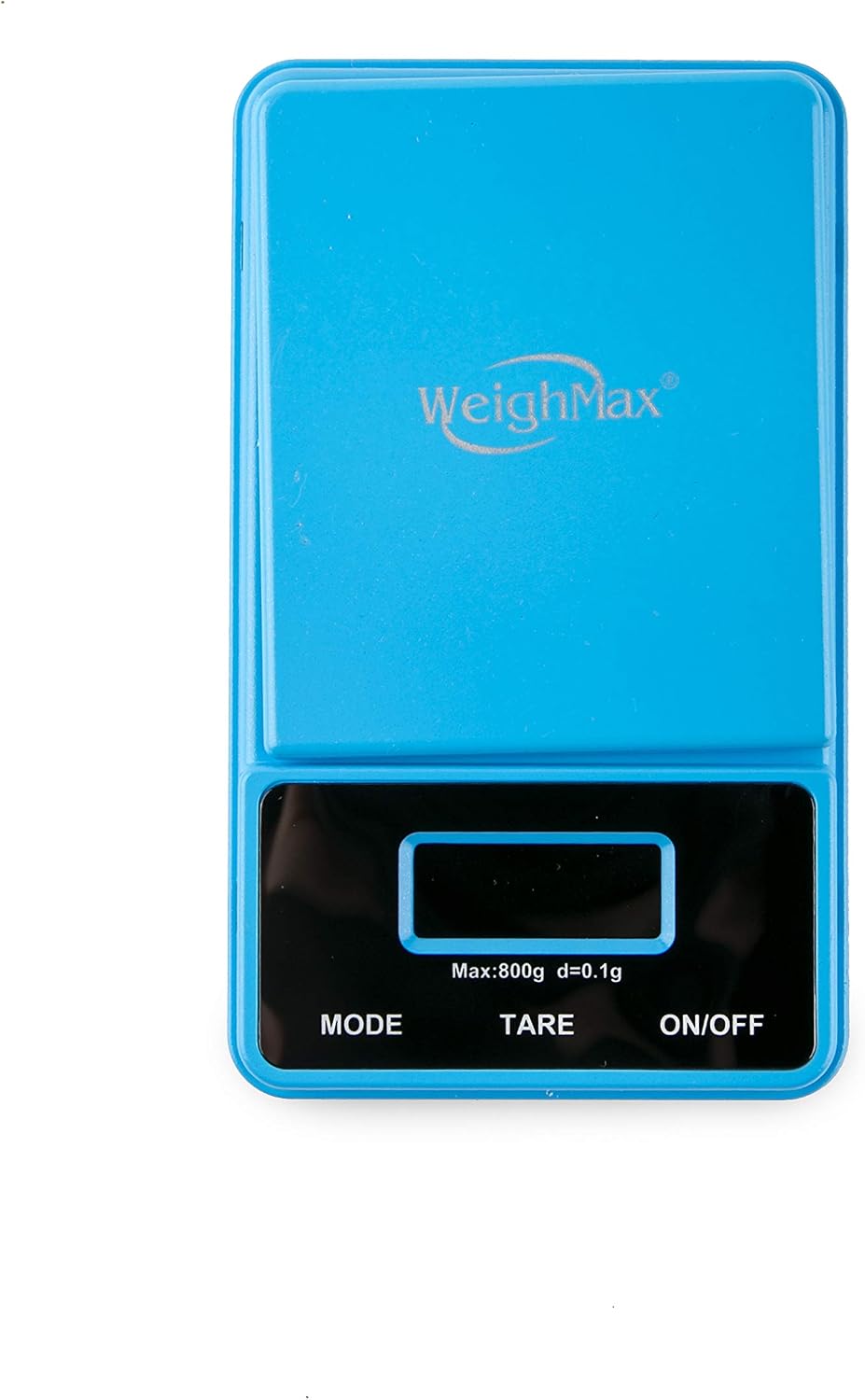
Image: The Weighmax NJ800 Ninja Digital Pocket Scale in its closed, compact state. The blue protective cover is securely placed over the weighing platform and display, making it suitable for pocket storage. The Weighmax logo is visible on the cover.
Components:
- Weighing Platform: The surface where items are placed for measurement.
- LCD Display: Shows weight readings, units, and other indicators.
- MODE Button: Used to change weighing units (g, oz, ozt, dwt, ct, gn).
- TARE Button: Used to subtract the weight of a container.
- ON/OFF Button: Powers the scale on or off.
- Protective Cover: Protects the weighing platform and display when not in use, and can be inverted to serve as a weighing tray.
Setup
1. Battery Installation
- Open the battery compartment located on the underside of the scale.
- Insert two (2) AAA batteries, ensuring correct polarity (+/-).
- Close the battery compartment securely.
2. Placement
Place the scale on a hard, flat, and stable surface. Avoid placing it on soft or uneven surfaces, or near sources of vibration or extreme temperature changes, as this can affect accuracy.
Operating Instructions
Turning On/Off
- Press the ON/OFF button to turn the scale on. The display will show "88888" then "0.0" or "0.00" when ready.
- Press and hold the ON/OFF button for a few seconds to turn the scale off. The scale will also automatically shut off after a period of inactivity to conserve battery life.
Weighing Items
- Ensure the scale is on and displaying "0.0" or "0.00".
- Gently place the item(s) to be weighed onto the center of the weighing platform.
- Read the weight displayed on the LCD screen.
Changing Weighing Units (MODE Function)
With the scale on, press the MODE button repeatedly to cycle through the available weighing units:
- Grams (g)
- Ounces (oz)
- Troy Ounces (ozt)
- Pennyweights (dwt)
- Carats (ct)
- Grains (gn)
The selected unit will be indicated on the display.
Tare Function (Zeroing a Container)
The Tare function allows you to subtract the weight of a container, so you only measure the contents.
- Place an empty container on the weighing platform.
- Wait for the display to stabilize and show the container's weight.
- Press the TARE button. The display will reset to "0.0" or "0.00".
- Now, add the items you wish to weigh into the container. The display will show only the net weight of the items.
- To clear the tare function, remove all items from the platform and press TARE again, or turn the scale off and on.
Overload Indication
If the display shows "O_Ld" or "EEEE", it indicates that the maximum capacity of the scale has been exceeded. Remove the item immediately to prevent damage to the scale.
Low Battery Indication
When the battery symbol appears on the display, or if the readings become inconsistent, it's time to replace the batteries.
Maintenance
Cleaning
- Wipe the scale with a slightly damp cloth. Do not immerse the scale in water or use abrasive cleaners.
- Avoid getting liquids inside the scale.
Storage
- Store the scale in a clean, dry environment at room temperature.
- Keep the protective cover on when not in use to prevent dust and damage.
- If the scale will not be used for an extended period, remove the batteries to prevent leakage.
Troubleshooting
| Problem | Possible Cause | Solution |
|---|---|---|
| Scale does not turn on. | Dead or incorrectly installed batteries. | Replace batteries or ensure they are installed with correct polarity. |
| Inaccurate readings. | Unstable surface, overload, or low battery. | Place scale on a stable, flat surface. Ensure weight is within capacity. Replace batteries. |
| Display shows "O_Ld" or "EEEE". | Overload. | Remove item immediately. Do not exceed maximum capacity. |
| Display shows "Lo". | Low battery. | Replace batteries. |
Specifications
| Model: | NJ800 |
| Brand: | Weighmax |
| Capacity: | 800g (0.1g increments) |
| Accuracy: | 0.1g |
| Weighing Units: | g, oz, ozt, dwt, ct, gn |
| Power: | 2 x AAA Batteries (included as per packaging image) |
| Display: | Large Back-Lit LCD Display |
| Color: | Blue |
| Item Weight: | 136 g |
| Dimensions (approx.): | 13.21 x 8.13 x 2.29 cm (Parcel Dimensions) |
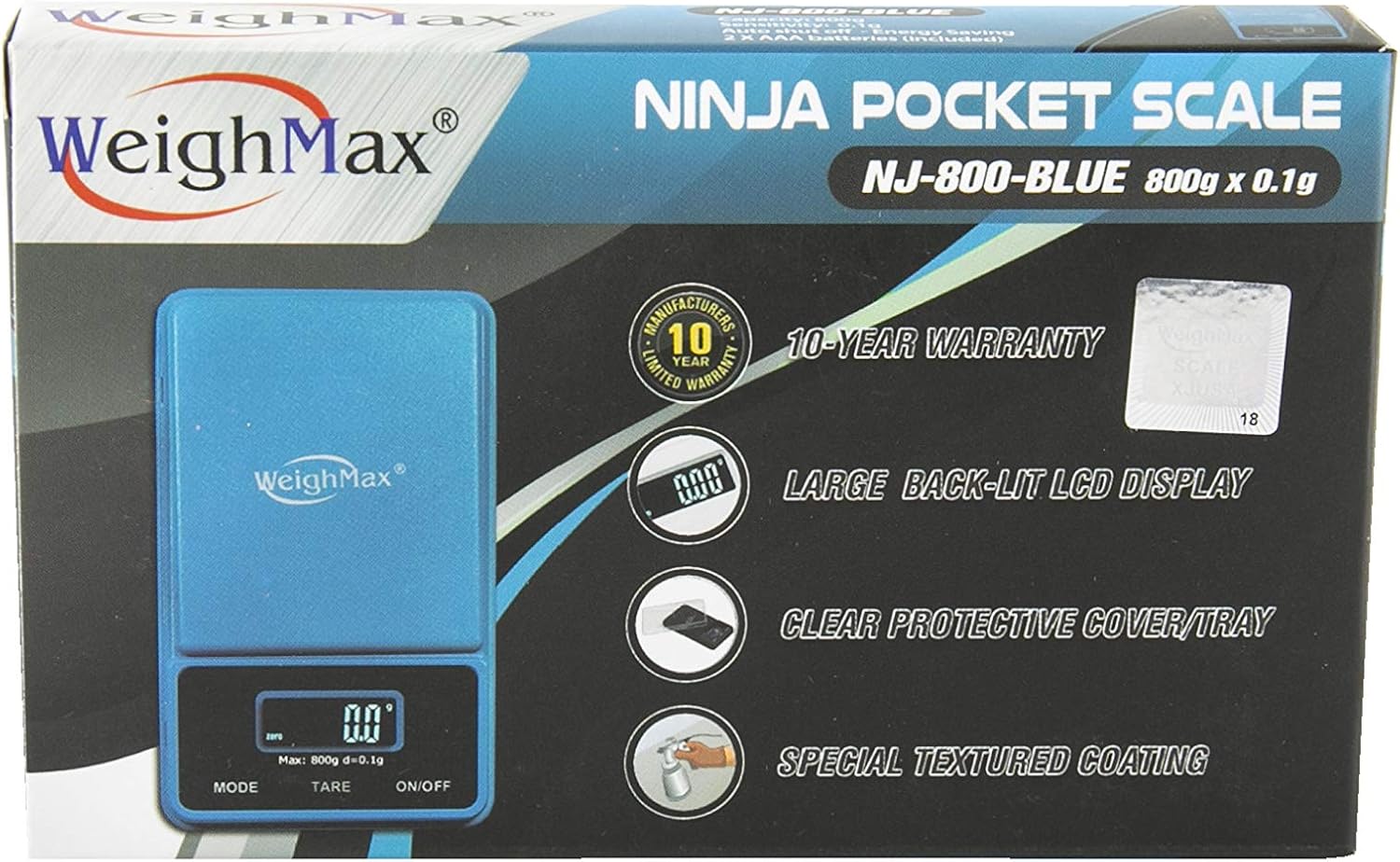
Image: Close-up of the Weighmax NJ800 Ninja Pocket Scale packaging. Key features highlighted include a 10-year warranty, large back-lit LCD display, clear protective cover/tray, and special textured coating. The model number NJ-800-BLUE and capacity 800g x 0.1g are also visible.
Warranty and Support
The Weighmax NJ800 Ninja Digital Pocket Scale comes with a 10-year limited warranty from the manufacturer. This warranty covers defects in materials and workmanship under normal use.
For warranty claims, technical support, or further assistance, please contact Weighmax customer service. Refer to the product packaging or the official Weighmax website for current contact information.