
1. Introduction
Thank you for choosing the BLACK+DECKER 0.9 Cu. Ft. 900-Watt Countertop Microwave Oven. This manual provides essential information for the safe and efficient operation, maintenance, and troubleshooting of your new appliance. Please read all instructions carefully before use and retain this manual for future reference.
2. Important Safety Instructions
WARNING: To reduce the risk of fire, electric shock, injury to persons, or exposure to excessive microwave energy, observe the following basic precautions:
- Read all instructions before using the appliance.
- Do not attempt to operate this oven with the door open as this can result in harmful exposure to microwave energy.
- Do not place any object between the oven front face and the door or allow soil or cleaner residue to accumulate on sealing surfaces.
- Do not allow children to use the microwave without close supervision.
- Use this appliance only for its intended use as described in this manual. Do not use corrosive chemicals or vapors in this appliance.
- Do not heat liquids or other foods in closed containers as they are liable to explode.
- Do not operate this appliance if it has a damaged cord or plug, if it is not working properly, or if it has been dropped or damaged.
- Ensure proper ventilation around the microwave.
3. Product Overview
The BLACK+DECKER 0.9 Cu. Ft. 900-Watt Countertop Microwave Oven features a sleek black finish with a convenient pull handle and an easy-to-read LED display. Its compact design makes it suitable for various kitchen sizes.
Components:
- Exterior: Black finish, stainless steel accents, pull handle door.
- Interior: White cavity, removable glass turntable.
- Control Panel: Digital display, numeric keypad, and function buttons.
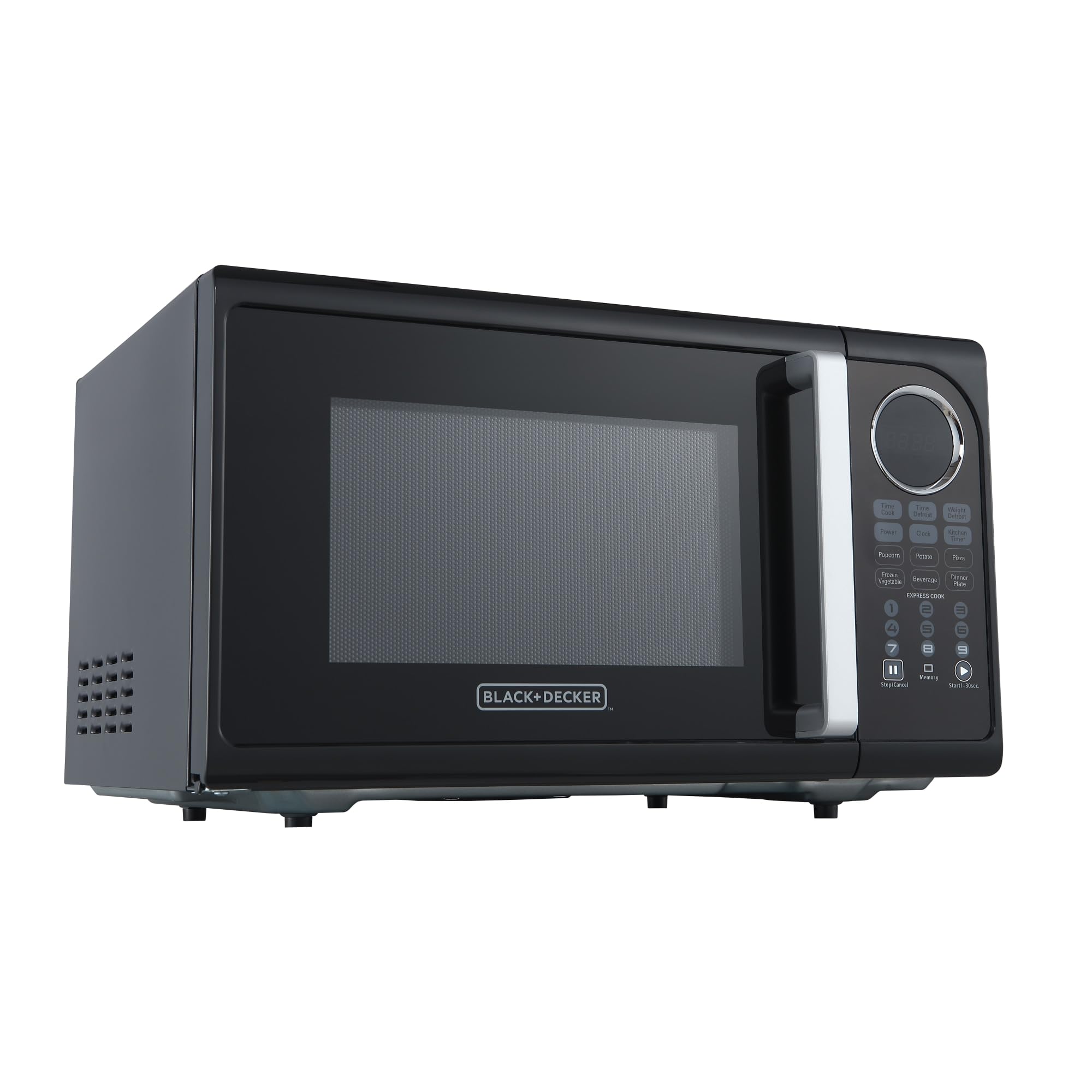
Figure 1: Front view of the BLACK+DECKER Countertop Microwave Oven.

Figure 2: Close-up of the control panel, highlighting the LED display and function buttons.
Control Panel Functions:
| Button | Description |
|---|---|
| Time Cook | Manually set cooking time. |
| Time Defrost | Defrost food based on time input. |
| Weight Defrost | Defrost food based on weight input. |
| Power | Adjust microwave power level (10 levels). |
| Clock | Set the current time. |
| Kitchen Timer | Use as a standalone timer. |
| Popcorn, Potato, Pizza, Frozen Vegetable, Beverage, Dinner Plate | Pre-programmed auto-menu functions for common foods. |
| Express Cook (1-6) | Quick start cooking for 1 to 6 minutes. |
| Stop/Cancel | Stop cooking or clear settings. |
| Start/+30sec. | Start cooking or add 30 seconds to current cooking time. |
| Unlock (button 0) | Unlock the control panel (Child Lock feature). |
4. Setup
Unpacking:
Carefully remove the microwave oven and all packing materials. Ensure all components, including the glass turntable and turntable ring, are present and undamaged. Dispose of packaging responsibly.
Placement:
- Place the microwave on a flat, stable surface that can support its weight.
- Ensure adequate ventilation: leave at least 4 inches (10 cm) of space on the top, back, and sides for proper airflow.
- Keep the microwave away from heat sources, strong magnetic fields, and areas with high humidity.
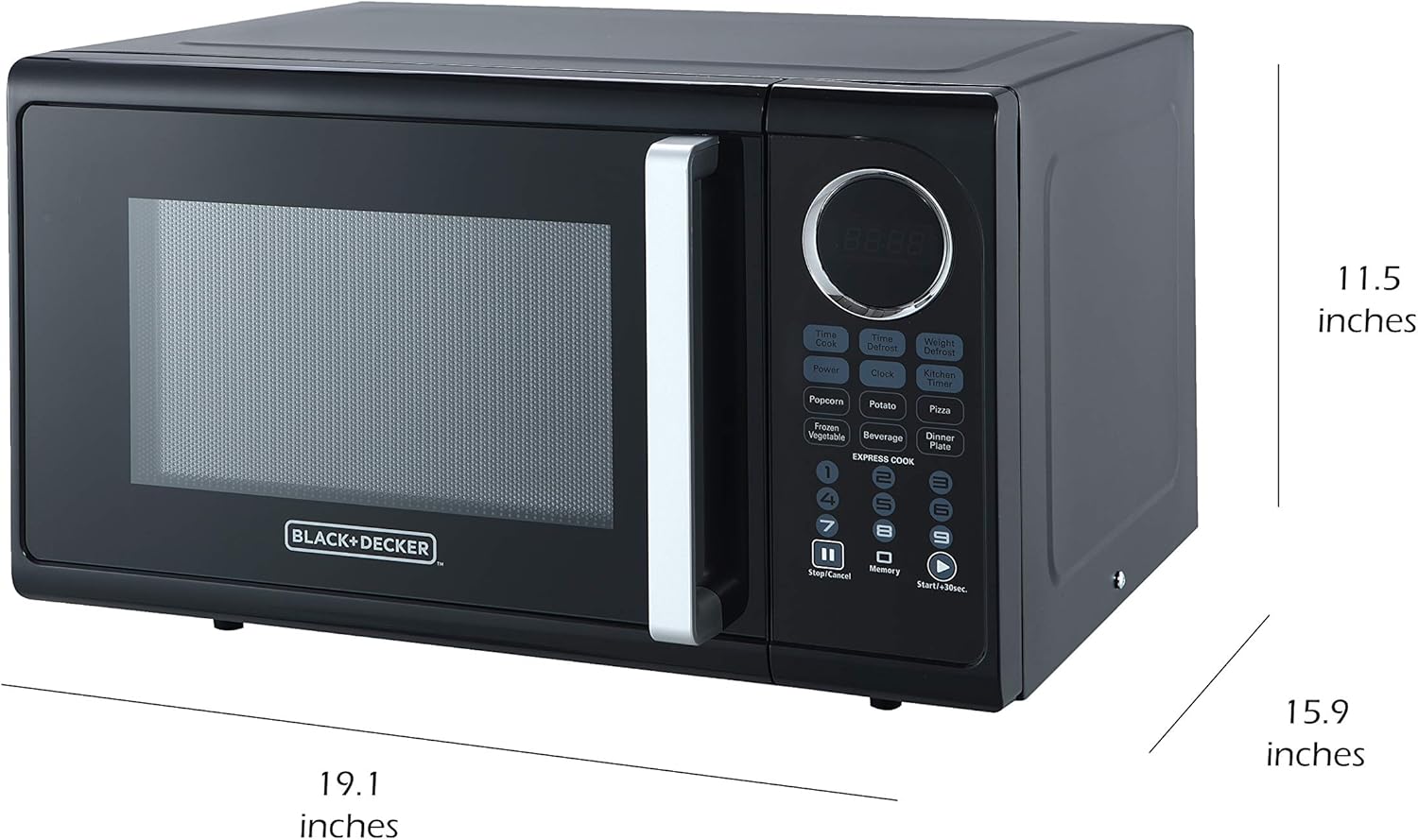
Figure 3: Microwave dimensions for proper placement.
Power Connection:
Plug the microwave into a grounded electrical outlet. Do not use extension cords or adapters.
5. Operating Instructions
Basic Microwave Cooking:
- Place food in a microwave-safe container on the glass turntable.
- Close the door securely.
- Press the Time Cook button.
- Enter the desired cooking time using the numeric keypad.
- To adjust power level (optional): Press the Power button, then use the numeric keypad to select a power level from 1 (lowest) to 10 (highest).
- Press the Start/+30sec. button to begin cooking.
Express Cook:
For quick cooking, simply press any of the Express Cook buttons (1-6) for instant cooking from 1 to 6 minutes at 100% power. Pressing Start/+30sec. will also start cooking for 30 seconds at 100% power, and each subsequent press adds 30 seconds.
Defrosting:
- Time Defrost: Press Time Defrost, enter the desired defrosting time, then press Start/+30sec.
- Weight Defrost: Press Weight Defrost, enter the food's weight in ounces (e.g., 10 for 10 oz), then press Start/+30sec.
Auto-Menu Functions:
For convenience, use the pre-programmed settings for common foods. Simply place the food in the microwave, press the corresponding auto-menu button (e.g., Popcorn, Potato), and the microwave will automatically set the optimal cooking time and power level. Some functions may require multiple presses to select quantity.

Figure 4: Examples of foods suitable for auto-menu or express cooking options.
Child Safety Lock:
To prevent accidental use, especially by children, activate the child safety lock:
- To activate: Press and hold the Stop/Cancel button for 3 seconds. The display will show "LOCK" or a lock icon.
- To deactivate: Press and hold the Stop/Cancel button again for 3 seconds. The lock indicator will disappear.
6. Maintenance and Cleaning
Regular cleaning helps maintain the performance and longevity of your microwave oven.
Exterior Cleaning:
Wipe the exterior with a soft, damp cloth. Avoid abrasive cleaners or harsh chemicals that could damage the finish.
Interior Cleaning:
Clean the interior cavity with a mild detergent and a soft cloth. For stubborn food splatters, place a bowl of water with lemon slices inside and microwave for 2-3 minutes to loosen residue, then wipe clean.

Figure 5: Interior of the microwave, showing the removable glass turntable.
Turntable and Ring:
The glass turntable and turntable ring are removable for easy cleaning. Wash them in warm, soapy water or in the dishwasher. Ensure they are completely dry before placing them back in the microwave.
7. Troubleshooting
If you encounter issues with your microwave, refer to the following common problems and solutions:
| Problem | Possible Cause | Solution |
|---|---|---|
| Microwave does not start. | Door not closed properly; power cord unplugged; fuse blown or circuit breaker tripped; child lock activated. | Ensure door is firmly closed; check power cord connection; reset circuit breaker/replace fuse; deactivate child lock. |
| Food not heating. | Incorrect cooking time/power level; microwave-safe dish not used. | Adjust cooking time/power; use microwave-safe cookware. |
| Turntable not rotating. | Turntable or ring not properly seated; debris under turntable. | Ensure turntable and ring are correctly positioned; clean under the turntable. |
| Unusual noise during operation. | Food container touching interior walls; turntable not properly seated. | Reposition food container; ensure turntable is correctly placed. |
For issues not listed here or if problems persist, please contact customer support.
8. Specifications
| Feature | Detail |
|---|---|
| Brand | BLACK+DECKER |
| Model Number | EM925ACPP2 |
| Capacity | 0.9 Cubic Feet |
| Wattage | 900 watts |
| Product Dimensions (D x W x H) | 19.1 x 15.9 x 11.5 inches |
| Item Weight | 29.6 pounds |
| Color | Black |
| Material | Stainless Steel |
| Special Feature | Child Safety Lock |
| Installation Type | Countertop |
| Included Components | Microwave Oven |
9. Warranty and Support
For warranty information, product registration, or technical support, please refer to the warranty card included with your purchase or visit the official BLACK+DECKER website. Keep your proof of purchase for any warranty claims.


