
1. Introduction
Thank you for choosing the Tefal Ultimate Pure FV9844 Steam Iron. This manual provides essential information for the safe and efficient operation, maintenance, and troubleshooting of your new appliance. Please read these instructions carefully before first use and keep them for future reference.
2. Safety Instructions
When using your iron, basic precautions should always be followed, including the following:
- Always plug the iron into a grounded outlet.
- Do not leave the iron unattended while it is connected to the mains supply.
- Do not immerse the iron, power cord, or plug in water or other liquids.
- Keep the iron out of reach of children and pets.
- Unplug the iron from the outlet when filling with water, emptying, or when not in use.
- Do not operate the iron with a damaged cord or if the iron has been dropped or damaged.
- The soleplate can become extremely hot. Avoid direct contact with hot surfaces.
- Use the iron only for its intended purpose as described in this manual.
3. Product Overview
Familiarize yourself with the components of your Tefal Ultimate Pure FV9844 Steam Iron.

Figure 3.1: The Tefal Ultimate Pure FV9844 steam iron, showcasing its sleek black and blue design with the transparent water tank and Micro-Calc filter compartment.
- A. Water Tank: Transparent reservoir for water. Capacity: 0.35 liters.
- B. Micro-Calc Filter: Exclusive filter system to prevent limescale stains.
- C. Steam Trigger/Boost Button: Activates powerful steam shot (up to 250 g/min).
- D. Variable Steam Control: Adjusts continuous steam output (up to 60 g/min).
- E. Temperature Dial: Selects appropriate temperature for different fabric types.
- F. Durilium AirGlide Autoclean Soleplate: Provides excellent glide and requires no maintenance.
- G. Spray Button: Releases a fine mist of water.
- H. Self-Clean Button: For periodic cleaning of the iron.

Figure 3.2: A view of the iron's soleplate, highlighting its dimensions of 31.6 cm in length and 15.1 cm in width, crucial for understanding its size and maneuverability.
4. Setup and First Use
- Unpacking: Remove all packaging materials and labels from the iron.
- Water Filling: Ensure the iron is unplugged. Open the water tank inlet and fill with tap water up to the 'MAX' level. The 0.35-liter capacity allows for extended ironing sessions.
- Initial Heating: Plug the iron into a suitable power outlet (220 Volts). Set the temperature dial to the maximum setting. The iron will heat up quickly due to its 3200W power. The indicator light will turn off when the desired temperature is reached.
- First Steaming: For the first use, iron an old piece of fabric to remove any manufacturing residues from the soleplate. Press the steam trigger a few times to ensure proper steam flow.
5. Operating Instructions
5.1. Ironing with Steam
For steam ironing, ensure the water tank is filled and the temperature dial is set to a steam-compatible setting (usually indicated by steam symbols on the dial). The iron delivers a variable steam output of up to 60 g/min for effective wrinkle removal.
5.2. Steam Boost Function
For stubborn creases, press the steam boost button. This provides an intense steam shot of up to 250 g/min, penetrating deep into fabrics. Wait a few seconds between each boost to allow the iron to regenerate steam.
5.3. Vertical Steaming
The iron can be used for vertical steaming of hanging garments, curtains, or delicate fabrics. Hold the iron vertically, close to the fabric, and press the steam trigger. This feature is ideal for refreshing clothes without an ironing board.
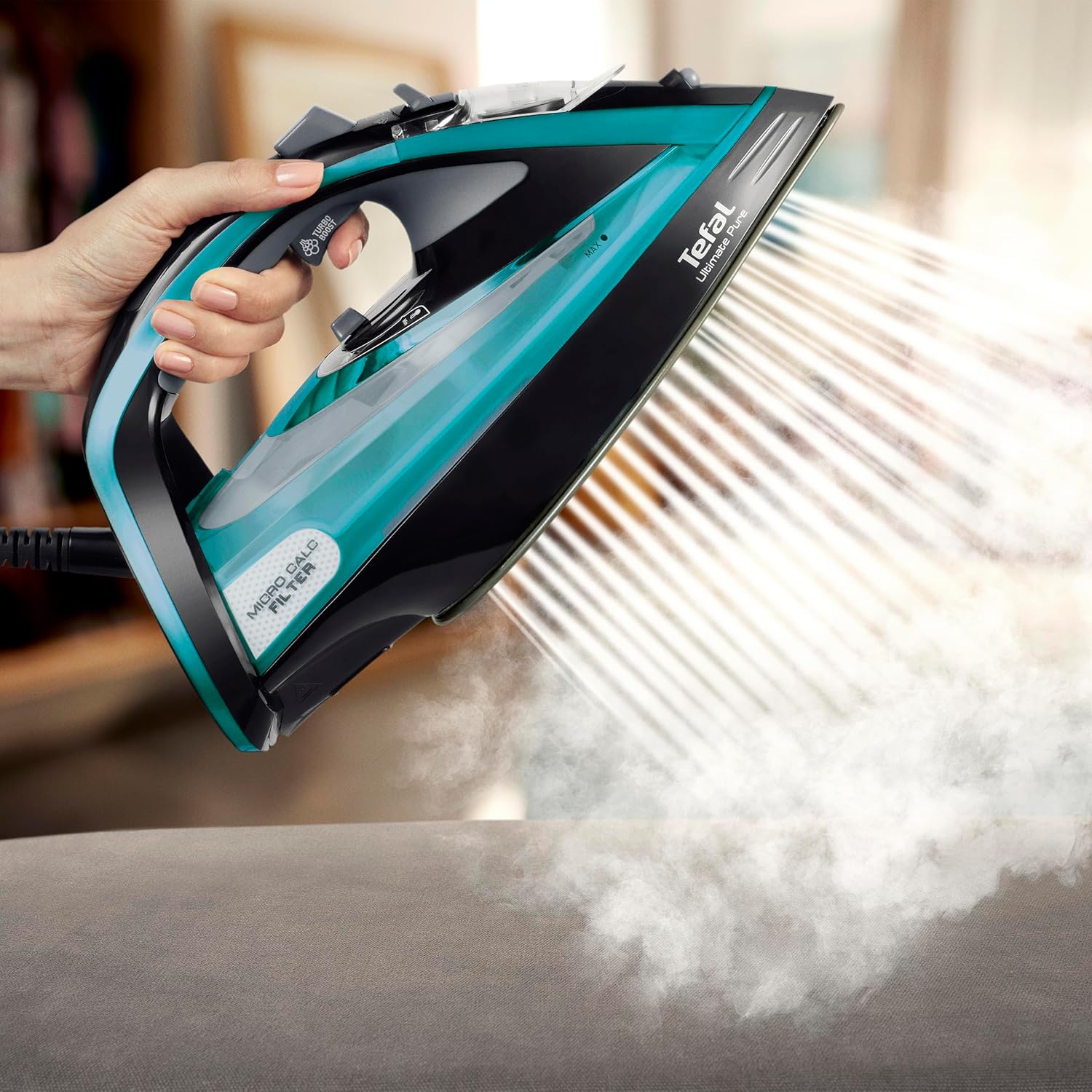
Figure 5.1: The iron in action, demonstrating its powerful steam output, suitable for vertical steaming of hanging garments.
5.4. Dry Ironing
For dry ironing, ensure the steam control is set to 'no steam' or empty the water tank. Set the temperature according to the fabric type. The Durilium AirGlide Autoclean soleplate ensures smooth gliding even without steam.

Figure 5.2: The iron resting on an ironing board, providing a clear view of its Durilium AirGlide Autoclean soleplate, designed for smooth gliding.
5.5. Automatic Shut-off
For safety, the iron features an automatic shut-off function. If left motionless on its soleplate for 30 seconds, or vertically for 8 minutes, it will automatically turn off. To restart, simply move the iron.
6. Maintenance and Cleaning
6.1. Cleaning the Soleplate
The Durilium AirGlide Autoclean soleplate is designed to stay clean. If necessary, wipe it with a damp cloth after the iron has cooled down. Do not use abrasive cleaners or metallic scouring pads.
6.2. Cleaning the Micro-Calc Filter
The exclusive Micro-Calc filter ensures 100% filtration of steam to prevent limescale stains. The iron will signal when the filter needs cleaning. To clean:
- Ensure the iron is unplugged and completely cool.
- Locate the Micro-Calc filter compartment, usually at the rear of the iron.
- Remove the filter by pulling it out.
- Rinse the filter under running water to remove any accumulated limescale.
- Reinsert the clean filter back into its compartment until it clicks into place.

Figure 6.1: A close-up showing the removable Micro-Calc filter, illustrating the ease of maintenance for optimal performance.
6.3. Storage
After use, unplug the iron and allow it to cool completely. Empty any remaining water from the tank. Store the iron upright on its heel to protect the soleplate.

Figure 6.2: The iron positioned on an ironing board, ready for use in a typical home environment.
7. Troubleshooting
| Problem | Possible Cause | Solution |
|---|---|---|
| Iron does not heat up. | Not plugged in; power outage; automatic shut-off activated. | Check power connection; check circuit breaker; move the iron to reactivate. |
| No steam or insufficient steam. | Water tank empty; temperature too low for steam; steam control set to 'dry'; Micro-Calc filter clogged. | Fill water tank; set higher temperature; adjust steam control; clean Micro-Calc filter. |
| Water leaking from soleplate. | Temperature too low for steam; overfilled water tank; anti-drip system issue. | Increase temperature; do not overfill; contact support if problem persists. |
| White flakes/stains on clothes. | Limescale buildup; Micro-Calc filter needs cleaning. | Clean the Micro-Calc filter as per instructions. |
8. Specifications
- Model: FV9844
- Power: 3200 Watts
- Voltage: 220 Volts
- Water Tank Capacity: 0.35 Liters
- Continuous Steam Output: Up to 60 g/min
- Steam Boost: Up to 250 g/min
- Soleplate: Durilium AirGlide Autoclean
- Dimensions (L x W x H): 31.6 x 15.1 x 16.3 cm (approximate, based on product description)
- Weight: 1.5 Kilograms (3.31 pounds)
- Special Features: Automatic power cut-off, Anti-calc system, Anti-drip system, Vertical steam function, Spray function.
9. Warranty and Support
Tefal products are designed for durability and performance. While specific warranty details may vary by region, Tefal is committed to providing repairability for its products. Information regarding spare parts availability is not explicitly provided in the product details, but Tefal generally supports product longevity.
For further assistance, troubleshooting beyond this manual, or to inquire about repairs, please visit the official Tefal website or contact their customer support service in your region. Always refer to your purchase receipt for warranty claims.
Tefal is known for innovations and smart functionalities, ensuring customer satisfaction for over 60 years. You can find more information and support at the Tefal Brand Store.


