
Introduction
This manual provides essential information for the safe and effective use of your VESSEL Electric Ball Grip Screwdriver, Model 220USB-5. Please read these instructions thoroughly before operating the tool and retain them for future reference.
The VESSEL Electric Ball Grip Screwdriver is a versatile tool designed for various tasks, including electrical work, equipment maintenance, and general DIY projects. It features both electric and manual operation modes, an integrated LED light, and a comfortable ball grip design.
Safety Information
Always observe basic safety precautions when using electric tools to reduce the risk of fire, electric shock, and personal injury.
- Work Area Safety: Keep your work area clean and well-lit. Cluttered or dark areas invite accidents. Do not operate power tools in explosive atmospheres, such as in the presence of flammable liquids, gases, or dust.
- Electrical Safety: Avoid body contact with earthed or grounded surfaces (e.g., pipes, radiators, ranges, refrigerators). Do not expose power tools to rain or wet conditions. Water entering a power tool will increase the risk of electric shock.
- Personal Safety: Stay alert, watch what you are doing, and use common sense when operating a power tool. Do not use a power tool while you are tired or under the influence of drugs, alcohol, or medication. Always wear appropriate personal protective equipment, including safety glasses.
- Tool Use and Care: Do not force the power tool. Use the correct power tool for your application. Do not use the power tool if the switch does not turn it on and off. Disconnect the plug from the power source and/or the battery pack from the power tool before making any adjustments, changing accessories, or storing power tools.
- Battery Care: Recharge only with the charger specified by the manufacturer. Do not manually tighten more than necessary, as excessive force may cause a malfunction.
Setup
1. Unboxing and Included Components
Carefully remove all items from the packaging. Verify that all components are present:
- VESSEL Electric Ball Grip Screwdriver (Model 220USB-5)
- Bit Set:
- +1 x 100 mm (1 piece)
- +2 x 100 mm (2 pieces)
- +3 x 100 mm (1 piece)
- -6 x 100 mm (1 piece)
- USB charging cable (1 meter)
- Dedicated AC adapter (if included in your specific package)

Image: The VESSEL Electric Ball Grip Screwdriver shown with its dimensions and the five included bits: +1x100mm, +2x100mm (two pieces), +3x100mm, and -6x100mm. The screwdriver has a grip length of 140mm and a grip diameter of 45mm.
2. Charging the Screwdriver
Before first use, fully charge the screwdriver battery. The battery capacity is Li-Ion 3.6V 800mAh.
- Locate the Micro USB-typeB charging port on the screwdriver.
- Connect the provided USB charging cable to the screwdriver and to a compatible USB power source (e.g., the dedicated AC adapter or a computer USB port).
- The charging lamp will illuminate to indicate charging status. A red LED typically indicates charging, and a green LED indicates a full charge.
- Charging time is approximately 60 minutes for a full charge.

Image: A detailed view of the screwdriver's features, including the charging lamp (showing green and red indicators), the bright LED work light, and the slide switch for operation. An example of bit insertion is also shown.
3. Bit Installation
The screwdriver features a 0.25 inch (6.35 mm) aluminum sleeve chuck for quick bit changes.
- Ensure the screwdriver is turned off.
- Pull the aluminum sleeve chuck forward.
- Insert the desired bit into the chuck.
- Release the sleeve chuck to secure the bit in place. Ensure the bit is firmly seated before use.
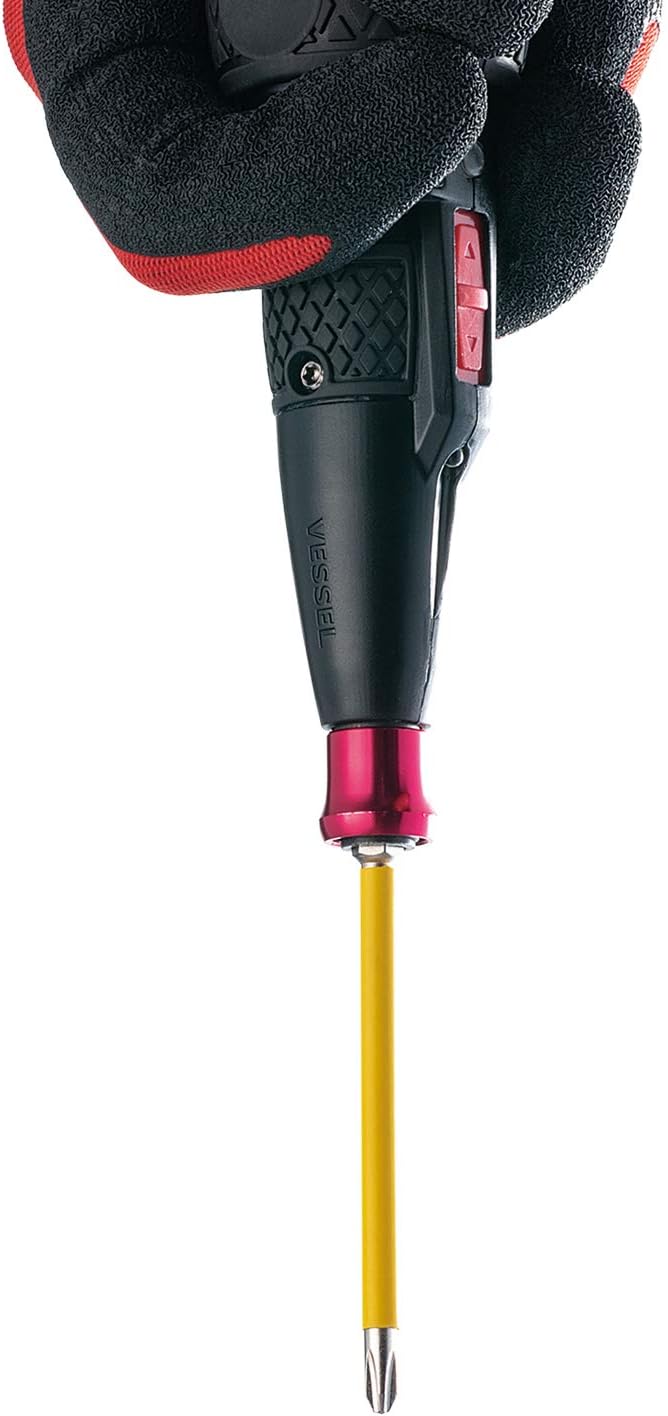
Image: A hand wearing a work glove holds the VESSEL Electric Ball Grip Screwdriver with a yellow bit securely inserted into the chuck, demonstrating proper bit installation.
Operating Instructions
1. Powering On/Off and Direction Selection
The screwdriver is operated using a slide switch located on the body.
- Slide the switch forward for tightening (clockwise rotation).
- Slide the switch backward for loosening (counter-clockwise rotation).
- Position the switch in the center to lock the tool and prevent accidental operation.
2. Electric Operation
For light to medium torque applications, use the electric mode. The maximum electric torque is 2 Nm.
- Select the desired rotation direction using the slide switch.
- Place the bit onto the screw head.
- Press the activation button (usually located on the side or top of the grip) to engage the electric motor.
- Release the button to stop the motor.

Image: The VESSEL Electric Ball Grip Screwdriver in use, tightening a screw within an electrical panel. This demonstrates its suitability for electrical and equipment work.
3. Manual Operation
For initial tightening, final tightening, or when higher torque is required, use the manual mode. The endurance torque (manual) is 10 Nm.
- After the electric motor stops or if you need more torque, continue to turn the screwdriver manually. The ball grip design provides a comfortable and firm grip for manual force.
- Important: Do not manually tighten more than necessary, as excessive force can damage the tool or the fastener.

Image: The VESSEL Electric Ball Grip Screwdriver being used to install or remove a screw from a ceiling fixture, highlighting its utility for overhead tasks.
4. LED Work Light
The integrated LED light illuminates the work area, improving visibility in dimly lit conditions. The LED light activates automatically when the screwdriver is in operation.
Maintenance
- Cleaning: Keep the tool clean and free from dust and debris. Wipe the exterior with a soft, damp cloth. Do not use harsh chemicals or abrasive cleaners.
- Storage: Store the screwdriver and bits in a dry, secure location, away from direct sunlight and extreme temperatures. Keep out of reach of children.
- Battery Life: The battery is designed for approximately 500 charge cycles. To prolong battery life, avoid fully discharging the battery frequently.
Troubleshooting
| Problem | Possible Cause | Solution |
|---|---|---|
| Screwdriver does not turn on. | Battery is discharged. | Charge the battery fully (approx. 60 minutes). |
| Screwdriver lacks power in electric mode. | Battery is low or task requires more torque. | Recharge the battery. Use manual mode for higher torque applications (up to 10 Nm). Ensure screws are compatible (up to M6). |
| Bit rattles or is not secure. | Bit not fully inserted or sleeve chuck not properly engaged. | Ensure the bit is fully inserted into the chuck and the sleeve is released to lock it. Verify bit compatibility (0.25 inch / 6.35 mm hex). |
| Charging lamp does not light up. | Charging cable or power source issue. | Check the USB cable connection and try a different USB power source. |
Specifications
- Model: 220USB-5
- Grip Length: 5.5 inches (140 mm)
- Grip Diameter: 1.8 inches (45 mm)
- Weight: 5.6 oz (160 g)
- Sleeve: 0.25 inch (6.35 mm) Aluminum sleeve chuck
- Battery: Li-Ion 3.6V 800mAh
- No-load Speed: 280 min-1
- Maximum Electric Torque: 2 Nm
- Endurance Manual Torque: 10 Nm
- Charging Time: Approx. 60 minutes
- Number of Charges: Approx. 500 times
- Continuous Usage Time: Approx. 40 minutes (without load)
- Charging Method: Micro USB-typeB
- Compatible Screws: Up to M6 (M8 not supported)
- Screw Tightening Times: Approx. 200 pieces (M4 x 20 mm)
- Country of Manufacture: Japan
- Recommended Uses: Electrical and equipment work, tightening various terminals, maintenance of OA and control equipment, automobiles and two-wheel maintenance, DIY.
Warranty Information
VESSEL products are manufactured to high-quality standards. For specific warranty details, please refer to the warranty card included with your product or visit the official VESSEL website. Keep your purchase receipt as proof of purchase.
Support
For further assistance, product information, or to view additional resources, please visit the official VESSEL website:
You can also visit the VESSEL Store on Amazon for more products and information:
