
Introduction
This manual provides essential instructions for the installation, operation, and maintenance of the Apple Bluetooth Card, model A1115 (Part Number 820-1696-A). This component is designed for specific Apple iMac models, including A1224, A1225, and A1207 from the 2007 series, to enable or restore Bluetooth connectivity.
Product Overview
The Apple Bluetooth Card is a compact internal component responsible for providing wireless Bluetooth communication capabilities to your compatible iMac. It allows your computer to connect with various Bluetooth-enabled devices such as keyboards, mice, headphones, and other peripherals.
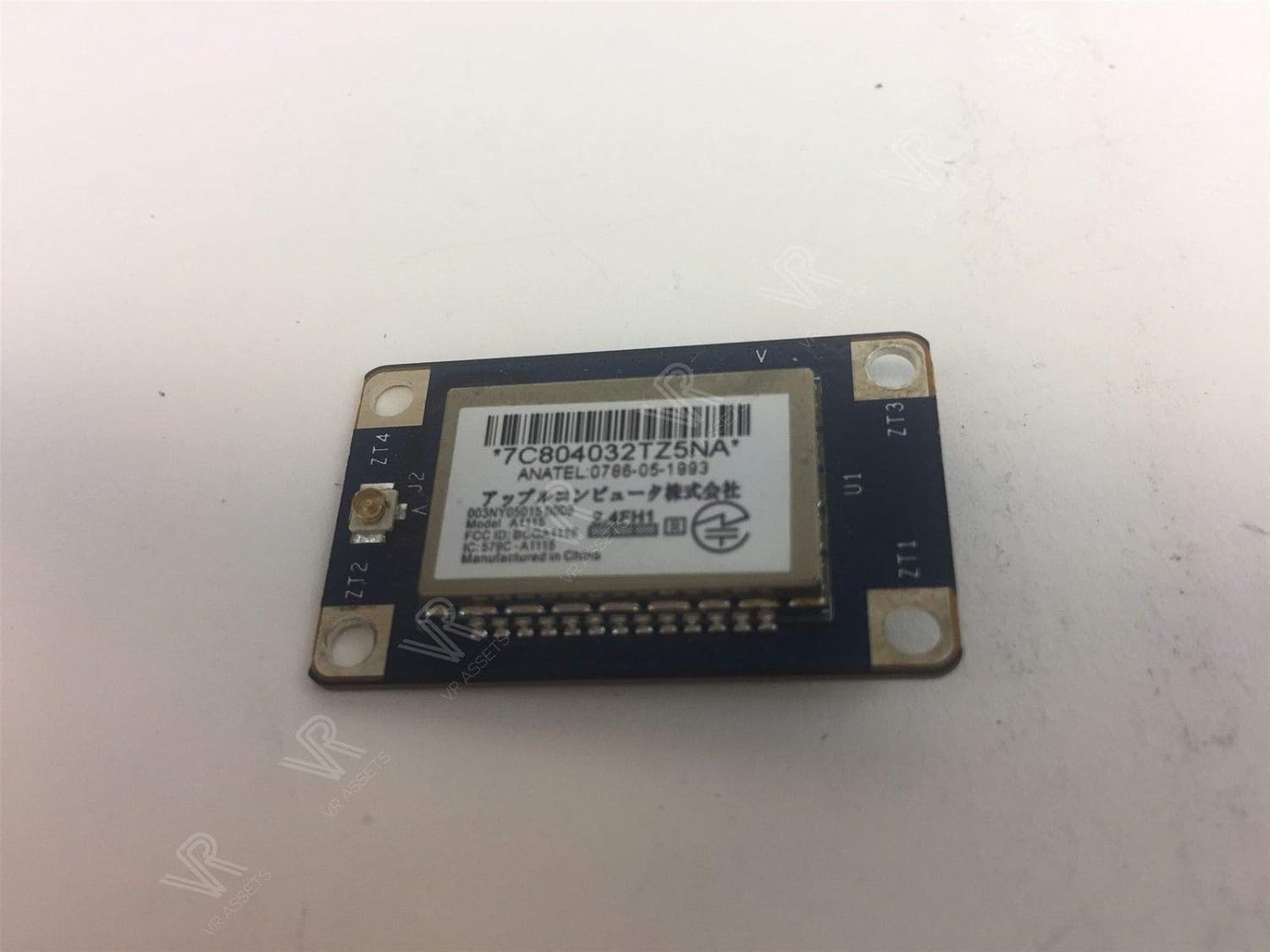
Image 1: Front view of the Apple Bluetooth Card A1115 / 820-1696-A. The card features a main chip with a label displaying model number A1115, part number 820-1696-A, and Anatel certification details. It has connection pins along one edge and mounting holes at the corners.
Setup and Installation
Important Safety Notice: Installation of internal computer components requires technical expertise and careful handling. Incorrect installation can damage your computer or the component. It is highly recommended that installation be performed by a qualified technician. If you choose to proceed yourself, ensure you follow all safety precautions, including disconnecting power and grounding yourself to prevent electrostatic discharge (ESD).
- Preparation: Power off your iMac completely and disconnect all cables, including the power cord. Place the iMac on a clean, static-free work surface.
- Accessing Internal Components: Carefully open your iMac to access its internal components. This process varies by model; consult a service manual specific to your iMac model (A1224, A1225, or A1207) for detailed instructions on how to safely open the enclosure.
- Locate Old Bluetooth Card (if applicable): Identify the existing Bluetooth card. It is typically a small circuit board connected to the logic board.
- Removal (if applicable): Gently disconnect any cables attached to the old card and carefully remove any screws securing it. Lift the old card out of its slot.
- Install New Bluetooth Card: Align the new Apple Bluetooth Card (A1115 / 820-1696-A) with the designated slot on the logic board. Gently press it into place until it is securely seated. Reconnect any necessary cables and secure it with screws if required.
- Reassembly: Carefully reassemble your iMac, ensuring all connections are secure and no internal cables are pinched.
- Initial Power On: Reconnect the power cord and other peripherals. Power on your iMac. The system should automatically detect the new Bluetooth hardware.
Operating Instructions
Once the Bluetooth card is successfully installed, your iMac will have Bluetooth capabilities. Follow these steps to use Bluetooth:
- Enable Bluetooth: Go to System Preferences (or System Settings on newer macOS versions) and select "Bluetooth." Ensure Bluetooth is turned "On."
- Pairing Devices: Put your Bluetooth device (e.g., keyboard, mouse, headphones) into pairing mode. It should appear in the list of discoverable devices on your iMac's Bluetooth settings.
- Connect: Select your device from the list and click "Connect." Follow any on-screen prompts, such as entering a passcode, if required.
- Usage: Once paired and connected, your device is ready for use.
Maintenance
The Bluetooth card itself requires no routine maintenance. To ensure optimal performance and longevity of your iMac and its components:
- Keep your iMac in a clean, dust-free environment.
- Ensure proper ventilation to prevent overheating.
- Regularly update your macOS to benefit from the latest drivers and system improvements.
Troubleshooting
- Bluetooth Not Appearing in System Preferences:
Ensure the card is correctly seated in its slot. Restart your iMac. If the issue persists, the card may not be properly installed or could be faulty.
- Devices Not Pairing:
Make sure the device is in pairing mode and within range. Turn Bluetooth off and then on again on your iMac. Try restarting both your iMac and the Bluetooth device.
- Intermittent Connection:
Check for potential interference from other wireless devices. Ensure your iMac's software is up to date. Try re-pairing the device.
- Slow Performance:
If Bluetooth performance is slow, try disconnecting and reconnecting devices. Ensure there are no excessive background processes consuming system resources.
Specifications
- Model: A1115
- Part Number (P/N): 820-1696-A
- Anatel P/N: 0786-05-1993
- Hardware Interface: Bluetooth
- Data Link Protocol: Bluetooth
- Compatible Devices: Desktop (Specifically Apple iMac A1224, A1225, A1207)
- UPC: 691022136954
- Manufacturer: Apple Computer
Warranty and Support
For warranty information and technical support regarding this replacement Bluetooth card, please contact the seller or the point of purchase. Keep your purchase receipt as proof of purchase.


